

Google My Business posts are short, timely updates that appear directly on your Google Business Profile in search results and Google Maps. When you create effective Google My Business posts consistently, you give local customers a reason to choose you over a competitor they found in the same search. Posts influence local SEO rankings, drive calls and website visits, and cost nothing beyond your time. The key factors are content quality, posting frequency, and authentic visuals. Get those three right, and your profile works as a 24/7 sales tool.
What makes a Google My Business post effective?
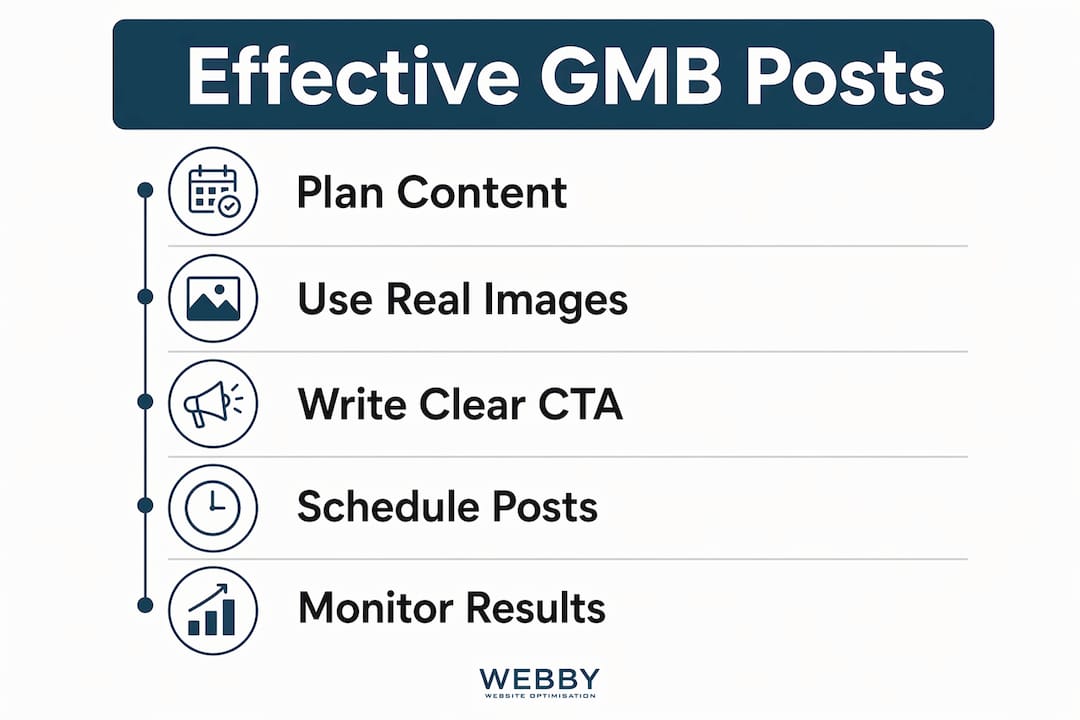
Effective Google My Business posts share four qualities: the right length, real images, a clear call to action, and the correct post type for the goal.
Length and front-loading. Posts between 150 and 300 words perform best for mobile readers who spend roughly 30 seconds scanning. That matters because most local searches happen on phones. Google also truncates text previews after about 80–100 characters in search results. Put your main offer or value in the first sentence, not the third.
Authentic images. Real photos of your storefront, team, or products generate about 5.6 times more clicks than stock photography. That gap is significant. A photo of your actual team installing a fence or serving a customer builds trust that a generic stock image never can.

Call-to-action buttons. Every post should include one of Google’s built-in CTA buttons: “Call now,” “Book,” “Learn more,” or “Get offer.” These buttons drive direct action without cluttering your text.
Post types and when to use them:
- Updates: General news, new services, or team announcements. Use these weekly to signal activity.
- Offers: Discounts or promotions with a start and end date. Google displays a badge that draws attention.
- Events: Workshops, open days, or community involvement. Events show up with date and time details that stand out in results.
Pro Tip: Write your first sentence as if it were a headline. If it does not make someone want to read more, rewrite it before you post.
What tools and setup do you need before posting?
Consistent posting requires the right setup from the start. Without it, you will miss posts, use wrong image sizes, or get posts rejected.
| Element | Requirement |
|---|---|
| Image size | 720 x 540 pixels minimum; JPG or PNG format |
| Post character limit | Up to 1,500 characters; aim for 150–300 words |
| Scheduling | Use Google’s native scheduling or recurring post feature |
| Post frequency | 1–3 times per week for best results |
| Avoid in text | Phone numbers, hashtags, ALL CAPS, excessive punctuation |
Google’s native scheduling tool lets you plan posts in advance and set recurring post patterns up to a year out. That feature alone removes the biggest barrier for busy owners: remembering to post. Set a recurring “Weekly Update” reminder in your calendar and batch-write four posts at once each month.
A thematic content calendar helps too. Assign a theme to each week: week one covers a service spotlight, week two shares a customer result, week three promotes a seasonal offer, and week four answers a common question. This structure removes the blank-page problem every time you sit down to write.
Pro Tip: Never put your phone number inside the post text. Phone numbers in post text are the leading cause of post rejection on Google Business Profile. Use the “Call now” CTA button instead.
How do you write posts that convert local customers?
Writing posts that actually bring in leads requires a shift in thinking. You are writing for a person with a specific need, not for a search algorithm. Writing for human intent rather than keyword stuffing produces better results and avoids spam penalties.
Use location and service terms naturally
Mention your suburb or service area once per post where it fits naturally. “Our plumbing team covers Fremantle and surrounding suburbs” reads well. Repeating “Fremantle plumber” three times in 200 words reads as spam. For deeper guidance on weaving location terms into your content, the local SEO for small business approach applies directly to your posts.
Match your content type to the season and customer need
Rotate through four content types to keep your profile fresh:
- Seasonal promotions. Tie offers to real events: school holidays, end of financial year, or summer heat. “Beat the Perth summer with our air conditioning service check” is specific and timely.
- Social proof posts. Share a short customer result. “We helped a Melville café rank on page one in six weeks” is more persuasive than any claim you make about yourself.
- Educational content. Answer one question your customers ask regularly. “Three signs your hot water system needs replacing” positions you as the expert before they even call.
- Behind-the-scenes updates. A photo of your team on a job, a new piece of equipment, or a completed project shows your business is active and real.
Set a posting schedule and stick to it
Posting 1–3 times per week is the industry standard for maintaining a competitive local search presence. Once per week is the minimum. Two to three times weekly is the target. Consistency signals activeness to Google, which improves your ranking and builds customer trust over time. Batch your writing on a Monday morning, schedule the posts, and move on with your week.
Use CTAs that match the goal
Every post needs one CTA, and it should match what you want the reader to do. Booking-based businesses should use “Book.” Service inquiry businesses should use “Call now” or “Learn more.” Do not use “Get offer” on a non-promotional post. Mismatched CTAs confuse readers and reduce clicks. For a practical breakdown of how Google posts work for service businesses, the guide on Google posts for small business covers the mechanics well.
What mistakes kill Google My Business post performance?
Most posts underperform for predictable reasons. Recognizing these patterns lets you fix them fast.
- Irregular posting. Erratic posting confuses Google’s algorithm and lowers your profile’s prominence. Posting five times in one week and then nothing for three weeks is worse than posting once a week every week.
- Stock photography. Generic images signal a generic business. Real photos of your actual work outperform polished stock images in every engagement metric.
- Spam triggers. ALL CAPS headlines, excessive exclamation marks, and phone numbers in text all trigger Google’s content filters. Hashtags do not improve discoverability on Google Business Profile and waste your limited character space.
- Ignoring insights. Google Business Profile shows you how many people viewed, clicked, or called from each post. Check these numbers monthly. If educational posts consistently outperform promotional ones, shift your content mix accordingly.
- Leaving expired content live. An offer post that ended two months ago makes your profile look neglected. Delete expired offers and events promptly.
Pro Tip: Set a monthly calendar reminder to audit your posts. Delete anything expired, check your insights, and adjust your content plan based on what actually drove clicks.
Key Takeaways
Consistent, well-structured Google Business Profile posts are the most cost-effective way for local businesses to improve search visibility and drive direct customer actions.
| Point | Details |
|---|---|
| Front-load your message | Put your main offer in the first 80–100 characters to beat Google’s text truncation. |
| Use real photos | Authentic images generate about 5.6 times more clicks than stock photography. |
| Post 1–3 times weekly | Steady weekly posting outperforms irregular bursts and signals activity to Google. |
| Avoid spam triggers | Never put phone numbers in post text; use Google’s built-in “Call now” button instead. |
| Match CTA to goal | Choose the CTA button that matches the action you want: “Book,” “Call now,” or “Learn more.” |
Why consistency beats cleverness every time
After working with local service businesses across Perth and Fremantle, the pattern I see most often is this: owners spend two hours crafting a perfect post in january, get no immediate spike in calls, and then abandon posting entirely. That is the wrong conclusion to draw.
Google’s local algorithm rewards sustained activity, not one-off brilliance. A business that posts a simple, honest update every Tuesday for six months will outrank a business that posts a polished campaign once a quarter. The algorithm reads consistency as a signal that the business is open, active, and worth showing to searchers.
The other thing I have learned is that human-centric posts win. A photo of your actual team, a genuine customer result, or a plain-language answer to a common question will outperform a carefully worded promotional post almost every time. People trust people, not marketing copy.
The practical fix for most owners is automation. Use Google’s scheduling feature to write and queue four posts in one sitting. Treat it like paying a bill: set a recurring monthly task, do it in 45 minutes, and forget about it until next month. That discipline, more than any content formula, is what separates businesses that grow their local presence from those that stay invisible.
For a broader view of how posts fit into your overall local presence, the Google Business Profile guide for local service owners is worth reading alongside this article.
— Steve Doig
How Webby Website Optimisation supports your local online presence
Local businesses that post consistently on Google Business Profile still need a website that converts the traffic those posts generate. A weak or outdated site loses the leads your posts worked to attract.

Webby Website Optimisation works with local service businesses in Perth, Fremantle, and Melville to build websites that turn Google visibility into real inquiries. From website design and development to local SEO, the team aligns your entire online presence so every post you publish has somewhere strong to send people. If you want to see what a properly built local web presence looks like, get in touch with Webby Website Optimisation for a free audit.
FAQ
How often should I post on Google Business Profile?
Post at least once per week, with two to three times weekly as the target. Consistent posting signals activity to Google and improves your local search ranking over time.
How long should a Google My Business post be?
Posts between 150 and 300 words perform best for mobile readers. Keep the key message in the first 80–100 characters, since Google truncates previews in search results.
Why do my Google My Business posts keep getting rejected?
The most common cause is a phone number in the post text. Use Google’s built-in “Call now” button instead, and avoid ALL CAPS, excessive punctuation, and hashtags.
Do hashtags help Google Business Profile posts?
Hashtags do not improve discoverability on Google Business Profile. They waste character space and add no SEO value. Save hashtags for social media platforms where they actually work.
What type of images work best for Google posts?
Real photos of your team, storefront, or completed work outperform stock photography significantly. Authentic images build trust and generate more clicks from local searchers.
Recommended
- How to Use Google Posts for Small Business – Manta – Webby Website Optimisation
- Google Business Profile Explained for Local Service Owners
- How to Set Up Google Business Profile in 2026
If this post raised some questions feel free to ask me a question
Trackbacks/Pingbacks