
Conversion rate optimization is the systematic process of turning website visitors into leads by removing friction, matching offers to intent, and routing inquiries to sales fast. Median B2B conversion rates sit between 2.4% and 3.1%, while top-quartile sites hit 8–12%. That gap represents real revenue left on the table. Tools like Leadfeeder, live chat platforms, and exit-intent pop-ups are the building blocks of any effective lead capture system. This guide shows local service business owners in Perth, Fremantle, and Melville exactly how to close that gap.
What are the best tools to turn website visitors into leads?
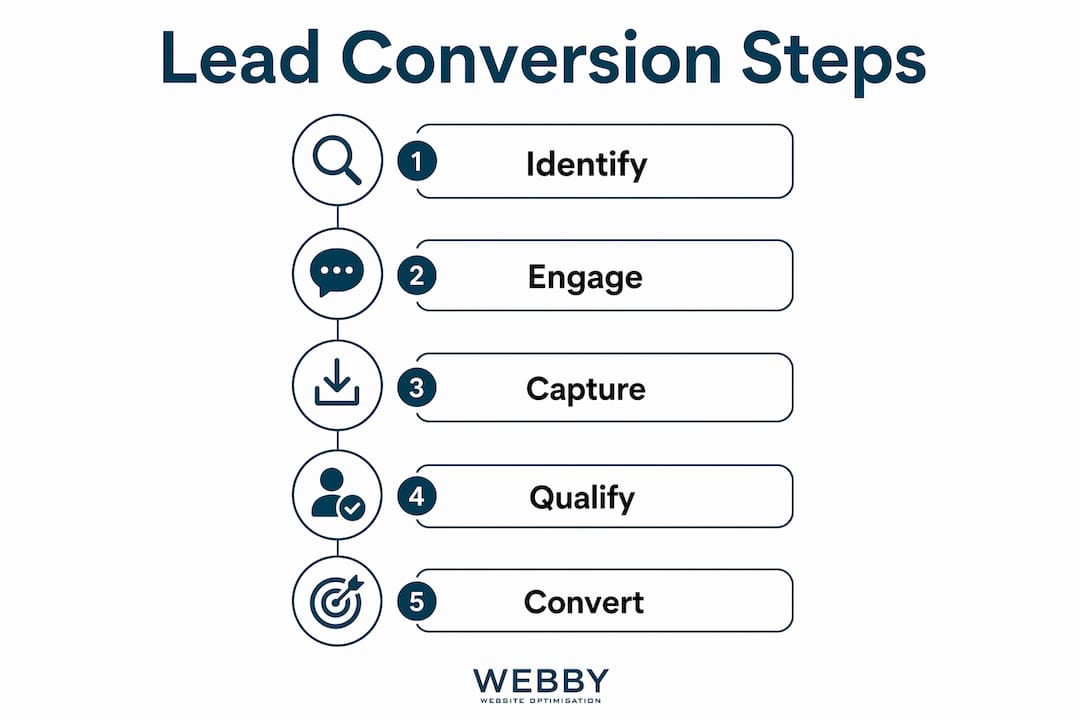
The most effective tools for converting visitors to leads combine identification, engagement, and capture into one coordinated system. No single tactic works in isolation. You need tools that talk to each other.
Leadfeeder for visitor identification
Leadfeeder uses reverse IP lookup to identify which companies are browsing your site, even when no form is filled out. It then sends real-time alerts so your team can follow up before the visitor moves on to a competitor. For local service businesses, this turns anonymous traffic into a warm prospect list without waiting for someone to raise their hand.

Live chat for real-time qualification
Live chat platforms with company matching and personalized messages increase lead conversion by engaging relevant visitors in the moment they are most interested. A plumber, electrician, or landscaper who answers a visitor’s question in real time builds trust faster than any brochure page. The key is triggering chat based on behavior, such as time on page or scroll depth, rather than blasting every visitor with a pop-up the second they arrive.
Exit-intent pop-ups
Exit-intent pop-ups detect when a visitor is about to leave and present a targeted offer. Targeted landing page improvements can lift conversions by 25–40% within 60 days, with exit-intent pop-ups adding a further 5–10%. That additional lift is meaningful for a local trades business running on thin margins. The offer matters: a free quote, a checklist, or a limited-time discount outperforms a generic “subscribe to our newsletter.”
Calls to action that match context
Generic CTAs like “Contact Us” underperform because they ask for commitment before delivering value. Contextual CTAs tied to the specific page content, such as “Get a Free Roof Inspection Quote” on a roofing services page, convert at a higher rate. Place your primary CTA above the fold and repeat it at natural decision points throughout the page.
Pro Tip: Test two CTA variations on your highest-traffic page for 30 days. Change only the button text, not the design. The winner will often surprise you.
Form length and lead quality
Longer forms collect more qualifying data but reduce completions. Reducing form fields from seven or more down to four increases form completion rates by 40–60%. That is not a small improvement. For most local service businesses, four fields, name, phone, email, and service needed, capture enough to start a sales conversation without scaring visitors away.
How does visitor intent and segmentation improve lead conversion rates?
Understanding why a visitor is on your site is more valuable than knowing they are there. Visitor intent tells you what offer to make, when to make it, and how much friction they will tolerate.
Identify traffic sources first. A visitor from a Google search for “emergency plumber Perth” has high purchase intent. A visitor from a blog post about DIY pipe repairs does not. Treat them differently from the first page they land on.
Segment by behavior on site. Visitors who view your pricing page, then your contact page, are signaling readiness. Set up behavioral triggers in Google Analytics or a tool like Hotjar to flag these high-intent sequences and present a direct conversion offer.
Use progressive profiling to reduce friction. Progressive profiling captures essential information first, then enriches the lead record across multiple touchpoints. On the first visit, ask only for name and email. On a return visit, ask for their suburb and service need. This approach builds a complete lead profile without overwhelming anyone upfront.
Avoid the one-size-fits-all conversion path. Local businesses often send every visitor to the same contact form regardless of where they came from or what they viewed. Segmenting visitors by source, behavior, and intent and presenting tailored offers is what separates top-quartile converters from the median.
Match landing pages to ad campaigns. If you run Google Ads for “fence installation Fremantle,” the landing page should say “fence installation Fremantle” in the headline. Mismatched messaging between ad and page is one of the fastest ways to lose a high-intent visitor.
Pro Tip: Create a separate landing page for each core service you offer. A single generic “Services” page cannot match the conversion rate of a page built around one specific problem and one specific solution.
What website design and technical factors boost lead capture?
Design and technical performance are not cosmetic concerns. They directly determine whether a visitor stays long enough to convert.
Page speed and Core Web Vitals
Slow pages lose visitors before they see your offer. Website speed directly affects lead generation because visitors abandon pages that take more than a few seconds to load. Google’s Core Web Vitals measure loading speed, interactivity, and visual stability. Failing these benchmarks hurts both your search ranking and your conversion rate at the same time.
Landing page architecture
The most effective landing page structure follows a problem-solution-proof-action model. Lead with the visitor’s problem in plain language. Present your service as the solution. Back it up with proof such as reviews, before-and-after photos, or case study results. Then make the action, booking a call or requesting a quote, the obvious next step. This structure works because it mirrors how people actually make decisions.
The table below compares two common landing page approaches for local service businesses:
| Approach | What it does | Conversion impact |
|---|---|---|
| Generic “About Us” homepage | Talks about the business, not the visitor’s problem | Low. Visitors leave to find a more relevant page. |
| Problem-solution landing page | Addresses one specific need with proof and a clear CTA | High. Visitors see their problem solved and act. |
Trust signals
Trust signals reduce the perceived risk of contacting a business they have never used before. Customer logos, Google review ratings, industry certifications, and before-and-after photos all serve this function. Place them near your CTA, not buried at the bottom of the page. A visitor who sees “4.9 stars from 87 Google reviews” next to a quote button is far more likely to click than one who sees a button alone.
Mobile responsiveness
Most local service searches happen on mobile devices. A site that looks broken on a phone loses those visitors immediately. SME website design best practices require that buttons are large enough to tap, forms are easy to complete on a small screen, and phone numbers are clickable links. These are not optional refinements. They are the baseline for capturing mobile leads.
How do you automate lead qualification and routing to close more sales?
Capturing a lead is only half the job. What happens in the minutes after submission determines whether that lead becomes a customer.
Connect your forms to a CRM immediately. Every lead submission should flow into a CRM like HubSpot or Zoho CRM the moment it is received. Manual entry creates delays and errors. Automated routing assigns the lead to the right team member based on service type, suburb, or lead score without anyone having to check an inbox.
Respond fast. Faster sales response after lead capture significantly increases final conversion rates. A lead who submits a quote request at 9 a.m. and hears back within 15 minutes is far more likely to book than one who waits until the afternoon. Set up automated acknowledgment emails so the visitor knows their inquiry was received while your team prepares a personal response.
Score leads by intent signals. Not every lead is equally ready to buy. Assign higher scores to visitors who viewed the pricing page, spent more than two minutes on a service page, or came from a high-intent search term. Route high-scoring leads to your fastest responder.
Nurture lower-intent leads with email sequences. A visitor who downloaded a checklist but did not request a quote is not lost. A short lead nurturing email sequence of three to five emails over two weeks keeps your business visible while the prospect moves toward a decision. Each email should address a specific objection or question, not just promote your services.
Avoid over-automating the human touchpoint. Automation handles routing and acknowledgment well. It does not replace a personal phone call for high-value service inquiries. A high-performing lead capture system integrates intent detection, frictionless capture, and automated routing. The human follow-up is what closes the deal.
Key Takeaways
Converting website visitors into qualified leads requires a coordinated system of intent detection, frictionless capture, fast routing, and consistent follow-up working together.
| Point | Details |
|---|---|
| Benchmark your conversion rate | Top-quartile sites convert at 8–12%; median sites sit at 2.4–3.1%. Know where you stand. |
| Shorten your forms | Cutting fields from seven to four lifts form completions by 40–60%. |
| Match CTAs to page context | Service-specific CTAs outperform generic “Contact Us” buttons on every page type. |
| Segment by visitor intent | Treat high-intent visitors differently from browsers; tailor offers to their behavior. |
| Automate the sales handoff | CRM routing and fast response times are as important as any design improvement. |
What I’ve learned from watching local businesses leave leads on the table
Most local service businesses I have worked with treat their website as a digital brochure. They spend money on traffic, then wonder why the phone is not ringing. The website is not the problem. The system behind it is.
The single most common mistake I see is treating conversion as a one-time design project. A business gets a new website, it looks great, and then nothing changes for three years. Conversion rate optimization is not a project. It is a practice. You test, measure, and adjust continuously. The businesses that grow their lead volume year over year are the ones running at least one test at any given time.
The second mistake is disconnecting marketing from sales. A form submission that sits in an email inbox for four hours is a lost lead. Visitor conversion success depends on automating the sales handoff, not just on design tweaks. The fastest path to more customers is not more traffic. It is a faster, smarter response to the traffic you already have.
Automation does not have to be complex. A CRM that sends an instant acknowledgment email and notifies your phone is enough to start. Build from there. The businesses that combine good design, behavioral segmentation, and fast follow-up consistently outperform those that rely on any single tactic alone. That combination is what online lead generation for local businesses actually looks like in practice.
— Steve Doig
How Webby Website Optimisation helps local service businesses convert more visitors
Local service businesses in Perth, Fremantle, and Melville are competing for the same pool of high-intent searchers. A website that looks good but fails to capture leads is a cost, not an asset.
Webby Website Optimisation builds websites specifically designed to convert visitors into qualified leads. Every project includes conversion-focused page architecture, mobile-first design, and CRM-ready contact forms. The team also handles website design and lead generation strategy so you are not left figuring out the technical side alone. If your current site is getting traffic but not generating inquiries, a free audit from Webby Website Optimisation will show you exactly where the drop-off is happening and what to fix first.
FAQ
What is a good website conversion rate for local service businesses?
Median B2B conversion rates range from 2.4% to 3.1%, while top-performing sites reach 8–12%. Local service businesses should target at least 4–5% as a realistic improvement goal.
How many form fields should a lead capture form have?
Four fields is the proven sweet spot. Reducing fields to four from seven or more increases form completions by 40–60%, making it one of the highest-return changes you can make.
What is progressive profiling and why does it matter?
Progressive profiling collects basic contact details on the first visit, then gathers more information on return visits. It reduces friction while still building a complete lead record over time.
How fast should I respond to a new lead?
Speed matters more than most business owners realize. Fast lead response directly increases the chance of closing the sale. Responding within 15 minutes of submission is the standard for high-converting service businesses.
Do I need a CRM to convert more website leads?
A CRM is not required to start, but it becomes necessary as lead volume grows. Even a basic setup that routes form submissions to your phone and sends an automatic reply will improve your response time and reduce lost leads.