
Performance Max for store goals promotes your physical locations across Google Search, Maps, Waze, YouTube, Gmail and Display, and it can optimize toward local actions, store visits or store sales. If store-visit measurement isn’t available yet, start with local actions such as calls and directions. We’d recommend it when you have verified locations and a Merchant Center local inventory feed, or when calls and directions are your priority.
TL;DR:
- Launch with local actions such as calls and direction requests even without store visit tracking; make them biddable so Smart Bidding can use them.
- Retailers should link verified locations, match store codes across Business Profile and Merchant Center, and clear product feed errors before spending.
- Choose a dedicated campaign when offline sales need their own budget or return target; use omnichannel when one budget can balance online and store goals.
- Allow offline campaigns 3 to 4 weeks to ramp up, then assess return after 4 to 6 conversion cycles rather than reacting to daily swings.
- Treat store visit and store sales figures as modeled or matched trends, not exact receipts for individual ad clicks over time.
Table of Contents
- What Performance Max for store goals is and how it differs from standard campaigns
- When to use Performance Max for local and store goals
- Setup checklist: pre-launch tasks for a store goals campaign
- Conversion goals and measurement: local actions, store visits and store sales
- Preparing local inventory and Merchant Center for Performance Max
- Bidding strategies, goals and settings for local outcomes
- Asset groups, creative and local promotion assets
- Reporting and an optimization routine for local campaigns
- Ramp-up, common launch pitfalls and troubleshooting
- A practical view on starting small and getting the foundations right
- Where we can help you get ready to launch
- FAQ
- Sources
What Performance Max for store goals is and how it differs from standard campaigns
Performance Max for store goals is built to drive people into physical locations. According to Google’s documentation, it serves across Search, Maps, Waze, YouTube, Gmail and the Display Network. It also includes Promoted Places on Waze in many markets, Australia among them, when you bid toward local actions. Store locations linked to your Business Profile act as the seed signals for where and to whom ads appear.
The practical difference from a standard Performance Max campaign is the goal. A standard campaign chases online conversions such as purchases or form fills. A store-goals campaign chases offline outcomes: someone taps to call, requests directions, walks into a shop, or buys at the till. That shift changes which conversion goals you attach, which data feeds matter and how long the system needs to learn.
It also helps to separate three setups that people often blur together:
- Store-goals-only Performance Max: focused on offline outcomes, driven by your locations and local inventory.
- Omnichannel Performance Max: blends online and offline goals in one campaign, with a shared budget and target.
- Standard Performance Max: optimizes for online conversions and ignores store activity unless you add it.
Feeds matter here. Per Google’s local inventory ads FAQ, once a local inventory feed is set up in Merchant Center, local inventory ads serve by default in Shopping and Performance Max. So a shopper searching for a product near them can see that your nearby store has it in stock, along with pickup options, without you building a separate ad for each item.
Think of it this way: your Business Profile tells Google where you are, your local inventory feed tells Google what you have there, and your conversion goals tell Google what a good outcome looks like. Any one of those three missing, and the campaign has less to work with. If your Business Profile still needs attention, our guide to Google Business Profile for local service owners walks through verification and the basics.
Service businesses with no product catalog can still use the campaign type. Their signal comes from location assets, calls and directions rather than product availability. Retailers get the added lift of inventory-aware ads on top.
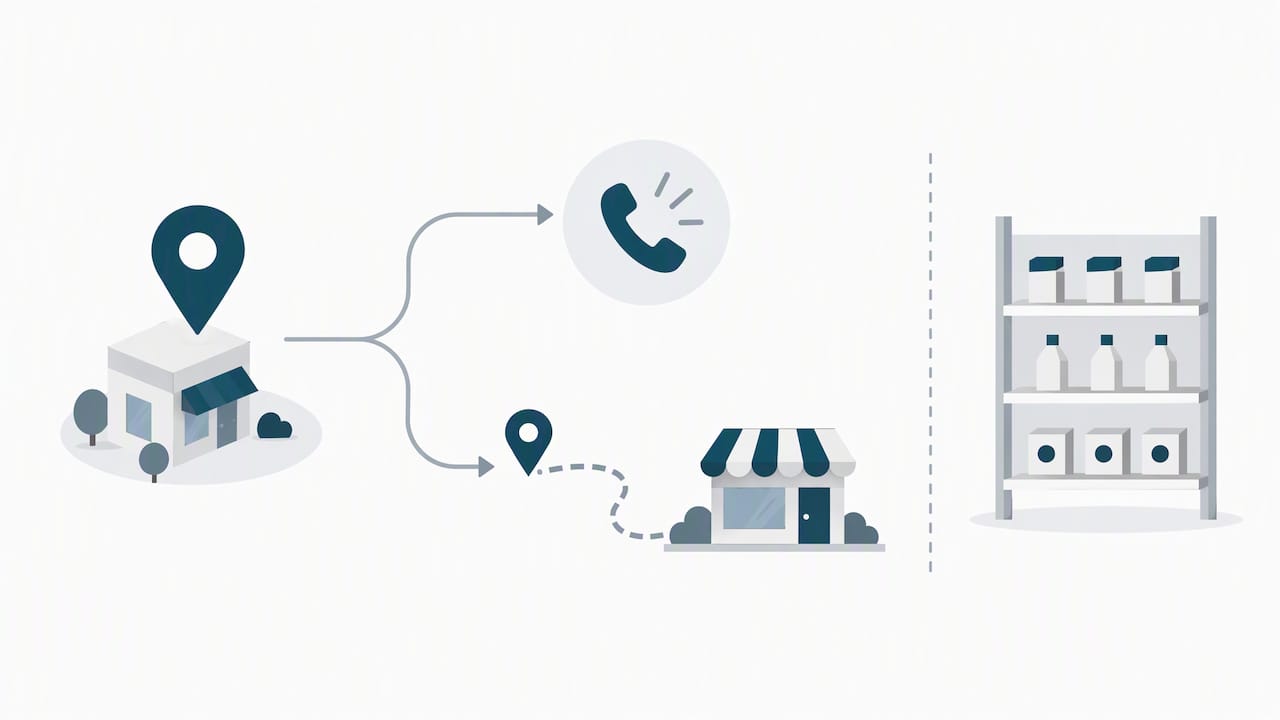
When to use Performance Max for local and store goals
Store-goals campaigns fit best where a customer’s real conversion happens off the website. Multi-location retailers, stores with in-stock products people want to check locally, and businesses that win customers through phone calls and directions are the obvious candidates. Google’s retailer best practices stress that success depends on product and store data quality, so the stronger your location and inventory data, the better the fit.
Consider a few contrasts:
- A hardware chain with multiple stores and live stock levels is a strong match, because inventory data lets Google show nearby availability.
- A plumber or dentist with one clinic can still benefit, optimizing to calls and directions through location assets.
- A business that sells mostly online and treats its shop as a sideline is better served by standard or omnichannel Performance Max.
On the dedicated-versus-omnichannel question, Google’s guidance in the local inventory FAQ is to create a dedicated Performance Max for store goals campaign when you want to prioritize offline-only sales. A separate campaign also makes sense when store outcomes need their own budget or return target. If you run one blended budget and don’t mind the system balancing online and offline, omnichannel is simpler to manage.
Before launching, run a readiness check:
- Locations: Are your Business Profile locations verified and accurate?
- Feed quality: Is your Merchant Center product and local inventory feed clean, with no unresolved product issues?
- Measurement: Do you have local actions tracking, and are you eligible for store-visit measurement?
- Landing paths: Can a person who clicks actually call, get directions or find a store page easily?
You don’t have to tick every box on day one. Google confirms that store-goals campaigns don’t require store-visit tracking to launch, so optimizing to local actions alone is a legitimate starting point. Start with what you can measure today and add store visits and sales as the data matures.
Setup checklist: pre-launch tasks for a store goals campaign
Work through these steps in order. Skipping the early ones is the most common reason a campaign stalls after launch.
- Link and verify locations. Link your Business Profile to Google Ads and confirm every store location is verified. Connect your Google Merchant Center account if you sell products, and check that store codes match between Merchant Center and your Business Profile. Mismatched codes quietly break local inventory serving. Our Maps visibility checklist helps if a location isn’t appearing as expected.
- Prepare your feeds. Build the primary product feed first, then the local inventory feed that tells Google what each store holds. Open the Product Issues report in Merchant Center and fix missing attributes before you spend a cent. The retailer best practices note that missing attributes can throttle local ad visibility.
- Create location assets. In Google Ads, add location assets and make sure they’re active. According to Google’s local actions guidance, active location assets can auto-create local actions conversion goals once the account receives at least one relevant conversion.
- Choose your objective. Decide whether you’re optimizing to local actions, store visits or store sales, and create campaign-level conversion goals so the system learns against the right targets.
- Build assets and listing groups. Prepare creative and local promotions, then use listing groups and filters to point the campaign at the right stores or inventory.
- Set geography and budget. Decide on location targeting that matches how far customers realistically travel. Our geo targeting guide covers the settings in detail.
- Launch and leave it alone. Resist editing during the opening days so the learning period isn’t reset.
A few items are worth confirming before you hit publish:
- Every store has a verified, correctly named Business Profile location.
- Store codes line up across Merchant Center and your account.
- Product Issues shows no critical errors.
- Location assets are active and a local actions goal exists.
- Landing pages load fast and make calling or navigating obvious.
That last bullet is easy to overlook. Ads can send the right people to you, but a slow or confusing page wastes the click. Google’s own guidance on auditing site performance is a good reference for checking landing pages with tools like Lighthouse and PageSpeed Insights before you scale spend. If you’d rather have an expert look at that layer, our website audit covers landing-page readiness and measurement hygiene.
One more practical note: give the campaign enough budget to collect data. A store-goals campaign with a trickle of spend across many locations learns slowly, because each location competes for a share of too few conversions. Where budget is tight, begin with your strongest few locations and widen once results stabilize.
Conversion goals and measurement: local actions, store visits and store sales
Performance Max can bid toward three different offline outcomes, and it helps to understand how each is generated. Google’s measurement documentation lists them as local actions, store visits and store sales.
- Local actions: interactions such as click-to-call and requests for directions. They’re the fastest signal because they happen right after the ad is seen.
- Store visits: estimates of foot traffic from people who interacted with an ad and later entered a store. Per Google’s offline measurement page, the default window is 30 days after the ad interaction, and you can adjust it to match how your customers behave.
- Store sales: in-store transaction measurement tied back to ad interactions, giving you the closest link to revenue.
Local actions deserve special attention early. Google describes them as powerful early-stage signals, and recommends including them at the campaign level so the AI can optimize before store-visit or sales data builds up. Because location assets can auto-create a local actions goal once they receive a conversion, you often get this signal with little extra work. Make sure those goals are set as biddable conversions, not just observed ones, otherwise Smart Bidding can’t use them.
Conversion value is where you steer the system toward what’s worth more. Conversion value rules let you assign different values to different offline interactions or customer segments. A booked appointment might be worth far more than a directions request, and a returning high-spend customer more than a one-off browser. When values reflect reality, Smart Bidding prioritizes the outcomes that matter to your margin instead of treating every tap equally.
A sensible measurement stance for most advertisers:
- Begin with local actions as biddable goals.
- Add store visits once you’re eligible and have enough interaction volume.
- Layer in store sales when transaction data can be connected.
- Apply value rules once you understand the relative worth of each outcome.
Pro Tip: Set your store-visit conversion window to match how long your customers actually take to decide. A furniture store with a long research cycle may need the full 30 days, while a café sees most visits within a day or two.
Keep expectations honest about estimation. Store visits and store sales are modeled or matched measurements, not perfect counts, so judge them as trends over time rather than as exact receipts for each click.
Preparing local inventory and Merchant Center for Performance Max
Local inventory is the engine behind inventory-aware ads. As Google explains, local inventory feeds connect product, store and shopper context so Google can show that a product is available nearby and whether pickup is offered. That’s a strong nudge for a shopper deciding between a quick drive and waiting for delivery.
The Merchant Center work breaks into a few concrete tasks:
- Prepare a primary product feed with complete, accurate attributes such as title, price, availability and identifiers.
- Build the local inventory feed that lists what each store has in stock and at what price.
- Confirm that store codes in the feed match your linked locations exactly.
- Enable local products so Google can use the inventory data in ads.
- Verify the setup and wait for the data to be processed before launching.
Feed hygiene isn’t a one-off job. Google’s retailer guidance tells advertisers to check the Product Issues column regularly, because missing attributes and underperforming offers can limit how often your products appear. A feed that was perfect in January can drift by March as stock changes, prices move and new items are added without full data.
Freshness matters just as much as completeness. If your local inventory feed lags behind reality, you risk advertising stock you no longer hold, which turns a promising click into a wasted trip and a frustrated customer. Where possible, automate feed updates so availability reflects what’s on the shelf, and schedule a recurring check rather than relying on memory.
When offline sales are your priority and local inventory is central to your goal, Google recommends a dedicated store-goals campaign. In that setup, listing groups let you split inventory by channel and by store, so you can give high-margin stores or categories more attention and keep weaker ones from dragging down the average.
A simple routine keeps things healthy:
- Review Product Issues weekly and fix errors the same week.
- Confirm new stores get the right store code before they go live.
- Remove discontinued items so ads don’t point at products you can’t supply.
- Spot-check a few product listings against what’s actually in store.
Treat the feed as a living asset. The campaigns that perform steadily over months are usually the ones whose owners kept the data clean, not the ones with the cleverest ad copy.
Bidding strategies, goals and settings for local outcomes
For value-driven campaigns, target ROAS is a natural choice. Where you care more about volume of calls or visits at a steady cost, target CPA or maximize conversions can be a better fit. Whatever you choose, include local actions as biddable conversions so Smart Bidding has offline data to learn from, as Google advises. Google’s omnichannel bidding page also notes that only Search, Shopping and Performance Max for store goals campaigns can bid to offline goals alone.
Assign values to local actions and store visits so the bidding system can tell a high-intent outcome from a casual one. Conversion value rules refine this further, letting you weight outcomes by location, audience or customer type without rebuilding your goals.
On geography, think about how your customers actually move. Retailers with strong inventory data can use wide targeting, even country-level, and let listing-group filters do the narrowing, as the local inventory FAQ suggests. Businesses where physical proximity decides the sale, such as a trades business or a neighborhood clinic, usually do better with a tighter radius around each location.
Patience is the hardest part of bidding. Google’s upgrade guidance says to allow roughly 2 to 3 days for campaigns with online goals to ramp up, and 3 to 4 weeks for offline-only store goals. The omnichannel page adds that when you introduce offline goals, you should allow 1 to 2 conversion cycles for Smart Bidding to adjust, and 4 to 6 cycles to judge longer-term return. A conversion cycle is how long it typically takes a customer to go from ad interaction to the outcome you’re measuring.
Practical settings to keep in mind:
- Start with a target that’s realistic against your current results, not an aspirational one that starves the campaign of volume.
- Change one major setting at a time so you can tell what caused any shift.
- Avoid frequent target tweaks during the learning window.
- Review value assignments when your margins or service mix change.
If a target is too aggressive, delivery drops and learning stalls. If it’s too loose, you may buy low-value activity. The sweet spot usually emerges after a few cycles of data, which is why early restraint pays off.
Asset groups, creative and local promotion assets
Creative in a store-goals campaign has two jobs: earn the tap and make the next step obvious. Include a full mix of headlines, descriptions, images and short-form video, since Performance Max assembles combinations across many placements. Local promotion assets are especially useful because, per Google’s store goals page, they let you highlight in-store offers and surface them in places like Maps and Waze.
Good local creative is specific. “Open late, free parking out front” beats a generic slogan, because it answers the practical question a person has right before they head out. Offers with clear redemption details, such as “show this ad for a discount today,” tend to feel concrete enough to act on.
Useful habits for asset groups:
- Lead with a clear local call to action: call now, get directions, or reserve for pickup.
- Point to location-specific landing pages where they exist, rather than a single generic home page.
- Show real storefronts, products and staff instead of stock imagery when you can.
- Keep promotion text short and include any conditions upfront.
- Rotate assets and retire the weakest performers so fresh variations keep getting tested.
Landing pages carry more weight than many advertisers expect. A person who taps a directions button never sees the page, but one who taps through to your site needs fast load times and an obvious route to a phone number, address or opening hours. Fixing slow pages and clutter is often the cheapest improvement available, and it’s work we do routinely through our website optimisation service.
Pro Tip: Build one asset group per store cluster or product theme rather than one catch-all group, so your messaging, images and offers stay relevant to the shoppers each group reaches.
Keep testing. Swap in new headlines and photos on a regular schedule, compare which combinations the reporting favors, and replace the laggards. A campaign that keeps learning from fresh creative tends to hold its performance longer than one left untouched.
Reporting and an optimization routine for local campaigns
Good reporting starts with the right dimensions. As the local inventory FAQ suggests, use the channel and listing group dimensions in Performance Max reporting to separate local inventory and store-driven activity from everything else. Without that split, store results can disappear inside blended totals.
Track the trend of local actions, store visits and store sales over time, and watch conversion value after you apply value rules to confirm the system is leaning toward what you want. Because store-visit data is estimated within the window described on Google’s offline measurement page, read it as direction rather than precision.
Also watch for overlap. Google’s upgrade guidance points out that new campaigns can compete with existing ones targeting the same products, so keep an eye out for cannibalization against standard Shopping or other Performance Max campaigns, and avoid duplicating targets.
A routine you can keep up with:
- Weekly: check Product Issues in Merchant Center, confirm local inventory freshness, and scan for disapproved assets or location problems.
- Every two weeks: refresh creative, retire weak assets and add new local promotions.
- Monthly: review bid targets and conversion value rules, but only after enough conversion cycles have passed to judge them fairly.
- Quarterly: audit landing pages, re-check store codes and confirm new or closed locations are reflected everywhere.
Resist the urge to react to daily swings. Offline outcomes arrive on a delay, so yesterday’s dip may simply be visits that haven’t been counted yet. Decisions made on too little data usually undo the learning you’ve already paid for.
Ramp-up, common launch pitfalls and troubleshooting
Set expectations early. Per Google’s upgrade guidance, online goals typically need 2 to 3 days to ramp up, while offline-only store goals often need 3 to 4 weeks. When you adjust return targets, the omnichannel bidding page suggests allowing 4 to 6 conversion cycles before judging the longer-term effect.
The failures we see most often are predictable:
- Business Profile locations that aren’t verified or have mismatched store codes.
- Merchant Center product issues that quietly cut visibility.
- Overlapping targeting with an existing campaign.
- Landing pages that make calling or finding the store harder than it should be.
- A stale local inventory feed advertising stock that’s gone.
Work through fixes in order:
- Resolve every Product Issues item in Merchant Center.
- Verify each store and confirm its code matches across systems.
- Pause or restructure overlapping campaigns.
- Improve landing page speed and clarity, using a performance audit to find the biggest drags.
- Re-check that your local inventory feed is current.
Pro Tip: When results look flat early on, resist rebuilding the campaign. Fix data problems first, then give the system another full cycle before changing targets.
If problems persist after these checks, escalate to Google support or bring in a specialist who can inspect your feed and measurement setup directly.
A practical view on starting small and getting the foundations right
Most advertisers get Performance Max local backwards. They obsess over bid strategy and creative while the real leverage sits upstream, in the audit of the landing page and the cleanliness of the feed. A campaign can’t convert traffic that arrives at a slow page, and it can’t advertise inventory that Merchant Center has flagged as broken. Spending to scale before fixing those two things is paying to amplify a leak.
Our order of operations is deliberate: audit the site and measurement first, treat Product Issues and location accuracy as operational priorities, and fix flagged items immediately rather than leaving them for later. Then start optimizing to local actions, since they give you usable data fastest, and expand into store visits and store sales as your measurement matures. Waiting for perfect store-visit tracking before launching is the mistake that costs the most time.
The received wisdom says more spend and more automation will solve a weak result. We think the reverse is closer to the truth: automation magnifies whatever you feed it, good or bad. If you’d like a second pair of eyes on your landing pages or ad setup before you commit budget, ask us for a targeted audit and we’ll tell you plainly what to fix first.
— Steve Doig
Where we can help you get ready to launch
Performance Max local works best when the website behind it is ready to convert the people it sends. That’s where we come in. Our Website Audit is a one-off AUD $1,250 review that finds the speed, structure and conversion problems likely to waste your ad spend, so you know what to fix before scaling. If you want the fixes handled too, our Business Website Optimisation Campaign is a one-off AUD $3,125 and covers the improvements that turn local clicks into calls, bookings and visits.
For ongoing care, our WordPress help and support plans include Monthly Maintenance at AUD $59 per month, Monthly Updates at AUD $123 per month and Monthly Development at AUD $600 per month. If you’d rather have a single partner handle the full path from traffic to leads, ask about our End-to-End Growth Engine™. Book a website audit with us today and we’ll show you what to fix first.
FAQ
Is Performance Max worth it for local businesses?
It can be, when you have verified locations and clean data to feed it. It works best for businesses whose real conversions happen off the website, such as calls, directions or in-store purchases. Starting with local actions lets you test it without store-visit tracking.
What does Performance Max for store goals include?
It serves across Search, Maps, Waze, YouTube, Gmail and the Display Network, as described in Google’s documentation. It uses your Business Profile locations and, if you have one, a local inventory feed to promote nearby stores and products.
How long does Performance Max take to ramp up?
Online goals usually need 2 to 3 days, while offline-only store goals often need 3 to 4 weeks, according to Google’s guidance. Avoid large changes during that window so learning isn’t reset.
Do I need store visit tracking to start?
No. Google states that store goals campaigns can launch without store-visit tracking. You can begin by optimizing to local actions such as calls and direction requests, then add store visits as your measurement improves.
Is a ROAS of 4 good?
It depends on your margins. A return of 4 means four dollars of conversion value for every dollar spent, which suits some businesses and loses money for others. Judge it against your own costs and the values you’ve assigned to each offline outcome.