
You’re probably in a familiar spot. Your business is solid, your customers are happy, and your website exists, but Google doesn’t seem to care. Someone searches “electrician near me”, “bookkeeper Fremantle”, or “WordPress help Perth”, and a competitor gets the call.
That usually isn’t because they’re better. It’s because they’re easier to find.
For an Australian small business, local SEO isn’t a side task you get to later. It’s the work that connects your business to people already looking for what you sell, in the area you serve. If your site runs on WordPress, there’s an extra layer to get right. Generic local SEO advice rarely deals with plugins, schema, duplicate suburb pages, theme bloat, caching issues, or conversion tracking. Those details matter.
Why Your Local Customers Can't Find You Online
A lot of small business owners assume visibility starts and ends with having a website. It doesn’t. A site that isn’t tied into Google’s local signals is like a shop with no street sign.
In Australia, 46% of all Google searches have local intent, and businesses that optimise for the Google Local Pack see a 40% higher click-through rate than lower positions, according to small business SEO statistics published here. The challenge is clear: Local customers are already searching. They just aren’t seeing you.
Most local visibility problems come from a handful of practical gaps:
- Your Google Business Profile is weak: It may be unclaimed, half-filled, or missing useful details.
- Your WordPress pages are too broad: A page called “Services” won’t compete well against pages built around specific local intent.
- Your business details don’t match everywhere: If your phone number or address changes across listings, Google gets mixed signals.
- Your site is slow on mobile: People searching locally are often in a hurry. If the site drags, they bounce and call someone else.
Practical rule: Local SEO works best when your Google profile, website, and citations all say the same thing in the same way.
There’s also a difference between being visible and being relevant. Ranking for “plumber” is broad and expensive in effort. Ranking for “emergency plumber Joondalup” is tighter, more useful, and more likely to bring the right lead.
That’s why good local seo for small business starts with two assets. The listing Google controls, and the website you control. If those don’t line up, everything else becomes harder.
Build Your Digital Shopfront with Google Business Profile
Your Google Business Profile is often the first thing a local customer sees. Before they read your website, they’ll check your hours, your reviews, your suburb coverage, your photos, and whether the profile looks active.
Treat it like your digital shopfront. If it looks neglected, people assume the business is the same.
Claim it and fill in everything
The first step is obvious but often skipped. Claim the profile, verify it, and complete every field that applies. Don’t stop at the bare minimum.
A fully optimised Google Business Profile, including AU-specific attributes like service areas for suburbs such as Perth CBD or Fremantle, can boost visibility by 2.7x. Optimised profiles also rank in the local pack 68% more often, and 76% of local searches lead to an in-store visit within 24 hours, according to these local SEO statistics.
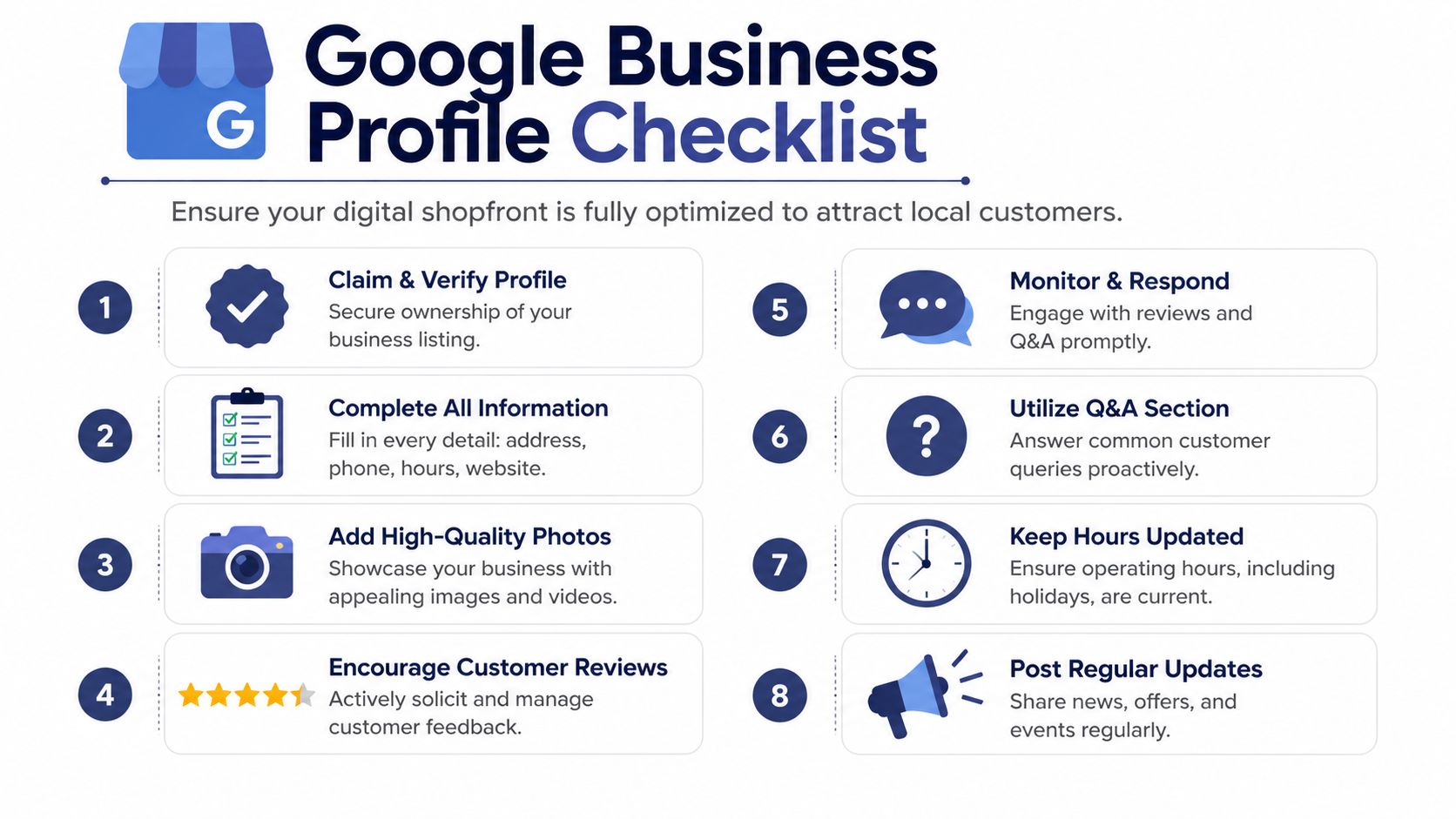
When you set the profile up, focus on accuracy first.
- Business name: Use your real trading name. Don’t stuff in keywords.
- Primary category: Pick the closest match to your core service.
- Secondary categories: Add only those that apply.
- Address or service area: If you visit clients, define the suburbs you serve.
- Phone and website: Match what appears on your site exactly.
- Hours: Keep them current, especially around public holidays.
If you want a practical second opinion on setup details, Silva Marketing has a useful guide on how to optimize your Google Business Profile.
Build a profile that looks active
A dead profile doesn’t inspire confidence. A live one does.
Photos matter more than most owners expect. Use real photos of your premises, staff, vehicles, work, products, and signage. Skip stock photography where you can. If you’re a service business without a storefront, show your team in the field, your branded ute, before-and-after work, or your process.
The same goes for your business description. Keep it plain and useful. State what you do, where you work, and who you help. Don’t turn it into ad copy.
Here’s the difference:
| Weak approach | Better approach |
|---|---|
| “We are a leading provider of quality services.” | “We provide WordPress support, repairs, maintenance, and speed optimisation for businesses in Perth and across Australia.” |
| “We serve all needs with excellence.” | “We help small businesses with website fixes, plugin updates, hosting issues, and local SEO setup.” |
Use the features most businesses ignore
Most profiles stop at contact details and a few reviews. That leaves easy wins on the table.
Three features deserve regular attention:
Google Posts
Post updates about offers, events, seasonal trading, new services, or useful tips. Keep them short. One clear image, one message, one action. If you run promotions, post them there before you bury them on your website.
Q&A
Seed this section yourself with real questions customers ask. Then answer them properly. Think practical questions like:
- Do you service Joondalup and Osborne Park?
- Do you offer same-day callouts?
- Can customers book online?
- Do you work with WooCommerce sites?
This helps customers and gives Google more context about your services.
Products or services
List actual services with plain names and short descriptions. If your site says “WordPress maintenance Perth”, don’t hide that under vague labels inside GBP. Keep naming consistent between your profile and your service pages.
If your profile lists one set of services and your website lists another, Google has to guess which version is right. That guess rarely helps your rankings.
Reviews are part of optimisation, not a separate task
A polished profile with no recent customer interaction still looks stale. Ask for reviews steadily, not in bursts, and respond to each one like a business owner who’s paying attention.
Good review replies do three things:
- They thank the customer
- They mention the service provided
- They reinforce location relevance naturally
For example, if someone praises your website support, a reply can mention the work completed and the suburb or service area without forcing keywords into the sentence.
Keep your responses human. Don’t paste the same template every time.
Make your website support the profile
Your profile shouldn’t sit on its own. It should connect cleanly to your site. If your GBP says you serve Subiaco, Canning Vale, and Victoria Park, the website needs to reflect that with relevant content, service details, or location references.
That’s where your WordPress setup matters. A strong profile gets attention. Your site closes the gap between attention and enquiry.
For a Perth-specific view of broader search strategy around small business growth, this guide on small business SEO in Perth is worth reading alongside your GBP work.
Optimise Your WordPress Site for Local Keywords
Google Business Profile helps you appear. Your website helps you rank for the right searches and convert the visit into a call, form fill, or booking.
That’s the part many generic guides miss. On WordPress, local SEO isn’t just about writing a suburb name into a paragraph. It’s about structure, page purpose, schema, and making sure each page targets a specific intent.
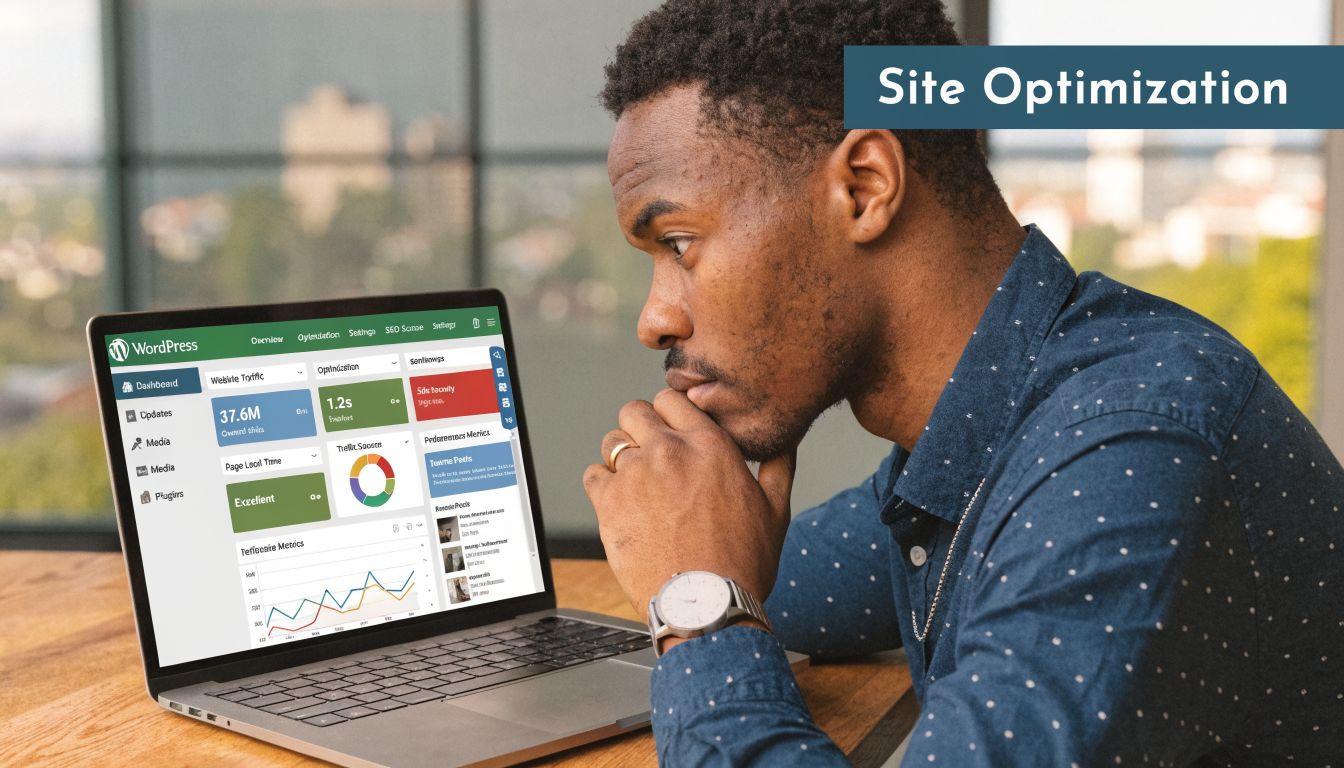
Target search intent, not broad vanity terms
Small businesses often chase terms that are too broad. They want to rank for “builder”, “lawyer”, or “IT support”. That usually leads to vague pages and weak conversions.
Local intent is more specific. It sounds like:
- “family lawyer Rockingham”
- “cafÉ web design Perth”
- “emergency electrician Baldivis”
- “WordPress maintenance Fremantle”
Those searches tell you what people want and where they want it.
Start with what customers ask on the phone and in emails. Then check your Google Search Console queries, review your service list, and map one primary topic to one page. Don’t make five pages chase the same phrase with minor wording changes. That creates internal competition.
Build pages that deserve to rank
On WordPress, the cleanest setup usually looks like this:
- A focused service page: One page per core service.
- Location pages where justified: Only for suburbs or areas you genuinely serve.
- A contact page with clear business details: Keep your local signals easy to confirm.
- Supporting articles: Useful posts that answer local customer questions.
The mistake I see often is suburb-page spam. Owners create near-identical pages for every suburb with only the place name swapped out. Google doesn’t need twenty copies of the same page. Neither do your customers.
A better service-area page includes:
- Specific details about that location or service area
- The actual service offered there
- Relevant examples of problems customers in that area face
- Strong internal links back to the main service page
- A clear call to action
Field note: If every suburb page reads the same, none of them feels useful. Unique context beats scale.
Use WordPress SEO plugins properly
Plugins like Yoast SEO or Rank Math are useful, but they don’t do the strategy for you. Their job is to help you control metadata, schema, indexing settings, and page-level basics.
For local work, focus on these practical uses:
Titles and meta descriptions
Write titles around service plus location, but keep them readable. Don’t cram in every suburb. One page should target one main phrase.
Schema markup
Use LocalBusiness schema where appropriate. If you’ve got a physical location or a service-area business, structured data helps search engines understand the business details on the page.
Indexing control
WordPress often generates tag archives, media pages, thin author archives, and other junk that doesn’t help local rankings. Keep those from becoming clutter in search.
If you want a solid operational checklist for page-level fixes, this on-page SEO checklist covers the basics worth reviewing on every important page.
Write copy for users in your area
Good local copy sounds natural. It references the actual service, the specific place, and the actual problem.
Bad example:
“Looking for the best plumber Perth plumber service in Perth for Perth plumbing needs?”
Better example:
“If you need a plumber in Perth for an urgent leak, blocked drain, or hot water issue, you need clear response times, straightforward pricing, and a fast way to book.”
That’s easier to read, easier to trust, and easier to convert.
A useful page format is:
- A clear opening that states the service and area
- A short explanation of what you do
- Specific service details
- Local relevance, such as suburbs served or common local job types
- FAQs
- A direct next step
For FAQ inspiration and plain-language question handling, even resources outside Australia can be useful if you adapt the ideas locally. For example, this piece on AI guidance for Portland small businesses has a practical angle on turning customer questions into useful content.
A short walkthrough can help if you’re reviewing page setup and optimisation flow:
Avoid these WordPress-specific local SEO mistakes
A lot of ranking problems aren’t dramatic. They’re structural.
| Common mistake | Why it hurts |
|---|---|
| Thin suburb pages | They add little unique value |
| Multiple plugins doing the same SEO job | They create conflicts or clutter |
| Service pages hidden deep in menus | Important pages become harder to find |
| Page builders loaded with effects | They can slow down local landing pages |
| No internal links between related services and locations | Google gets weaker context about page relationships |
For local seo for small business, WordPress gives you flexibility. That’s the upside. The downside is that it lets you create a mess quickly if nobody’s managing the structure.
Build Local Trust with Citations and Reviews
Google doesn’t judge your business only by your website. It also checks whether the wider web agrees that your business is real, active, and trusted.
That’s where citations and reviews matter. They’re off-site trust signals. If your WordPress site says one thing, your Google profile says another, and directory listings say something else again, rankings often stall.
Get your business details consistent everywhere
The core rule is simple. Your NAP, meaning name, address, and phone, needs to match across the places your business appears online.
Consistent NAP across 50+ Australian directories such as Yellow Pages AU and TrueLocal can boost local search prominence by 3.2x, according to this guide to local SEO strategy.
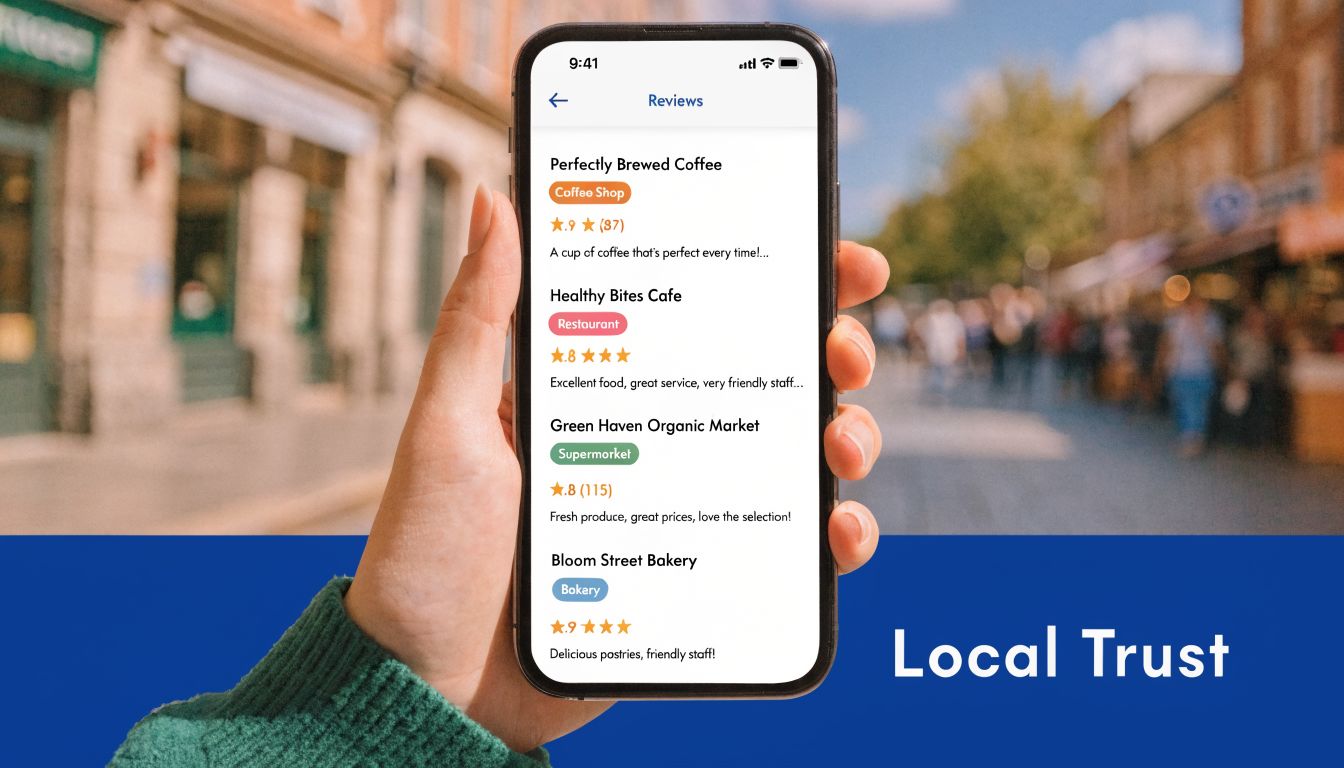
If you’ve ever changed office location, switched to a new mobile number, shortened the business name, or updated your ABN-facing branding, there’s a good chance your listings are inconsistent.
Start with a citation audit.
What to check in a citation audit
- Business name: Is it the same everywhere?
- Address format: Suite, unit, street abbreviations, and suburb details should be consistent.
- Phone number: Use the same public contact number.
- Website URL: Avoid mixing www and non-www versions randomly.
- Category choice: Keep categories aligned with what you do.
A practical place to start is with major Australian directory listings, then work through industry directories and local business associations. This list of best Australian business directories is a good foundation.
Reviews influence both trust and visibility
Reviews aren’t just social proof for humans. They also help Google decide whether your listing deserves prominence.
The same Whitespark source notes that generating around 15 reviews per month correlates with a top-3 local pack ranking 72% of the time. That doesn’t mean you should chase volume blindly. It means review velocity and consistency matter.
The best review strategy is built into your workflow, not left to chance.
A simple review system that works
After a positive job, sale, or support interaction:
- Send a short SMS: Thank them and include your review link.
- Follow with email if needed: Keep it brief and personal.
- Ask at the right moment: Right after the successful outcome, not weeks later.
- Make it easy: Don’t send people hunting for where to leave feedback.
Example SMS:
Thanks for choosing us today. If you’ve got a minute, we’d appreciate a Google review about your experience.
Example email line:
If the service was helpful, a short review would mean a lot and helps other local customers find us.
No tricks. No incentives. Just ask clearly and consistently.
Respond like a business people can trust
A lot of businesses either ignore reviews or reply with robotic one-liners. Both are missed opportunities.
Responding well does three jobs:
- It shows prospective customers you’re engaged.
- It adds context around services and locations naturally.
- It gives you a chance to handle negative feedback in public without making things worse.
For positive reviews
Thank the customer, mention the service, and keep it specific.
For negative reviews
Stay calm. Don’t argue. Don’t copy-paste a legal-sounding template. Acknowledge the issue, invite offline resolution, and keep the tone steady.
A thoughtful response to a bad review can win more trust than five perfect reviews with no replies.
What works and what doesn’t
Here’s the trade-off most owners need to hear.
| Works | Doesn’t work |
|---|---|
| Steady review requests built into operations | Asking once, then forgetting for three months |
| Correcting old listings one by one | Creating new listings while old wrong ones remain live |
| Listing on reputable AU directories | Spraying details across low-quality sites |
| Personal review replies | Generic “Thanks for your feedback” on every review |
Citations and reviews are boring compared with redesigns or ad campaigns. They’re also some of the most durable local SEO work you can do. Once the foundations are cleaned up, Google has a more reliable picture of your business, and customers get fewer reasons to hesitate.
The Technical Edge for Your WordPress Site
Many local SEO campaigns lose momentum at this stage. The Google profile is sorted, the pages exist, the citations are mostly clean, but the WordPress site itself is still getting in the way.
Technical work isn’t glamorous, but it changes outcomes. A slow, bloated, poorly tracked site wastes local traffic you’ve already earned.
Australian small businesses report 28% higher local conversion rates with optimised site speed under 3 seconds, and 35% cite technical hurdles as a major barrier to SEO success, according to this local SEO guide for small businesses.

Speed affects local conversions directly
Local visitors are impatient for good reason. They’re often comparing providers, checking opening hours, or trying to make contact quickly from a phone.
If your page takes too long to load, a few things happen fast:
- They bounce before reading
- They don’t tap the phone number
- They don’t submit the form
- They go back to search results and choose the next business
WordPress performance issues usually come from ordinary decisions, not exotic technical failures.
Common causes of a slow local business site
- Heavy themes: Multipurpose themes often load far more code than you need.
- Too many plugins: Especially overlapping SEO, form, popup, or builder plugins.
- Unoptimised images: Large hero images are a repeat offender.
- Cheap hosting: Shared hosting can struggle during traffic spikes.
- No caching setup: The site rebuilds pages too often instead of serving them efficiently.
What to improve first
Don’t start by chasing obscure scores. Start with the pages that matter most to local leads.
Prioritise these pages
- Homepage
- Main service pages
- Key suburb or area pages
- Contact page
- High-traffic blog posts that bring local visitors
Then work through practical fixes:
| Priority | Action |
|---|---|
| High | Compress and resize images before upload |
| High | Remove unused plugins and themes |
| High | Use reliable caching |
| Medium | Delay non-essential scripts where possible |
| Medium | Review your theme and builder stack |
| Medium | Keep WordPress core, plugins, and PHP environment current |
You don’t need a perfect lab score to get better results. You need a site that loads quickly enough to keep local searchers engaged.
Track actions that matter to the business
The second technical gap is measurement. Many small businesses “do SEO” without tracking whether local traffic is producing calls, enquiries, bookings, or direction clicks.
That’s avoidable on WordPress.
A solid setup usually includes:
Google Analytics 4
Use GA4 to track key actions, not just pageviews. For local businesses, that often means contact form submissions, click-to-call interactions, and visits to important landing pages.
Google Tag Manager
GTM gives you flexibility to track button clicks, phone link taps, quote requests, and other interactions without rebuilding the whole site every time you need new measurement.
Google Search Console
GSC helps you check indexing, page visibility, search queries, and whether important local pages are appearing.
Measurement test: If someone asks which suburb page generated enquiries last month, you should be able to answer without guessing.
Track local conversions, not vanity metrics
A report full of impressions means very little if the phone isn’t ringing. Focus on actions that connect to revenue.
Good local SEO tracking often includes:
- Phone clicks from mobile
- Contact form submissions
- Booking button clicks
- Clicks to get directions
- Enquiries from suburb-specific pages
- Traffic from branded and non-branded local searches
That lets you answer practical questions:
- Which service page brings the best leads?
- Which suburb pages attract visits but don’t convert?
- Are mobile users dropping off before contact?
- Is traffic improving while conversions stay flat?
If rankings improve but lead quality doesn’t, the issue may be page relevance, load speed, trust signals, or weak calls to action. Tracking lets you diagnose instead of guessing.
Keep the WordPress backend under control
Technical edge also means maintenance discipline.
A neglected WordPress site gradually develops local SEO problems. Plugin conflicts break forms. theme updates affect layouts. image libraries swell. redirects get missed after page changes. noindex settings appear where they shouldn’t.
A simple maintenance rhythm helps:
- Weekly: check forms, check updates, review any visible errors
- Monthly: test key pages on mobile, review page speed changes, confirm tracking still fires
- Quarterly: review plugin stack, redirect map, and indexed page quality
For local seo for small business, technical quality isn’t separate from visibility. It supports it. A fast, clean, trackable site gives your profile, your pages, and your reputation a better chance to turn into leads.
Your Local SEO Maintenance and Troubleshooting Plan
The businesses that stay visible locally usually aren’t doing magic. They’re doing maintenance.
That matters because local SEO drifts. Hours go out of date. plugin updates break schema. old phone numbers survive on forgotten listings. a competitor starts asking for reviews more consistently. Google changes how results look, and your click-through drops even if rankings hold.
A simple maintenance rhythm
You don’t need an enterprise process. You need a repeatable one.
Monthly tasks
- Check your Google Business Profile: Hours, categories, photos, and service details should still be current.
- Respond to new reviews: Don’t let them pile up unanswered.
- Publish something useful: A Google Post, a service update, or a website refresh is enough.
- Review Search Console: Look for local queries, indexing issues, and pages losing visibility.
- Test key conversion points: Forms, phone links, quote buttons, and booking flows.
Quarterly tasks
- Audit citations: Check whether your NAP is still consistent across key listings.
- Review service pages: Tighten weak copy, outdated suburb references, or thin sections.
- Check technical health: Speed, plugin conflicts, broken links, redirect issues, and schema output.
- Compare competitors manually: Search your target phrases and see who appears in the map pack and why.
A short internal checklist beats a grand strategy document nobody uses.
What to do when rankings drop
A sudden drop usually isn’t random. It’s often one of a few practical causes.
Check the obvious first
Use this order:
- Did your Google Business Profile change? Check categories, hours, suspension warnings, or edits you didn’t make.
- Did your WordPress site change? New theme settings, plugin conflicts, or noindex errors can affect visibility.
- Did your business details change anywhere? A phone or address mismatch can create trust issues.
- Did reviews slow down? If competitors look more active, that can affect local prominence.
- Did the search results layout change? Sometimes rankings are similar, but more SERP features push clicks elsewhere.
Why a competitor may outrank you
If a competitor keeps beating you in the map pack, compare the basics without overcomplicating it.
| Area to compare | What to look for |
|---|---|
| Google profile quality | Better categories, better photos, more complete service details |
| Review activity | More recent, more relevant customer feedback |
| Website relevance | Stronger service pages tied to local intent |
| Technical quality | Faster mobile experience and cleaner page structure |
| Citation consistency | Fewer conflicting listings across the web |
Don’t copy blindly. Diagnose properly. A competitor may look stronger because they’re narrower and more specific, not because they’re doing more.
Local SEO maintenance works best when someone owns it. If everyone assumes someone else is handling it, nobody is.
Keep the work tied to real outcomes
The point isn’t to make reports look busy. The point is to generate more local enquiries from the right suburbs and services.
A useful habit is to review three things together every month:
- Search visibility
- Conversion actions
- Lead quality
That stops you from celebrating traffic that doesn’t turn into business. It also stops you from abandoning a page too early when it’s bringing fewer visits but better enquiries.
Local SEO rewards businesses that stay organised, accurate, and useful. If your Google profile is complete, your WordPress pages are purposeful, your citations are clean, and your technical setup is sound, you’re already ahead of a large share of small businesses.
If your WordPress site needs hands-on help with speed, maintenance, SEO fixes, tracking, or emergency support, Webby Website Optimisation works with Australian businesses that want their website to stay fast, secure, and ready to convert local traffic into leads.