

Is a professional website really worth the investment for a small Aussie business? Let me be blunt: absolutely. Stop thinking of your website as a digital brochure and start seeing it for what it is—your hardest-working employee. This is the team member that works 24/7, never calls in sick, and acts as your number one salesperson and brand champion, day in and day out.
Why Your Website Is Your Most Valuable Employee
I get it. Many business owners see the upfront cost of professional web design for a small business and hit the brakes. But that way of thinking misses a fundamental truth about how business works today: your website is a core strategic asset, crucial for building trust and sparking real growth. It’s the digital front door to your business, and you only get one chance to make a first impression.
In a world where almost every customer will check you out online before they even think about picking up the phone, a strong digital presence isn't just a 'nice to have'. It’s a must. While 87% of Australian small business owners say they plan to build a website, it’s estimated only about 40% actually have one. That’s a massive competitive gap, especially when you learn that 47% of shoppers look up a company’s website just to see if it’s legit before they buy.
The Foundation of Modern Business
Your website is out there, grinding away for your business, even when you’re off the clock. It juggles multiple critical roles at once, making it an indispensable part of your entire operation.
- Builds Trust and Credibility: A slick, well-functioning site instantly tells visitors you’re a serious, professional business they can trust.
- Generates Leads Around the Clock: It's your 24/7 lead capture machine, pulling in enquiries through contact forms and clear calls-to-action while you sleep.
- Educates Your Audience: It answers those common customer questions, shows off your expertise, and clearly explains the value you offer.
This infographic breaks down how a website turns a curious browser into a loyal customer.
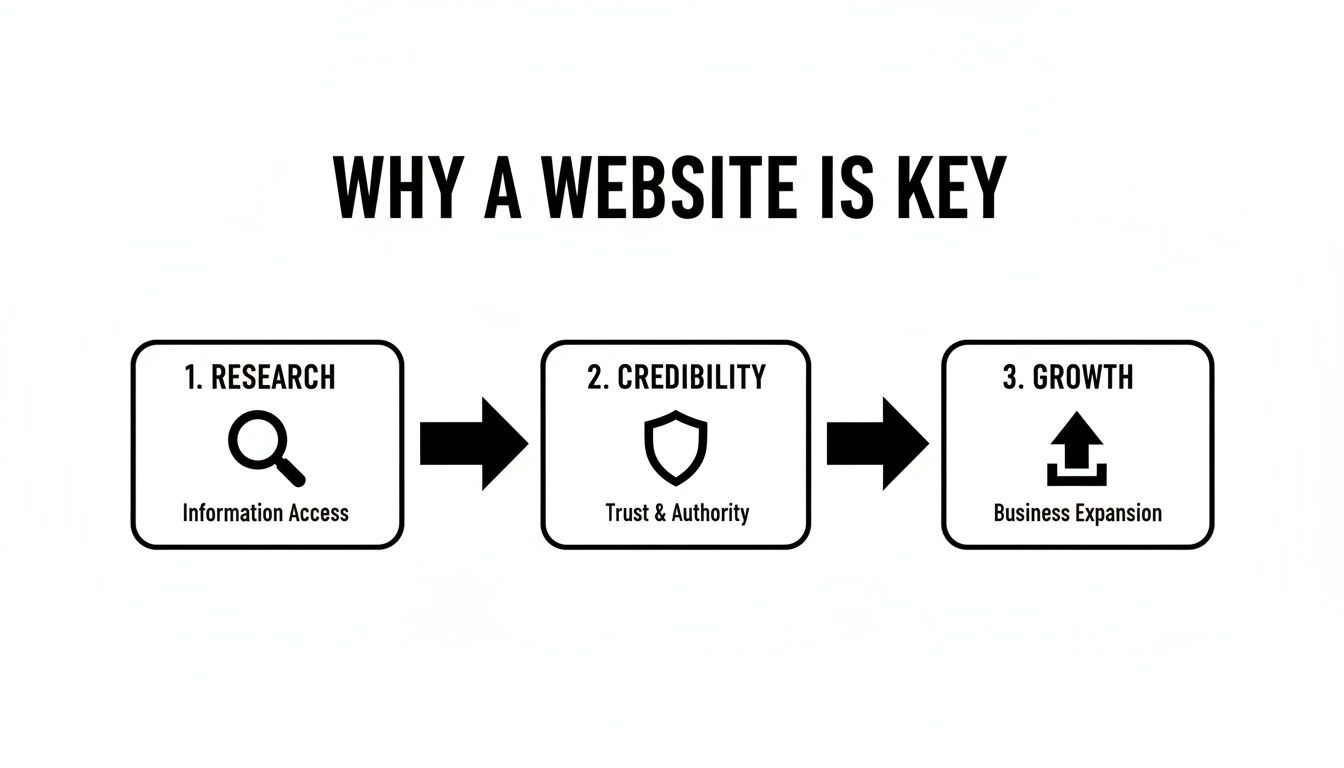
As you can see, the journey is simple but powerful. Your website is the central pillar that builds the trust needed to turn interest into income. It’s also a key part of any modern omnichannel customer service strategy, making sure your customers have a consistent experience no matter how they interact with you.
Ultimately, your website isn't just a line item on an expense sheet; it's an active, revenue-generating tool that delivers a real, measurable return on investment.
The Building Blocks of a High-Performing Website
A great website is so much more than just a pretty design. It's a carefully engineered tool, built from the ground up to guide visitors toward a specific goal and, ultimately, grow your business. A high-performing site doesn't just happen by chance; it’s a deliberate blend of several core components that work together to turn casual browsers into loyal customers.
Think of your website as your digital storefront. If the layout is confusing, the aisles are cluttered, and the staff are nowhere to be found, people will simply walk out. Your website is no different. The key is to make the online experience intuitive, inviting, and efficient.
Mastering the User Journey
You’ll often hear two terms thrown around: User Experience (UX) and User Interface (UI). They might sound similar, but they handle very different parts of making your site effective.
User Experience (UX) Design: This is all about the overall feeling someone gets when they use your site. Can they find what they need easily? Is the navigation logical? Good UX means their journey from landing on your homepage to, say, making a purchase is smooth and free of frustration.
User Interface (UI) Design: This is the nuts and bolts of what people see and interact with—the buttons, menus, fonts, and colour schemes. A strong UI is clean, consistent, and visually appealing, making the site a genuine pleasure to use.
Basically, UX is the strategic blueprint for the customer's path, while UI provides the signposts and tools that guide them along the way. Nailing both is fundamental to effective web design for a small business.
Why Mobile-First Design Is Non-Negotiable
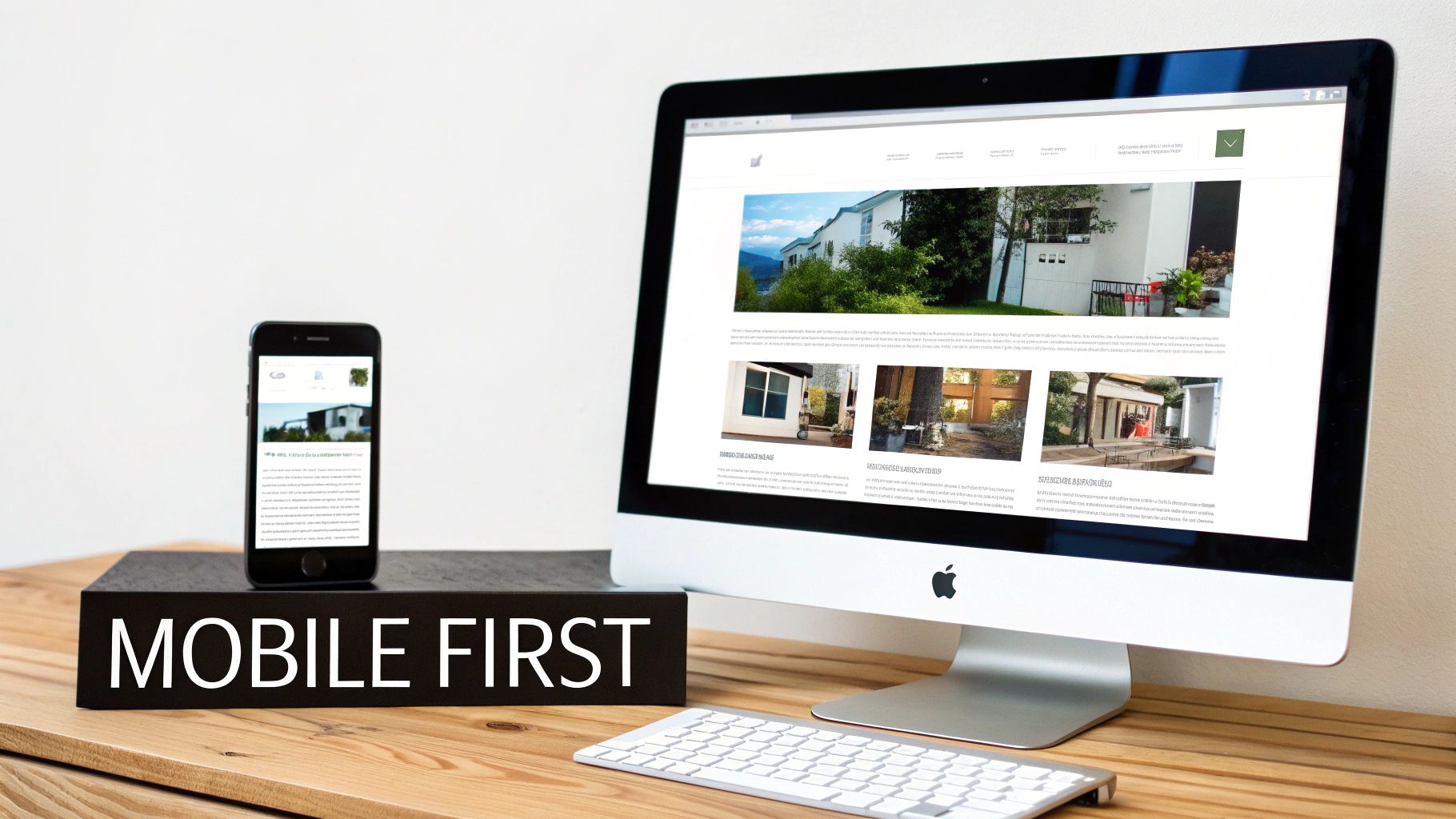
Let's be blunt: your customers are far more likely to find you on their phone than on a desktop computer. This reality makes a mobile-first design approach absolutely essential. It means building the mobile version of your site first, then adapting that design for larger screens like tablets and desktops.
This isn't just a trend; it's a direct response to how people behave. In fact, a staggering 95% of Australians shopped on a mobile device in 2024. Mobile commerce drove 77% of site visits and a massive 68% of all online orders. With total online spending in Australia hitting AU$69 billion, a flawless mobile experience isn't just nice to have—it's critical for capturing sales. You can explore more Australian ecommerce statistics to see the full picture.
A website that's clunky or hard to use on a phone is the digital equivalent of locking your shop's front door. You're not just providing a bad experience; you're actively sending customers straight to your competitors.
Speed and Clarity Drive Action
Beyond a slick layout and mobile-friendliness, two other elements are crucial for keeping visitors on your site and guiding them towards your business goals.
1. Lightning-Fast Page Speed
Online, patience is a rare commodity. If your website takes an age to load, visitors will be gone before they even see what you offer. Seriously, even a one-second delay in page load time can cause a major drop in conversions. To keep your site zippy, you need to focus on optimising images, using efficient code, and choosing high-quality hosting.
2. Clear Calls-to-Action (CTAs)
Don't make your visitors guess what to do next. A Call-to-Action is a clear prompt—usually a button or link—that tells the user exactly what step to take. The best CTAs use direct, action-oriented language.
Instead of a vague "Click Here," be specific and align with what the user wants to achieve:
- "Request a Free Quote Today"
- "Download Your Free Guide"
- "Shop Our New Collection"
- "Book a Consultation Now"
These building blocks—intuitive UX/UI, a mobile-first approach, rapid loading speeds, and clear CTAs—are the foundation of any website that’s truly built for success. When you focus on getting these elements right, you create a powerful asset that works tirelessly to grow your business.
Choosing the Right Platform for Long-Term Growth
Picking the foundation for your website is one of the biggest calls you'll make for your business. It's like choosing the location and frame for a physical shop—get it right, and you're set up for success; get it wrong, and you’ll hit frustrating roadblocks later on. This single decision shapes your ability to scale, adapt, and grow.
Lots of small businesses start with all-in-one website builders because they seem cheap and easy. The problem is, these platforms often feel like a walled garden. What’s simple at first quickly becomes restrictive as your business needs get more complex. For any ambitious Aussie business, you need something with a bit more horsepower.
Why WordPress Is the Smart Choice for Scalability
When it comes to building a website that can actually grow with you, WordPress is the undisputed champ. It’s an open-source platform, meaning no single company owns it. Instead, a global community of developers is constantly improving it, which gives you true ownership over your digital asset.
Unlike those restrictive builders, WordPress gives you unlimited potential. There’s a good reason it powers over 43% of all websites on the internet.
- Total Customisation: You're never stuck with a set template or a limited feature list. Your site can be designed and coded to match your exact business needs, no compromises.
- Endless Functionality: Need a booking system? A members-only portal? A full-blown e-commerce store? There are thousands of plugins (think of them as apps for your website) that can add just about any feature you can imagine.
- Future-Proof Growth: As your business takes off, your website can easily evolve with it. You can add new sections, plug into marketing tools, and scale up your operations without having to tear everything down and start again.
Choosing WordPress is an investment in your future. It's the difference between renting a small, pre-furnished kiosk and owning a commercial property you can renovate and expand as your business thrives.
To get a better handle on what it can do, you can learn more about the key benefits of using WordPress for your business in our detailed guide.
Understanding Web Hosting: Your Digital Landlord
Every website needs a place to live online, and that's where web hosting comes in. If your website’s files are the stock and fittings of your shop, then hosting is the plot of land you rent to build it on, making it accessible to everyone.
Just like in the real world, not all plots are created equal. You could rent a cheap, unsecured patch of dirt miles from the main road (that’s slow, shared hosting for you), or you could secure a prime spot with top-notch security and infrastructure (that’s managed hosting). For any serious business, the choice is a no-brainer.
The Power of Managed WordPress Hosting
For business owners who want to focus on their business—not on becoming a part-time IT manager—Managed WordPress Hosting is the perfect solution. It’s a premium service where the hosting company handles all the technical heavy lifting for you.
This specialised service is fine-tuned specifically for WordPress sites, making sure they run at their absolute best. It’s like having an expert IT team on call 24/7.
Here’s what you get with quality managed hosting:
- Automatic Updates: The provider handles all updates to WordPress itself, plus your plugins and themes, keeping your site secure and up-to-date.
- Enhanced Security: They proactively scan for malware, set up firewalls, and monitor for threats, stopping problems before they start.
- Daily Backups: Your entire website is automatically backed up every day to a secure, off-site location. It's a huge peace of mind.
- Expert Support: You get access to a support team of WordPress specialists who know the platform inside and out—far better than a general hosting provider.
By opting for managed hosting, you hand off the technical headaches and ensure your website—your hardest-working employee—is always fast, secure, and online. It frees you up to concentrate on what you do best: running your business.
How to Turn Your Website into a Customer Magnet
So, you’ve got a fantastic new website. That’s a brilliant start, but it's only half the story. The most stunning site in the world is just an online brochure if your ideal customers can't find it.
This is where we shift gears from just building a website to turning it into a genuine customer-generating machine. It all comes down to two crucial disciplines: getting found by the right people (Search Engine Optimisation) and then persuading them to take action (Conversion Rate Optimisation). Nailing both is at the heart of effective web design for a small business.
Getting Found With Smart SEO
Search Engine Optimisation, or SEO, is all about making your website irresistible to search engines like Google. When someone in your local area searches for what you do, you want your business to be right there at the top of the list.
Think of Google as a librarian. A customer walks in and asks for the best book on a specific topic. The librarian’s job is to recommend the most relevant, trustworthy, and helpful resource. SEO is how you convince that librarian that your website is the very best answer for the search. For Aussie small businesses, this almost always starts locally.
Local SEO Essentials
For most small businesses, bringing in customers from the local neighbourhood is priority number one. Local SEO is designed to make you highly visible to people right in your geographic area.
- Google Business Profile: This is your cornerstone. A completely filled-out profile—with your correct business name, address, phone number, hours, and photos—is absolutely non-negotiable.
- Local Keywords: Don't just target "plumber." Get specific with terms like "plumber in Fremantle" or "emergency plumbing Perth." This laser-focuses your efforts on customers who can actually hire you.
- Online Reviews: Actively encourage your happy customers to leave positive reviews on Google. It’s a massive signal of trust that boosts your local credibility and ranking.
The first step is figuring out what search terms your customers are actually using. This process, called keyword research, uncovers the exact phrases people type into Google when they need your products or services. Once you know what they are, you can weave them naturally into your website’s pages, headings, and descriptions.
To go deeper, check out our guide on small business SEO strategies that really deliver.
Turning Visitors into Customers with CRO
Getting people to your website is a huge win, but the job isn't done. Now, you need to guide them toward taking a meaningful step. This is the world of Conversion Rate Optimisation (CRO). A "conversion" is simply any key action you want a visitor to take, like filling out a contact form, buying something, or calling your business.
CRO is the science of improving your website to increase the percentage of visitors who become customers. It’s less about guesswork and more about understanding what people are doing on your site through data.
A website without a clear conversion strategy is like a salesperson who doesn’t ask for the sale. It might be friendly and informative, but it won’t close any deals.
Crafting a High-Impact Experience
To bump up your conversion rate, you need to see how people interact with your site using tools like Google Analytics. The data shows you what's working and, just as importantly, where people are getting stuck. From there, you can start making targeted improvements.
1. Create Powerful Landing Pages
A landing page is a specialised page built for a single, focused goal. If you're running a Facebook ad for a specific service, clicking that ad should take the user to a page dedicated only to that service, not your general homepage. This keeps their attention locked on the solution you're offering.
2. Develop a Clear Value Proposition
Within seconds of arriving, a visitor needs to know three things: what you do, who you do it for, and why you’re the best choice. This is your value proposition, and it needs to be front and centre, instantly communicating the unique benefit you provide.
3. Make It Easy to Convert
Keep your contact forms short and sweet, asking only for what's truly essential. Make sure your phone number is clickable on a mobile phone. Your job is to remove every little bit of friction and make the path to becoming a customer completely seamless.
This is where new technology is making a huge difference. In fact, 78% of Australian SMBs have used a generative AI tool in the last year. Businesses are using it for creating marketing content (37%) and product descriptions (34%), and a massive 87% say that adopting AI is critical for them to stay competitive.
To truly make your website a customer magnet, it's worth exploring how modern AI tools for small business marketing can streamline your efforts and give your conversions a serious boost.
Protecting Your Digital Asset with Ongoing Maintenance
Launching your website is a huge milestone, but it's just the start. So many business owners fall into the trap of thinking their site is a "set and forget" asset, like a printed brochure that never changes.
A far better way to think about it is like a commercial vehicle. It needs regular servicing to run smoothly, stay safe on the road, and avoid a catastrophic breakdown that brings your business to a grinding halt.

This ongoing care is one of the most overlooked parts of effective web design for a small business. Skipping it doesn't just mean your site might slow down; it leaves your most important digital tool wide open to threats that could shut you down completely.
The Essentials of Proactive Website Care
Just like a car service involves checking the oil, tyres, and brakes, website maintenance has its own checklist of critical tasks. These aren’t nice-to-haves. They're fundamental to keeping your site healthy, secure, and actually working. Think of a solid maintenance plan as your first line of defence.
Here’s what’s involved:
- Core, Plugin, and Theme Updates: The world of WordPress is constantly moving. Developers are always releasing updates to add features, speed things up, and—most crucially—patch security holes that hackers are actively looking to exploit.
- Daily Offsite Backups: Can you imagine losing everything? All your customer orders, your contact forms, years of blog posts—gone in an instant from a server crash or a hack. Daily, encrypted backups stored somewhere separate from your website are your lifeline. They mean you can get everything back online quickly with minimal drama.
- Proactive Malware Scanning: You wouldn't leave your shop unlocked overnight, right? Regular security scans actively hunt for malicious code and dodgy activity, finding and shutting down threats before they can do real damage or get your site blacklisted by Google.
Maintenance as an Affordable Insurance Policy
It's always tempting to try and save a few dollars by skipping maintenance, but it’s a classic false economy. The cost of calling in an expert for an emergency clean-up after your site has been hacked is always, always higher than the price of proactive care.
And it's not just the repair bill. Downtime means lost sales, annoyed customers, and a real hit to your brand's reputation.
Think of a website maintenance plan not as a cost, but as an affordable insurance policy for your digital storefront. You pay a small, predictable amount to prevent a disaster that could cost you thousands in lost revenue and emergency fixes.
Investing in a managed service like our WordPress Help & Support plans takes this entire headache away. We handle all the technical heavy lifting—from the constant updates and security monitoring to performance tweaks—making sure your site stays a reliable, hard-working asset.
This frees you up to focus on what you do best: running your business, confident that your online presence is secure and professionally looked after.
Ultimately, consistent maintenance is what ensures your website keeps delivering value long after launch day. It protects your initial investment and keeps your hardest-working employee performing at its peak. Proactive care isn’t just a good idea; it’s an essential part of any smart business strategy.
So, What's the Real Cost of a Small Business Website?
It’s the question on every Aussie business owner’s mind: "How much is this website actually going to set me back?" The honest answer? There’s no single price tag. The cost depends entirely on the path you take, and it’s a decision that goes way beyond the initial invoice.
Think of it less as an upfront expense and more as a long-term investment. Are you just buying a box of tools with a massive instruction manual you have to figure out yourself? Or are you commissioning a high-performance asset, custom-built to help your business grow? Both options exist, but they lead to completely different places.
Your Two Main Paths
For most small businesses, it really comes down to two choices: going it alone with a DIY website builder or partnering with a professional agency. Each route has huge implications for your budget, your time, and what’s possible for your business down the track.
Your website is your digital shopfront. Choosing how to build it is like deciding between a flat-pack shed from Bunnings and an architect-designed retail space. One is cheaper to start, but the other is designed from day one to attract customers and scale with your ambition.
Getting your head around the true cost—including the value of your own time and the opportunities you might miss out on—is essential. To get into the nitty-gritty, check out our complete guide on how much you should budget for a website in Australia.
Comparing Website Options: DIY Builder vs Professional Agency
Let's pull back the curtain and see what you're really getting with each option. The sticker price is just the tip of the iceberg; the real story is in the performance, flexibility, and support you get over the long haul.
| Factor | DIY Website Builder (e.g., Wix, Squarespace) | Professional WordPress Agency |
|---|---|---|
| Initial Cost | Lower monthly subscription fees, typically from $20 - $60 per month. | Higher upfront investment, starting from a few thousand dollars for a basic site. |
| Time Commitment | Extremely high. You wear all the hats: designer, writer, developer, and troubleshooter. | Minimal. Your time is focused on strategy and providing content, not wrestling with tech. |
| Customisation | Limited. You’re stuck with pre-made templates and a fixed feature set. Often looks generic. | Limitless. The design is built from the ground up to match your brand and business goals. |
| SEO Potential | Basic. You’re on your own with optimisation and often hit platform limitations. | Advanced. Built from the start with SEO best practices to get you found on Google. |
| Ownership | You're essentially renting. If you stop paying or want to leave, your site is gone. | You own 100% of your website and all its files, giving you total control and freedom. |
| Support | General help desks or community forums when you get stuck. | Dedicated, expert support from the actual people who built your website. |
While a DIY builder looks like a bargain at first glance, its limitations often become a serious roadblock once your business starts to gain momentum. Those initial savings can be quickly wiped out by the sheer amount of time you have to sink into it, not to mention the risk of ending up with a generic site that just doesn't connect with customers.
Investing in professional web design for your small business isn't just about getting a website live. It’s about forming a strategic partnership to build a powerful, lead-generating tool that actively works to grow your bottom line for years.
Your Small Business Web Design Questions Answered
Diving into web design for your small business can feel like opening a can of worms. There are a lot of questions, and getting straight answers is crucial for making smart decisions with your time and money. Here, we tackle some of the most common queries we hear from Australian business owners.
Think of this as your no-nonsense guide. We’re cutting through the jargon to give you practical info that will help you take the next step with confidence, whether that’s figuring out timelines or understanding if your new site is actually pulling its weight.
How Long Does It Take to Build a Small Business Website?
For a standard small business website of around 5 to 10 pages, you should expect the process to take anywhere from 4 to 8 weeks. This isn't just coding time; it covers the whole journey, from the initial discovery chat and design concepts right through to development, loading your content, and doing all the final checks before launch.
Of course, that’s a general guide. If you need something more complex, like an online store, a members-only area, or a custom booking system, the timeline will naturally be longer. A good agency will always give you a clear project schedule upfront so there are no surprises.
What Information Do I Need to Provide My Web Designer?
To kick things off smoothly, it’s a huge help to have your basic assets ready. Your web designer will need things like your logo (in a high-quality format), any brand guidelines you have (think specific colours or fonts), and good photos of your team, your work, or your products.
But what’s even more critical is your strategic input. Get ready to chat about:
- Your Business Goals: What is this website meant to do? Generate more leads? Sell products directly? Free up your phone lines?
- Your Target Audience: Who are you trying to reach? What makes them tick and what problems are they trying to solve?
- Your Key Competitors: Who else is in your space? What are they doing well online, and where are the gaps you can fill?
This is the stuff that turns a pretty design into a website that actually works for your business.
Success is measured against your specific business goals. We help you define Key Performance Indicators (KPIs) before we even start building. This could be anything from a jump in contact form submissions to better search engine rankings.
Why Is WordPress Better Than Cheaper Website Builders?
Those DIY website builders look tempting with their low monthly fees, I get it. But WordPress delivers two things that are absolutely vital for a growing business: unmatched scalability and complete ownership. It’s the difference between renting a small apartment and owning a block of land you can build anything on.
With WordPress, you’re never stuck. The potential is limitless—you can add almost any feature you can dream of through thousands of plugins, from powerful SEO tools to full-blown e-commerce systems. This flexibility means your website can evolve as your business does, making it a much smarter long-term investment than the restrictive, walled-garden approach of most cheap builders.
Ready to invest in a professional website that’s fast, secure, and built for growth? The team at Webby Website Optimisation offers expert WordPress maintenance, support, and development to keep your site performing at its best. Explore our WordPress Help & Support plans today.
If this post raised some questions feel free to ask me a question
Trackbacks/Pingbacks