
A Google Business Profile is a free online listing that controls how your business appears on Google Search and Google Maps, giving local customers a direct path to call, get directions, or visit your website. Formerly known as Google My Business, this tool is the single most accessible local SEO asset available to service businesses in Perth, Fremantle, and beyond. Your profile displays your hours, contact details, photos, services, and customer reviews at the exact moment someone searches for what you offer. This guide covers everything from claiming your listing to optimizing every field so your profile converts searchers into paying customers.
What is a Google Business Profile and how does it work?
A Google Business Profile is defined as a free business listing on Google Search and Maps that surfaces your key details where customers are already searching. Business Profile listings appear directly in Google Search results and on Google Maps, on both desktop and mobile devices. When someone searches “plumber near me” or “electrician Fremantle,” Google pulls from verified profiles to populate the local results panel. Your profile is often the first impression a potential customer gets before they ever reach your website.
The core fields on a profile include your business name, physical address or service area, phone number, website URL, business categories, operating hours, and a short business description. Beyond those basics, you can upload photos, list individual services or products, and collect customer reviews. Photos and reviews influence trust and conversion, which means a sparse profile actively costs you customers. Google uses the data you provide to match your listing to relevant local searches, so accuracy and completeness are not optional extras.
A Google Business Profile exists at the exact moment customers search. The goal is to reduce friction for actions like calls, direction requests, and reviews, not just to rank higher.
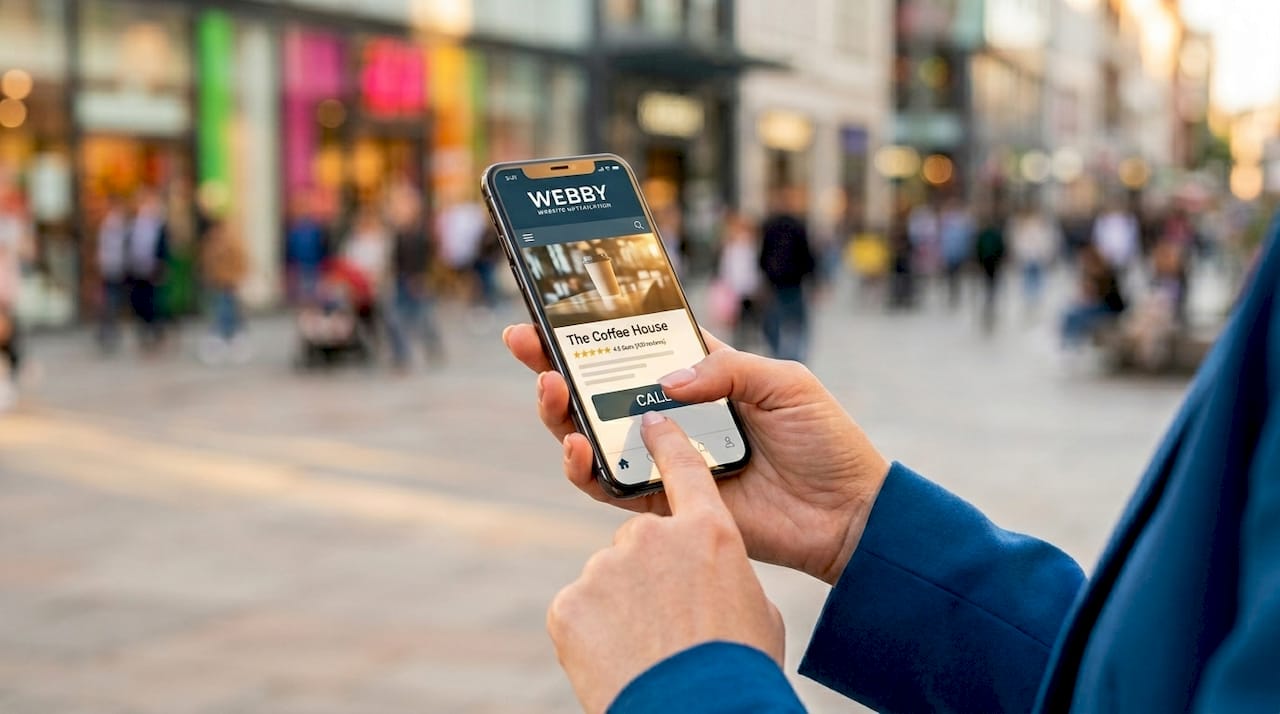
Customers interact with your profile in several concrete ways. They tap “Call” directly from the search result, request turn-by-turn directions, read your reviews before deciding, or click through to your website. Each of those interactions is a conversion opportunity that happens before your website loads. That is why local lead generation strategies always start with a fully built-out profile rather than paid ads or social media.
How to claim and verify your Google Business Profile
Before you can manage or optimize your listing, you need to claim it and prove you are authorized to represent the business. Start by searching Google for your business name and location. If a profile already exists, you will see a “Claim this business” or “Own this business?” prompt. If no profile exists, go to business.google.com and create one from scratch.
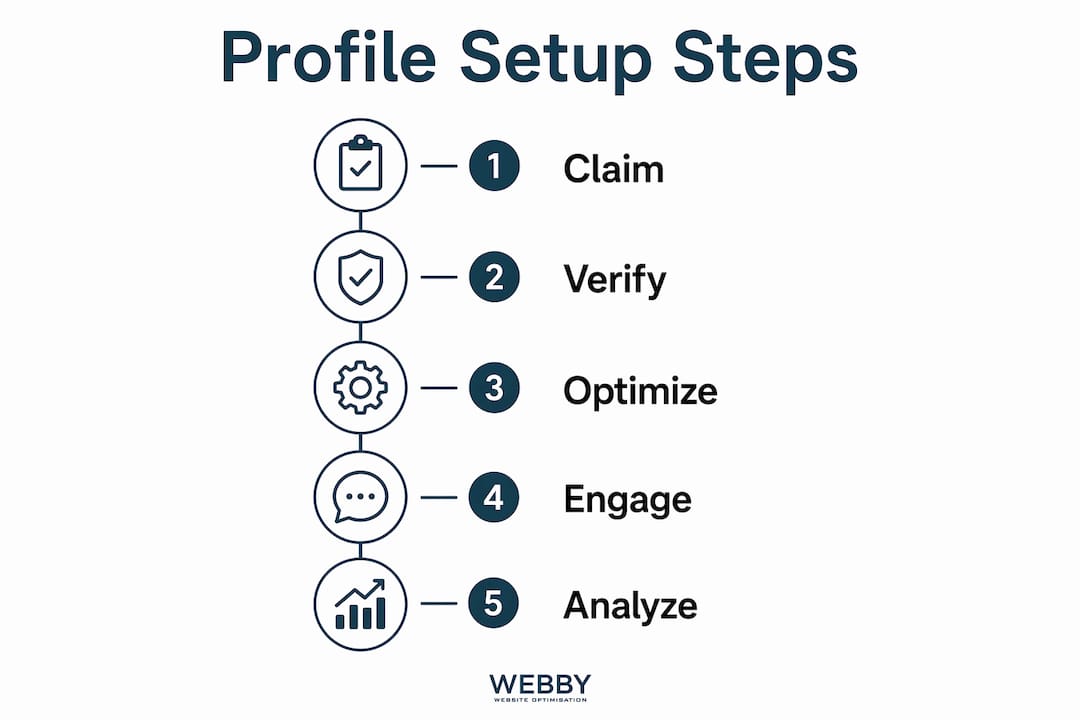
Follow these steps to get your profile under control:
- Search for your business on Google Search and Google Maps to check if a listing already exists.
- Sign in to your Google account at business.google.com and either claim the existing profile or select “Add your business.”
- Enter your business name, category, and address or service area accurately.
- Choose a verification method and complete the process before making changes.
- Once verified, complete key profile info including category, hours, website, and photos.
Verification methods vary by business type and region and include phone call, text message, email, video recording, and postcard by mail. Most service businesses in Australia receive a postcard or video verification option. The postcard takes up to 14 days to arrive, so request it early and do not make major profile changes while waiting. Video verification, which Google has expanded significantly, requires you to record your business location, signage, and equipment in real time.
Storefront and service-area businesses have different verification requirements and address policies. A plumber who works from a home address should set up a service-area profile and hide the physical address rather than displaying a residential street. Getting this distinction wrong causes verification loops and potential suspension. Authorized representation is required throughout the process. Using a personal email unconnected to the business, or having a former employee hold the account, creates access problems that can take weeks to resolve.
Pro Tip: Add a secondary owner or manager to your Google Business Profile immediately after verification. If your primary account is ever locked or compromised, a backup user prevents you from losing control of the listing entirely.
How to optimize your Google Business Profile for better visibility
The fastest way to improve your local search relevance is to fix the foundational inputs before focusing on posting frequency or other tactics. Accurate, specific categories help Google understand and rank your business for the right searches. Choosing “Plumber” as your primary category is correct, but adding secondary categories like “Drainage Service” or “Gas Installation Service” captures more search queries without diluting your primary relevance.
Here is what to complete before anything else:
- Primary and secondary categories: Choose the most specific options available, not the broadest.
- Business hours: Include special hours for public holidays to avoid customer frustration.
- Services and products: List each service individually with a short description and price range where applicable.
- Business description: Write 250 to 750 characters that explain what you do, who you serve, and what makes your service worth choosing.
- Attributes: Add features like “On-site services,” “Online estimates,” or “Veteran-led” to match filtered searches.
- Photos: Upload at least 10 high-quality images covering your team, work examples, vehicles, and any physical location.
The comparison below shows the difference between a minimal profile and an optimized one:
| Profile element | Minimal profile | Optimized profile |
|---|---|---|
| Categories | 1 broad category | 1 primary + 2 to 3 specific secondary categories |
| Photos | 1 to 2 stock images | 10+ real photos of team, work, and location |
| Services listed | None | Each service with description and price range |
| Reviews | Under 5, no responses | 20+ reviews with owner responses to each |
| Posts/Updates | Never used | Weekly update with offer, news, or tip |
Google Posts allow businesses to share timely content directly on their profile, and a posting cadence of roughly one update per week keeps the profile active and signals to Google that the business is operating. Posts expire after seven days for most types, so consistency matters more than length. A short post announcing a seasonal promotion or a completed project takes under five minutes to write and publish.
Responding to reviews is not a courtesy. It is a ranking and conversion signal. When you reply to a negative review professionally and resolve the issue publicly, you demonstrate reliability to every future customer reading that thread. Aim to respond to every review, positive or negative, within 48 hours.
Pro Tip: Keep your business name, address, and phone number identical across your Google Business Profile, your website, and every directory listing. Even minor inconsistencies like “St” versus “Street” confuse Google’s local ranking algorithm and reduce your visibility.
Your profile and your website work together, not independently. A well-designed local business website that matches the services listed on your profile reinforces trust and improves conversion once a customer clicks through. Running a DIY SEO audit on your website alongside your profile optimization catches inconsistencies before they cost you rankings.
What features and tools does Google Business Profile offer?
Google Business Profile includes several features that most local businesses never use, and each one represents a missed opportunity. The Q&A section lets anyone ask a question about your business publicly, and the answers appear on your profile. If you do not answer first, a random Google user might. Seed your own Q&A section by posting the five questions you get asked most often and answering them yourself.
Booking links connect directly to your scheduling software, whether that is Calendly, ServiceM8, or a custom booking page on your website. For service businesses, reducing the steps between “found you on Google” and “appointment confirmed” directly increases conversion rates. Attributes like “Free estimates” or “24-hour service” also appear as filtered search options, so filling them in puts your listing in front of customers who have already decided what they want.
Google Business Profile Insights provide data on customer calls, direction requests, website clicks, and profile views broken down by time period. This data tells you which days drive the most calls, whether your photos are being viewed, and how customers are finding your listing. Checking Insights monthly takes ten minutes and tells you more about local search behavior than most paid analytics tools.
For businesses managing multiple locations, bulk verification and profile grouping workflows exist to handle updates across all listings simultaneously. Franchises and multi-location trades businesses can also use the Google Business Profile API to push updates programmatically, which prevents the inconsistency that creeps in when staff manually update individual profiles. Consistency across locations is the single biggest challenge for growing service businesses, and the API solves it at scale.
Key takeaways
A fully optimized Google Business Profile is the highest-return free marketing tool available to local service businesses, and most owners are leaving significant visibility on the table by treating it as a set-and-forget listing.
| Point | Details |
|---|---|
| Claim and verify first | Secure authorized ownership before optimizing to prevent access loss or suspension. |
| Categories drive relevance | Specific primary and secondary categories determine which searches your profile appears in. |
| Completeness converts | Profiles with photos, services, and reviews convert more searchers than sparse listings. |
| Posts signal activity | One weekly update keeps your profile fresh and demonstrates an active business to Google. |
| Insights guide decisions | Monthly review of profile metrics shows what is working and where to focus next. |
Why most businesses get this wrong from the start
I have worked with dozens of local service businesses in Perth and Fremantle, and the pattern is almost always the same. The owner set up a Google Business Profile years ago, handed the login to a staff member or web developer, and has not touched it since. By the time they come to us, the profile is either unverified, owned by someone who no longer works for the business, or sitting with three photos and no reviews.
The advice you read most often focuses on posting frequency and review generation. Those tactics matter, but they are useless if the foundational access and category setup are wrong. Claiming ownership and building a recovery plan before any optimization is the step most guides skip entirely. I have seen businesses spend months posting weekly updates on a profile that was never properly verified, wondering why their rankings did not move.
The other thing most businesses miss is that GBP optimization covers the entire visible profile, not just the name and phone number. The Q&A section, the photo library, the service descriptions, and the response pattern on reviews all contribute to how Google scores your profile for local relevance. A business that responds to every review, keeps photos current, and seeds its own Q&A section will consistently outrank a competitor with better SEO on their website but a neglected profile.
My practical advice: treat your Google Business Profile like a second homepage. Audit it quarterly, respond to reviews within 48 hours, and check Insights monthly. The businesses I have seen grow their local search presence fastest are the ones who combine a strong profile with a website that backs it up. The profile gets the click. The website closes the deal.
— Steve Doig
How Webby can help you get more from your profile
Webby Website Optimisation works with local service businesses in Perth, Fremantle, and Melville to claim, optimize, and manage Google Business Profiles as part of a broader local SEO strategy. Getting your profile right is only half the equation. The other half is a professional website that converts the traffic your profile generates. Webby combines profile optimization with website design and local SEO services built specifically for service businesses that need more leads, not more complexity. Contact Webby today for a free audit of your current online presence.
FAQ
What is a Google Business Profile?
A Google Business Profile is a free listing on Google Search and Google Maps that displays your business name, hours, contact details, photos, and reviews to local customers. It was previously called Google My Business.
How do I verify my Google Business Profile?
Verification methods include phone call, text message, email, video recording, and postcard by mail, with the available options depending on your business type and region. Service-area businesses like tradespeople may need to hide their physical address and complete video verification.
How does a Google Business Profile help my local SEO?
A complete and active profile signals to Google that your business is legitimate and relevant for local searches, improving your chances of appearing in the local results panel on Google Search and Maps. Accurate categories, consistent contact details, and regular reviews all contribute to ranking.
How often should I update my Google Business Profile?
Posting at least one update per week keeps your profile active and fresh in Google’s eyes. Beyond posts, review and update your hours, photos, and service descriptions at least once per quarter.
What is the difference between a storefront and a service-area business profile?
A storefront profile displays a physical address where customers visit you, while a service-area profile lists the suburbs or regions you serve and hides your home or office address. Choosing the wrong type causes verification issues and can expose a residential address publicly.