
What SEO is and how it gets your business found
Does your website feel invisible on Google? You paid for it, it looks fine, and still the phone doesn’t ring.
Picture a Perth plumber with a five-page website: home, services, about, areas served and contact. Someone in Joondalup types “blocked drain plumber near me” and that site never appears. The plumber is good at the job. Google just hasn’t been given a reason to show the site.
That gap is what SEO fixes. SEO stands for search engine optimisation. It is the practice of improving a website so search engines can understand it and show its pages to people looking for what you offer. The goal is organic traffic: visitors who click an unpaid result instead of one you bought.
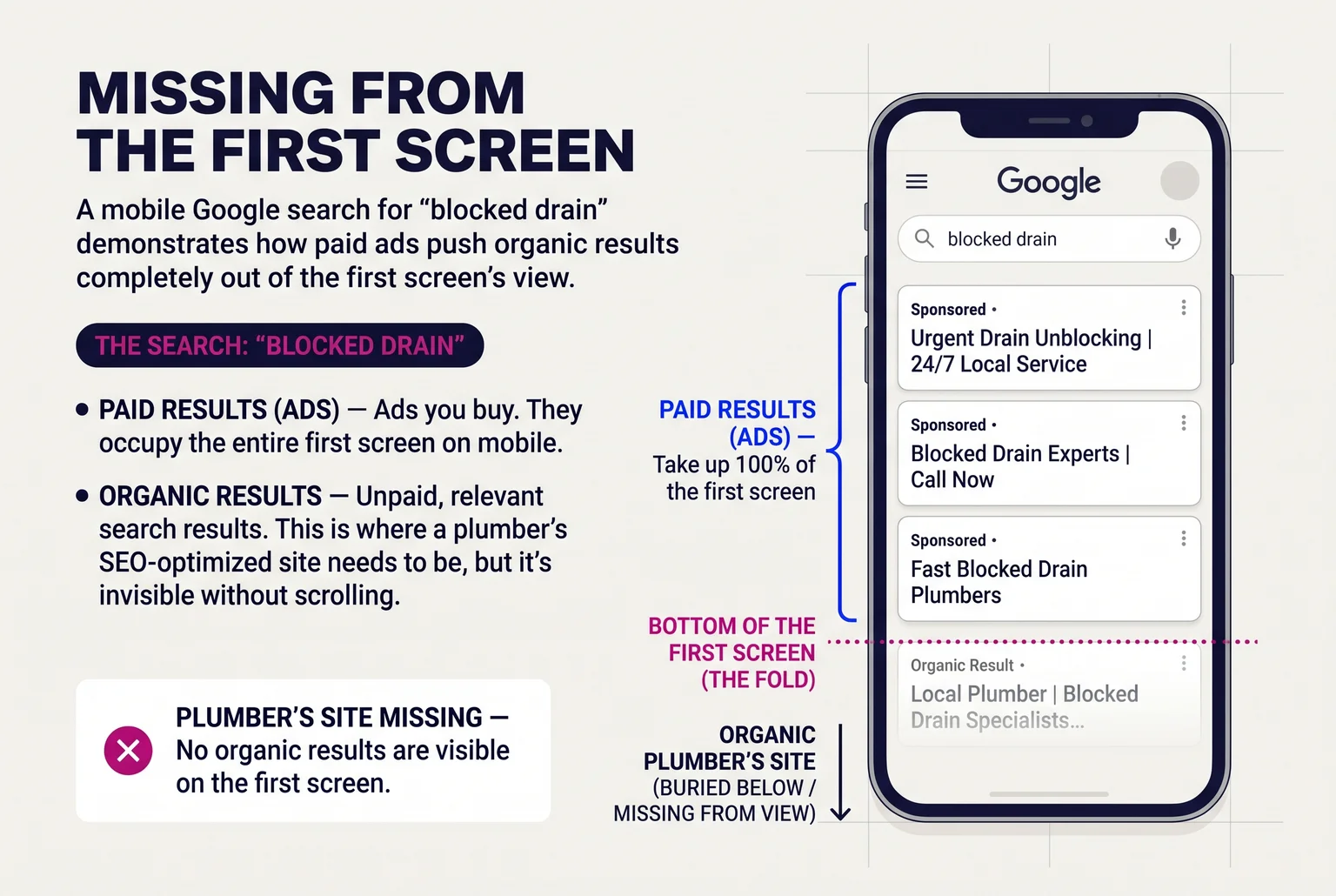
Organic results are links Google shows because they look relevant to the search. Paid results are ads, where you buy the placement. Ads work as long as the campaign runs and the budget lasts. They stop when you stop paying. SEO takes longer to build, and no one can guarantee a ranking, but a page that earns its place doesn’t charge you per click. SEO also helps small sites compete and reduces how much you rely on ads.
For a tradie, that shows up in plain terms: more people finding you when they have a problem, and more calls, quote requests and bookings. Your plumber doesn’t need to win every search. A few well-matched ones, like the suburbs they service, can be enough to matter.
Before a page can show up anywhere, Google has to find it and store it in its index. The next section covers how that works, then we set up the free tool that shows you what Google sees.
How Google finds your pages, stores them and decides what to show
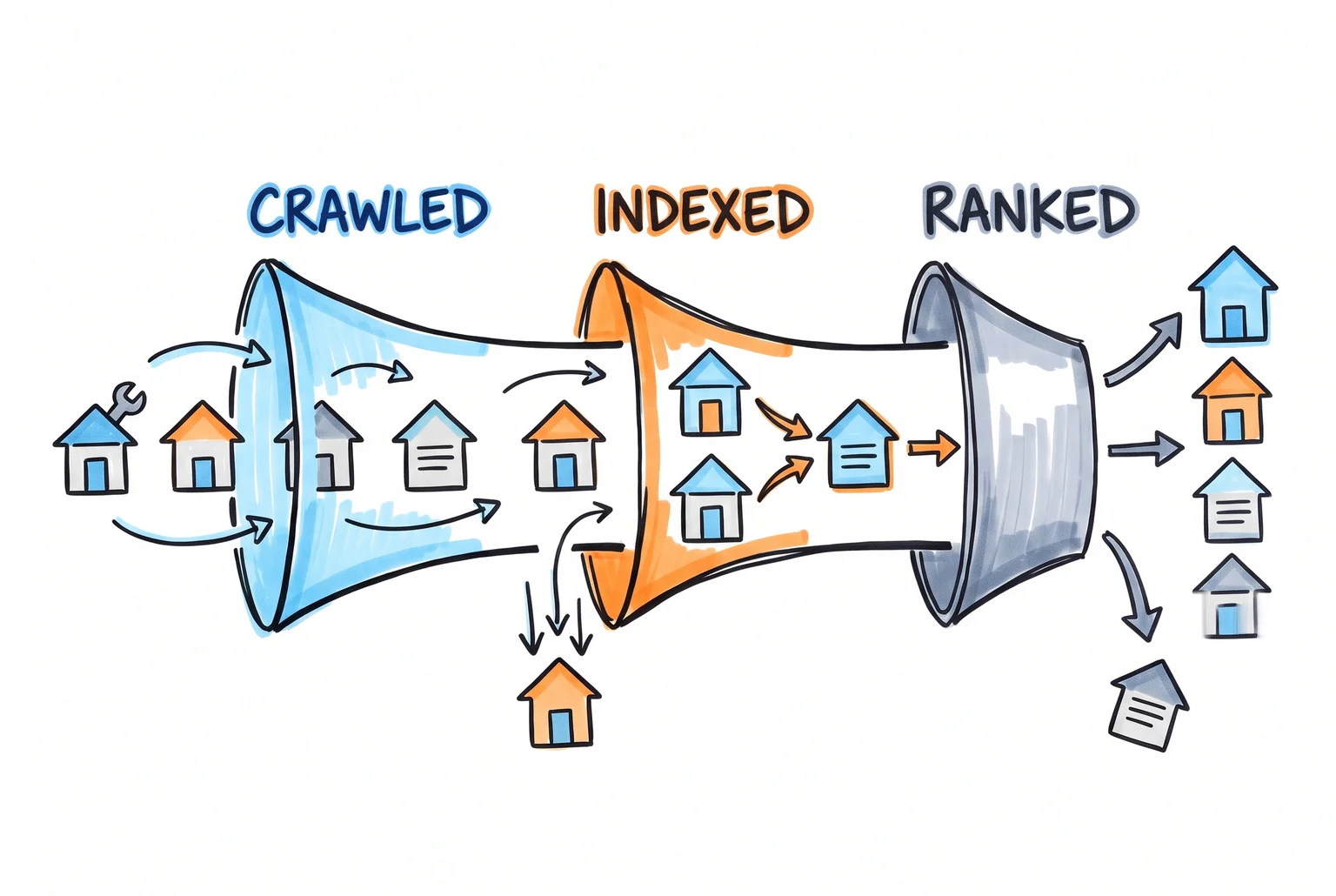
Google works through three steps. Not every page makes it through all of them, and that includes pages on your plumber’s five-page site.
- Crawling. Google uses automated programs, called crawlers, to follow links and find pages. Your plumber’s home page links to services, areas served and contact, so crawlers can reach all five. A sitemap, which is a file listing your pages, helps Google discover them. It is a hint, not a guarantee that a page will be crawled, indexed or ranked.
- Indexing. Google reads each page and stores it in its index, its database of pages. It also spots duplicates and picks one version to keep. Being crawled doesn’t mean being indexed, so a page can be found and still never appear.
- Ranking. When someone searches, Google picks pages from the index and orders them. Nobody outside Google knows the exact weights. What Google does publish points to a few factors.
Helpful content comes first. Google wants original, useful pages written for people, not pages built only to catch searches. Links from other sites count as a sign that others trust you. Page experience covers speed, mobile-friendliness and whether the page is easy to use. That includes HTTPS and no intrusive pop-ups. Google’s speed targets are an INP under 200 milliseconds and a CLS under 0.1, which you can ignore for now. Good scores don’t guarantee a top spot, because page experience sits alongside relevance and helpfulness.
Those factors fall into three practice areas:
- On-page: what is on your pages, such as titles, wording and service details.
- Off-page: signals from outside your site, such as links and mentions from other sites.
- Technical: whether Google can reach, read and store your pages, including speed and mobile use.
Each easy win later in this guide belongs to one of these. First, you need a way to see what Google sees.
Set up Google Search Console and record your starting numbers
Search Console is Google’s free tool for seeing how your site appears in search. Set it up first, because you can’t show a change worked without knowing where you started. Budget roughly an hour, as an estimate.
- Add your property. In Search Console, open the property selector and choose Add property. You pick between Domain and URL-prefix. A Domain property covers every subdomain and protocol, and it generally needs DNS verification. If you can reach your domain registrar’s DNS settings, choose this one. A URL-prefix property covers only addresses starting with the exact protocol and hostname you enter.
- Verify ownership. Follow the on-screen instructions. URL-prefix properties can verify by HTML file, meta tag, Google Analytics, Google Tag Manager or DNS. The HTML file option is not available for Domain properties. Leave the verification record, tag or file in place, because Google may check it again later.
- Submit your sitemap. Open Sitemaps, enter the sitemap address and submit. The XML sitemap guide covers what to include. For the plumber, that is the five pages.
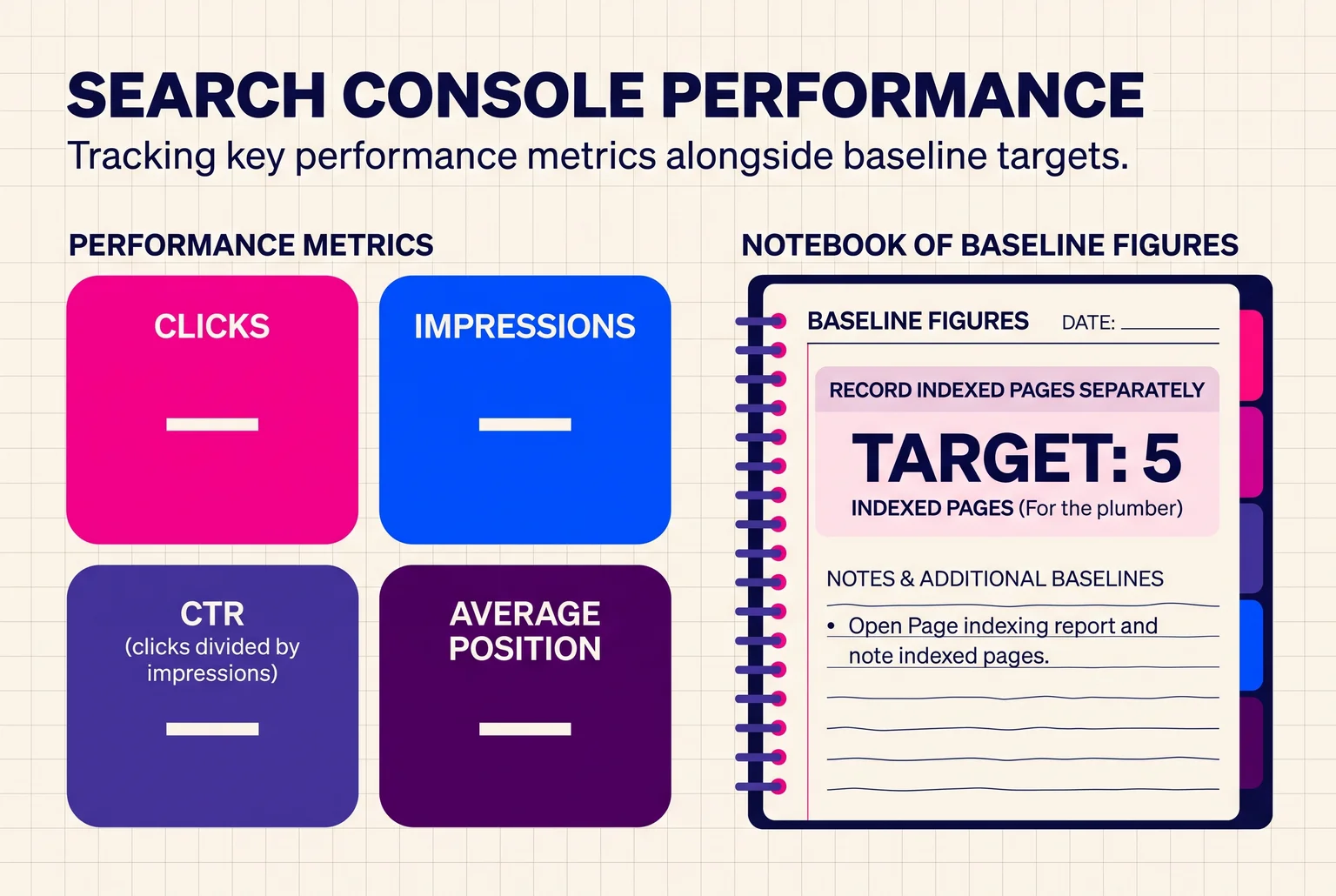
- Record your baseline. Wait for data, then open Performance, then Search results. Note four numbers from the last few weeks: clicks (visits from Google results), impressions (times your pages appeared), CTR (clicks divided by impressions) and average position. Screenshot the page or paste the numbers into a spreadsheet with the date.
- Record indexed pages separately. Open the Page indexing report and note how many pages are indexed. This total is separate from the Performance numbers. For the plumber, five is the target.
If a page is listed as not indexed, read the specific reason before acting. Causes include a robots.txt block, a noindex tag, a duplicate page, a 404 error or a login requirement, and not every exclusion is a problem. The URL Inspection tool shows whether one page is indexed.
A new property can take up to a week to show data, and established ones usually update within two to three days. The newest figures may be preliminary. Google Analytics 4 is optional at this stage and only adds value later, when you want to count calls or form enquiries.
Six DIY SEO wins, in the order to do them
These are estimates, not guarantees. Hours are per week, and none of them promises rankings or traffic. Do them in this order, and skip the rest until these are done. The plumber’s five-page site is the example throughout.
- Claim and complete your Google Business Profile. Effort: about 2 hours once, then 15 minutes a week. Do this: Claim and verify the profile, then fill in categories, service areas, hours and photos. Verification for a service-area business usually means a postcard, phone call or video. Don’t change the name, address or category while it is pending. Local results rely on relevance, distance and prominence, and a complete profile helps with the first and third. Check it in Search Console: The profile is not in Search Console. Watch the Performance report for impressions on queries that include your suburb.
- Write clear titles and descriptions. Effort: about 1 hour. Do this: Give each of the five pages a distinct, descriptive title and a short description specific to that page. “Blocked drain repairs in Perth | Smith Plumbing” beats “Home”. Google may rewrite the snippet, so don’t agonise over wording. Check it in Search Console: Open Performance, add a Page filter, and compare CTR before and after over a few weeks.
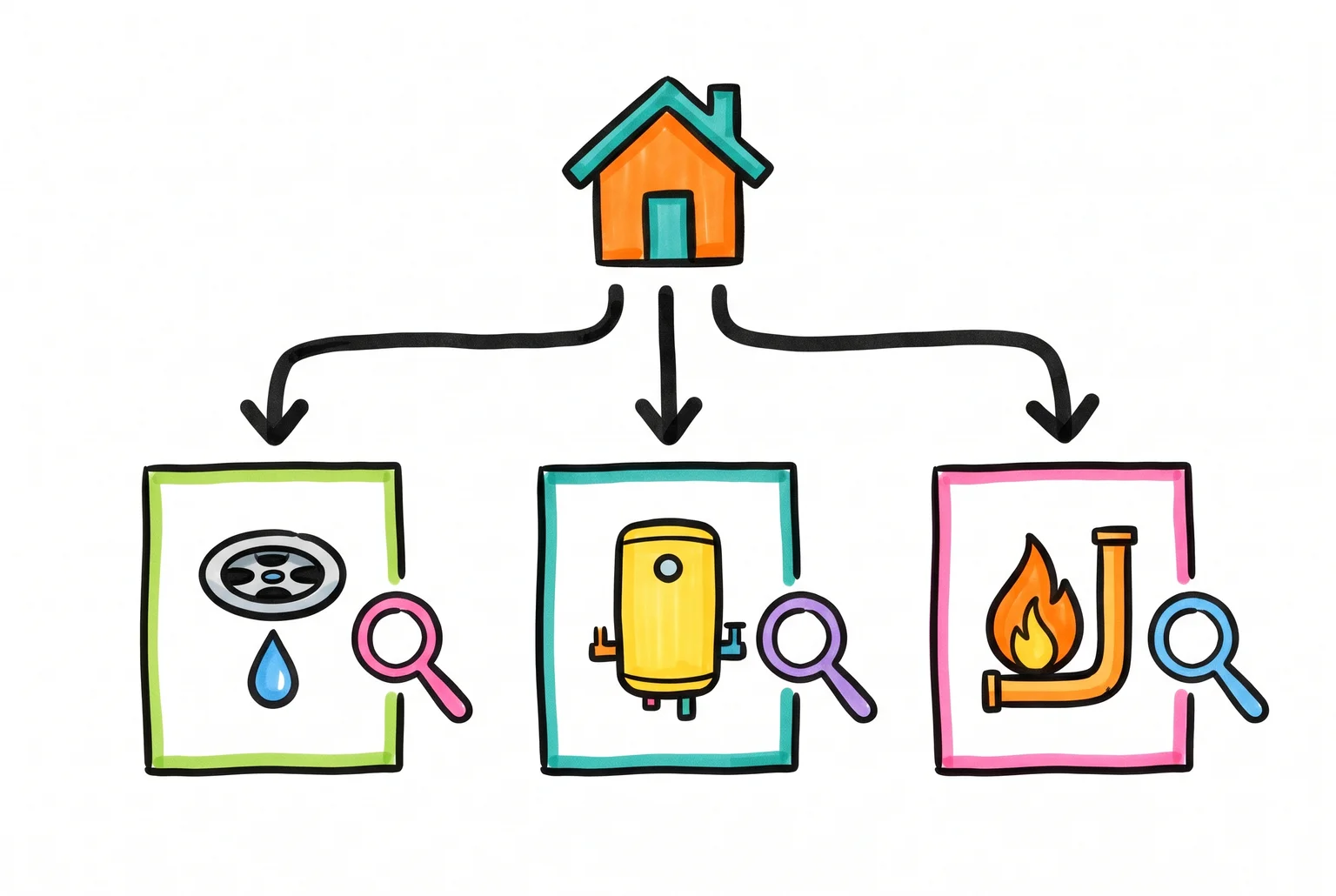
- Give each service its own page. Effort: about 2 hours per page, over 2 to 3 weeks. Do this: Create separate pages for blocked drains, hot water and gas fitting, each answering what a customer would type. If you add suburb pages, make the Business Profile service areas match them city for city, and make a good share of each page unique to that location.
- Check it in Search Console: Filter Performance by page and look at the queries that page appears for.
- Fix pages that aren’t indexed. Effort: about 1 hour. Do this: Paste the URL into URL Inspection to see its status and test the live page. Eligible pages can be submitted for indexing, but requests have daily limits and don’t guarantee indexing. For a page that stays out, improve its content and add internal links to it before touching the sitemap. Check it in Search Console: The Page indexing count should move toward five.
- Answer real customer questions. Effort: about 1 to 2 hours a week. Do this: Write one page or section per question you hear on the phone, such as “Why is my hot water system leaking?” Use your own prices, photos and suburbs. Check it in Search Console: New queries appearing in Performance for that page.
- Check mobile and speed. Effort: about 1 hour to check. Fixes vary. Do this: Open the site on your phone and tap through every page. If it is slow or awkward, that is the point to consider help.
Skip chasing directory listings and buying links until the first five are done. Poor-quality links can break Google’s spam policies.
A four-week plan. Week 1: Search Console baseline and Business Profile. Week 2: titles and descriptions, then index fixes. Week 3: the first service page. Week 4: one customer-question page, then recheck your numbers.
Is it working? How to read your numbers
Rankings alone won’t answer that. Judge SEO by three things: visibility (impressions), visits (clicks), and business actions (calls and enquiries).
In Search Console’s Performance report, watch clicks, impressions, CTR and average position, by query or by page. CTR is clicks divided by impressions. If impressions rise while clicks stay flat, more people are seeing you but not visiting. Impressions and position also bounce around from week to week, so no single number tells the story. Read them together, and check the Page indexing count against your five pages.
To compare periods, use equal-length date ranges. Weekly or monthly views avoid distortions from comparing different weekdays. If your trade is seasonal, such as hot water failures in winter, compare against the same months last year. I can’t give you a reliable timeline. Treat the first few weeks as baseline-building and judge trends over months, not days.
Clicks aren’t customers. In GA4, mark form submissions as key events, link Search Console, and look at the Organic Search channel and landing pages. Lead rate is organic leads divided by organic sessions. For phone calls, use a dedicated tracking number, or ask every caller how they found you. Your Business Profile Insights also shows calls, direction requests and website clicks.
The plumber’s reading: after six weeks, the blocked drains page shows more impressions and a few more clicks than the baseline from the same-length period before. Page indexing now says five. Two form enquiries and three calls mention Google. That is working. If impressions had climbed with no extra clicks, the next job would be the page title.
SEO isn’t dead, but AI Overviews change how people click
An AI Overview is a generated summary above the regular results. It draws on several pages and links to only some of them. AI Mode handles longer, exploratory and multi-step questions in the same way. Google says pages that appear as supporting links need no extra technical requirements beyond normal Search eligibility. They need to be crawlable, indexed and eligible to show a snippet.
So the easy wins in this guide still apply. Google’s advice for AI search is useful, distinctive content, a good page experience, and accurate structured data that matches what’s visible on the page. Restrictive preview settings can limit how your content is featured. Nobody can promise you a spot in an AI answer.
Clicks are the part that shifts. An Ahrefs analysis from December 2025, reported by Leland, found the top result’s click-through rate drops about 58% when an AI Overview appears. Opting out of these features removes your appearance and the traffic from them.
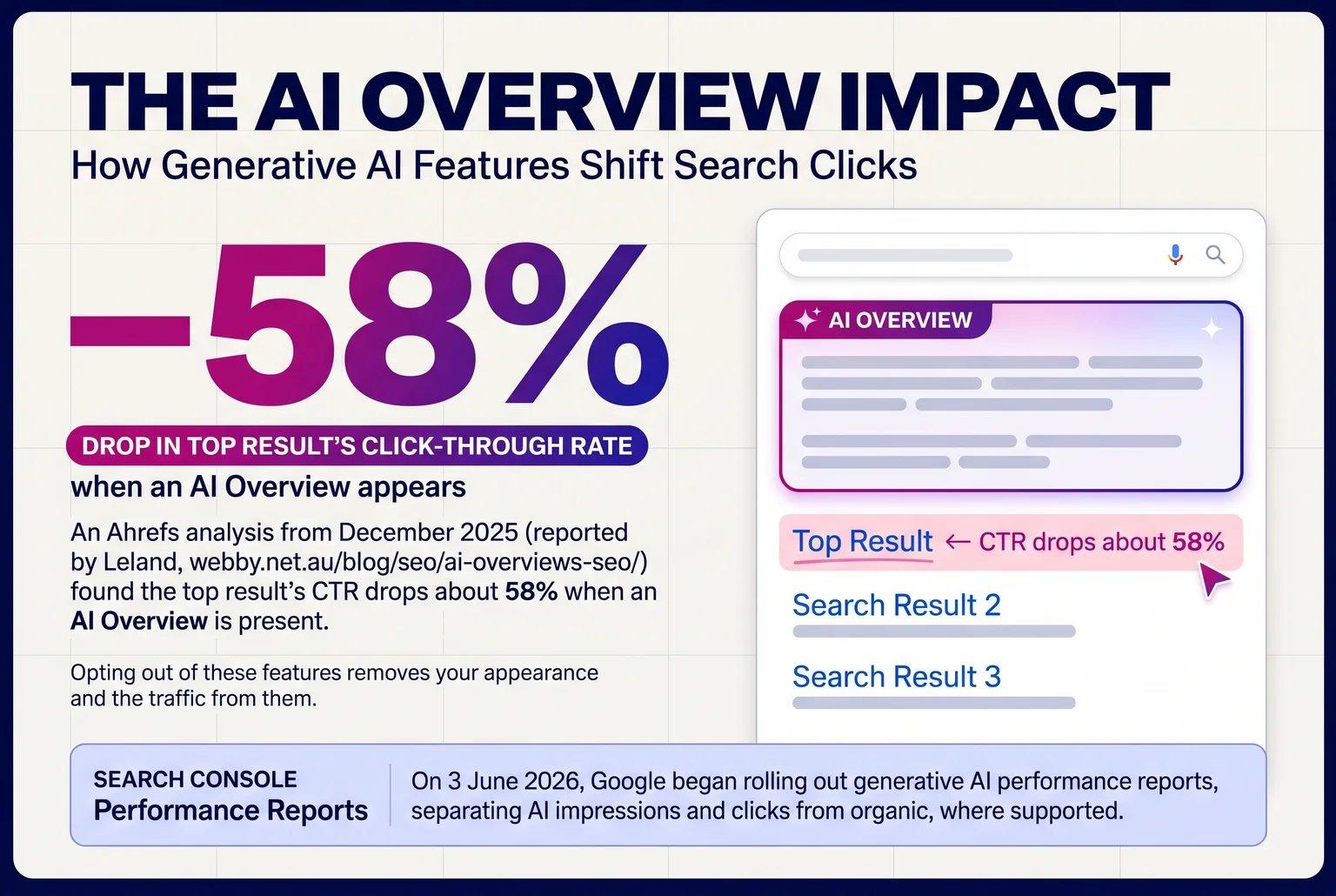
Search Console now reports on this. Google began rolling out generative AI performance reports on 3 June 2026, separating AI impressions and clicks from organic, where supported. Read impressions next to clicks, because someone can see your business in an answer and call you later.
The plumber keeps the same plan: indexed service pages, clear answers, a complete Business Profile.
Keep going yourself, or hire help?
DIY suits a small site in good technical shape, a local service business, and an owner with a few hours a week. Hire help when the site is slow or broken, you’re migrating, your market is crowded, or you have no time. Google lists technical problems, migrations and limited capacity as reasons to bring in a pro.
Paid ads can cover the gap while organic work matures. Local movement typically shows in 2 to 8 weeks, meaningful gains in 3 to 6 months. Measure ads and organic separately.
Ask any provider for past work, references, how they measure success and what they’ll change on your site. Walk away from guaranteed rankings, unsolicited pitches and vague answers.
I run Webby in Perth and do SEO, site speed and ads management, but the steps above work without me.
This week: verify Search Console and record your baseline, complete your Business Profile, and fix one service page title.
Want a second opinion? Call me on 0422 949 434.
Sources
- SEO Starter Guide: The Basics — Google Search Central
- Google Ads Help: Search ads and organic results — Google Ads Help
- What Is SEO? Search Engine Optimization Best Practices – Moz — Moz
- In-Depth Guide to How Google Search Works — Google Search Central
- Creating Helpful, Reliable, People-First Content — Google Search Central
- Understanding page experience in Google Search results — Google Search Central
- Add a website property to Search Console — Google Search Central
- Verify your site ownership — Google Search Central
- XML Sitemap Best Practices for Service Business Websites — Net
- Page indexing report — Google Search Central
- Search Console data availability — Google Search Central
- Verify your business on Google — Google Business Profile Help
- Control your snippets in search results — Google Search Central
- GBP First: 3 Service Pages That Win Service Area Business SEO — Net
- Spam Policies — Google
- Compare date ranges in Search Console — Google Search Console Help
- Mark events as key events — Google Analytics Help
- AI features and your website — Google Search Central
- Succeeding in AI search — Google Search Central
- AI Overviews SEO: How to Get Your Business Cited in 2026 — Net
- Gen AI performance reports — Google Search Central
- Do You Need an SEO? Tips for Hiring an SEO — Google Search Central