
Picking the right domain name is one of the first, and most important, steps you'll take for your Australian business. It's far more than a simple web address; it's the foundation of your brand's online identity. Getting this right builds immediate trust, gives you a leg up in local search results, and firmly plants your flag in the Australian market. This guide will walk you through everything you need to know to register domain names Australia, from the nitty-gritty of eligibility to getting your new domain live on WordPress.
Why Your Australian Business Needs a .AU Domain

Think of your domain name as the sign above your digital shopfront. It’s often the very first impression a potential customer has of your business. For anyone wanting to attract an Aussie audience, choosing a .au domain is a no-brainer.
Imagine you're a customer searching for a local plumber or a nearby cafe. Seeing a .com.au or a .au in the search results instantly tells you that business is local. This small detail creates an immediate sense of relevance and trust, making you much more likely to click on their website over a generic .com.
Your domain name is your brand's digital handshake. A
.audomain tells Australian customers you're local, reliable, and ready to do business with them, creating an immediate sense of connection and trust.
The Power of a Local Digital Identity
It's not just for show, either. Having a .au address comes with some serious, tangible perks for your business. It’s a powerful signal to customers and search engines that you’re genuinely committed to the Australian market.
Here’s what you stand to gain:
- A Boost in Local SEO: Search engines like Google are smart. They use the
.auextension as a strong hint to show your website to people searching in Australia, helping you rank higher for local customers. - Greater Customer Trust: Aussies recognise and trust
.audomains. It reassures them they're dealing with a local business, which can be the deciding factor when they're ready to make a purchase. - Essential Brand Protection: Securing your brand name with a
.auextension is crucial. It stops a competitor—or worse, a cybersquatter—from grabbing it and potentially stealing your customers.
The rush for local digital real estate is on. As of January 2026, the number of .au domains under management had already hit 4,310,715. This figure is climbing steadily as more businesses realise the importance of a local identity. The takeaway is clear: you need to act fast to secure your perfect domain before someone else does.
How to Choose the Right Australian Domain Registrar
Picking where to register your Australian domain name is a bigger deal than most people think. It’s easy to get drawn in by a super-cheap deal, but your registrar is more than just a checkout cart—they’re a long-term partner for your online presence. The initial price tag rarely tells the whole story.
I've seen it time and time again: a business owner snags a domain for a few dollars, only to be hit with sky-high renewal fees a year later. It’s a classic bait-and-switch. Think of it like a tempting mobile phone plan; the shiny new phone is cheap, but the real cost is baked into the 24-month contract. You need to look at the total cost of ownership, not just the first-year discount.
Start with auDA Accredited Registrars
So, where do you begin? Your first port of call should always be checking for auDA accreditation. The .au Domain Administration (auDA) is the official governing body for all things .au, and they don't hand out accreditation to just anyone.
Choosing an auDA accredited registrar means you’re working with a company that’s met strict standards for service, security, and fair play. It’s your best defence against dodgy operators and gives you a clear path to resolve disputes if things go sideways. It's not just a logo on a website; it’s a guarantee of quality.
"A cheap domain is expensive if it comes with poor security and non-existent support. Prioritise an auDA accredited registrar with transparent renewal pricing and a strong reputation—it's the foundation of your digital security."
The Aussie digital scene is buzzing. By 2026, there were over 5.3 million registered .au domains, showing a solid 6.8% annual growth. Unsurprisingly, .com.au still leads the pack with over 60% market share, proving just how crucial a local domain is for building trust. With average prices for new domains sitting around a very reasonable 45 AUD, there's never been a better time to claim your spot online. You can dig deeper into these Australian domain pricing trends and see how businesses are making the most of them.
Comparing Registrars: Look Beyond the Price
Once you have a shortlist of accredited registrars, it’s time to look under the hood. The real value isn't in the initial price, but in the features that will make your life easier down the track.
Here’s what I always tell clients to look for when they register domain names in Australia:
- Renewal Pricing: Is the second-year price double the first? Be wary. Look for clear, upfront pricing for renewals to avoid any nasty surprises.
- Customer Support: When your site goes down at 8 PM on a Friday, you need help now. Check if they offer 24/7 support from a team that's actually based in Australia. Test their live chat or give them a call before you buy.
- A Clean Dashboard: You’ll be logging into this portal to manage everything from DNS settings to payments. A clunky, confusing interface is a recipe for headaches. Look for screenshots or demos to see if it’s intuitive.
- Free WHOIS Privacy: By default, the name, address, and email you register with are published in a public database called WHOIS. This is a goldmine for spammers. Good registrars offer WHOIS Privacy (or Domain Privacy) for free to shield your personal information. Don't pay extra for it.
Making the Right Choice for Your Business
To see how this plays out in the real world, let's compare a couple of popular choices. A small business needs to weigh up not just the first-year cost but the ongoing value, support, and included features.
Comparing Popular Australian Domain Registrars
| Feature | Registrar A | Registrar B | What This Means for You |
|---|---|---|---|
| First-Year Price | Often very low (e.g., $12) | Moderate (e.g., $22) | A low entry price is tempting, but it's only one part of the total cost. |
| Renewal Price | Typically high (e.g., $45) | Reasonable (e.g., $25) | This is the true long-term cost of your domain. A lower renewal price saves you money year after year. |
| WHOIS Privacy | Extra cost (e.g., $15/yr) | Included for free | Free privacy protects you from spam and identity theft without adding to your annual bill. |
| Support | Offshore, limited hours | 24/7, Australian-based | When you need urgent help, local, round-the-clock support is invaluable. |
Looking at this table, a Perth-based e-commerce startup might be tempted by Registrar A's initial $12 offer. But in year two, their bill would be $60 ($45 renewal + $15 privacy). With Registrar B, their ongoing cost is just $25 per year, with privacy included.
The choice becomes obvious. Registrar B is the smarter long-term partner. It’s this kind of thinking that separates a savvy business decision from a costly mistake.
From Search to Secured: Registering Your .AU Domain
Alright, you’ve picked a registrar you’re happy with. Now for the fun part: actually getting your hands on that domain name. This is where your business idea really starts to feel tangible. Let’s walk through what it takes to register domain names Australia has on offer, from the initial search right through to the final purchase.
It all starts with that little search bar. You type in your perfect domain name, cross your fingers, and hit 'Enter'. If it’s available, fantastic! But more often than not, you'll find your first, second, or even third choice is already gone. Don’t let that throw you off; it happens to everyone.
Finding an Available Name That Works
When your go-to name is taken, it's not the end of the road. It's just time to get a bit creative. Instead of scrapping the idea, think about slight variations. For example, if perthplumbing.com.au is gone, what about perthplumbingsolutions.com.au or the shorter, punchier theperthplumber.au? A simple tweak can often land you a great name.
Here are a few tricks I've seen work time and again:
- Go Local: If you serve a specific area, adding your city or suburb is a smart move (e.g.,
sydneybakery.au). It's great for local SEO, too. - Add an Action: Think about what you do. Names like
getfitmelbourne.com.auorbuilditcarpentry.auare direct, memorable, and tell people exactly what you offer. - Check Other Extensions: If the classic
.com.auis taken, is the.audirect domain free? It’s a modern, sharp alternative that's becoming incredibly popular.
The aim is to find something that’s easy to say, spell, and remember. My advice? Steer clear of hyphens and numbers if you can. They’re a pain to explain over the phone and easy for customers to get wrong.
Meeting the .AU Eligibility Rules
Once you’ve found an available name you love, you'll need to prove you’re eligible to register it. To register domain names Australia has reserved for local businesses, like .com.au, you must have a verifiable "Australian presence."
This isn't just bureaucratic red tape; it’s what keeps the .au domain space trustworthy and respected. For most businesses, it’s a simple box to tick. You’ll need to supply either:
- An Australian Business Number (ABN)
- An Australian Company Number (ACN)
Your registrar will ask for one of these during checkout to verify you're a legitimate local business. The domain name you choose also needs to be a close match to your registered business or company name. For instance, a company called "Coastal Brews Pty Ltd" would have no trouble registering coastalbrews.com.au.
The Australian presence requirement is the secret sauce behind the trust in
.audomains. It immediately tells customers they’re dealing with a local business, which is a massive advantage in the Australian market.
The flowchart below breaks down the key decisions you'll make when choosing your registrar—the partner who guides you through this whole process.
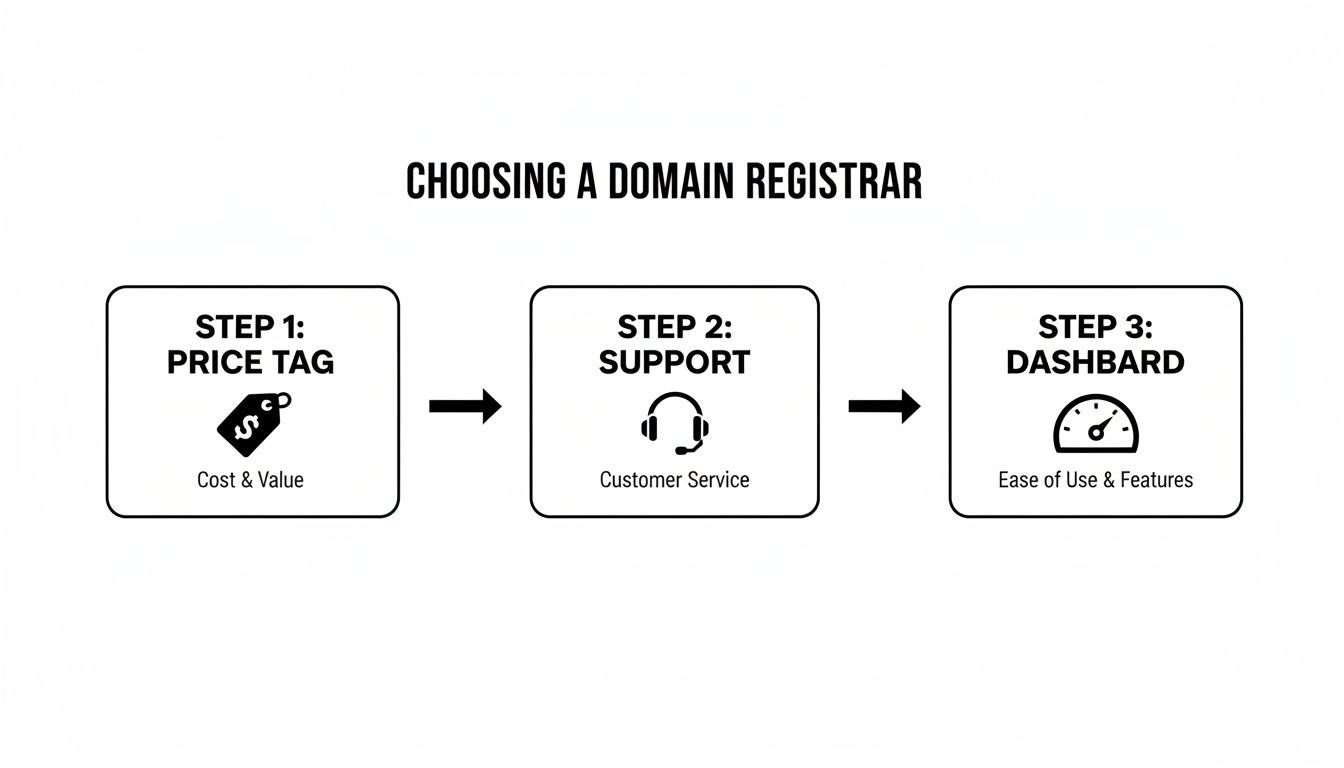
As you can see, getting this right starts with picking a good partner based on price, support, and usability before you even start searching for a name.
Checking Out and Dodging the Upsells
You've got your name, you've confirmed your eligibility—now it's time to pay. Watch out here, as this is where registrars love to bundle in extra services you probably don't need. Stay sharp and only pay for what’s genuinely useful.
Common upsells you can almost always skip:
- Proprietary Website Builders: If your plan is to use a powerful platform like WordPress, you absolutely do not need the registrar's clunky, built-in builder. You'll get much better results and expert guidance from a specialist agency like Webby.
- Basic Email Hosting: The free or cheap email offered is usually very limited. You’re far better off with a professional service like Google Workspace or Microsoft 365.
- "Premium" DNS: For the vast majority of small businesses, the standard DNS that comes with your domain registration is more than enough.
One add-on I do recommend is WHOIS Privacy (sometimes called Domain Privacy). This service shields your personal contact details from the public WHOIS database, saving you from an avalanche of spam calls and emails. The good news is that many decent registrars now include this for free.
Once you’ve paid, there's one last crucial step: verification. You'll get an email with a link you need to click to confirm your ownership. You usually have 15 days to do this. If you don't, your domain can be suspended. So, keep an eye on your inbox!
After you've clicked that link, the domain is officially yours. Congratulations! You've just secured your address on the internet.
Connecting Your Domain to Your WordPress Website
So, you've snagged your new .au domain. Fantastic! But right now, it’s just an address floating out there on the internet. To make it the online home for your business, you need to point it to your website hosting, especially if you’re building your site with WordPress.
This might sound a bit technical, but the idea is actually quite simple. Think of your domain name as your business's street address and your website hosting as the actual block of land your building (your website) is on. The Domain Name System, or DNS, is the GPS that connects the two, telling web traffic exactly where to go. Your job is to give it the right directions.
Understanding Nameservers and DNS
The key to all this is something called nameservers. These are the specific servers that bridge the gap between your domain registrar (where you bought the name) and your web host (where your website files are stored).
When you first register domain names Australia has on offer, your registrar points it to their own default nameservers. This usually just leads to a generic "parked" page. To get your website live, you have to swap these out for the nameservers supplied by your web host.
Making this change essentially tells the entire internet, "Hey, when someone types in this domain, don't come here anymore. Go over to this new web hosting server instead."
This system is a massive part of how the web works. In Australia alone, the managed DNS market hit USD 349.7 million in 2024. That figure shows just how vital solid DNS management is for any business that needs a fast, secure, and reliable online presence. If you're interested in the details, you can learn more about how the managed DNS market is evolving in Australia and what it means for business continuity.
How to Update Your Nameservers
Changing your nameservers is the most important step in getting your website online. While the dashboard will look a little different from one registrar to the next, the core steps are always the same.
First, find your host’s nameservers. Your web hosting provider will have given you at least two nameserver addresses. They usually look something like
ns1.yourhost.com.auandns2.yourhost.com.auand can be found in your hosting welcome email or control panel.Next, log in to your domain registrar. This is the website where you originally bought your domain. Head to your account dashboard.
Find where to manage your domain. You’re looking for a section for the specific domain you want to connect. Look for a button or link labelled "Manage DNS," "Domain Settings," or just "Manage."
Locate the nameserver settings. Inside the management area, there will be a section for "Nameservers" or "Change Nameservers." This is where you'll make the switch.
Enter the new nameservers. You'll see the current default nameservers listed. Choose the option to use custom nameservers, then carefully copy and paste the addresses from your web host into the fields. Double-check for any typos.
Finally, save your changes. Hit the "Save" or "Update" button. Your registrar will now start broadcasting this change across the internet.
A Quick Heads-Up: After you update your nameservers, you'll need to be patient. This update process, called DNS propagation, can take anywhere from a few hours up to 48 hours to fully complete around the world. It’s totally normal for your website to be patchy or unavailable during this time.
Tying It All Together in Your Hosting Account
With your nameservers updated, there's just one last piece of the puzzle. You need to tell your hosting account to start listening for traffic coming to your new domain. This is usually called adding an "Addon Domain" or assigning the domain to your hosting package.
Simply log in to your hosting control panel (like cPanel or Plesk) and find the "Domains" or "Addon Domains" section. Enter your new domain name there. Your host's system will handle the rest, making sure any visitors who arrive at your domain are sent to the folder containing your WordPress website.
Of course, if you're working with a managed WordPress host like Webby, this entire technical process is done for you. They don't just give you the nameservers; they ensure your WordPress site is correctly configured to use your domain from the start, which saves a lot of time and potential headaches. This lets you get back to what you do best—running your business.
Essential Domain Management for Business Owners
Getting your .au domain registered is a fantastic first step, but the job isn't over. Far from it. Owning a domain isn't a "set and forget" task; it’s an ongoing responsibility. Getting this right is what separates a professional operation from an amateur one, protecting your brand, your website, and your personal information.
Think of it like buying a work vehicle. You don't just buy it and drive it into the ground. You get it serviced, keep it locked, and make sure the registration is paid. Your domain is a core business asset and deserves the same level of care. Let's walk through the essential housekeeping that every savvy business owner needs to master.
Securing Your Domain with Auto-Renewal
One of the most gut-wrenching (and completely avoidable) mistakes you can make is letting your domain expire. It sounds like something that would never happen, but I've seen it cripple businesses. A renewal email lands in spam, a credit card on file expires, and suddenly, your website vanishes.
Once a domain expires, there's a short grace period. But after that, it's released back into the wild for anyone to grab. A competitor could snap it up, or a "cybersquatter" could buy it and demand a small fortune for its return. Either way, you've lost your web traffic, your business emails stop working, and you’re facing a major headache.
The easiest and most powerful defence is to switch on auto-renewal. Seriously, log in to your registrar and do it right now. Consider it a non-negotiable security feature that offers incredible peace of mind for a single click.
Of course, auto-renewal is only as good as the payment method it's tied to. I always recommend setting a calendar reminder for one month before the expiry date. Use that time to log in and double-check that your credit card details are current. This simple two-part habit is the best insurance policy for your online brand.
Protecting Your Privacy with WHOIS
When you register domain names Australia requires your personal details to be submitted—your name, address, email, and phone number. This information is then published in a public database called WHOIS. While it was created for accountability, it has become a goldmine for spammers, scammers, and aggressive marketers. Leaving this data public is like putting your personal details on a community noticeboard.
This is where a feature called WHOIS Privacy (or Domain Privacy) comes in. It’s a service offered by good registrars that masks your personal information, replacing it with their own generic details in the public database.
Here’s why that’s a game-changer:
- Stops the spam flood: Shielding your email and phone number is the single best way to cut down on junk mail and phishing scams.
- Protects against identity theft: Your personal data is currency for criminals; don't just give it away.
- Ends unwanted sales calls: Marketers routinely scrape WHOIS data to build lead lists for cold calling.
Many of the best Australian registrars now include this for free. If you find your registrar is charging extra for it, that's a bit of a red flag. It might be a good time to consider moving to a provider who takes your privacy more seriously.
Adding a Layer of Security with a Domain Lock
Another vital security feature hiding in your registrar's dashboard is the domain lock (sometimes called a registrar lock). It’s a simple toggle switch that prevents one of the scariest things that can happen to your online business: domain hijacking.
When the lock is on, your domain cannot be transferred to another person or registrar. To move it, a thief would first need to gain access to your account and manually disable the lock. It’s an incredibly effective barrier against unauthorised transfers where a malicious actor tries to steal your domain and hold it for ransom.
Treat it like the deadbolt on your front door. It should be on 100% of the time, unless you are personally in the middle of an approved transfer to a new provider. Make a habit of checking that the lock is active whenever you log in to your account. It’s simple, free, and could one day save your business.
Common Questions About Australian Domain Registration
Getting an Australian domain name can seem straightforward, but a few key questions always pop up for business owners. When you decide to register domain names Australia has available, you want clear answers. We’ve worked with hundreds of businesses on this, so let's clear up the common points of confusion.
What Is the Difference Between .COM.AU and .AU Domains?
This is probably the biggest question we get. Think of .com.au as the classic, long-standing choice for Australian businesses. For decades, it’s been the gold standard, instantly telling customers you’re a legitimate commercial operation because it requires an ABN or ACN to register.
The newer .au direct domain is the short, sharp newcomer. It’s more modern, easier to remember, and has slightly more relaxed eligibility. While you still need a verifiable Australian presence, it’s open to individuals (like sole traders) as well as companies, giving you more flexibility.
The smartest play for brand protection is to register both. Securing
yourbrand.com.auandyourbrand.austops a competitor from grabbing the alternative and siphoning off your traffic. It's a small price to pay to completely own your online identity.
Can I Register a .AU Domain if I Am Not an Australian Citizen?
Yes, you absolutely can. The key isn't citizenship; it's proving a verifiable "Australian presence." This is a non-negotiable rule from auDA (the .au Domain Administration) that protects the integrity of the namespace, ensuring .au domains represent genuine local interests.
You can meet this requirement in a few different ways:
- For Businesses: Holding an active Australian Business Number (ABN) or Australian Company Number (ACN) is the most common path.
- For Foreign Companies: You're eligible if your company is licensed to trade in Australia.
- For Trademark Holders: If you own an Australian-registered trademark that is an exact match for the domain you want, you qualify.
As long as you can prove a solid, official link to Australia, you’re good to go.
How Long Does It Take for My New Domain Name to Start Working?
Once you’ve registered the domain and pointed the nameservers to your web host, there’s a brief waiting game called DNS propagation. This is simply the time it takes for servers all over the world to get the memo about your new domain's address. It's like sending a change-of-address card to the entire global internet.
Propagation can be surprisingly quick, sometimes finishing up in just an hour or two. However, the official window can be up to 48 hours. During this time, your website might work for some people but not for others—it all depends on their location and internet provider.
This is a totally normal part of the process. My advice is always to factor in this potential delay. Don't plan a big marketing launch the second you hit "purchase." Give it a day or so to be safe, and then you can be confident your new domain is live and working for everyone.
Ready to connect that brand-new domain to a blazing-fast and secure WordPress website? The team at Webby Website Optimisation provides end-to-end support, from expert setup to ongoing maintenance, letting you focus on what you do best. Check out our WordPress help and support services to get started.