
Your website could be losing more than half its potential leads before a single visitor reads your headline. Research shows that 53% of mobile visitors abandon a page that takes longer than three seconds to load, and that number climbs fast after that threshold. Understanding why website speed affects leads goes well beyond user experience complaints. Speed is a direct revenue variable, a Google ranking signal, and now a factor in whether AI search engines even mention your business. This guide breaks down the real mechanics, the compounding business costs, and the specific fixes that actually move the needle on lead generation.
Table of Contents
- Key Takeaways
- Why website speed affects leads: the numbers
- The compounding costs of a slow site
- Common causes of slow websites
- Practical steps to optimize website speed for better leads
- My take: speed is a growth lever, not a tech problem
- How Webby can help you capture more leads through speed
- FAQ
Key Takeaways
| Point | Details |
|---|---|
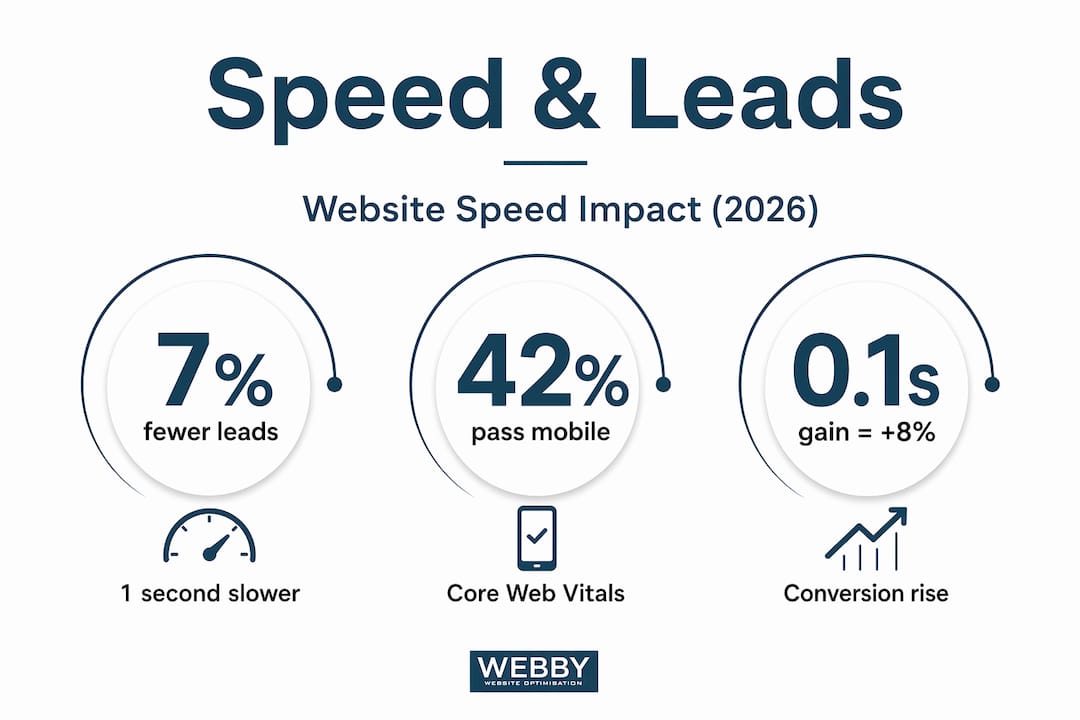
| Every second costs conversions | A one-second delay reduces conversion rates by 7%, and a five-second load time triples lead losses compared to one second. |
| Mobile speed gap is critical | Only 42% of mobile sites pass Core Web Vitals, yet mobile users drive the majority of web sessions. |
| Speed amplifies ad spend efficiency | Faster pages improve Google Quality Score, cutting Cost-Per-Click by up to 35% and lowering your cost per lead. |
| Slow sites distort your analytics | Visitors who leave before tracking scripts fire never appear as bounces, masking your real lead loss. |
| Speed requires ongoing attention | Adding new plugins or features can silently degrade performance, so continuous monitoring is non-negotiable. |
Why website speed affects leads: the numbers
Most business owners think about website speed as a comfort issue. Visitors prefer fast pages, so speed is nice to have. The data tells a completely different story.
Each one-second delay in page load time reduces conversion rates by 7%. That sounds manageable until you do the math on a real business. If your website generates 50 leads per month at a four-second load time, cutting that to three seconds could add three or four leads without spending an extra dollar on advertising. And the impact of website speed on conversions compounds the slower your site gets.
| Load time | Relative conversion rate | Bounce probability increase |
|---|---|---|
| 1 second | Baseline (best) | Baseline |
| 3 seconds | ~17% lower | 32% higher |
| 5 seconds | ~66% lower | 90% higher |
| 10 seconds | Near zero | Abandoned |
The mobile dimension makes this even more urgent. Only 42% of mobile sites pass all Core Web Vitals thresholds, and mobile users account for 62% of ecommerce sessions. That means the majority of your visitors are landing on a device where your site is most likely to fail speed standards, right when they are most likely to leave.
The micro-improvement data is what should really grab your attention. A 0.1-second mobile speed improvement increases retail conversions by 8.4% and travel conversions by 10.1%. That is not a one-time redesign. That is a small technical tweak generating compounding returns every single month.
Pro Tip: Run your site through Google PageSpeed Insights on a mobile connection simulation, not desktop. Most business owners are shocked at the gap between what they experience on their office computer and what a customer sees on a phone with average connectivity.
The practical takeaway here is that website performance and lead generation are not separate conversations. They are the same conversation. Every visitor who bounces due to load time is a lead your marketing budget already paid to attract.
The compounding costs of a slow site
Here is where most articles stop short. They tell you slow sites lose visitors. True. But the full picture shows that a slow website creates a compounding tax across your entire marketing operation, not just your organic traffic.
Google Ads gets expensive fast
When visitors land on a slow page after clicking your ad, Google measures that experience through landing page quality scores. Ads with above-average landing page experience see Cost-Per-Click 36% below average. The reverse is also true. A slow landing page tanks your Quality Score, raising your CPC and meaning you pay more for every click that is less likely to convert. Speed optimization reduces Cost-Per-Click up to 35%, compounding lead generation efficiency by lowering ad spend and improving conversion rate simultaneously.

SEO penalties are now structural
Google’s Core Web Vitals are not optional ranking suggestions. They are built into how the algorithm evaluates your pages. Sites passing Core Web Vitals thresholds rank measurably better, especially on mobile. The downstream effect on website loading speed and sales is real: lower rankings mean fewer clicks, fewer visitors, and fewer leads from organic search.
AI search is the new frontier
This one surprises most business owners. AI-powered search tools like ChatGPT, Perplexity, and Google’s Gemini pull information from websites to generate summaries and recommendations. Slow websites reduce AI search visibility because crawlers deprioritize or fail to fully parse slow or incomplete pages. If your site does not load fast enough for an AI crawler to extract your content, you simply do not appear in AI-generated answers. That is a growing source of leads your competitors are capturing and you are not.
Brand trust takes a silent hit
Website speed signals professionalism to visitors in a way most business owners underestimate. A slow site does not just frustrate people. It makes them question whether your business is credible, up to date, and worth their time. For local service businesses competing on trust, this is a serious liability.
Here is a direct comparison of how speed impacts lead generation, both directly and indirectly:
| Impact type | Mechanism | Lead generation effect |
|---|---|---|
| Direct | High bounce rates from slow load times | Fewer visitors reach your contact form or CTA |
| Direct | Lower conversion rates at every stage | Fewer visitors who stay actually become leads |
| Indirect | Reduced Google Quality Score | Higher ad costs, fewer clicks per dollar spent |
| Indirect | Core Web Vitals SEO penalties | Lower organic rankings, less traffic |
| Indirect | AI crawler deprioritization | Missing from AI search summaries |
| Indirect | Damaged brand credibility | Visitors distrust and choose competitors |
Pro Tip: Treat website speed as a strategic KPI alongside your cost per lead and organic ranking position. Review it monthly, not just when something breaks.
Common causes of slow websites
If you are convinced speed matters, the next question is: what is actually slowing your site down? Most culprits fall into a predictable set of categories, and many are fixable without a full rebuild.
Slow or shared hosting. Cheap shared hosting is the single most common cause of poor server response times. If your Time to First Byte (TTFB) is above 600 milliseconds, your hosting is likely the first problem to solve.
Unoptimized images. Images that are uploaded at full resolution without compression or modern formats like WebP can add multiple seconds to load time. This is one of the highest-impact fixes available to most business websites.
Render-blocking scripts. JavaScript and CSS files that load before the page can display content create visible delays even on fast connections. Third-party scripts (live chat widgets, analytics tags, review plugins) are frequent offenders.
Too many plugins or integrations. Every added plugin on a WordPress site adds HTTP requests and potential conflicts. Every 100 milliseconds of additional load time leads to a 3.5% drop in conversions, and plugin bloat is one of the most common contributors.
No content delivery network (CDN). Without a CDN, every visitor fetches your files from a single server location. For a Perth business with visitors across Western Australia, that latency adds up quickly.
Client-side rendering frameworks without optimization. Frameworks that render pages in the browser rather than on the server can hinder AI crawler content extraction if pages load slowly or incompletely.
One underappreciated issue deserves special attention: your analytics data is probably lying to you. Slow load times cause underreported bounce metrics because visitors leave before tracking scripts fire, so they never register as bounces at all. Your reported bounce rate looks better than your actual bounce rate, masking the true scale of lead loss. Running a DIY website SEO audit is a practical first step to surfacing what your standard reports miss.
Pro Tip: Use Google Search Console’s Core Web Vitals report and combine it with real-user data from CrUX (Chrome User Experience Report) to see how actual visitors experience your site, not just a lab simulation.
Practical steps to optimize website speed for better leads
Knowing what slows a site down is one thing. Knowing where to focus your effort is what separates businesses that see results from those that spin their wheels.
Prioritize Core Web Vitals in order of impact. Largest Contentful Paint (LCP) measures load speed and is most directly tied to bounce rates. Interaction to Next Paint (INP) measures responsiveness. Cumulative Layout Shift (CLS) measures visual stability. LCP improvements deliver the fastest lead generation gains.
Fix mobile first, always. Given that mobile accounts for the majority of web sessions and only 42% of mobile sites pass Core Web Vitals, your mobile speed is almost certainly your biggest opportunity. Do not optimize for desktop and assume mobile follows.
Upgrade your hosting before tweaking design. A faster server eliminates problems that no amount of code optimization can fix. Managed WordPress hosting or a dedicated VPS typically cuts TTFB in half compared to shared plans.
Compress and convert images. Use a tool like Squoosh or a WordPress plugin to serve WebP images and compress files to under 100KB where possible. Images are the single fastest win for most sites.
Implement a CDN. Cloudflare’s free tier is a practical starting point for most small businesses. It reduces geographic latency and adds a layer of security.
Audit and remove unnecessary third-party scripts. Every third-party tag on your site is a dependency you do not control. Cut anything that does not directly contribute to lead capture or conversion.
Test with real devices on real connections. Lab tests give you a benchmark. Real-device testing on a mid-range Android phone with a 4G connection shows you what your actual visitors experience. The gap is often jarring.
Small sustained speed gains yield measurable revenue changes over time, reframing speed as a strategic asset rather than a technical afterthought. Understanding the best practices for SME website design can help you make speed decisions that integrate with your broader conversion goals, not conflict with them.
Pro Tip: Schedule a speed audit after every significant website change, whether you add a new plugin, launch a new page, or run a new ad campaign. Performance regressions almost always happen quietly, not all at once.
My take: speed is a growth lever, not a tech problem
I have worked with dozens of local service businesses that were puzzled by flat lead numbers despite solid SEO rankings and active ad campaigns. In almost every case, a slow website was silently undermining everything else. The ad spend was there. The content was there. The traffic was there. The site was just hemorrhaging leads before they ever reached a form.
What I have learned is that most business owners treat speed as a single fix you do once and forget. You clean up the images, switch hosting plans, and tick it off the list. But speed requires continuous operational attention to avoid regressions, especially when adding new features or plugins. The businesses I have seen sustain the strongest lead growth are the ones that check their Core Web Vitals monthly, the same way they check their ad spend or their organic rankings.
My honest take is that the framing of “website performance and lead generation” as separate disciplines is the core mistake. Speed is a multiplier. It amplifies every dollar of ad spend, every hour of SEO work, and every effort you make to build trust with a new visitor. A fast website does not just attract more customers. It makes every other part of your marketing work harder. That is the kind of leverage most businesses are leaving on the table.
— Steve Doig
How Webby can help you capture more leads through speed

At Webby Website Optimisation, we work with local service businesses in Perth, Fremantle, and Melville that are serious about turning their websites into lead generation engines. Speed optimization is one of the first things we examine in every client engagement, because the improvements compound across SEO, ad performance, and conversion rates simultaneously.
Whether you need a full website audit to identify what is slowing you down, or you are ready to hand the technical work to a team that specializes in performance-driven results, we can help. Our approach covers hosting recommendations, Core Web Vitals improvements, image optimization, and script management, all tied directly to lead generation outcomes. If you want to know exactly where your site stands and what it is costing you, start with a free consultation today.
FAQ
How much does a one-second delay actually cost in leads?
A one-second delay reduces conversion rates by approximately 7%, meaning a site generating 50 leads per month could lose three to four leads for every additional second of load time.
Does website speed increase leads directly or indirectly?
Both. Speed directly reduces bounce rates and increases conversion rates. It also indirectly generates more leads by improving SEO rankings, lowering paid ad costs, and increasing visibility in AI-powered search results.
What load time should I target to avoid losing leads?
Aim for a Largest Contentful Paint (LCP) under 2.5 seconds on mobile. Pages loading in under one second convert at significantly higher rates than those taking three to five seconds.
Can slow websites lose customers even if they rank well on Google?
Yes. High rankings drive traffic, but a slow site wastes that traffic. Visitors who abandon before your page loads are leads your ranking position earned but your site speed lost.
How do I know if my site speed is hurting my lead generation?
Run a Core Web Vitals report in Google Search Console and cross-reference it with your bounce rate data. If your bounce rate looks low but your conversion rate is also low, a slow site may be masking exits before your tracking scripts fire.