
Your website has about 50 milliseconds to earn a stranger’s trust before they decide to stay or leave. That is not a metaphor. That is the speed of a credibility judgment your potential customers make every single day. For local service businesses in Perth, Fremantle, and Melville, understanding why website design affects trust is not a design exercise. It is a revenue conversation. Every plumber, electrician, landscaper, or consultant with an outdated or cluttered site is quietly losing customers to competitors whose sites simply look more credible, regardless of who actually does better work.
Table of Contents
- How fast do people judge your website and why it matters
- Design friction: How usability issues undermine trust instantly
- Consistency: The design cornerstone to signal stability and professionalism
- Clear layout and intuitive navigation: Guiding users to build trust effortlessly
- Building trust locally: Using design elements to connect with Perth, Fremantle, and Melville customers
- Practical steps to improve your website design and build trust
- Why most local service websites sabotage their own trust and how to avoid it
- How Webby can help you build trust and grow your local business
- Frequently asked questions
Key Takeaways
| Point | Details |
|---|---|
| Split-second trust | Users decide if your website is trustworthy in about 50 milliseconds based on design alone. |
| Reduce design friction | Clear navigation and functional links minimize mental effort and increase user trust and engagement. |
| Consistency builds stability | Uniform fonts, colors, and layout across all pages signal professionalism and reliability. |
| Local relevance matters | Incorporating local visuals and contact details helps create connection and trust with nearby customers. |
| Continuous design care | Regularly updating and refining design maintains trust and prevents reputation damage. |
How fast do people judge your website and why it matters
Most business owners assume customers read their homepage, evaluate their services, and then decide whether to get in touch. The reality is far less forgiving. Visitors process visual information before they read a single word, and that split-second visual scan determines whether they stay or bounce.
Research confirms that users judge credibility in 50 milliseconds, and the “halo effect” means that initial impression bleeds into how they perceive everything else about your business, including your pricing, your expertise, and your reliability. The halo effect is a cognitive bias where one strong positive or negative impression shapes all subsequent judgments. In web design terms, a polished site makes your services seem more professional. A dated site makes even a 20-year business look questionable.
“First impressions are not just about aesthetics. They are about whether a visitor’s brain categorizes your business as safe or suspicious within the time it takes to blink.”
This is particularly relevant for service businesses in Perth’s competitive local market. A homeowner searching for a Fremantle electrician or a Melville landscaper will open three or four tabs. The site that looks most trustworthy at a glance gets the call. The impact of web design on trust is not subtle. It is the difference between the phone ringing and the tab being closed.
Design friction: How usability issues undermine trust instantly
Even if your site looks clean at first glance, poor usability will destroy trust within seconds of a visitor trying to do anything. Design friction refers to any moment where a user has to pause, think harder than expected, or hit a dead end. And confusing navigation or broken links force extra cognitive effort that the brain interprets as a signal of unreliability.
Think about what happens when a potential customer clicks your “Services” menu and finds a dropdown with 12 vague options, or taps a phone number on mobile that does not dial. Their trust does not just dip. It evaporates. Because if your website is this hard to use, what does that say about working with you?
Common friction points that kill website design and user confidence include:
- Unclear or overcrowded navigation menus that make it hard to find key information
- Broken links or 404 error pages that signal neglect
- No visible call-to-action above the fold, leaving visitors unsure what to do next
- Slow load times, especially on mobile, which feel like a warning sign
- Forms that are too long or ask for unnecessary information before offering any value
- Pop-ups that block content immediately on arrival
Pro Tip: Open your own website on a mobile phone you have never used before and try to find your phone number and request a quote within 30 seconds. If you struggle, your customers are struggling too.
The fix is not always a full redesign. Sometimes removing three menu items, fixing two broken links, and adding one clear button is enough to meaningfully reduce friction and improve conversions.
Consistency: The design cornerstone to signal stability and professionalism
Imagine walking into a business where the reception area looks like a law firm, the hallway looks like a surf shop, and the meeting room looks like a dentist’s office. You would feel uneasy without knowing exactly why. That is what design inconsistency does to visitors online.
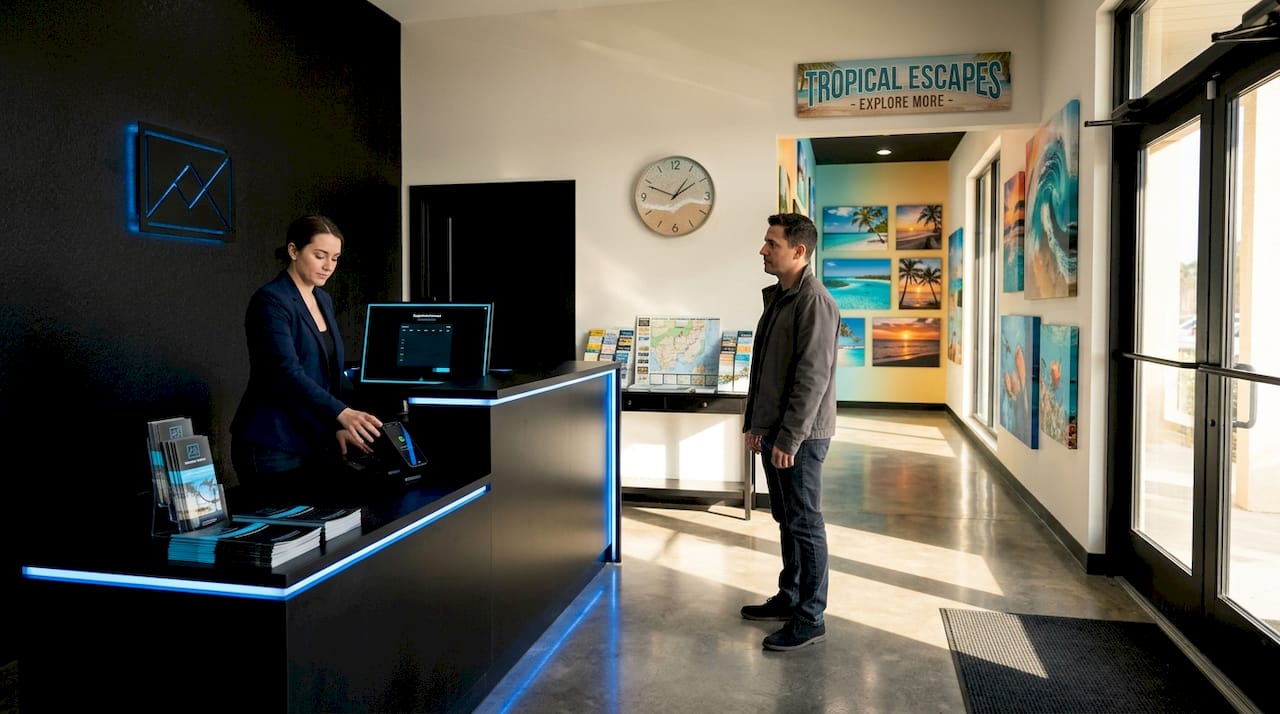
Design inconsistency signals chaos to the brain, reducing trust and making uniform branding a marker of stability. Consistent use of fonts, colors, spacing, and image style across every page tells the brain that someone is in control here. It reduces cognitive load, which is the mental effort required to process information, and that ease translates directly into confidence.
| Design element | Consistent approach | Inconsistent approach |
|---|---|---|
| Typography | Two fonts used throughout | Five different fonts across pages |
| Color palette | Three brand colors applied uniformly | Random colors on each section |
| Button style | Same shape, color, and label format | Different styles on every page |
| Image style | Professional photos with consistent tone | Mix of stock photos, blurry shots, and clip art |
| Spacing | Uniform padding and margins | Cramped sections next to overly spaced ones |
Small inconsistencies act as micro-errors. No single one destroys trust on its own, but together they create a nagging sense that something is off. For a plumbing company in Melville or a cleaning service in Fremantle, that feeling is enough to send a customer back to the search results.
Pro Tip: Create a simple one-page brand style guide listing your exact hex color codes, font names, and button styles. Share it with anyone who touches your website, including contractors or staff who update content.
Clear layout and intuitive navigation: Guiding users to build trust effortlessly
A trustworthy website does not make visitors think. It anticipates what they need and puts it in front of them before they have to search. This is the principle behind visual hierarchy, which is the arrangement of design elements so the most important information draws attention first.
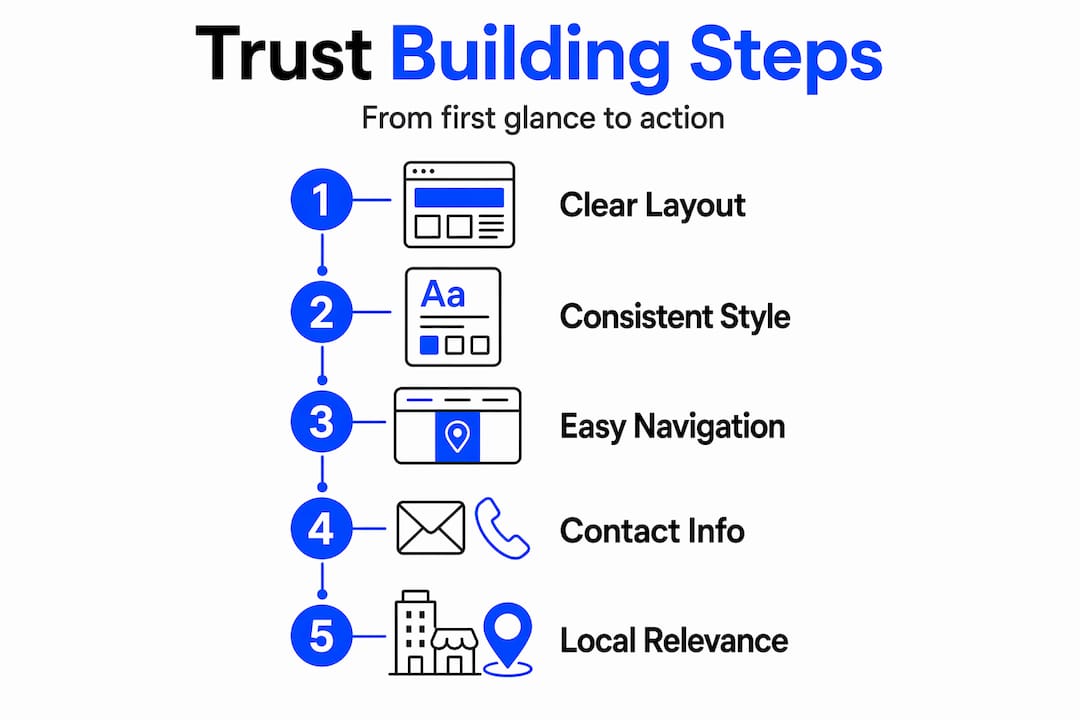
Sites with predictable navigation and clear hierarchy reduce mental effort and improve both trust and engagement. When a visitor lands on your homepage and immediately sees your service area, a clear headline about what you do, and a prominent phone number or booking button, they feel oriented. Feeling oriented is the foundation of feeling safe.
Here are the design features that most directly build clarity and usability:
- A clear headline that states what you do and who you serve, above the fold
- A single primary call-to-action per page, not four competing buttons
- Navigation with five or fewer top-level items, each with a descriptive label
- White space between sections so the eye can rest and focus
- Contact information in the header, not buried in the footer
- Mobile-first layout that works on a 375px screen without zooming
| Layout feature | Effect on trust |
|---|---|
| Clear headline above fold | Immediate orientation, reduces confusion |
| Visible phone number in header | Signals accessibility and legitimacy |
| White space between sections | Reduces overwhelm, increases readability |
| Consistent page structure | Creates familiarity across the site |
| Fast load speed under 3 seconds | Signals technical competence and care |
These are not design preferences. They are trust signals in website design that directly affect whether a visitor picks up the phone or moves on.
Building trust locally: Using design elements to connect with Perth, Fremantle, and Melville customers
There is a dimension of trust that generic design advice misses entirely: local relevance. A business in Fremantle serving local homeowners is not competing with a global brand. It is competing with the three other local businesses that showed up in the same Google search. And local customers respond to local signals.
Regional imagery and local testimonials boost trust by making a website feel relevant and approachable to nearby visitors. A photo of your team working on a recognizable Melville street, a testimonial from a Fremantle client with their suburb mentioned, or a map showing your service area around Perth all do something that stock photography cannot: they make the visitor feel like you are one of them.
Practical local trust-building elements to include on your site:
- Photos of real local projects, not stock images from overseas
- Client testimonials that mention suburbs, such as “We used this company for our home in Applecross and they were fantastic”
- A clearly displayed local phone number with the 08 area code, not a generic 1300 number as the only option
- A service area map or list that confirms you cover their suburb
- Local business registration or license details where relevant to your trade
- Google reviews widget showing your rating and recent local feedback
These elements do not just build trust. They also improve your local SEO by reinforcing geographic relevance to search engines, which helps more Perth-area customers find you in the first place.
Practical steps to improve your website design and build trust
Knowing that design affects trust is one thing. Knowing what to actually change on your site is another. Here is a straightforward process for auditing and improving your site’s trustworthiness without needing to rebuild everything from scratch.
Every design decision either strengthens or weakens credibility, and continuous improvement is what separates businesses that grow online from those that stagnate.
- Run a mobile audit. Open your site on your phone and test every link, button, and form. Fix anything that does not work perfectly.
- Check for broken links. Use a free tool like Broken Link Checker to find and fix dead pages or missing images.
- Simplify your navigation. If you have more than five top-level menu items, consolidate. Label each item with plain language, not clever internal jargon.
- Replace stock photos with real ones. Even a decent smartphone photo of your team or your work looks more trustworthy than a polished but generic stock image.
- Add local trust signals. Include at least two testimonials with suburb names, your local phone number in the header, and a service area mention on your homepage.
- Standardize your fonts and colors. Pick two fonts and three colors and apply them everywhere. Delete every other variation.
- Test your load speed. Use Google PageSpeed Insights. If your site scores below 70 on mobile, speed improvements should be your next priority.
Pro Tip: After making changes, watch your Google Analytics bounce rate over the following two weeks. A drop in bounce rate is one of the clearest signals that your trust improvements are working.
Why most local service websites sabotage their own trust and how to avoid it
Here is the uncomfortable truth most web designers will not tell you: the biggest trust problems on local service websites are not caused by bad design choices. They are caused by no design choices at all.
Most small business owners in Perth built their first website years ago, made a few updates when they remembered to, and have not thought about it since. The result is a site that has accumulated inconsistencies, outdated photos, broken links, and a layout that was never optimized for mobile. None of these were intentional decisions. They happened through neglect, and neglect is exactly what customers read into them.
There is also a persistent myth that design is cosmetic, something you spend money on after the business is doing well. The reality is the opposite. Design is what determines whether the business does well online in the first place. A Fremantle tradie with a polished, fast, locally relevant website will consistently out-convert a better-qualified competitor whose site looks like it was built in 2012.
The businesses that get this right are not spending a fortune. They are being deliberate. They pick consistent colors and stick to them. They write a headline that actually says what they do. They put their phone number where people can see it. They ask a happy client for a testimonial and put it on the homepage. None of these are technically difficult. They just require treating the website as a trust-building tool rather than a digital business card that nobody reads.
The other trap is ignoring mobile. More than half of local service searches in Perth happen on a phone. If your site is hard to navigate on mobile, you are not just losing a few customers. You are losing the majority of the people who find you.
How Webby can help you build trust and grow your local business
Understanding why design affects trust is the first step. Acting on it is where most business owners get stuck, either because they are not sure where to start or because previous attempts at DIY fixes created more inconsistencies than they solved.
At Webby, we work specifically with local service businesses in Perth, Fremantle, and Melville to build websites that earn trust from the first second. Our professional website design services are built around the trust principles covered in this article: consistent branding, clear navigation, local relevance, mobile performance, and conversion-focused layouts. We do not build generic websites. We build sites that speak directly to your local customers and give them every reason to call you instead of your competitor. If your current site is costing you leads, we can show you exactly where and how to fix it.
Frequently asked questions
How quickly do visitors decide if they trust my website?
Visitors form an opinion about your website’s trustworthiness in about 50 milliseconds, which is faster than a conscious thought can form.
What website design features most undermine visitor trust?
Confusing navigation and broken links create friction that signals unreliability, alongside inconsistent fonts, colors, and layouts that make a site feel unpolished and untrustworthy.
How can local businesses make their website more trustworthy to nearby customers?
Incorporating local imagery and testimonials with suburb-specific details, plus a visible local phone number, makes your site feel immediately relevant and credible to visitors in your service area.
Why is consistency so important for building trust on a website?
Uniform branding signals stability because the brain interprets design inconsistency as disorder, which reduces confidence in the business behind the site.
Can a website’s visual design affect my local search engine rankings?
Yes. Poor design drives higher bounce rates, which search engines read as low relevance, directly hurting your visibility in local Perth-area searches.