

Header tags are HTML elements that organize web content into a clear hierarchy, and their role in SEO is to signal topical relevance and content structure directly to search engines. Google, Bing, and AI-powered search systems all use heading structure to classify page intent and extract answers. Shopify’s own SEO documentation confirms that a single, well-crafted H1 sets the entire topical focus of a page. For website owners and digital marketers, understanding how header tags work is one of the fastest ways to improve search visibility without touching a single line of code beyond your CMS.
How do header tags impact SEO and search rankings?
Header tags are the structural skeleton of webpages, signaling content hierarchy and keyword relevance to search engine crawlers. The H1 carries the strongest keyword weight, followed by H2 and H3, with each level contributing progressively less direct ranking signal. That weight distribution matters because it tells Google which topics are primary and which are supporting.

Beyond direct keyword signals, header tags influence indirect ranking factors. Pages with clear heading structures are easier to scan, which keeps readers on the page longer and reduces bounce rates. Both time on page and bounce rate feed into Google’s quality assessment of your content.
Crawlability also improves with proper heading use. Search engine bots follow heading hierarchy to map the logical flow of a page, much like a reader skimming a table of contents. A page without structured headings forces crawlers to guess at content relationships, which weakens topical classification.
- Keyword weighting: H1 carries the most SEO weight; H2 and H3 carry progressively less but still contribute to topical signals.
- Crawl efficiency: Clear heading hierarchy helps bots index content faster and more accurately.
- Engagement metrics: Scannable pages reduce bounce rates and increase session duration, both indirect ranking signals.
- Semantic breadth: Descriptive H2 and H3 tags extend a page’s reach to long-tail keyword variations beyond the primary H1 term.
Pro Tip: Use Google Search Console’s Coverage report alongside a heading audit tool to identify pages where weak heading structure correlates with high bounce rates. Fix those pages first for the fastest ranking gains.
What are SEO header tag best practices?
The single most important rule is one H1 per page. Shopify’s SEO guidance confirms that one H1 avoids diluting topical focus and helps crawlers classify page intent cleanly. That H1 should include your target keyword naturally and stay under 70 characters for clean display on mobile devices.
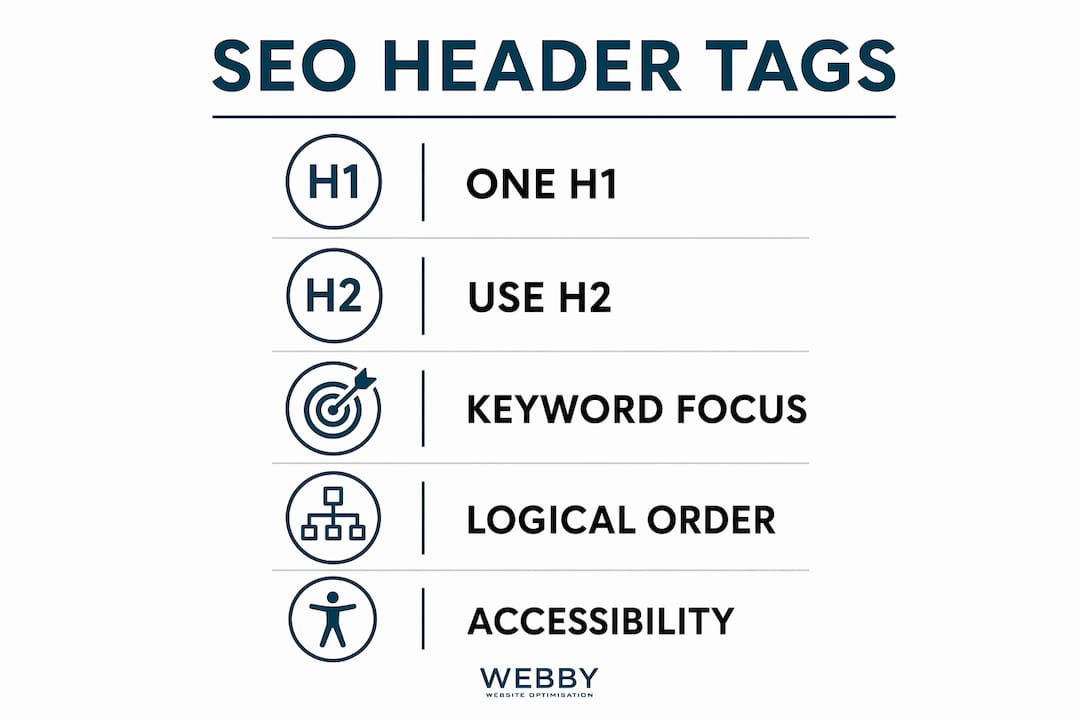
Below the H1, heading levels should follow a logical sequence without skipping. Moving from H1 directly to H3 creates a structural gap that confuses both screen readers and search engine bots. The correct path is H1 to H2, then H2 to H3 when a subsection requires it.
Keyword strategy inside headings works best when you use variations rather than repetition. Place your primary keyword in the H1, then use semantically related terms and long-tail phrases across H2 and H3 tags. This approach covers broader search intent without keyword stuffing, which Google penalizes.
- Write one H1 per page that includes the target keyword and reflects the primary search intent.
- Follow heading order strictly: H1 → H2 → H3, never skipping a level.
- Use keyword variations in H2 and H3 to extend semantic coverage and capture long-tail queries.
- Never use header tags for visual styling. The Google Developer Documentation Style Guide is explicit: CSS handles appearance; heading tags carry semantic meaning only.
- Keep headings descriptive and specific. Vague headings like “More Information” give crawlers nothing to work with.
Pro Tip: Audit your headings in a browser’s built-in accessibility inspector or a free tool like the WAVE Web Accessibility Evaluation Tool. If the heading outline looks broken there, it looks broken to Google too.
How do header tags improve user experience and accessibility?
Header tags create a scannable roadmap for readers and AI systems, letting both groups quickly assess page value before committing to a full read. A visitor landing on a service page can scan H2 headings in seconds to confirm the page answers their question. That confidence reduces the impulse to click back to search results.
Accessibility is where heading structure becomes non-negotiable. Screen readers depend entirely on correct heading order for navigation. Skipping heading levels creates a chaotic experience for users relying on assistive technology, and Google factors page quality into its ranking signals.
WCAG 2.1 standards require proper heading hierarchy as part of web accessibility compliance. Businesses that ignore this face both compliance risk and SEO penalties from poor user experience signals. The two concerns are inseparable.
“Proper heading hierarchy is mandatory for accessibility under WCAG 2.1 standards, benefiting SEO indirectly due to Google’s user experience assessment.” — Siteimprove
The engagement benefits are concrete. Pages with well-structured headings consistently show lower bounce rates and longer average session durations compared to pages with flat or missing heading structure. Those metrics feed directly into Google’s assessment of whether a page deserves to rank.
How do header tags help with featured snippets and AI search?
AI-driven search systems prioritize well-structured, semantically rich content when selecting answers for featured snippets and “People Also Ask” boxes. A heading formatted as a direct question, followed by a concise answer paragraph, gives AI extraction systems exactly the signal they need to pull your content into a result.
Question-formatted headings beneath H2 and H3 tags are a proven method for targeting conversational queries. When a user searches “how do header tags improve SEO,” a page with that exact phrase as an H3 heading, followed by a tight answer, has a strong structural advantage over a page that buries the answer in a paragraph with no heading context.
Semantic coverage through H2 and H3 tags also expands the range of queries a single page can rank for. Long-form content with 8–12 descriptive H2 tags provides rich topical signals that help a page appear across multiple related searches, not just the primary keyword.
- Question headings: Format H3 tags as direct questions to target “People Also Ask” placements and featured snippet opportunities.
- Concise answer paragraphs: Place a 2–3 sentence answer directly below each question heading for clean AI extraction.
- Semantic H2 coverage: Use varied, descriptive H2 tags to rank across a cluster of related queries from one page.
- Avoid vague headings: Generic headings like “Overview” or “Details” give AI systems nothing to match against a user query.
Pro Tip: Check the “People Also Ask” box for your target keyword before writing your H3 headings. Use those exact questions as subheadings where they fit naturally. You are essentially reading Google’s mind about what users want answered.
For a broader look at how heading structure fits into overall site architecture, the guide on structuring your website for SEO covers the full picture.
Key Takeaways
Proper header tag structure is the single most accessible on-page SEO improvement a website owner can make, delivering gains in rankings, accessibility, and AI search visibility simultaneously.
| Point | Details |
|---|---|
| One H1 per page | A single H1 with the target keyword gives crawlers the clearest possible topical signal. |
| Follow heading hierarchy | Never skip levels; H1 → H2 → H3 order protects both SEO and accessibility compliance. |
| Use keyword variations in subheadings | H2 and H3 tags with semantic variants expand a page’s reach to long-tail queries. |
| Never style with heading tags | Use CSS for visual formatting; heading tags carry semantic meaning that affects rankings. |
| Question headings capture AI results | H3 tags formatted as questions improve chances of featured snippet and “People Also Ask” placement. |
What most SEO guides get wrong about header tags
The most common mistake I see on client sites is using multiple H1 tags for visual impact. HTML5 technically permits it, but multiple H1s dilute topical focus and break assistive technology compatibility. Every time I audit a site with three or four H1 tags, the page ranks for nothing cleanly. One H1, done well, outperforms four every time.
The second mistake is treating heading tags as a styling shortcut. I have reviewed WordPress sites where H2 tags were applied to pull quotes and decorative callouts because the developer wanted bold, large text. That breaks the semantic structure completely. Google reads those tags as content signals, not design choices.
What actually works is treating your heading outline as a document before you write a single paragraph. Draft your H1, then your H2 list, then your H3 list. If that outline reads like a clear, logical answer to the searcher’s question, the content almost writes itself. If the outline is vague or repetitive, no amount of body copy will save the page’s rankings.
The accessibility angle is underrated in most SEO conversations. Fixing heading hierarchy for screen reader compliance also fixes it for Google. Those two goals are the same goal. Marketers who treat accessibility as a separate compliance checkbox are doing twice the work for half the result.
— Steve Doig
How Webby Website Optimisation approaches header tag SEO
Website owners in Perth, Fremantle, and Melville often have sites built without any heading structure strategy. The pages exist, but Google cannot classify them clearly, and visitors leave without converting.
Webby Website Optimisation builds and audits websites with heading hierarchy as a core SEO foundation, not an afterthought. Every WordPress site the team delivers includes a clean H1-to-H3 structure mapped to target keywords for each page. For local service businesses, that structure directly improves Google rankings for suburb-specific searches. The benefits of professional web design extend well beyond aesthetics. If your current site has heading chaos, a free SEO audit from Webby Website Optimisation is the fastest way to find out what is holding your rankings back.
FAQ
What is the role of header tags in SEO?
Header tags organize page content into a hierarchy that search engines use to classify topic relevance and keyword intent. They also improve user experience by making pages scannable, which reduces bounce rates and supports higher rankings indirectly.
How many H1 tags should a page have?
A page should have exactly one H1 tag. A single H1 gives search engine crawlers the clearest signal of the page’s primary topic and maintains compatibility with assistive technologies.
Do H2 and H3 tags directly affect rankings?
H2 and H3 tags carry less direct keyword weight than H1, but they extend semantic coverage and help pages rank for long-tail queries. They also improve engagement metrics that influence rankings indirectly.
Can header tags help with featured snippets?
Question-formatted H2 and H3 headings followed by concise answer paragraphs improve the chances of appearing in Google’s featured snippets and “People Also Ask” boxes. AI search systems favor this structure for content extraction.
Is using header tags for styling harmful to SEO?
Using header tags purely for visual styling breaks semantic structure and misleads search engine crawlers. CSS should handle all visual formatting; heading tags should only mark up genuine content hierarchy.
Recommended
- The Role of URL Structure in SEO: 2026 Guide
- The Role of Social Media for SEO: 2026 Guide
- What Is Technical SEO and Why It Matters
- Examples of SEO Case Studies That Actually Work
If this post raised some questions feel free to ask me a question