

Where your ad spend actually goes
Is your Google Ads account charging you for clicks that never had a chance of becoming customers? Most small business accounts have at least one setting quietly burning through budget: a keyword match type set too loose, a negative list that was never built, a conversion action that was never configured properly.
None of these show up as an obvious red flag in your dashboard. The campaign still gets clicks. The cost-per-click still looks reasonable. But the budget disappears on searches that were never going to convert, and there’s no alarm bell telling you it’s happening.

The eight mistakes below cover the ones we see most often in small business accounts, from basic setup errors to habits that even advertisers running campaigns for years still fall into. Each one comes with what it costs you and what to do instead. Fix a few of these and you don’t need a bigger budget to get better results. You just need the one you’ve got to stop leaking.
Mistake 1: Broad match keywords eating your budget without you noticing
PROBLEM: Broad match is the default setting for new keywords, and it’s designed to cast the widest net possible, showing your ad for any search Google considers related to your keyword, not just the words you typed. Bid on “plumber” broad match and you might show up for “plumber salary” or “how to become a plumber”. Every one of those clicks costs you money and none of them were ever going to call you.
The old fix, broad match modifier, doesn’t exist anymore either. Google folded it into phrase match, so if you set up your account years ago and haven’t looked since, the behaviour has quietly shifted under you.
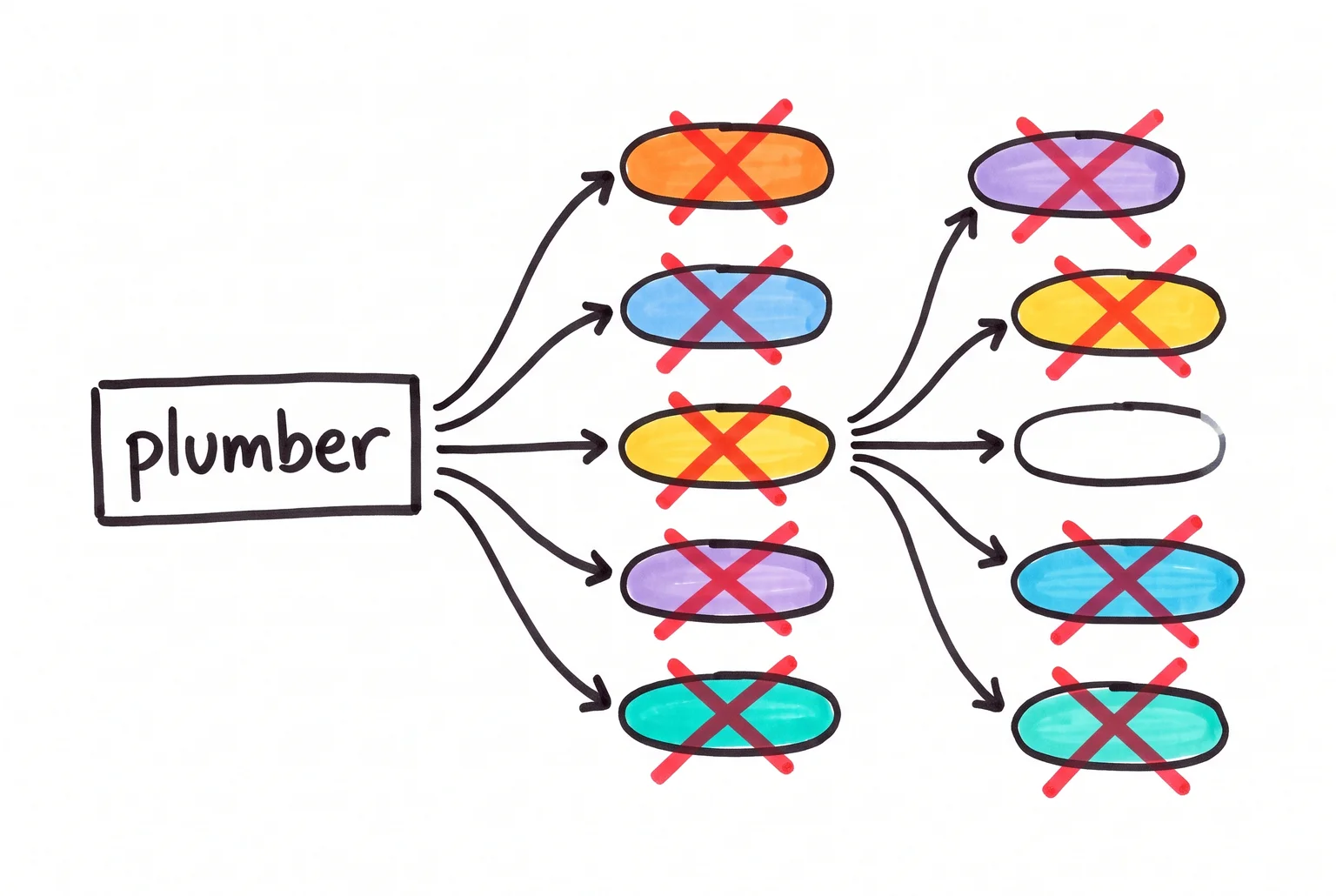
SOLUTION: Pull up your search terms report and read through what people actually typed to trigger your ads. You’ll usually find a handful of queries that have nothing to do with what you sell. Add those as negative keywords, and keep doing this check monthly, not once.
For most small business accounts, phrase match or exact match keywords are the safer default. They narrow who sees your ad to people whose searches closely match your actual offer. If you want broad match’s reach for discovery, run it in a separate campaign with its own budget cap, and watch it closely rather than letting it run alongside your core keywords unsupervised.
The goal isn’t zero broad match. It’s broad match you’re actually watching, with a negative list doing the filtering instead of hoping for the best.
Mistake 2: No negative keyword list means you’re paying for clicks that were never going to buy
A negative keyword list stops your ad showing for searches you’ve told Google aren’t relevant to your offer. Without one, you’re paying for every tangent Google’s matching system decides is close enough.
For service businesses, three categories of waste show up again and again. People looking for free help: searches containing “free,” “no cost,” “gratis,” “DIY,” or “how to” have no intention of paying you, they want the information for nothing. People looking for a job: “jobs,” “careers,” “salary,” “hiring,” “resume,” and “work from home” are jobseeker terms, not customer terms, but they’ll still trigger a broad or loosely-targeted keyword. And people doing research rather than buying: “tutorial,” “guide,” and “instructions” signal someone trying to fix the problem themselves, not hire someone to fix it for them.

The fix is a routine, not a one-off task. Open your search terms report and read through what people actually typed. Add the irrelevant ones as negatives, either at the campaign level or in a shared list you can reuse across campaigns. Google supports broad, phrase, and exact match for negatives too, so you can block a whole category or just one specific phrase.
One warning: check your negative additions against your existing keywords first. It’s easy to accidentally block a search you actually wanted, and that mistake is harder to spot than the waste you were trying to fix.
Mistake 3: Measuring clicks instead of leads and sales
Fixing broad match and negative keywords only helps if you can actually tell which clicks turned into business. Conversion tracking connects an ad interaction to an outcome you care about, a form submission, a phone call, a purchase, a booking. Without it, Google Ads reports clicks and impressions, and those only confirm someone saw or interacted with your ad. They say nothing about whether that person became a customer.
This is the mistake that quietly undermines every other fix on this list. You can tighten your keywords and build a clean negative list, but if the account doesn’t know what a real lead looks like, you’re still steering by guesswork. Automated bidding and campaign optimisation depend on conversion data, so when tracking is missing or wrong, Google ends up optimising toward whatever “conversion” is set up, even if it’s a wrong page view or an accidental double-count, rather than toward leads that actually pay.
Setting it up properly means a few specific things. Decide what counts as a conversion for your business, a phone call, a quote request, a completed purchase, and track that rather than vague site activity. Install the Google tag or event code on the right pages (Google Tag Manager is a common way to manage this). If you sell products, pass the purchase value through so you can see which campaigns bring in revenue, not just submissions. And if your business has a sales cycle after the form fill, importing offline conversion data lets you connect ad spend to deals that actually closed, not just enquiries that went nowhere.

None of the other fixes in this list mean much if you can’t see which ones are working.
Mistake 4: Ignoring Quality Score and ad relevance
Every keyword in your account gets a Quality Score, a rating from 1 to 10 that Google uses to judge how relevant and useful your ad, keyword, and landing page are compared with other advertisers chasing the same search. It’s a diagnostic, not a direct lever you pull in the auction, but it points straight at the three things actually driving your results: expected click-through rate, ad relevance, and landing page experience.
Ad relevance is the one most small business accounts get wrong first. It measures how closely your ad matches what the person searching actually wants. Cram ten loosely related keywords into one ad group and write a single generic ad to cover all of them, and relevance drops for most of those terms, because the ad can only speak directly to one or two of them at a time.
The cost shows up in your invoice. When ad quality is low, your actual cost per click can creep close to your maximum bid even when few other advertisers are competing for that keyword. Higher-quality ads, on the other hand, can win better ad positions at a lower price, all else being equal.

Fixing this doesn’t require guesswork. Group keywords tightly by theme so each ad group covers one clear intent, write ad copy that mirrors the actual words people search, and send clicks to a landing page that matches what the ad promised rather than a generic homepage. Check the Quality Score column in your account (you may need to add it manually) and treat anything in the 1-to-4 range as a signal to rework that keyword’s ad group before you spend another dollar on it.
Mistake 5: Sending clicks to a slow or mismatched landing page
You can fix every targeting and bidding problem in your account and still waste money if the page people land on doesn’t deliver. Google weighs this directly: landing page experience is one of the factors behind Quality Score, alongside relevance, transparency, and ease of navigation.
The most common version of this mistake is sending a specific ad to a generic homepage. An ad promising “Emergency Plumbing in New York, Available 24/7” should land on a page whose headline says exactly that, not a page that opens with “Welcome to Smith Plumbing Services” and makes the visitor hunt for the service they clicked for. That gap between what the ad promised and what the page delivers is called message mismatch, and it’s a fast way to lose someone who already showed buying intent by clicking. The fix is matching the page’s headline, keywords, and call to action to the ad that sent the click, right down to mirroring the same action, whether that’s “book now” or “get a quote.”
Speed is the other half of the problem. A slow-loading page increases abandonment before the visitor even sees your offer, which means you’ve paid for the click but never had a real shot at the lead. This is where landing page quality stops being a marketing question and becomes a technical one: image sizes, hosting, scripts, and page structure all affect how fast a page loads on mobile, where most ad clicks now land.

If your ads are performing well but conversions still lag, the landing page is worth auditing before you touch the campaign settings again.
Mistake 6: Launching a campaign and walking away
Plenty of advertisers treat campaign setup as a one-time task. Pick keywords, write ads, set a budget, hit launch, check back in six months. Experienced advertisers do it too, especially once a campaign starts performing “well enough” to stop thinking about.
The problem is that nothing about a Google Ads account stays still. Search terms shift, competitors change their bids, ad fatigue sets in. One account audit tracked 12 ads whose click-through rate fell from 3.2% to 1.1% over six months simply because nobody refreshed the creative while performance quietly eroded.
Left unchecked, an account doesn’t just plateau. It actively bleeds money. A 2026 audit of a mid-sized B2B service provider found roughly 35% of the monthly budget going to non-converting traffic, including over $1,200 a month on informational searches with no buying intent, which added up to $2,800 in wasted spend before anyone stepped in to fix it. Industry audit summaries put typical preventable waste at 20 to 40% of total spend, meaning a business running $10,000 a month could be losing $2,000 to $4,000 of it without knowing.

Regular monitoring doesn’t need to be complicated, but it does need to happen. Each review should cover search terms and query quality to catch irrelevant matches creeping in, bid performance across devices, locations and times, and the core conversion numbers (volume, cost per conversion, return on spend) so sudden drops get investigated before they become expensive habits. It’s also worth checking change history and campaign settings like location targeting and ad schedule, since a setting changed months ago (by you, a colleague, or even Google’s own recommendations) can quietly redirect budget without anyone noticing.
A campaign left alone doesn’t fail loudly. It fails one small inefficiency at a time, every single month, until someone finally looks.
Mistake 7: Leaving sitelinks, callouts and call assets switched off
A lot of small business accounts run with nothing but a headline, description and URL. Google gives advertisers several free ways to add more information to that same ad, and plenty of accounts never set them up.
Sitelink assets add extra links below your main ad, pointing to pages like pricing, services, or a contact form, giving searchers more ways to click through to the page that actually matches what they’re after. Callout assets add short phrases, things like “free quotes” or “same day service”, that give the ad more substance without taking up extra space. Call assets add a phone number directly to the ad, letting someone ring you straight from the search results page instead of clicking through to a website first.
Google’s own guidance is to use every asset type relevant to the business, because a more prominent ad can lift click-through rate. These assets aren’t guaranteed to show on every impression (Google decides eligibility based on things like ad position and available space) and they’re not a direct lever on Quality Score. But leaving them switched off means giving up extra space on the results page for free, space a competitor’s ad might fill instead.
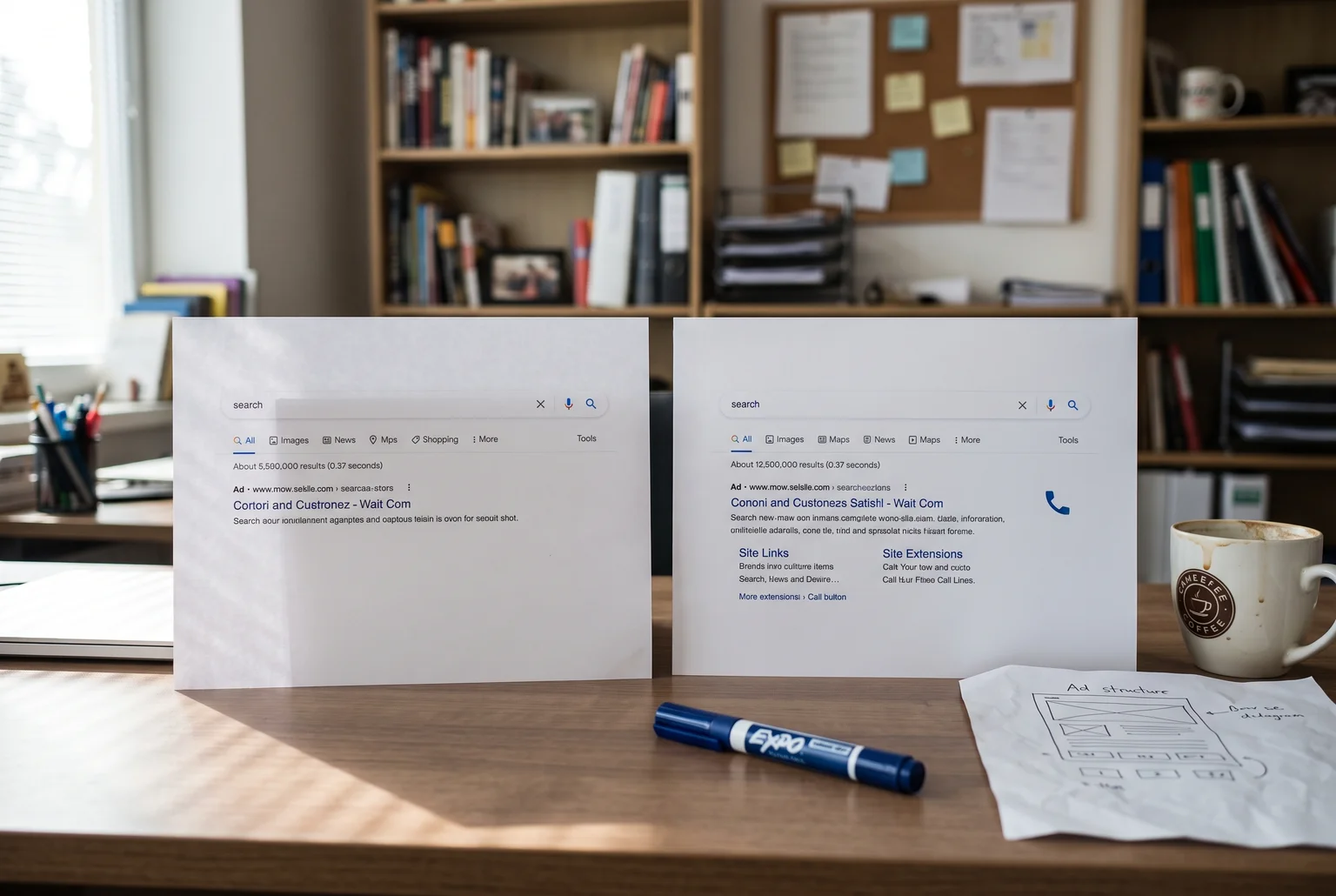
Setting them up takes minutes inside the Google Ads interface. There’s no reason not to.
Mistake 8: Switching to automated bidding before you have the data for it
This one trips up experienced advertisers as much as beginners. Target CPA and Target ROAS look like the obvious upgrade once you’re comfortable in Google Ads, because handing bid decisions to the algorithm feels more sophisticated than setting manual bids yourself. Smart Bidding uses machine learning to set bids for each auction based on contextual signals and historical conversion data. That last part is the catch: it needs history to work from.
Target ROAS is the more demanding of the two, because it has to predict both whether a click converts and how much that conversion is worth, and it won’t even run without nonzero conversion values attached to your tracking. Google’s own guidance suggests collecting roughly four weeks of conversion value data, or three full conversion cycles if your sales cycle runs longer, before locking in a target. Target CPA has a similar problem: the target should come from your campaign’s actual recent cost-per-conversion, not a number you picked because it sounded reasonable for the industry.
Feed either strategy too little data and the campaign can underspend, deliver unevenly, or produce noisy results while it tries to find a pattern that isn’t there yet.

For campaigns under around 15 conversions a month, start with Maximize Conversions with no target attached. It still automates bidding, just without the extra constraint. Once a few weeks of solid, verified conversion data builds up, add a Target CPA or ROAS on top. Jumping straight to the constrained version just gives the algorithm a box to hit before it knows what it’s aiming at.
Fixing the leaks before adding more water
Every mistake in this list has the same effect: your budget gets spent on something other than finding customers. Loose match types, missing negatives, broken tracking, weak Quality Score, slow landing pages, a dashboard nobody checks, missing assets, bidding strategies switched on too early. None of these need a bigger budget to fix. They need someone to go through the account and close the gaps.
A proper audit usually finds several of these running at once, which is why small changes often produce a noticeably lower cost per lead without spending another dollar.
If you’d rather have someone check your account than comb through settings yourself, that’s exactly the kind of work I do. I’ll go through your campaigns, flag where spend is leaking, and tell you plainly what’s worth fixing first. No pressure, no lock-in contract, just a straight look at what’s happening with your ads.
You can reach me, Steve, on 0422 949 434 or at steve@webby.net.au, or send a message through the contact page.

Sources
- About keyword matching options — Google Ads Help
- Search terms report — Google Ads Help
- About negative keywords — Google Ads Help
- About Smart Bidding — Google Ads Help
- Target ROAS — Google Ads API
- About evaluating Smart Bidding performance — Google Ads Help
- About Maximise Conversions bidding — Google Ads Help
- Contact Webby Website Optimisation — Webby Website Optimisation