
Use Google Ads call reporting for ad-driven calls, and a third-party tracking number or dynamic number insertion for calls coming from your Business Profile or website. Manual caller tagging in your CRM works as a fallback when neither tool fits. Google removed in-profile call history, so these alternatives are now the only reliable ways to attribute calls, and if you record any of them, Australian consent rules apply.
TL;DR:
- Google Ads reports duration, start and end times, and caller area codes for ad calls, while organic and profile calls remain outside its reporting.
- Keep your primary phone number identical across your Business Profile and directories; use forwarding or swap numbers only on your website to protect listing consistency.
- If you record calls, play an automated consent notice first, then log its date and outcome in the CRM; requirements differ across Australian states.
- Test every forwarding path and CRM tag before relying on reports, because a failed call route or blank source field leaves no usable attribution.
- Import call outcomes that produced business into Google Ads so bidding can favor qualified leads instead of optimizing for every connected call.
Table of Contents
- Step-by-step: setting up basic call attribution for your Business Profile
- Tracking options explained: forwarding numbers, DNI, and third-party tracking
- Setting up tracking without hurting local SEO or breaking NAP consistency
- Viewing, importing, and acting on call data
- What a local digital marketing team checks first
- What local businesses commonly miss when tracking Business Profile calls
- How we set up call tracking and connect it to your website and CRM
- FAQ
- Sources
Step-by-step: setting up basic call attribution for your Business Profile
Before picking a tool, decide what you are actually trying to measure. If most of your calls come from Google Ads, call reporting already does the heavy lifting. If calls come from organic search or someone browsing your Business Profile directly, you need a tracking number of your own.
- Pick your method. Match the tool to the traffic source: Ads call reporting for paid clicks, a third-party tracking number or dynamic number insertion (DNI) for organic and profile-based calls.
- If using Google Ads, turn on call reporting in your campaign settings and link your Ads account to your Business Profile where eligible. Google assigns a forwarding number that swaps in automatically, so no manual editing is needed.
- If using third-party tracking, buy a local number from your provider, forward it to your main business line, and either add it to your Business Profile as a secondary contact method or use DNI so your website swaps in the tracking number per visitor session.
- If going manual, train staff to ask “How did you find us?” on every call and log the answer in a dedicated CRM field, such as “lead source.”
- Test everything. Place a few test calls from different channels, confirm the caller ID matches what you configured, and check that your CRM and reporting dashboard both show the call with the right source tag.
The testing step matters more than most businesses expect. A forwarding number that silently fails to ring through, or a CRM field nobody fills in, defeats the entire setup before it produces a single usable data point.
Tracking options explained: forwarding numbers, DNI, and third-party tracking
Each method pulls from a different data source, and none of them replaces the others completely.
- Google Ads call reporting gives you call duration, start and end time, and caller area code for calls placed through ads using a Google forwarding number. It only covers ad-driven calls, and the forwarding number itself is Google’s property, so it can be reassigned or vary by region.
- Dynamic number insertion swaps a unique tracking number into your website based on the visitor’s session, letting you tie a call back to the specific campaign, keyword, or even the page that generated it.
- Third-party call tracking services add call recording, session stitching across visits, and direct CRM integration, which makes them the most complete option for businesses running both paid and organic traffic.
Pro Tip: Run Google Ads call reporting and a third-party tracking number side by side for a month before canceling either one, so you can see which actually matches what your CRM logs.
Which one to prioritize depends on volume and budget. A business spending a meaningful amount on Google Ads each month gets immediate value from call reporting with no extra cost. A business relying mostly on organic visibility and Business Profile traffic needs DNI or a dedicated tracking number, since Ads reporting will not see those calls at all. Businesses juggling multiple channels or locations often find it useful to use a third-party platform to consolidate call data in one place.
Setting up tracking without hurting local SEO or breaking NAP consistency
Swapping your published phone number for a tracking number is the fastest way to create inconsistent NAP (name, address, phone) data across directories, which can quietly hurt local rankings. Keep your main listed number stable wherever possible, and route tracking through forwarding or DNI instead of editing your primary published number. Our guide to call tracking without breaking NAP walks through this in more detail.
- Keep the number on your Google Business Profile and major directories identical everywhere it appears.
- Use DNI only on your own website, where the swap is invisible to search engines crawling third-party listings.
- Reserve a visible secondary tracking number for ads or offline materials, never as a replacement for your primary listed number.
If a call is recorded for quality or compliance purposes, Australian rules vary by state, and some, including New South Wales, Western Australia, South Australia, Tasmania, and the ACT, effectively require all-party consent or prior notification before recording. Playing an automated notice at the start of a recorded call is the standard way businesses meet this requirement.
A simple script works: “This call may be recorded for quality and training purposes.” Log the date and outcome of that notice in the same CRM record as the call itself, and periodically audit a sample of calls to confirm the notice is actually playing and that your published number has not drifted across directories.
Viewing, importing, and acting on call data
Once calls are flowing into a system, the real value comes from what you do with the data, not just collecting it.
- Check your sources. Google Ads call reporting shows ad-driven calls directly in-platform, while the Business Calls API returns aggregated metrics like answered and missed call counts broken down by hour and weekday for a given location.
- Import offline outcomes. Feed call results from your CRM back into Google Ads as imported call conversions, which lets the platform optimize bidding around calls that actually turned into business, not just calls that connected.
- Build a simple workflow. Tag the call source at intake, record the outcome (booked, quoted, no answer), export weekly, and import conversions into Ads or your analytics tool.
- Watch the right metrics. Answered versus missed calls, a minimum duration threshold to filter out wrong numbers, and time-of-day patterns tell you more than raw call volume ever will.
What a local digital marketing team checks first
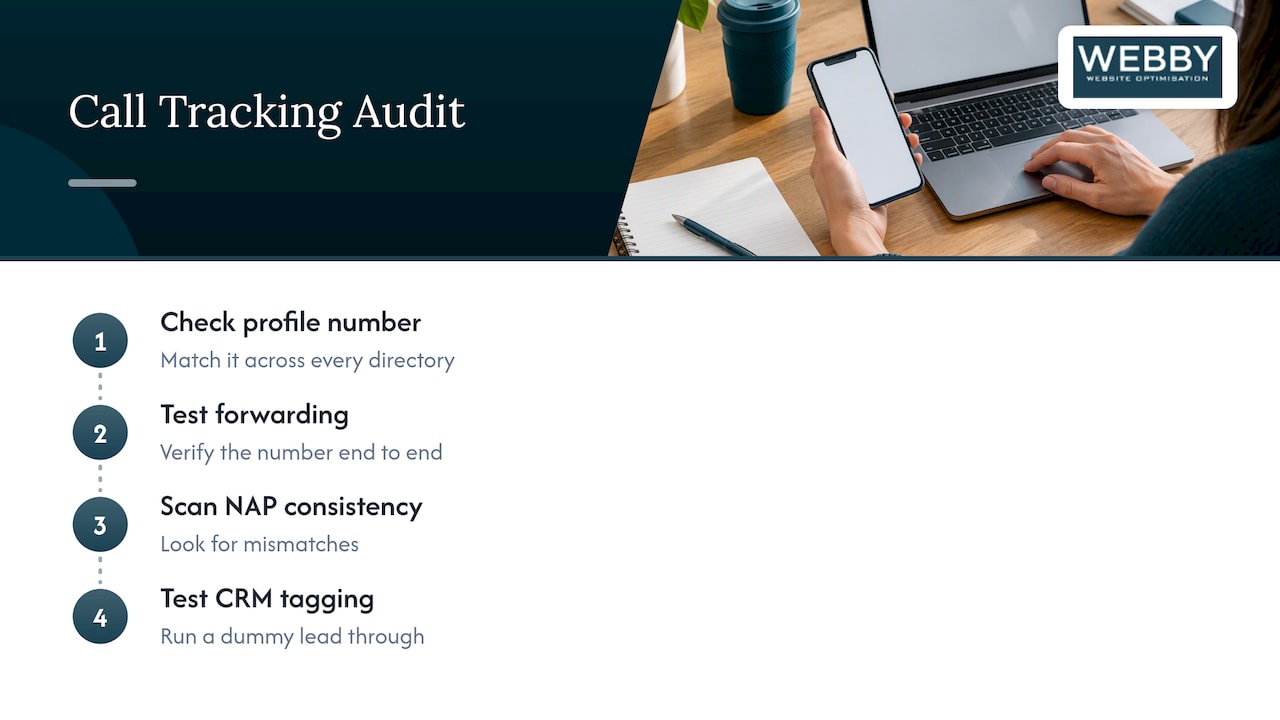
When we set up call tracking for a client, we start with a short audit: confirm the Business Profile phone number matches every directory, test the forwarding number end to end, scan for NAP mismatches, and run a dummy lead through the CRM to confirm it tags correctly. That sequence catches most of the failures before they cost a client real leads.
DIY tracking works fine for a single location with a simple website. Once you are managing multiple locations, a complex site, or need calls tied directly into a CRM workflow, bringing in a developer or agency usually saves more time than it costs.
What local businesses commonly miss when tracking Business Profile calls
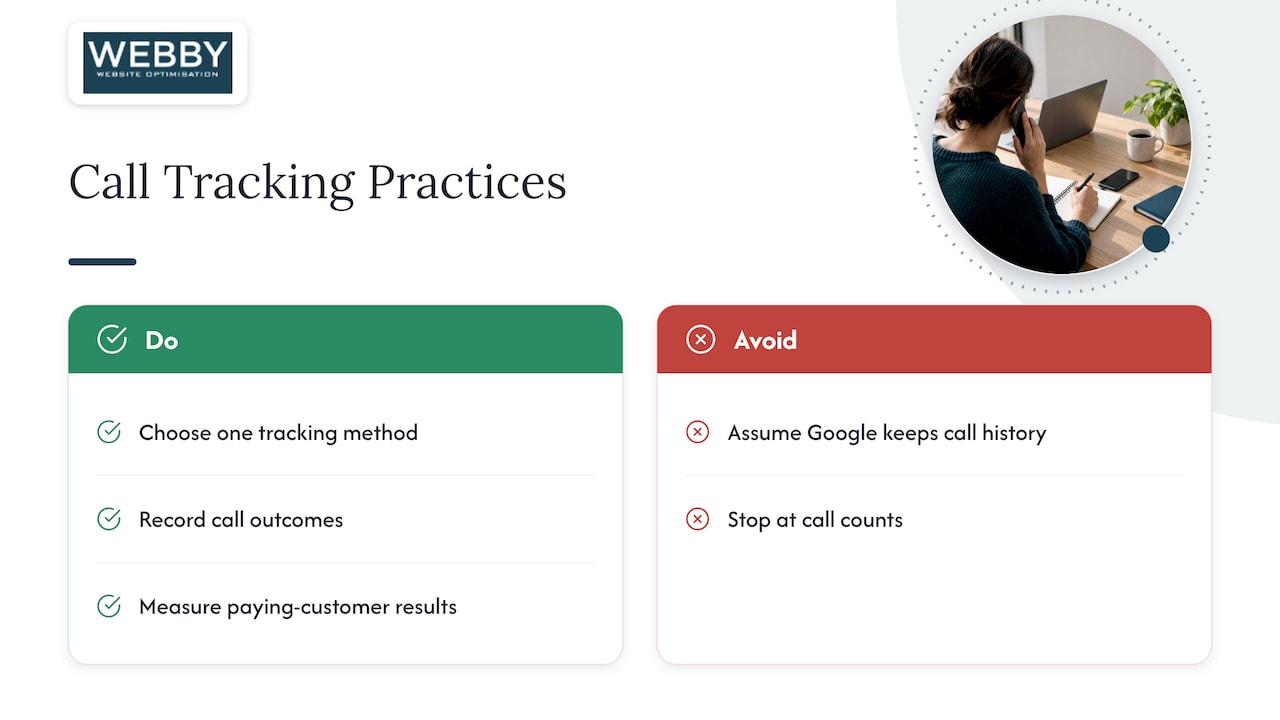
The most common mistake is not technical, it is assuming Google still keeps call history somewhere in the background. It does not, and businesses that haven’t set up an alternative are flying blind on a channel that used to be free to monitor.
The second miss is treating call count as the finish line instead of tracking what happened after the phone rang. A business that logs ten calls but never records outcomes has no idea which source actually produces paying customers. Pick one method, run it consistently, and measure results, not just ring volume.
— Steve Doig
How we set up call tracking and connect it to your website and CRM
We offer a free website audit that checks your Business Profile settings, flags any NAP inconsistencies across your listings, and reviews whether your current tracking setup, if you have one, is capturing calls correctly.

From there, we handle the parts that are easy to get wrong on your own:
- Install dynamic number insertion or a dedicated tracking number without touching your published NAP data.
- Set up offline conversion imports so your Google Ads account reflects which calls actually turned into bookings.
- Connect call outcomes to your CRM so lead source and result live in one place.
If you would rather have an agency manage the whole setup end to end, our End-to-End Growth Engine™ folds call tracking into a broader push on SEO, website performance, and conversion tracking. Get your free audit and we’ll tell you exactly what your current setup is missing.
FAQ
Can you trace Google Voice calls?
Google Voice provides its own call history and reporting within your Google Voice account, which is separate from Google Business Profile’s removed call history feature. Tracing a specific Google Voice call back to a marketing source still requires a tracking number or DNI setup pointed at that line.
Can I get call history from my Google account?
Google removed the chat and call history feature from Business Profile as of July 31, 2024, and businesses could only export past records through Google Takeout until August 30, 2024. That window has closed, so current call data has to come from Google Ads call reporting, the Business Calls API, or a third-party tracking tool.
How can I tell if my phone calls are being monitored?
A monitored or recorded business call typically opens with an automated notice stating that the call may be recorded, which is the standard practice businesses use to meet state-level consent requirements in several Australian states. If no such notice plays, the call is likely not being recorded, though call tracking numbers can still log metadata like duration and caller ID without recording the audio.
Does Google keep call history?
No, Google discontinued the in-profile call history and chat feature for Business Profiles on July 31, 2024, and it is not coming back as a native feature. Businesses now rely on Google Ads call reporting for ad-driven calls and separate tracking numbers or DNI for calls from organic search and their Business Profile listing.
Sources
- About call reporting – Google Ads Help
- Method: locations.businesscallsinsights.list | Google Business Profile APIs | Google for Developers
- Business call recording laws (Sprintlaw)