
An SSL certificate gives you a small ranking nudge at most, but a broken one can cost you traffic, trust and sales. Google treats HTTPS as a lightweight ranking signal and part of page experience. Your first move is to open Google Search Console, check your HTTPS coverage and errors, then automate certificate renewal.
TL;DR:
- During migration, cover every hostname, redirect each HTTP URL to its HTTPS equivalent in one hop, and update internal links, canonicals, and sitemaps.
- Let’s Encrypt plans to shorten certificates from 90 days to 45, so use ACME renewal automation and monitor expiry because DNS changes can cause failures.
- Use HSTS cautiously: begin with a short max age, and avoid subdomain coverage or preload until every subdomain serves valid HTTPS.
- Check Search Console’s HTTPS report, then use browser tools and a site crawler to find certificate errors, insecure assets, broken redirects, and incorrect canonicals.
Table of Contents
- How does HTTPS influence search rankings and page experience?
- What is the technical checklist for implementing HTTPS correctly?
- How do certificate lifecycles and renewal automation work now?
- How do you monitor HTTPS health and diagnose problems?
- Why does HTTPS matter for trust and conversions?
- What is my take on DIY versus hiring help?
- Want us to check your HTTPS setup?
- FAQ
- Sources
How does HTTPS influence search rankings and page experience?
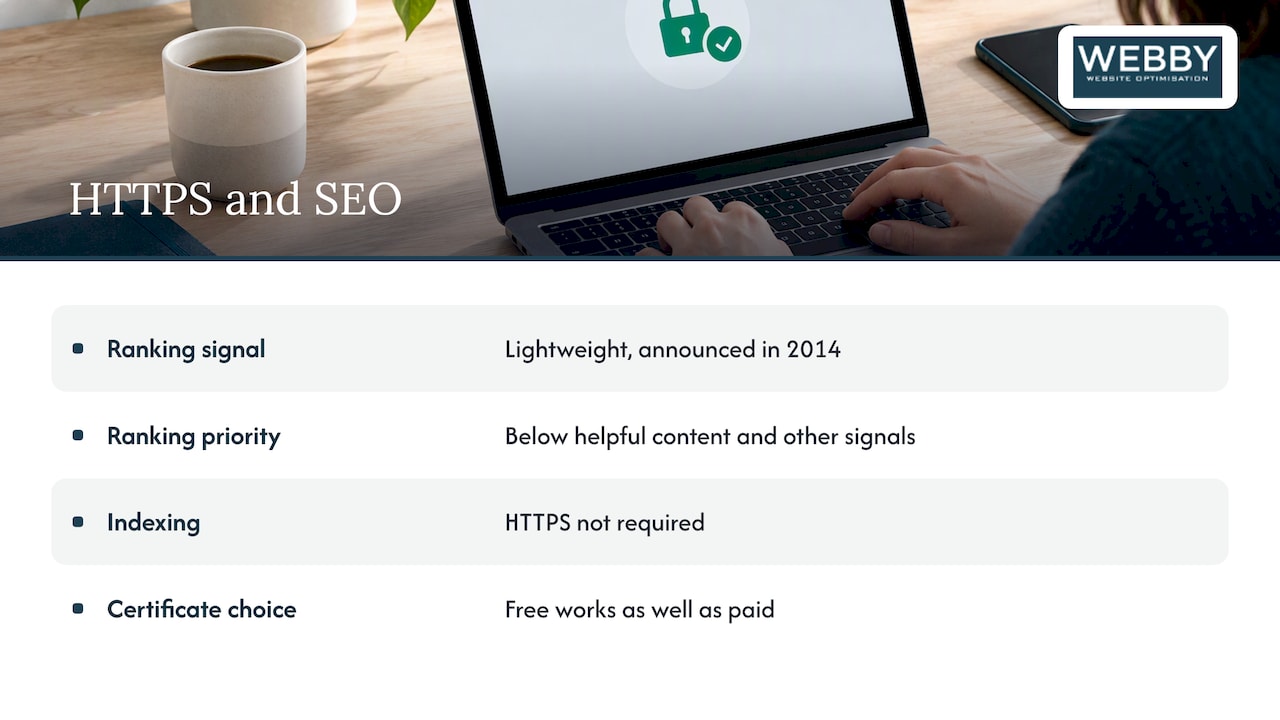
Google announced HTTPS as a ranking signal in 2014 and described it as lightweight. That label still holds: Google’s own guidance places it well below helpful content and other signals. John Mueller has also said certificates do not boost SEO the way quality content or backlinks do. HTTPS is a prerequisite for a credible site, not a shortcut to page one.
What matters more is what happens when HTTPS is done badly. Mixed content, an expired certificate or a hostname mismatch triggers browser warnings, and visitors leave before Google’s signals even come into play. The MDN TLS guide makes the same point: a misconfigured certificate does more damage than the minimal benefit of having HTTPS.
Indexing is a separate question. Google has said HTTPS is not required for indexing, and a free certificate works as well as a paid one for Google’s purposes. Where HTTPS does cause indexing trouble is duplication: if both HTTP and HTTPS versions of a page stay live without clean redirects and canonical tags, search engines have to guess which one to keep.
What is the technical checklist for implementing HTTPS correctly?
Work through these steps in order. A developer can follow them, and so can you if you run a small site.
- Inventory every hostname. List your root domain, www, subdomains and any staging or CDN hostnames that need coverage. Plan canonical URLs and map your old URLs to the new ones before you touch anything.
- Install the certificate. Confirm it covers every hostname on your list and that the full chain is served.
- Redirect HTTP to HTTPS with a permanent redirect. Every HTTP URL should land on its HTTPS equivalent in a single hop. Our guide to redirects in SEO covers chains and loops.
- Update internal links, canonical tags and sitemaps. Every reference should point to the HTTPS version. Update analytics settings and add the HTTPS property in Search Console.
- Fix mixed content. Audit images, scripts, stylesheets and embeds, then replace each
http://reference. Browsers auto-upgrade some asset types but block others, so serve everything over HTTPS rather than relying on that behavior. - Add a Content Security Policy. A CSP controls which resources a page may load, and its
upgrade-insecure-requestsdirective is a handy transitional measure while you clean up leftovers. - Enable HSTS. The Strict-Transport-Security header forces browsers to use HTTPS on future visits. Start with a short max-age, and treat
includeSubDomainsand preload with caution, because they can lock out any subdomain that is not ready. - Validate the setup. Test your TLS configuration against Mozilla’s recommendations, confirm hostnames and chain, and watch for browser warnings.
Pro Tip: Test everything on a staging copy first, and never submit your domain for HSTS preload until every subdomain has served valid HTTPS for weeks.
Running WordPress? Our walkthrough on moving a WordPress site to HTTPS covers the CMS-specific traps, and our site migration archive has more on redirects and cutovers. For a wider technical review, this website audit checklist pairs well with the steps above.
How do certificate lifecycles and renewal automation work now?
Certificates are getting shorter-lived. Let’s Encrypt has announced its move from 90-day to 45-day certificates, part of an industry-wide trend, and its profiles documentation already describes shortlived options. Renewals will happen more often, which makes manual renewal a liability: one missed calendar reminder and your site shows a full-page warning.
The practical answer is ACME automation. Let’s Encrypt issues free Domain Validation certificates and supports automated issuance and renewal through the ACME protocol, and most hosts and control panels already support it.
- Use an ACME client so renewals run without anyone remembering them.
- Plan for wildcards: they need DNS-01 validation, and some DNS providers do not offer the API access automation requires.
- Monitor expiry anyway. Automation fails quietly when a DNS record changes or a server moves.
- Consider a paid CA only if you want vendor support, extended validation or warranty terms. For Google’s purposes, a free certificate works just as well.
The shift to shorter lifetimes is documented by Let’s Encrypt, and it raises the cost of any renewal process that depends on a person.
An expired certificate is the costliest failure. Browsers block visitors with a warning, and Search Console’s own help lists expired certificates, hostname mismatches and unrecognized authorities as problems that stop users reaching your pages.
How do you monitor HTTPS health and diagnose problems?
Start with Google Search Console. Its HTTPS report lists pages not served over HTTPS and flags configuration issues, so you see gaps before rankings or conversions suffer. Then layer on a few routine checks:
- Browser developer tools: the console shows mixed content and insecure resource warnings page by page.
- Crawlers and mixed content scanners: run one across the whole site to catch insecure resources your manual checks miss.
- Certificate details: confirm subject names match every hostname and note the expiry date.
- TLS testers: run your domain through a standard online SSL/TLS checker to catch outdated protocols or incomplete chains.
- Redirects, canonicals and sitemaps: confirm each HTTP URL redirects once, canonicals point to HTTPS, and your sitemap lists only HTTPS URLs.
When Search Console reports a certificate error, its SSL certificate help page explains how to correct subject names and validity.
Why does HTTPS matter for trust and conversions?
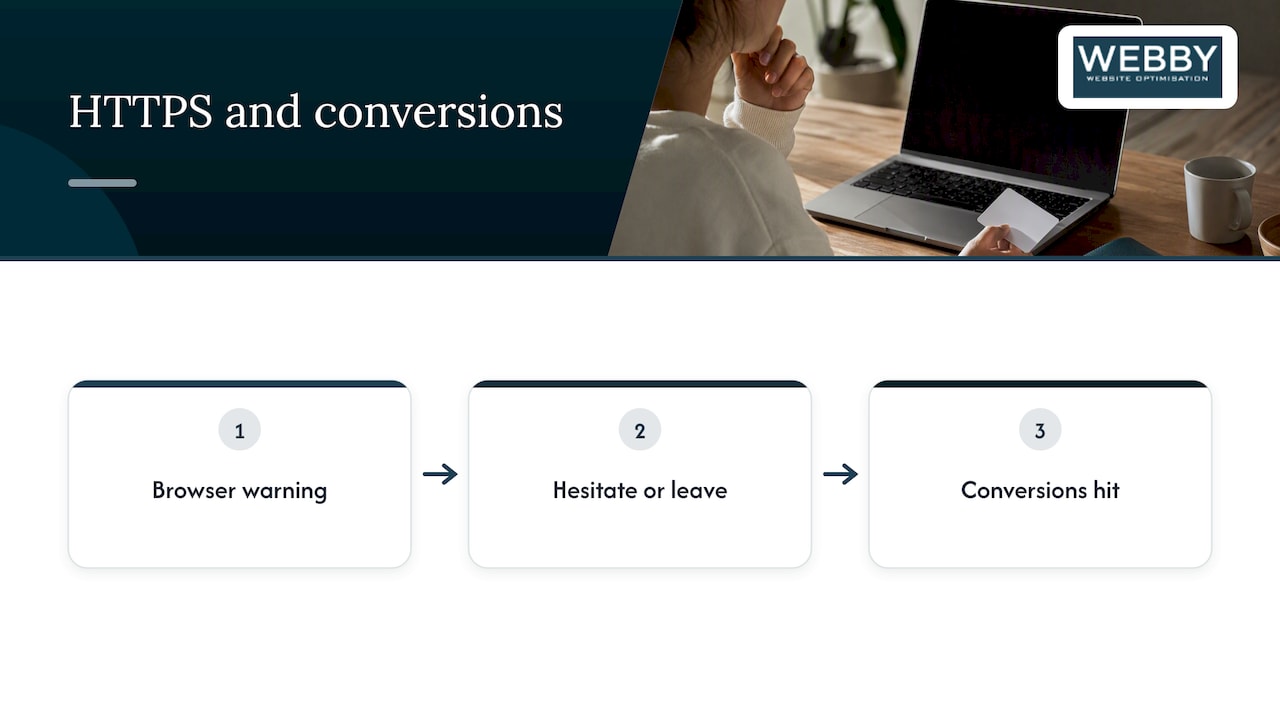
Visitors read browser security indicators faster than they read your copy. A warning page, or a “Not secure” label next to a checkout form, makes people hesitate or leave, which hits conversions directly. Modern browsers also restrict some powerful features, including many progressive web app capabilities, to secure contexts, so HTTPS unlocks the better user experience.
That is why fixing HTTPS problems often pays back faster than chasing a tiny ranking change. A page that loads cleanly, with no warnings and no blocked resources, keeps the visitors you already earned.
What is my take on DIY versus hiring help?
Installing a certificate is the easy part. The value is in correct configuration and automated renewal, and an in-house team can handle that on a small brochure site. Hire help when you have e-commerce, many hostnames or a complex migration, and make HTTPS checks part of every routine site audit.
— Steve Doig
Want us to check your HTTPS setup?
Our Website Audit inspects your HTTPS coverage, mixed content, redirects and the SEO impact of each issue. If you run WordPress, our WordPress Help & Support covers installation and fixes, and our Business Website Optimisation Campaign handles larger implementations.

Claim your free website audit or contact us for a scoped implementation.
FAQ
Why is SSL no longer used?
SSL itself has been retired. Its successor, TLS, does the same job, but people still say “SSL certificate” out of habit. When you buy or install an “SSL certificate” today, you are getting a certificate that works with TLS.
What is the best certification for SEO?
No certificate type ranks higher than another. Google has said a free Let’s Encrypt certificate works just as well for its purposes, so valid configuration matters more than the vendor.
What is an SEO certificate?
“SEO certificate” usually means an SSL/TLS certificate that enables HTTPS. It is not a separate product. HTTPS is a lightweight ranking signal, so the SEO value comes from a clean, error-free setup.
What are the three main types of SSL certificates?
The three validation levels are Domain Validation (DV), Organization Validation (OV) and Extended Validation (EV). DV confirms control of the domain, while OV and EV add checks on the organization behind it. Let’s Encrypt issues DV certificates, which are enough for most sites.
Sources
- Strict-Transport-Security header – HTTP | MDN
- Decreasing Certificate Lifetimes to 45 Days – Let’s Encrypt
- SSL certificate problems – Search Console Help