
When someone needs a solution right now, they turn to Google. Pay-per-click (PPC) marketing puts your business at the very top of those search results, giving you a direct line to customers who are actively looking to buy. It’s about being seen at the precise moment your services are most needed, offering immediate visibility and the chance to capture high-intent customers before your competitors do.
Why Google Ads Is a Game-Changer for Australian SMBs

If you're running a small or medium business in Australia with a WordPress website, you can't afford to ignore Google Ads. While search engine optimisation (SEO) is fantastic for building a long-term presence, PPC marketing on Google delivers something SEO can't: speed.
Think about it from a customer's perspective. A homeowner in Perth has just discovered their hot water system has died. They aren't casually browsing—they're grabbing their phone and searching "emergency plumber Perth" with serious urgency. Google Ads lets you put your business right in front of them at that critical moment, a connection that could take months to achieve with SEO alone.
Tapping Into a Market That's Ready to Buy
This is where search advertising really shines, especially when compared to advertising on social media. On social platforms, you're often interrupting someone's feed. With Google Ads, you're connecting with people who are already on a mission to find a solution you provide. It’s a fundamental difference that often leads to a much stronger return on investment.
The numbers back this up. In 2025, Australia’s internet ad market hit a staggering $18.4 billion. Search advertising, dominated by Google, accounted for a massive $8.0 billion of that spend. That’s 43.5% of all online advertising dollars in the country flowing into search. It’s clear where Australian businesses are putting their money to get results.
The real power of Google Ads lies in its ability to capture active demand. You’re not trying to create interest from scratch; you’re fulfilling an existing need. This makes it an incredibly efficient way to drive qualified leads and sales straight to your WordPress site.
The Perfect Partner for Your WordPress Site
Your WordPress site is the destination, and Google Ads is the express train getting customers there. A brilliant ad campaign is completely wasted if it points to a slow, confusing, or poorly designed website. On the flip side, even the most beautiful website is useless if no one can find it.
The real magic happens when these two elements work in harmony. For Australian SMBs, exploring effective Digital Marketing Strategies for Small Business is key, and Google Ads should be at the top of that list. The synergy between a highly targeted ad and a persuasive landing page built on WordPress is what ultimately turns clicks into paying customers.
In this guide, we'll walk you through exactly how to build that powerful connection. We’re moving past the theory to give you the actionable steps you need to plan, launch, and measure a profitable Google Ads strategy for your business.
Building Your Google Ads Foundation for Lasting Success
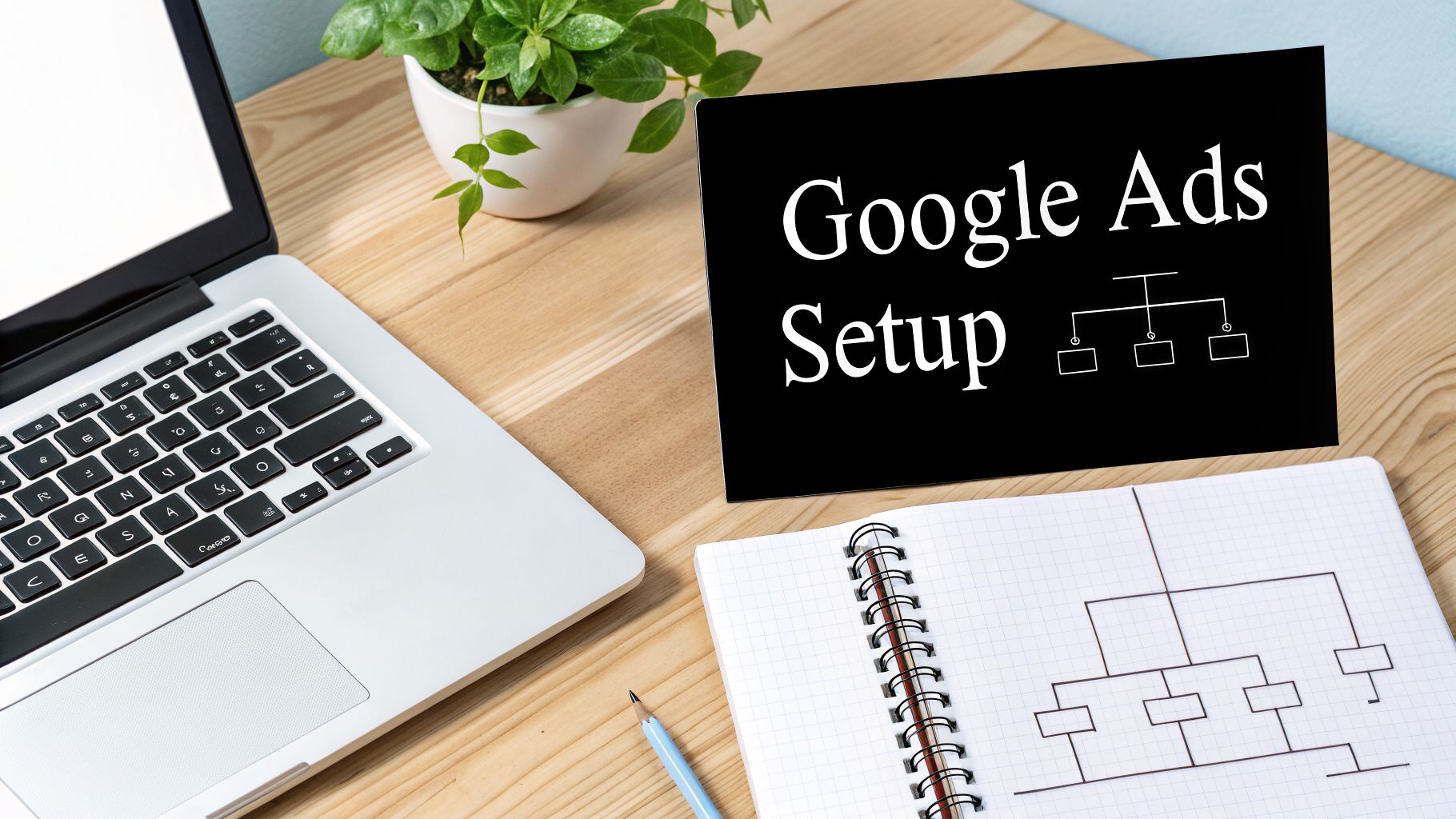
Before you even think about spending your first dollar on ads, we need to talk about structure. I've seen countless businesses make the same expensive mistake: they get excited, jump straight into Google Ads, and start throwing money at keywords without a proper plan. The secret to profitable PPC marketing on Google isn't about having the biggest budget; it's about building a rock-solid foundation first.
Think of your account structure as the blueprint for a house. Without one, you might get a few walls up, but the whole thing will be chaotic, inefficient, and likely to fall apart. A logical, well-organised account is what gives you control, allows you to measure what's working, and lets you scale your campaigns without everything turning into a tangled mess.
Organising for Clarity and Control
The most effective way to structure your account is to make it a mirror image of your business. The hierarchy is simple and flows logically: Account > Campaigns > Ad Groups.
Your Account is the umbrella for your entire business. Under that, you create Campaigns, which should represent your main service categories or product lines. For example, if you're a local tradie in Melbourne, you wouldn't just have one big "Plumbing" campaign. Instead, you'd break it down into separate campaigns like "Hot Water System Repairs," "Blocked Drain Cleaning," and "Gas Fitting Services."
This separation is absolutely crucial. It’s what lets you:
- Set unique budgets for each service based on what’s most profitable or in-demand.
- Target different geographic areas. Maybe your gas fitting service is only offered in the northern suburbs, but you offer emergency repairs city-wide.
- Schedule your ads. You can run ads for emergency services 24/7 but have your gas fitting ads only appear during business hours.
Inside each of these campaigns, you'll create Ad Groups. This is where things get really granular, focusing on a small, tightly-themed cluster of keywords.
From Broad Ideas to High-Intent Keywords
Keyword research is the heart and soul of your entire setup. You need to put yourself in your customer’s shoes and figure out the exact phrases they’re typing into that Google search bar when they need your help.
It’s tempting to go after broad, high-volume terms like "plumber." The problem is, these are incredibly competitive and attract a lot of tyre-kickers who aren't ready to buy.
The real money is in long-tail keywords. These are longer, more specific phrases that scream intent. Someone searching for "plumber" is just browsing. But someone searching for "emergency hot water repair eastern suburbs Sydney" is telling you exactly what they need, where they are, and that they need it now.
A great starting point is Google's own Keyword Planner. Plug in your main services and see what related terms and phrases it suggests. You're hunting for keywords with decent search volume but manageable competition. For a much deeper look, our comprehensive guide on how to do keyword research covers the tools and strategies in far more detail.
And don't forget to do a little competitor snooping! Search for your key services and see who shows up. What language are they using in their ads? What special offers are they promoting? This is a goldmine for keyword and ad copy ideas.
The Power of a Tightly Themed Ad Group
Let’s tie this all together. Take your "Blocked Drain Cleaning" campaign. You don't want to just dump all your keywords into one big ad group. That's a recipe for wasted ad spend.
Instead, you’d build out several highly-focused ad groups, each with its own specific ad copy:
- Ad Group 1 (General): Keywords like "blocked drain plumber," "drain cleaning service"
- Ad Group 2 (Kitchen): Keywords like "unclog kitchen sink," "kitchen sink drain blockage"
- Ad Group 3 (Bathroom): Keywords like "blocked shower drain," "how to clear shower drain"
The reason for this tight-knit structure is simple: relevance. When your keywords, ad copy, and the landing page you send people to are all perfectly aligned with their original search, Google rewards you with a higher Quality Score. That score directly influences your ad rank and how much you pay per click.
A higher Quality Score means you can get a better ad position for a lower cost, even outranking a competitor with a bigger budget but a messy account. This isn't just a minor tweak—it's the core mechanism for getting a real return on your investment. Taking the time to build this foundation is the single most important thing you can do for a successful campaign.
Crafting Ad Copy and Landing Pages That Actually Convert
Getting someone to click your ad is only half the battle. To be honest, it’s the easy part. The real work in PPC marketing on Google begins after the click—turning that expensive traffic into a genuine lead or a paying customer. This is where your ad copy and landing page have to work together perfectly.
Think of it this way: your ad makes a promise, and your landing page is where you deliver on it. When these two are in sync, you get conversions. When they're not, you're just paying Google for visitors who get confused, hit the back button, and leave you with nothing but a bill.
Writing Ad Copy That Clicks and Connects
Your Google Ad is your 3-second elevator pitch. It has to cut through the noise, speak directly to the user’s problem, and give them a rock-solid reason to pick you over the other ads on the page. A great ad isn't about being a creative genius; it’s about being strategically relevant.
From my experience, every ad that performs well nails a few key things:
- Mirror the User's Search: Your headlines must reflect the keywords in your ad group. If someone types in "emergency plumber Carlton," your headline should be something like "Emergency Plumber in Carlton." It's an instant confirmation that they've found what they're looking for.
- Showcase Your Unique Value: What sets you apart? Is it your 24/7 service? A killer offer like "No Call-Out Fee"? Or maybe your hundreds of 5-star reviews? Your description lines are prime real estate to show this off.
- A Crystal-Clear Call to Action (CTA): Don't be subtle. Tell people exactly what you want them to do next. Use direct, action-focused phrases like "Get a Free Quote," "Book Online Now," or "Call for a Fast Response."
Your ad should be the most direct, compelling answer to the user's search query. It's that simple.
The Biggest Landing Page Mistake (and How to Avoid It)
I see this all the time, and it's one of the costliest mistakes a business can make. They create a brilliant ad, get the click, and then send all that high-intent traffic straight to their website's homepage. This is a conversion killer.
Your homepage is built for browsing. It’s cluttered with navigation menus, different service sections, and competing calls to action. It forces a visitor who just clicked an ad for a specific service to go on a treasure hunt. Most won't bother.
A dedicated landing page, however, is built for a single, focused purpose. It strips away all the distractions and guides the user towards one specific action—the very conversion you’re paying for.
For every ad group, you need a dedicated landing page that continues the conversation your ad started. This is a core principle called message match. The headline, hero image, and offer on your landing page have to be a seamless extension of your ad. If your ad promotes "blocked drain cleaning," the landing page needs to be all about clearing blocked drains, not a general overview of your plumbing company.
Your High-Converting Landing Page Checklist
The good news is you don't need to rebuild your entire website to create effective landing pages. If you're using WordPress, there are some fantastic tools out there—you can check out our guide on the best WordPress landing page plugins to see what's available.
No matter which tool you use, a landing page that converts needs to have a few non-negotiable elements. I’ve put them into a checklist below to help you cover all your bases.
Essential Landing Page Elements for High Conversions
This table breaks down the must-have components for a landing page designed to maximise your Google Ads ROI.
| Element | Purpose and Best Practice | WordPress Tip |
|---|---|---|
| Compelling Headline | Must match the ad copy to confirm the visitor is in the right place. Focus on the outcome or solution you provide. | Use a prominent H1 tag. Ensure it's the first thing a visitor reads. |
| Singular Conversion Goal | The page must have ONE job. Remove the main navigation menu and any other distracting links. Guide the user to a form or a phone number. | Most landing page plugins have an option to hide your theme's header and footer. Use it. |
| Persuasive Copy | Use bullet points to list benefits, not just features. Speak directly to the customer’s pain points and clearly explain how you solve them. | Break up text with short paragraphs, subheadings, and bold text to make it easy to scan. |
| Trust Signals | Build credibility with customer testimonials, star ratings, industry certifications, or "As Seen On" media logos. This reduces friction and doubt. | Use dedicated review plugins or simply add high-quality images of your awards and logos. |
| A Strong Call to Action (CTA) | Your CTA button should stand out visually with a contrasting colour and use action-oriented text (e.g., "Get My Free Quote"). Repeat it down the page. | Make your button text specific. Instead of "Submit," try "Send My Quote." |
| Mobile Optimisation & Speed | A huge percentage of Google Ads clicks come from mobile. Your page must load fast and be effortless to use on a small screen. A slow page is death to conversions. | Use a tool like Google's PageSpeed Insights to test your page. Compress images and use a good caching plugin. |
Remember, your first draft is never your final one. A/B testing is your secret weapon for continuous improvement. Create a second version of your landing page—maybe with a different headline, button colour, or form layout—and use Google Ads' experiment features to split the traffic. This data-driven approach is how you systematically improve your conversion rate and truly maximise your return on ad spend.
Measuring What Matters With GA4 and Google Tag Manager
Alright, let's get into the engine room of your entire Google Ads strategy. Clicks and impressions look nice on a report, but they don't pay the bills. If you want to build a truly profitable advertising machine, you have to measure what actually moves the needle for your business—and that means tracking conversions.
For a lot of WordPress site owners, this is where things can feel a bit technical and intimidating. But trust me, getting a handle on conversion tracking is what separates the pros who get a real return from the amateurs just burning through their cash. The two tools that make this all possible are Google Analytics 4 (GA4) and Google Tag Manager (GTM).
Think of it this way: GTM is your digital toolbox, letting you add and manage all your tracking codes (or 'tags') without ever having to touch your site's code. GA4 is the measuring tape, where all that data is sent so you can analyse it and see the full picture of your customer's journey.
Connecting the Dots Between Google Ads and GA4
Getting these tools set up and talking to each other is your first critical task. The whole point is to create a seamless link between your Google Ads account and your GA4 property. This connection is vital because it’s what tells Google Ads which clicks are actually turning into valuable actions on your WordPress site.
Without that link, your Google Ads account is basically flying blind. It knows someone clicked, but it has no idea what happened next. Once you connect them, a whole new world of data opens up, letting you focus on the metrics that genuinely matter:
- Conversions: The specific actions you want people to take, like filling out a contact form, calling your business, or making a purchase.
- Conversion Rate: The percentage of ad clicks that lead to a conversion. It’s a crucial sign of your campaign’s health.
- Cost Per Conversion (CPA): How much you're spending, on average, for each new lead or sale.
- Return On Ad Spend (ROAS): The total revenue you generate for every dollar you spend on ads. This is the ultimate measure of profitability.
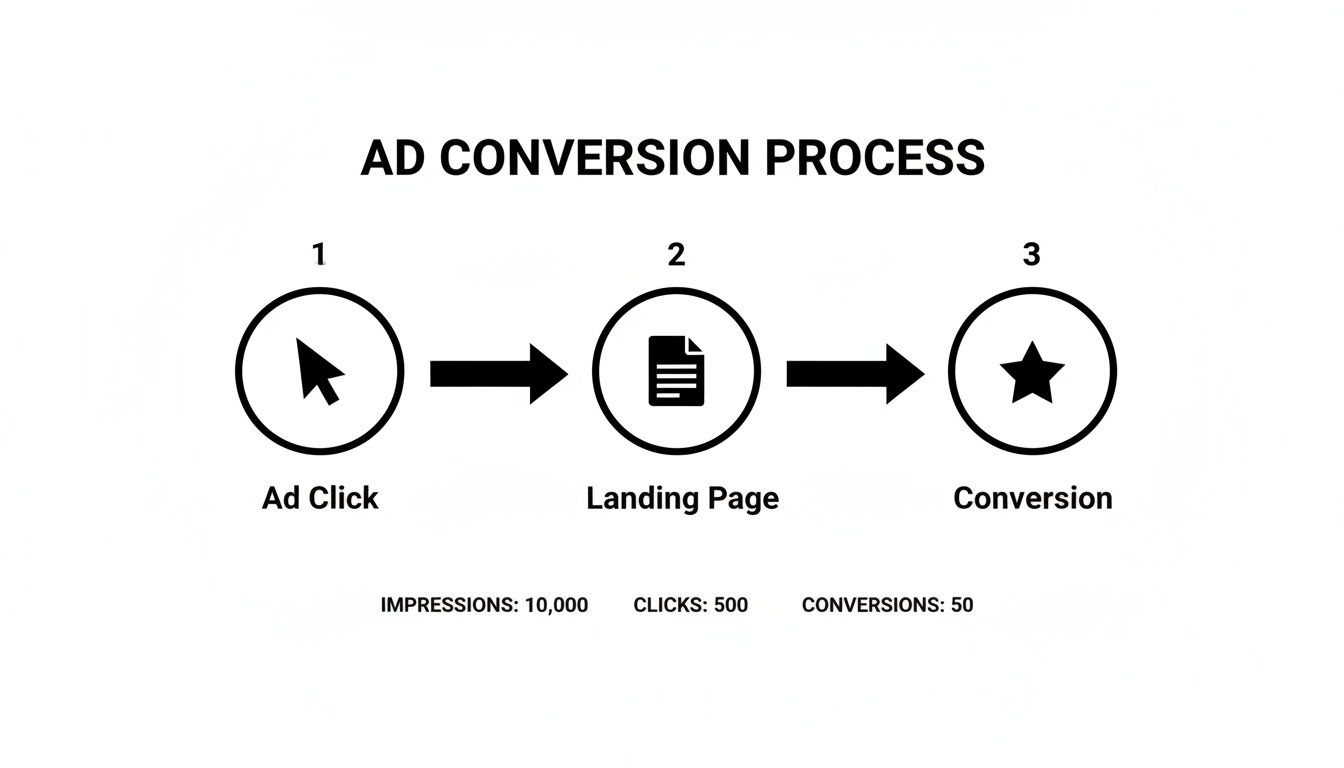
The diagram below shows the journey from an ad click to a successful conversion. It's a simple path, but its success all comes down to measuring that final step—something you can only do with proper tracking.
Setting Up Core Conversions With Google Tag Manager
Google Tag Manager is an incredibly powerful bit of kit. You can get a great overview by exploring what Google Tag Manager is and how it works, but let’s walk through a real-world example: tracking a contact form submission on your WordPress site.
The whole process works by creating a 'tag' that only fires when a specific 'trigger' happens.
First, you set up a trigger in GTM to listen for a successful form submission. A common way to do this is by tracking when someone lands on your "Thank You" page or when a success message appears.
Next, you create a tag. When that trigger fires, it tells your GA4 tag to send a custom event—let’s call it "generate_lead"—over to Google Analytics.
Finally, you jump into your Google Ads account, make sure it’s linked to GA4, and import that "generate_lead" event as an official conversion goal.
From that moment on, every time someone fills out your contact form after clicking an ad, that conversion is tied directly back to the exact campaign, ad group, and keyword that brought them there. This is how you find your winners.
This data-driven feedback loop is everything. It tells you which keywords deserve more budget and which ones are just wasting your money. It’s the key to making intelligent optimisation decisions instead of just guessing.
The results of this focused approach really speak for themselves. For our clients, we’ve found that combining Google PPC with precise GA4 tracking allows them to tap directly into Australia's $8 billion search ad market. We see average search click-through rates hit 3.17%, with conversion rates sitting between 3.1% and 6%—well above the industry average of 2.35%. This level of performance is only possible when you measure what matters.
Optimising and Scaling Your Campaigns for Maximum ROI

Getting your Google Ads campaign live is a great first step, but it’s just the starting line. The real money in PPC marketing on Google is made in the weeks and months that follow. This is where we stop guessing and start making data-driven decisions to turn a good campaign into a truly profitable one.
Think of your new campaign as an engine gathering feedback. Every single click and conversion is a piece of data telling you what works and what doesn't. Ignoring this is like flying blind—you’re burning through cash with no idea where you're headed. We need to analyse that feedback and use it to continuously refine our approach.
Choosing Your Bidding Strategy
Your bidding strategy is one of the most powerful levers you can pull, as it tells Google exactly how to spend your money. Your options essentially boil down to two paths: taking full manual control or letting Google's automation do the heavy lifting.
Manual CPC (Cost-Per-Click): This puts you firmly in the driver's seat. You set the maximum price you’re willing to pay for a click on any given keyword. It gives you ultimate control, which is exactly what you want when you're just starting out and need to see what’s what without an algorithm spending your budget too freely.
Automated Bidding: Once your campaign has a decent amount of conversion data—I usually look for at least 15-30 conversions within a 30-day period—you can confidently switch to an automated strategy. Bidding options like Maximise Conversions or Target CPA (Cost Per Acquisition) let Google’s machine learning take over, adjusting your bids in real-time to get you the most leads for your budget.
My advice? Always start a new campaign with Manual CPC. This lets you establish a baseline cost-per-click and, more importantly, a baseline cost-per-lead. Once you have those numbers and a steady stream of conversions, making the switch to an automated strategy can seriously boost your performance and free up your time.
The Art of Ongoing Refinement
With data flowing in from your ads and Google Analytics 4 (GA4), your job shifts to that of a detective. You’ll want to set aside time every week or two to dive into the data and see where you can make improvements.
Your first port of call should always be the search terms report. This isn't a list of your keywords; it's a list of the actual phrases people typed into Google before they clicked your ad. It's a goldmine for finding out what's really on your customers' minds.
Every dollar you spend on an irrelevant click is a dollar you can't spend on a click that converts. Building a robust negative keyword list is not just a best practice; it is the single most effective way to protect your budget and improve your ROI.
Let's say you're a plumber and you see your ads are getting clicks from searches like "plumbing courses" or "plumber jobs." These are clear budget-wasters. By adding "courses" and "jobs" to your negative keyword list, you instantly stop your ads from showing for these searches again, making every dollar you spend from that point on work harder for you.
For small businesses aiming to get the most out of their advertising spend, a robust PPC management strategy is key. Delve deeper into a comprehensive practical guide to PPC management for small businesses to explore these optimisation tactics in greater detail.
Scaling Your Winners Profitably
Once a campaign is humming along and consistently bringing in leads at a good price, it's tempting to just double the budget and watch the leads pour in. Unfortunately, it rarely works that way. Scaling too quickly can wreck your profitability.
The key is to scale strategically and methodically.
- Increase Budgets Slowly: Gently increase the daily budget on your best campaigns by 10-20% at a time. Give it a few days to a week, analyse the impact on your cost-per-lead, and if it remains stable, you can increase it again.
- Expand Your Keywords: Use that valuable search terms report to find new, relevant keywords that are already proving they can drive clicks. Add them to your ad groups.
- Test New Audiences: Try layering on different audience types, like people Google has identified as being "in-market" for your services or creating "similar audiences" based on your past converters.
The goal here is simple: grow your lead volume without letting your cost-per-lead spiral out of control. It’s a balancing act, but when you get it right, this is how a small test campaign evolves into a reliable, long-term growth engine for your business.
Got Questions About PPC Marketing on Google?
As you get ready to launch your Google Ads campaigns, some practical questions are bound to come up. That’s completely normal. Let's walk through some of the most common ones I hear from Australian small business owners so you can move forward with confidence and sidestep those early-stage mistakes.
How Much Should a Small Business in Australia Budget for Google Ads?
There’s no one-size-fits-all answer here, but for a local Australian business just starting out, a budget between $500 and $2,000 per month is a realistic and sensible starting point. The key, however, isn't just the amount you spend—it's the strategy behind it.
The smartest way to begin is with a smaller, highly focused campaign that you can track meticulously. Your budget should be tied directly to your business goals and what a new customer is actually worth to you. Once you have GA4 properly tracking your conversions, you can pinpoint your exact cost per acquisition (CPA).
If that CPA is profitable, you then have the data to back up a bigger spend. The process is a logical one:
- Test your campaigns with a controlled budget.
- Measure the performance using real-world data.
- Prove you’re getting a positive return on your ad spend.
- Scale up by reinvesting what works.
This methodical approach stops you from burning through cash and turns your ad budget into a calculated investment, not just a shot in the dark.
How Long Until I See Real Results From Google Ads?
You'll see traffic from your ads almost immediately—often within a few hours of going live. But "results" in the form of profitable, predictable sales take a little more time. It's best to think of the first one to two months as your data-gathering and optimisation phase.
During this initial period, you’re in learning mode. You’ll be figuring out which keywords actually lead to conversions, what ad copy gets people to click, and which audiences respond best. Just as crucial, you'll be building your negative keyword list to stop wasting money on irrelevant searches.
A classic mistake is giving up on a campaign too early. You have to give the system—and yourself—enough time to collect meaningful data before you make big decisions or pull the plug entirely.
You should start seeing stable, meaningful performance and a clear return on investment within about 90 days. That's assuming, of course, that the campaign is being actively managed and fine-tuned based on the conversion data you're collecting.
Can I Manage Google Ads Myself or Should I Hire an Expert?
Absolutely, you can run your own Google Ads campaigns. This guide is designed to give you a solid foundation to do just that. But it's important to be honest about the platform's complexity; it's a powerful tool, but it's also constantly evolving.
A common pitfall for DIY advertisers is accidentally wasting a huge chunk of their budget on simple mistakes—incorrect settings, keywords that are too broad, or a weak account structure. These little errors add up fast, making it feel like "Google Ads doesn't work" when the real issue is the execution.
Working with an expert or an agency can be a much faster route to profitability. They bring years of hands-on experience, a deep understanding of the platform's quirks, and professional tools for analysis. A great approach is to use this guide to really get your head around the fundamentals. It puts you in a much stronger position to have intelligent conversations with a potential agency and truly understand the value they can bring to the table.
What Is More Important for My WordPress Site: PPC or SEO?
The most honest answer? You really need both. Viewing PPC and SEO as an "either/or" decision is a massive missed opportunity. Think of them as two parts of a single, powerful marketing engine that work together.
PPC marketing on Google gets you immediate traffic. It’s your best tool for getting rapid market feedback, testing different offers, and quickly discovering which keywords convert into actual sales.
SEO, on the other hand, is your long game. It’s about building sustainable, organic authority and generating "free" traffic over the long term. It’s an asset that grows in value over time.
This is where it gets powerful: the two work together perfectly. Insights from your PPC campaigns—like which keywords drive the most revenue—can tell you exactly what to focus your SEO content strategy on. At the same time, a great user experience and strong SEO foundation can improve your Quality Score in Google Ads, which helps lower your advertising costs.
Think of it this way: PPC is like renting your visibility, while SEO is about owning it. A smart business invests in both for balanced, long-term growth.
At Webby Website Optimisation, we specialise in making sure your WordPress site is ready to convert the valuable traffic you’re paying for. From building high-converting landing pages to setting up advanced tracking with GA4 and Google Tag Manager, our team makes sure your ad spend delivers maximum ROI. Let us help you turn more clicks into customers—find out more on our WordPress Help & Support page.
If this post raised some questions feel free to ask me a question