
Google Tag Manager is a free tool that fundamentally changes how you handle the snippets of code needed for marketing and analytics on your website. Think of it as a central control panel for all your digital tracking tools.
Instead of asking a developer to manually add code to your website every time you want to try a new marketing platform, you can manage everything from one place. This makes your whole marketing operation faster, tidier, and much more efficient.
What Is Google Tag Manager in Simple Terms?
Imagine your website is a newly built house. Every tool you want to use—like Google Analytics, a Facebook Pixel, or a Google Ads conversion tracker—is like a new electrical appliance.
In the old days, adding each new appliance meant calling an electrician (your developer) to mess with the house's wiring. It was slow, costly, and you always ran the risk that they might accidentally break something else.
Google Tag Manager (GTM) is the equivalent of getting a master power board installed. You get the electrician in just once to set up this central hub. After that, you're free to plug and unplug any appliance you want, whenever you want, all by yourself.
This "toolbox" approach puts the marketing team firmly in the driver's seat, letting you launch new tracking campaigns in minutes, not weeks. If you're keen to roll up your sleeves and learn the ropes from setup to advanced tracking, checking out a comprehensive Google Tag Manager tutorial is a great next step.
The real magic of GTM is that it separates your marketing and measurement tools from your website's core code. This frees up your marketing team to track campaigns and gather data without constantly relying on developers for every little change.
This level of control is a game-changer, and the adoption numbers prove it. In Australia alone, a staggering 14,680,937 websites are using GTM. Globally, that number jumps to over 34 million websites that depend on it for their data tracking. You can dive deeper into these Google Tag Manager usage statistics on BuiltWith.
By bringing all your tracking scripts into one place, GTM doesn't just make you faster. It can also help your website perform better. Instead of a dozen different scripts bogging down your pages, GTM loads and manages them in a much more organised way, leading to a cleaner and quicker site.
How Tags, Triggers, and Variables Work Together
To really get your head around what Google Tag Manager does, you need to understand its three core components: Tags, Triggers, and Variables. They’re the engine of GTM, and once you see how they connect, everything else falls into place.
Think of it as a simple "if this, then that" command.
A Tag is a snippet of code—a little digital messenger. Its only job is to collect specific information from your website and deliver it to another platform, like Google Analytics, Google Ads, or Facebook. By itself, a tag just sits there, waiting for instructions.
Those instructions come from a Trigger. A trigger is the "when." It's the specific event that tells a tag to wake up and get to work. This could be anything from a user clicking a "buy now" button, submitting a contact form, or even scrolling 75% of the way down a blog post.
The Role of Variables
So, if the tag is the messenger and the trigger is the "go" signal, what’s a Variable? A variable is the actual information the messenger carries. It provides the crucial context that makes your tracking data meaningful instead of just generic.
Variables can be really simple or quite detailed. For instance, a variable could hold:
- The exact dollar value of a product someone added to their cart.
- The URL of the page a user was on when they clicked a link.
- The specific text of a button they clicked (e.g., "Download PDF" vs. "Learn More").
- The name of the product they just purchased.
Without variables, you might know that a button was clicked, but you wouldn't know which one or on what page. They turn vague data into actionable insights.
Essentially, Variables provide the specific details for your Tags. The Tags, in turn, only fire when a specific user action—defined by a Trigger—occurs. It’s this simple, powerful system that lets you capture rich, contextual data about how people use your site.
This diagram helps visualise GTM as your central toolbox, connecting your website to all the different analytics, advertising, and social media platforms you use.
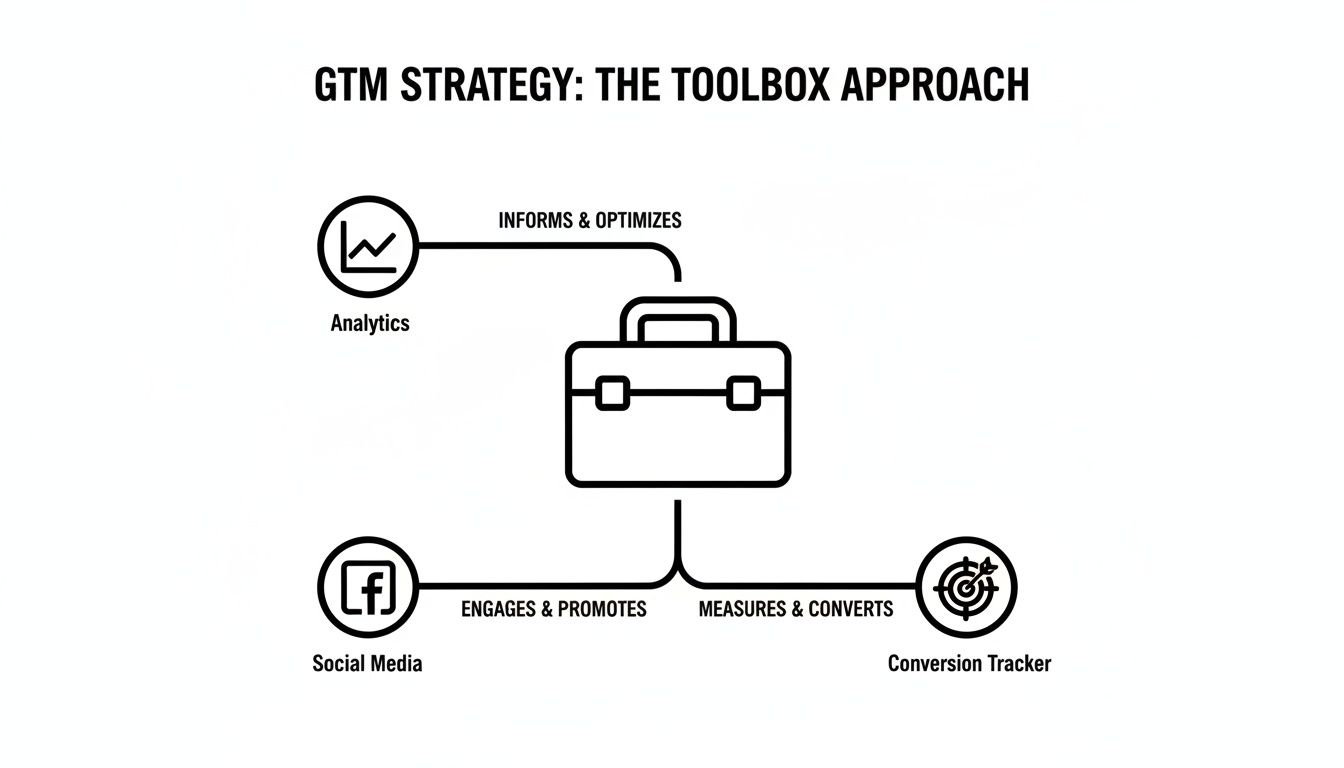
The key takeaway is that GTM becomes the organised hub for deploying all your other tracking tools, rather than having them scattered all over your website's code.
A Real-World Example
Let's walk through a practical scenario. Imagine you want to track every time someone signs up for your newsletter using the form in your website’s footer.
Here’s how you’d set it up in GTM:
The Trigger: The event you want to capture is a successful submission of the footer newsletter form. You’d create a trigger that listens for that specific form submission.
The Tag: You want this information sent to Google Analytics 4. So, you'll configure a GA4 Event Tag.
The Variable: To make the data more useful, you could use a variable to capture the Page Path. This tells you which page the person was on when they signed up.
Now, when a visitor fills out that form and hits "subscribe," the trigger fires. It instantly activates your GA4 tag, which grabs the Page Path from the variable and sends a neat little package of data straight to your analytics account. You now know not just that someone signed up, but exactly where it happened.
Why GTM Is a Real Game-Changer for Australian Businesses
Knowing what Google Tag Manager is is one thing, but understanding what it can do for an Australian business is where things get interesting. GTM isn't just another tech tool on the pile; it’s a strategic asset that gives you a genuine competitive edge in how you handle your online marketing and data.
The biggest win, hands down, is marketing agility. Think about the old way of doing things. You wanted to launch a new campaign with its own tracking—say, for a Christmas sale or a new product line. That meant lodging a ticket with your developer and then… waiting. That whole process could take days, sometimes weeks, and you’d be watching opportunities slip by. GTM gets rid of that bottleneck completely.
Putting Marketers in the Driver's Seat
Instead of waiting around, your marketing team can get new tracking tags live in minutes. Let's say you decide to run a spontaneous flash sale and need to track conversions with a TikTok pixel. With GTM, you can add the tag, test it, and push it live yourself, all before you've finished your morning coffee. This kind of speed and independence puts you firmly in control.
But it’s not just about moving faster. GTM brings some serious performance and organisational perks to the table:
- A Faster Website: When you hard-code dozens of tracking scripts directly onto your site, it can really bog things down. GTM streamlines this by loading everything through a single, optimised script. A faster website doesn't just make for happier visitors; it can also give your SEO a nice little boost.
- More Reliable Data: Having all your tags in one central dashboard means there's much less room for human error. You can see exactly what's running, switch off old tags with a click, and make sure your data is consistent and accurate across every platform.
- Painless Troubleshooting: If a tag suddenly stops working, GTM's built-in Preview Mode is a lifesaver. It lets you see what's happening and figure out the problem on the spot, without ever breaking your live website.
By taking a whole mess of scattered code and organising it into a single, clean system, GTM doesn't just tidy up your website's backend. It builds a trustworthy foundation for making smarter, data-led decisions that actually grow your business.
Ultimately, Google Tag Manager turns tracking from a slow, painful, developer-dependent chore into a powerful marketing function you can manage in-house. For any Aussie business that wants to move quicker, collect better data, and truly understand its customers, GTM isn't just a "nice-to-have" anymore—it's essential.
Putting GTM to Work with Practical Tracking Examples
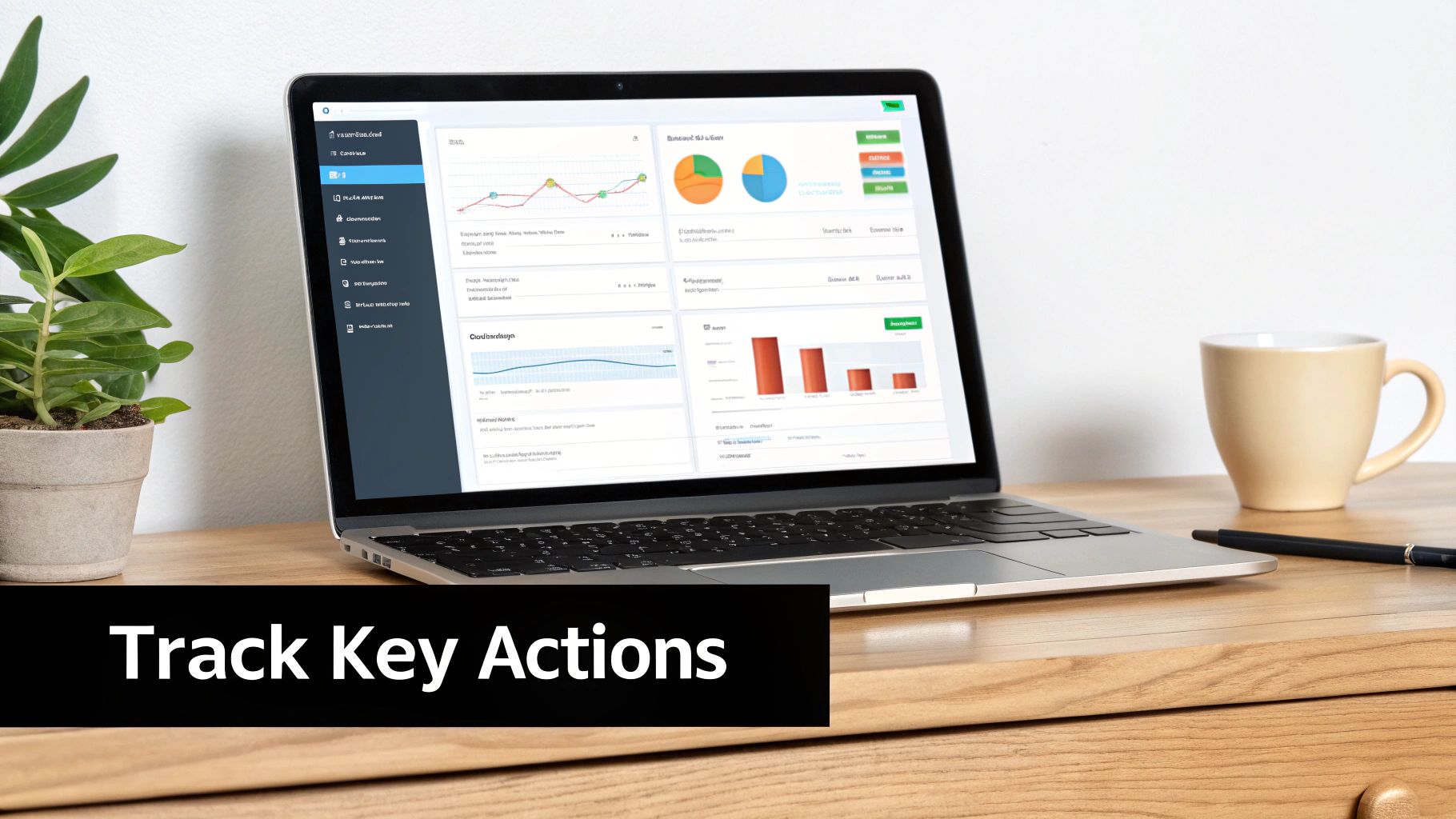
It's one thing to talk about tags and triggers in theory, but seeing what Google Tag Manager can do in the real world is where it all clicks. Let's move past the concepts and look at the essential tracking setups every Australian business should have to understand what's actually working.
Each of these examples is tied directly to a business goal, turning abstract website data into results you can actually measure and act on. Think of them as the workhorses of your marketing strategy, helping you understand your customers and prove your ad spend is paying off.
The Foundation: GA4 Configuration Tag
First things first. Before you can track any specific actions, you need to link your website to Google Analytics 4. The GA4 Configuration Tag is the master key that opens the door to all your analytics data. It's the very first tag you should set up.
Think of this tag as establishing the main phone line between your site and Google Analytics. It loads the essential GA4 code on every single page, so once it's live, you can start sending specific information about what users are doing.
Tracking Leads with the Google Ads Conversion Tag
If you're spending money on Google Ads, this tag is absolutely non-negotiable. It's the only way to know for sure which ads and keywords are actually generating valuable actions, like someone filling out your contact form or requesting a quote. Without it, you’re flying blind and just guessing where your budget is having an impact.
In Australia's competitive advertising scene, knowing your numbers is everything. While average Google Ads conversion rates sit somewhere between 2% and 5%, this can swing wildly depending on your industry—think 1-3% in travel versus 4-8% in education. Solid tracking makes sure you capture every one of those crucial actions.
Re-Engaging Customers with Remarketing Tags
Ever browsed for a product online, then suddenly seen ads for it following you around the internet? That's remarketing, and it’s powered by a simple tag (like the Google Ads Remarketing tag or Meta Pixel).
This tag helps you build audiences of people who have already visited your site. From there, you can show them highly relevant ads to remind them of what they were looking at and gently nudge them back to your website.
By placing a remarketing tag, you’re creating a powerful asset: a list of warm leads who have already shown interest in what you offer. It’s one of the most cost-effective ways to increase conversions.
Capturing User Interactions with Event Tracking
But what about all the important actions that aren't a purchase or a form submission? This is where GTM really shines, letting you track specific user interactions called events.
You can set up tags to monitor things like:
- PDF Downloads: Find out which of your guides or brochures are the most popular.
- Outbound Link Clicks: See which external partners or resources you’re sending your visitors to.
- Video Plays: Track how many people are actually watching your videos and for how long.
For those ready to move beyond these basics, there's a fantastic resource that offers a practical guide on how to use Google Tag Manager effectively.
Each of these examples adds another layer of insight, helping you build a rich, detailed picture of how people interact with your website.
Connecting GTM to Your WordPress Website Safely

For the millions of Aussie businesses whose websites run on WordPress, getting Google Tag Manager up and running is thankfully quite simple. But how you go about it really matters for the long-term health of your site. The aim is to get connected without accidentally creating a ticking time bomb.
You essentially have two main options: manually adding the GTM code snippets into your theme’s files, or using a dedicated plugin to do the heavy lifting for you. While diving into the code might seem like the most direct route, it’s a path filled with potential pitfalls for anyone who isn't a seasoned developer.
Why a Plugin Is the Safest Choice
We almost always recommend using a well-supported plugin, with a great option being GTM4WP (Google Tag Manager for WordPress). Think of a plugin as a protective bubble for your GTM setup, keeping it separate and safe from your website’s core theme files.
Here’s why that separation is so important:
- It Survives Theme Updates: When you inevitably update your WordPress theme, any code you’ve manually added to its files can be wiped out in an instant. A plugin ensures your GTM container code stays exactly where it should, update after update.
- It Avoids Catastrophic Errors: One misplaced comma or semicolon while editing a core file like
header.phpcan bring your entire website crashing down. Plugins give you a simple, safe interface, removing the risk of human error. - It Unlocks More Data, Faster: Many GTM plugins are built to do more than just connect your container. They can automatically push useful information—like the post author, page category, or user login status—into the data layer, saving you hours of complex manual setup.
Using a plugin isn't just the easy way; it's the professional standard for adding GTM to WordPress. It protects your tracking from routine website maintenance, so you never have to worry about a simple theme update breaking your data collection.
The Problem with Manual Installation
Manually pasting the GTM code into your theme files creates a brittle, fragile connection. It might work today, but a future update or a simple mistake can break everything, leaving you with huge gaps in your analytics data. For most business owners, it’s a completely unnecessary risk.
If you’re feeling stuck with a tricky installation, or you just want the peace of mind that comes from a flawless setup, getting professional WordPress help and support is a smart move. It saves you time, prevents future headaches, and ensures your data tracking is built on a rock-solid foundation.
Managing Data Privacy and Security in GTM
Getting the most out of Google Tag Manager comes with a serious responsibility: managing your data ethically and securely. While GTM definitely simplifies data collection, it also gives you powerful tools to control who makes changes and how you respect user privacy.
This isn't just about ticking a box for best practice; it's fundamental to building trust with your customers. A secure GTM setup protects your website, your data, and your reputation from being misused.
Controlling Access with User Permissions
One of the most important security features in GTM is its granular user permissions. It lets you decide exactly who can access your GTM container and what they're allowed to do once they're in.
Think of it like handing out keys to your office. You wouldn't give everyone a master key that opens every door, and the same principle applies here. You can assign different access levels to team members, marketing agencies, or contractors, making sure only trusted administrators can actually publish changes to your live site.
These permission levels include:
- Read: Users can see all the tags, triggers, and variables, but can't make any edits.
- Edit: Users can create their own workspaces and make changes, but they can't publish them live.
- Approve: Users can create new container versions and approve changes made by others.
- Publish: Users have the keys to the kingdom, with full control to publish changes to the live website.
This layered system acts as a critical security checkpoint, preventing accidental or unauthorised tags from being deployed. It’s a simple but incredibly effective way to keep your data collection processes safe.
The best security measure in GTM is prevention. By always using Preview Mode before you publish anything, you create a safety net. It allows you to thoroughly test every single change in a secure, live environment without affecting your actual website visitors.
Respecting User Consent and New Regulations
Data privacy isn't optional anymore. In Australia, the rules around how businesses collect data are changing, with new privacy laws set to have a big impact on tracking. You can learn more about these changes and privacy-safe measurement solutions on Louder.com.au.
The good news is that Google Tag Manager is built to work with consent management platforms. By using features like Google Consent Mode, GTM can intelligently change how your tags behave based on the consent choices your visitors make.
For instance, if a user says no to advertising cookies, GTM can stop your remarketing tags from firing for that specific person. This helps you respect their choices while still collecting essential, anonymised data where you have permission. To see our own commitment to this, feel free to review our detailed Webby privacy policy. This makes GTM more than just a deployment tool—it becomes a central part of your entire governance strategy.
When You Need an Expert for Your GTM Setup
Google Tag Manager is wonderfully accessible, but there’s a point where the DIY approach can hit a wall. Knowing when to call in a specialist can save you a world of headaches and prevent the kind of data errors that send your marketing strategy completely off course.
Plenty of businesses handle their basic tagging needs perfectly well on their own. The complexity creeps in when you start needing more advanced tracking – the kind that requires a much deeper understanding of how data moves from your website to your various marketing and analytics tools. This is where a simple setup can quickly turn into a tangled mess.
Identifying the Tipping Point
So, when is it time to look for professional help? Usually, it's when your tracking needs outgrow the fundamentals. Certain implementations are notoriously tricky, and a small mistake can poison your data, making it useless for making smart business decisions.
Keep an eye out for these tell-tale signs:
- Implementing Enhanced E-commerce: If you need to track the entire customer journey – from someone looking at a product, to adding it to their cart, checking out, and even processing refunds – you need a perfectly structured data layer. One wrong move here and you can’t accurately figure out your return on ad spend.
- Setting Up Cross-Domain Tracking: Does your customer journey jump between different domains, like from your main site to a separate booking platform? Stitching that user session together is absolutely crucial, but it's a delicate operation where tiny errors can leave huge gaps in your data.
- Debugging Persistent Data Discrepancies: Are the conversion numbers in Google Ads telling a completely different story to what you see in Google Analytics? Hunting down the cause of these issues takes a systematic approach that an expert can handle far more efficiently.
Handing over a complex GTM implementation doesn't mean you're giving up control. It means you're investing in a reliable, accurate, and scalable data foundation that will pay dividends for years to come.
An expert won't just follow a template; they'll build a robust setup tailored to your specific business goals, making sure your data is clean, accurate, and genuinely useful. They can also run a fine-tooth comb over your existing container to spot and fix problems you didn't even know existed. In fact, a professional website audit often uncovers hidden tracking issues that have been quietly undermining marketing efforts for months.
Ultimately, bringing in an expert is about getting the most out of your investment. It turns your GTM container from a simple tag deployment tool into a powerful engine for growth, giving you the trustworthy insights you need to make smarter marketing decisions with confidence.
If you're ready to move beyond the basics and unlock the full power of your website's data, the team at Webby is here to help. Our experts specialise in advanced GTM, GA4, and WordPress optimisation, building tracking solutions that deliver real results. Learn more about our WordPress help and support services.
Article created using Outrank