
The best Google Business Profile management tool for most small and medium businesses is BrightLocal — it covers local SEO auditing, geo-grid rank tracking, and review management in one purpose-built platform at an affordable price point. Here’s the short list before you dig into the details:
- Best overall for SMBs: BrightLocal — local SEO focus, geo-grid tracking, and a trial period available
- Best for agencies and white-label: Synup or SOCi — centralized multi-location management with branded reporting
- Best for reviews and reputation: Birdeye or Podium — automated review requests and response workflows
- Best budget / freemium pick: GMBMantra — lightweight, free-tier access for single-location owners
- Best for geo-grid rank tracking: Local Falcon — the most granular neighborhood-level rank visualization available
Google Business Profile itself is free and handles the basics: photos, posts, reviews, bookings, and customer insights on Google Search and Maps. The tools below build on top of that foundation, adding automation, multi-location scale, and reporting depth that the native GBP dashboard simply doesn’t offer.
Key Takeaways
The best Google Business Profile management tool for most U.S. SMBs is BrightLocal, but the right choice depends on your scale, your primary pain point, and whether you have the in-house time to run it.
| Point | Details |
|---|---|
| Best overall for SMBs | BrightLocal covers geo-grid tracking, auditing, and review management at a price SMBs can justify. |
| Match tool to your top pain | Choose by what hurts most: listing accuracy (Moz Local), reviews (Birdeye/Podium), rank tracking (Local Falcon), or agency scale (Synup/SOCi). |
| Geo-grid beats city-average rank | Neighborhood-level rank data from tools like Local Falcon is materially more useful for local pack strategy than a blended city rank. |
| Pilot before committing | Run a 30–60 day trial with defined KPIs (review response time, listing accuracy, local pack rank) before signing an annual contract. |
| Webby Website Optimisation | Managed local SEO services covering GBP optimization, citation cleanup, review strategy, and monthly reporting for service businesses. |
Table of Contents
- How the top Google Business Profile management tools compare
- Detailed profiles: every tool you need to evaluate
- How to choose the right Google Business Profile management tool
- How we chose and compared these tools
- Agency vs. tool: when does hiring an agency make more sense?
- What actually works for local businesses
- Webby Website Optimisation manages your GBP so you don’t have to
- Sources
How the top Google Business Profile management tools compare
The table below covers the 19 tools this guide profiles. Pricing reflects publicly listed starting rates or plan types at the time of writing; verify current pricing on each vendor’s site before buying.
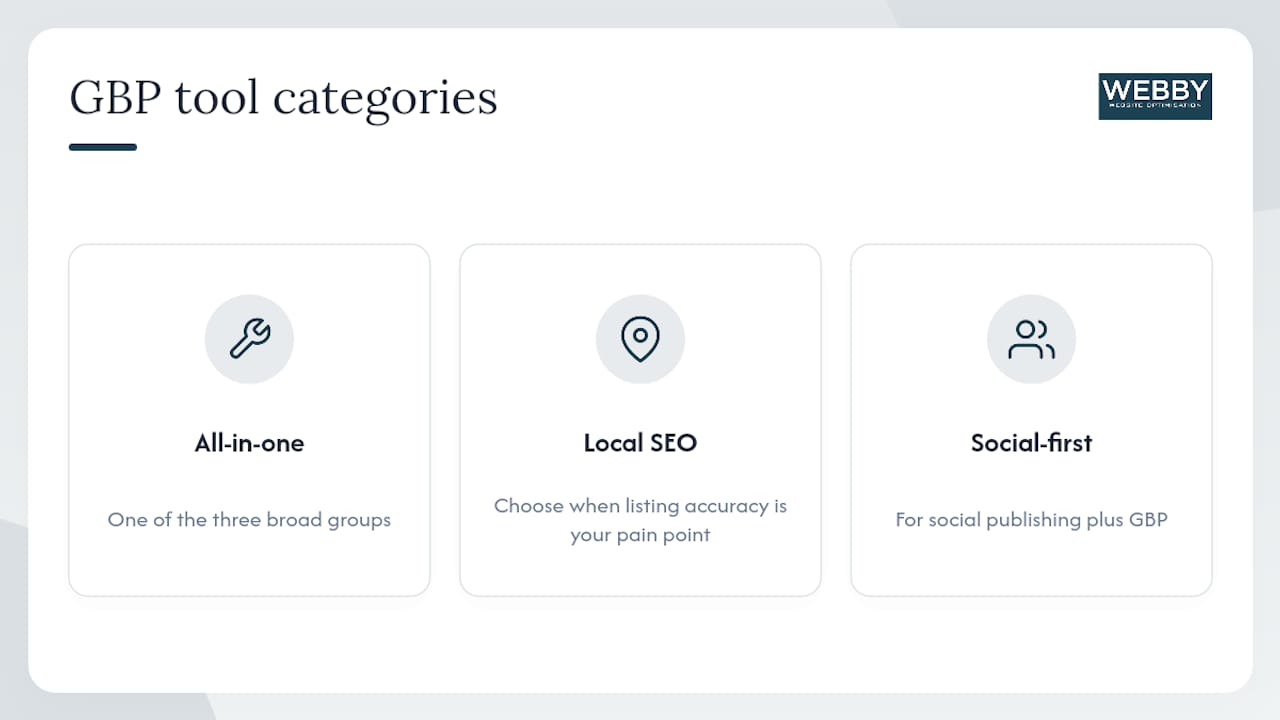
A Brandwatch roundup of GBP management tools categorizes these platforms into three broad groups: all-in-one platforms, local SEO specialists, and social integrations. This framing is useful when you’re narrowing down: if your primary pain point is listing accuracy, you want a local SEO specialist; if it’s social publishing plus GBP, a social-first tool fits better.
Detailed profiles: every tool you need to evaluate
1. BrightLocal
BrightLocal is the most complete local SEO toolkit for agencies and SMBs that want GBP auditing, listing management, and geo-grid rank tracking without paying enterprise prices. Its GBP audit report flags missing fields, photo gaps, and category mismatches in minutes. The rank-tracking grid shows your position across a neighborhood-level map rather than a single city average, which is far more useful for local pack optimization.
Key features: GBP health audits, geo-grid rank tracking, citation building and monitoring, review management and response tracking, white-label reporting, multi-location dashboards.
Best for: Local SEO agencies and SMBs with one to a few dozen locations.
Pricing: Starts at $39/month; 14-day free trial available.
Pros: Purpose-built for local SEO; geo-grid tracking is genuinely useful; white-label reports work well for agencies.
Cons: Not a full reputation management platform; review response automation is limited compared to Birdeye or Podium.
Verdict: The default choice for any SMB or agency that takes local SEO seriously.
2. Birdeye
Birdeye centers on reputation management: automated review requests via text and email, AI-assisted review responses, and sentiment analysis across Google, Yelp, and Facebook. Its GBP integration lets you respond to Google reviews directly from the dashboard and push updates to your profile.
Key features: Automated review requests, AI review response drafts, multi-location review dashboards, GBP post scheduling, listing sync, customer surveys.
Best for: Service businesses where review volume and response speed drive conversions (healthcare, home services, hospitality).
Pricing: Custom; no public starting price. Demo required.
Pros: Best-in-class review automation; strong AI drafting for responses; broad integration library.
Cons: Pricing is opaque and tends to run high for small budgets; geo-grid tracking is limited.
Verdict: Worth the call if reviews are your primary conversion lever and you have the budget for it.
3. Podium
Podium approaches GBP management through messaging: it centralizes customer texts, review requests, and Google Messages into one inbox. The review-request workflow is simple enough that front-desk staff can run it without training.
Key features: Unified messaging inbox, SMS-based review requests, Google Messages integration, payment collection via text, team inbox management.
Best for: Single-location or small-chain service businesses where the front desk drives review volume.
Pricing: Custom; demo required.
Pros: Easiest review-request workflow in the category; Google Messages integration is genuinely useful.
Cons: Weak on listing sync and rank tracking; not a full local SEO tool.
Verdict: Strong pick if your main goal is getting more Google reviews without a complicated setup.
4. Synup
Synup is built for agencies managing dozens or hundreds of locations. It offers white-label reporting, bulk listing updates, and a centralized dashboard that aggregates GBP performance data across all client accounts. Google’s own guidance for agencies stresses bulk updates and centralized access management — Synup’s architecture is designed around exactly that.
Key features: White-label reporting, bulk listing sync, review monitoring and response, multi-location dashboards, GBP post scheduling, API access.
Best for: Digital marketing agencies and franchises managing 10+ locations.
Pricing: Custom; demo required.
Pros: Strong white-label output; bulk edit workflows are reliable; good API access for technical teams.
Cons: Overkill for single-location SMBs; pricing scales with location count.
Verdict: The agency-grade choice when white-label reporting and bulk management are non-negotiable.
5. Yext
Yext built its reputation on listing distribution: it pushes business data to a large publisher network that includes Google, Apple Maps, Bing, Yelp, and dozens of directories. Its GBP integration handles profile updates, review monitoring, and basic analytics.
Key features: Broad publisher network sync, GBP integration, review monitoring, knowledge graph management, analytics dashboard, enterprise API.
Best for: Large chains and enterprises with strict data consistency requirements across many directories.
Pricing: Custom; demo required.
Cons: Expensive relative to what most SMBs actually need; listing data reverts when you cancel the subscription.
Pros: Widest publisher network in the category; strong enterprise support.
Verdict: Justified for enterprises that need consistent data across 50+ directories; hard to justify for most SMBs.
6. Semrush Local
Semrush Local is an add-on to the Semrush platform that adds listing management, GBP optimization suggestions, and review tracking alongside Semrush’s existing keyword and competitor tools. If you’re already paying for Semrush, it’s the most efficient way to add local SEO coverage without a separate subscription.
Key features: Listing sync, GBP audit and optimization tips, review monitoring, local keyword tracking, integration with Semrush’s full SEO suite.
Best for: SEO-focused marketers and agencies already using Semrush.
Pricing: Add-on pricing on top of a Semrush subscription; Semrush offers a free trial for new accounts.
Pros: No extra login; local data sits alongside organic SEO data; strong keyword context.
Cons: Geo-grid tracking is less granular than BrightLocal or Local Falcon; requires a Semrush base plan.
Verdict: The obvious pick if Semrush is already in your stack.
7. Moz Local
Moz Local automates listing creation and synchronization across major data aggregators, monitors listing health, and surfaces GBP performance insights. It’s one of the more affordable options for businesses that want listing accuracy without a full local SEO suite.
Key features: Automated listing sync, listing health monitoring, duplicate detection and suppression, GBP insights, review monitoring.
Best for: SMBs that want reliable listing accuracy at a low monthly cost.
Pricing: Starts at $14/month for a single location.
Pros: Affordable entry point; solid listing sync; easy to set up.
Cons: No geo-grid tracking; review response tools are basic; limited agency features.
Verdict: A practical, low-cost choice for single-location businesses focused on listing accuracy.
8. Local Falcon
Local Falcon is the most granular geo-grid rank tracker in this category. It maps your GBP ranking across a configurable grid of points around your location, showing exactly where you rank in each neighborhood rather than a blended city average. That level of detail changes how you approach local pack optimization.
Key features: Geo-grid rank visualization, share-of-voice scoring, competitor rank comparison, scheduled scans, white-label reports.
Best for: Local SEO agencies and consultants who need precise rank data to justify strategy decisions.
Pricing: Starts at $24/month; free credits available for new accounts.
Pros: Best geo-grid visualization in the market; competitor overlays are genuinely useful; white-label output.
Cons: No listing sync, no review management — it’s a rank tracker, not an all-in-one tool.
Verdict: Buy it alongside a listing tool, not instead of one.
9. Local Viking
Local Viking combines GBP post scheduling with geo-grid rank tracking and basic GBP management. It’s a lighter, more affordable alternative to BrightLocal for agencies that primarily need posting automation and rank data.
Key features: GBP post scheduling and bulk publishing, geo-grid rank tracking, GBP insights, review monitoring, white-label reports.
Best for: Agencies managing GBP posting at scale with a tight budget.
Pricing: Starts at $20/month; free trial available.
Pros: Affordable; solid posting automation; geo-grid tracking included.
Cons: Listing sync is absent; review response tools are minimal.
Verdict: A cost-effective agency tool when posting and rank tracking are the priorities.
10. GMBMantra
GMBMantra is a lightweight GBP management tool with a free tier, making it the most accessible entry point for single-location owners who want basic profile management without a monthly bill. Features are limited compared to paid platforms, but the free access is genuine.
Key features: GBP post scheduling, basic profile management, photo uploads, Q&A management.
Best for: Single-location SMBs on a zero or near-zero tool budget.
Pricing: Free tier available; paid plans exist for expanded features.
Pros: Free to start; simple interface; no commitment required.
Cons: No listing sync, no rank tracking, no review automation; limited multi-location support.
Verdict: A reasonable starting point before you outgrow it.
11. Whitespark
Whitespark specializes in citation building and local SEO, with tools for finding citation opportunities, cleaning up inconsistent listings, and tracking local rankings. Its citation-building service is one of the most respected in the industry.
Key features: Citation finder and builder, local rank tracker, reputation builder (review requests), GBP audit, white-label reporting.
Best for: Local SEO agencies focused on citation authority and listing cleanup.
Pricing: Starts at $33/month; free tools available for basic citation research.
Pros: Citation building depth is unmatched; strong agency features; free tools lower the barrier to entry.
Cons: Not a full GBP management platform; review automation is basic.
Verdict: Best paired with a GBP-focused tool rather than used as a standalone solution.
12. SOCi
SOCi is an enterprise-grade platform for multi-location brands that need coordinated local marketing across GBP, social media, and review sites. It handles bulk content publishing, localized ad management, and reputation monitoring at scale.
Key features: Multi-location GBP management, bulk post scheduling, review monitoring and response, local social ads, localized content, enterprise reporting.
Best for: Franchise brands and enterprise marketers managing 50+ locations.
Pricing: Custom; demo required.
Pros: Handles GBP and social in one platform; strong localization tools for franchises.
Cons: Priced for enterprise; too complex for most SMBs.
Verdict: Purpose-built for franchise and enterprise local marketing teams.
13. Chatmeter
Chatmeter focuses on reputation management and local SEO analytics for multi-location brands. It aggregates review data, tracks local rankings, and provides competitive benchmarking across locations.
Key features: Review aggregation and response, local rank tracking, competitive benchmarking, GBP insights, sentiment analysis, white-label reporting.
Best for: Enterprise brands and agencies that need reputation analytics alongside GBP management.
Pricing: Custom; demo required.
Pros: Strong sentiment analysis; competitive benchmarking is useful for multi-location strategy.
Cons: Not built for single-location SMBs; pricing reflects enterprise positioning.
Verdict: A solid enterprise reputation tool when competitive benchmarking matters.
14. Reputation
Reputation (formerly Reputation.com) is a full online reputation management platform that covers review monitoring, response, survey management, and GBP integration. It’s built for enterprises with complex review ecosystems across many locations and platforms.
Key features: Review monitoring across 100+ sites, GBP integration, survey management, sentiment analysis, competitive benchmarking, enterprise API.
Best for: Large enterprises with multi-location, multi-platform reputation management needs.
Pricing: Custom; demo required.
Pros: Widest review source coverage; strong enterprise integrations.
Cons: Significant overkill for SMBs; pricing is enterprise-level.
Verdict: Justified for enterprises; not the right fit for most businesses in this guide’s audience.
15. NapoleonCat
NapoleonCat is a social media management tool that includes GBP as one of its supported channels. It handles post scheduling, comment and review moderation, and team collaboration across Google, Facebook, Instagram, and others.
Key features: GBP post scheduling, review and comment moderation, team inbox, social analytics, white-label reports, multi-platform publishing.
Best for: Small agencies and businesses that manage GBP alongside active social media channels.
Pricing: Starts at $32/month; 14-day free trial available.
Pros: Affordable; good team collaboration tools; covers social and GBP in one dashboard.
Cons: No listing sync or rank tracking; GBP features are secondary to social.
Verdict: A practical choice when social media management and GBP posting are equally important.
16. RecurPost
RecurPost is a scheduling tool that supports GBP post publishing alongside other social platforms. It’s not a local SEO tool, but it handles recurring GBP content calendars well for businesses that post consistently.
Key features: GBP post scheduling, content recycling, bulk scheduling, multi-platform publishing, basic analytics.
Best for: SMBs that want to automate GBP posting without paying for a full local SEO platform.
Pricing: Starts at $25/month; 14-day free trial available.
Pros: Content recycling saves time on evergreen posts; affordable; easy to use.
Cons: No review management, no listing sync, no rank tracking.
Verdict: Useful as a posting scheduler; pair it with a dedicated local SEO tool for full coverage.
17. Sprout Social
Sprout Social is a full social media management platform that added GBP as a supported channel. Its strength is team collaboration, approval workflows, and social analytics. The GBP integration covers post publishing and review monitoring.
Key features: GBP post scheduling, review monitoring, team approval workflows, social analytics, CRM integrations, white-label reporting.
Best for: Marketing teams that run active social programs and want GBP included in the same workflow.
Pricing: Starts at $249/month; 30-day free trial available.
Pros: Best team collaboration tools in the category; strong CRM integrations; 30-day trial is generous.
Cons: Expensive for SMBs that only need GBP management; no listing sync or geo-grid tracking.
Verdict: Justified for teams already invested in social media management; hard to justify for GBP-only use.
18. Brandwatch
Brandwatch is primarily a social listening and consumer intelligence platform. Its GBP-related capabilities come through review monitoring and brand mention tracking rather than direct profile management. The Brandwatch roundup of GBP tools is itself a useful reference for cross-checking vendor coverage.
Key features: Social listening, review monitoring, brand mention tracking, sentiment analysis, competitive intelligence, enterprise reporting.
Best for: Enterprise marketing teams that need GBP review monitoring as part of a broader listening program.
Pricing: Custom; demo required.
Pros: Unmatched social listening depth; strong sentiment analysis.
Cons: Not a GBP management tool in the traditional sense; no listing sync, no rank tracking, no post scheduling.
Verdict: A research and intelligence tool, not a GBP operations platform.
19. GMB Briefcase
GMB Briefcase is a bulk GBP management tool built for agencies handling large numbers of client profiles. It focuses on bulk edits, photo uploads, post scheduling, and Q&A management across many locations from a single interface.
Key features: Bulk GBP edits, photo management, post scheduling, Q&A management, multi-location dashboard, agency access controls.
Best for: Agencies managing 20+ GBP profiles that need bulk editing without enterprise pricing.
Pricing: Custom; demo required.
Pros: Bulk editing is genuinely fast; good for agencies with high location counts.
Cons: No listing sync, no review automation, no rank tracking.
Verdict: A specialist agency tool for bulk GBP operations, not a full local SEO platform.
How to choose the right Google Business Profile management tool
Choose by scale first, then by the feature that solves your biggest pain: review volume, listing accuracy, rank tracking, or integrations.
Selection criteria checklist
- Number of locations: Single-location owners can start with a free or low-cost tool (GMBMantra, Moz Local). Multi-location businesses need bulk edit workflows and aggregated dashboards.
- Review management priority: If reviews drive your conversions, prioritize tools with automated review requests and response workflows (Birdeye, Podium).
- Listing sync fidelity: Check which data aggregators the vendor pushes to. Some tools auto-sync to major aggregators; others rely on manual or partner-based distribution. Moz Local’s approach to auto-sync is a useful benchmark for what good listing distribution looks like.
- Geo-grid rank tracking: A single city-average rank tells you almost nothing useful for local pack strategy. If rank tracking matters, pay for geo-grid (Local Falcon, BrightLocal, Local Viking).
- API and white-label needs: Agencies managing many clients need white-label reporting and, for large-scale operations, API access. The GBP API is primarily aimed at large chains and agencies; most SMBs will never need direct API integration.
- CRM and tool integrations: If you use a CRM or marketing automation platform, verify the tool integrates before signing a contract.
- Support SLA: Check whether support is chat, email, or phone, and what the response time commitment is. Enterprise tools typically offer dedicated account managers; SMB-tier tools often rely on documentation and community forums.
- Security and permissions: For agencies, confirm the tool supports role-based access. Also note that adding a new manager to a GBP triggers a seven-day restriction period on some administrative tasks, so plan onboarding timelines accordingly.
Questions to ask vendors in demos
- How do bulk updates work across 50+ locations? What’s the error-handling process?
- Who owns the data if we cancel? Can we export everything?
- What are the API quotas, and what does overage cost?
- Does white-label reporting include custom domain delivery?
- What’s the role and permission model? Can we restrict access by location or client?
- How does the review moderation workflow handle negative reviews at scale?
Red flags to watch for
- No clear path to multi-location management as you grow
- Review reply automation that requires manual approval for every response (defeats the purpose)
- No CRM integrations listed on the vendor’s integrations page
- Pricing that requires a sales call to get any number at all
- Vague data ownership terms in the contract
Pricing expectations
SMB-tier tools typically start between $14 and $40 per month for a single location, with per-location pricing as you add more. Agency bundles vary widely and almost always require a custom quote. Enterprise platforms (Yext, SOCi, Reputation, Chatmeter) are priced on contract and rarely publish starting rates.
Pro Tip: Run a 30–60 day pilot with defined KPIs before committing to an annual contract. Track three metrics: average review response time, listing accuracy score, and local pack ranking for your top two or three keywords. If the tool moves all three, it’s earning its cost.
How we chose and compared these tools
The 19 tools in this guide were selected and evaluated using the following approach:
Data sources used:
- Vendor websites and published feature documentation
- G2 user reviews and ratings for real-world pros/cons and support quality signals
- Capterra user reviews for cross-reference
- Google Business Profile help documentation and API docs for feature verification
- The Brandwatch GBP tool roundup as an inventory cross-check
Evaluation criteria and weighting:
- Feature set coverage (review management, listing sync, rank tracking, posting, analytics)
- Multi-location support and bulk edit capability
- Agency and white-label features
- Integration depth (Google, CRM, social platforms)
- Pricing transparency and free trial availability
- User experience and onboarding friction
- Customer support quality based on user-review signals
Limitations to be aware of:
- Vendor pricing tiers change frequently; always verify on the vendor’s site before purchasing
- Trial features sometimes differ from paid plan features; test the specific workflows you need
- This guide focuses on tools available to U.S. businesses; some features or integrations may vary by region
- Not all vendors publish starting prices; custom-quote tools are noted as such
Where vendor claims couldn’t be verified against published documentation, they’re noted as vendor-stated rather than independently confirmed.
Agency vs. tool: when does hiring an agency make more sense?
Agencies make sense when you need strategy, ongoing optimization, multi-channel coordination, or simply don’t have in-house time to manage GBP consistently. Tools make sense when you have a clear internal owner, limited locations, and defined workflows.
Decision flow:
- Single-location owner with time and interest: Choose a tool. Start with BrightLocal or Moz Local and manage it yourself.
- Multi-location business or franchise: Consider an agency or an enterprise-grade tool (SOCi, Synup, Chatmeter). The Google guidance for agencies on bulk updates and centralized access management reflects how complex this gets at scale.
- Need for conversions, CRO, and local SEO together: An agency that handles both GBP optimization and your website’s conversion performance will outperform a tool alone. GBP drives traffic; your website closes it. Optimizing one without the other leaves results on the table.
What a good agency should handle
A specialist local SEO agency should cover all of the following, not just profile updates:
- Full GBP profile optimization (categories, services, attributes, photos, description)
- Citation audit and cleanup across major directories
- Review strategy: request workflows, response templates, escalation process for negative reviews
- Geo-grid rank tracking with monthly reporting on movement
- On-page local SEO and website UX improvements that support GBP performance
- Crisis review handling when a negative review spike occurs
- Reporting cadence with clear KPIs tied to leads and calls, not just rankings
Pro Tip: Try a hybrid approach: run a 60-day tool pilot while an agency sets the strategy and playbook. The agency handles the thinking; the tool handles the bulk execution. After 60 days, you’ll know whether the tool alone can sustain the results or whether ongoing agency involvement is worth the cost.
For a practical look at what consistent GBP optimization can produce, the Masters Window Cleaning case study and the Geographe Canvas case study show measurable local visibility gains from structured local SEO work. Profile management is one part of that; on-site optimization and citation health are the others.
What actually works for local businesses
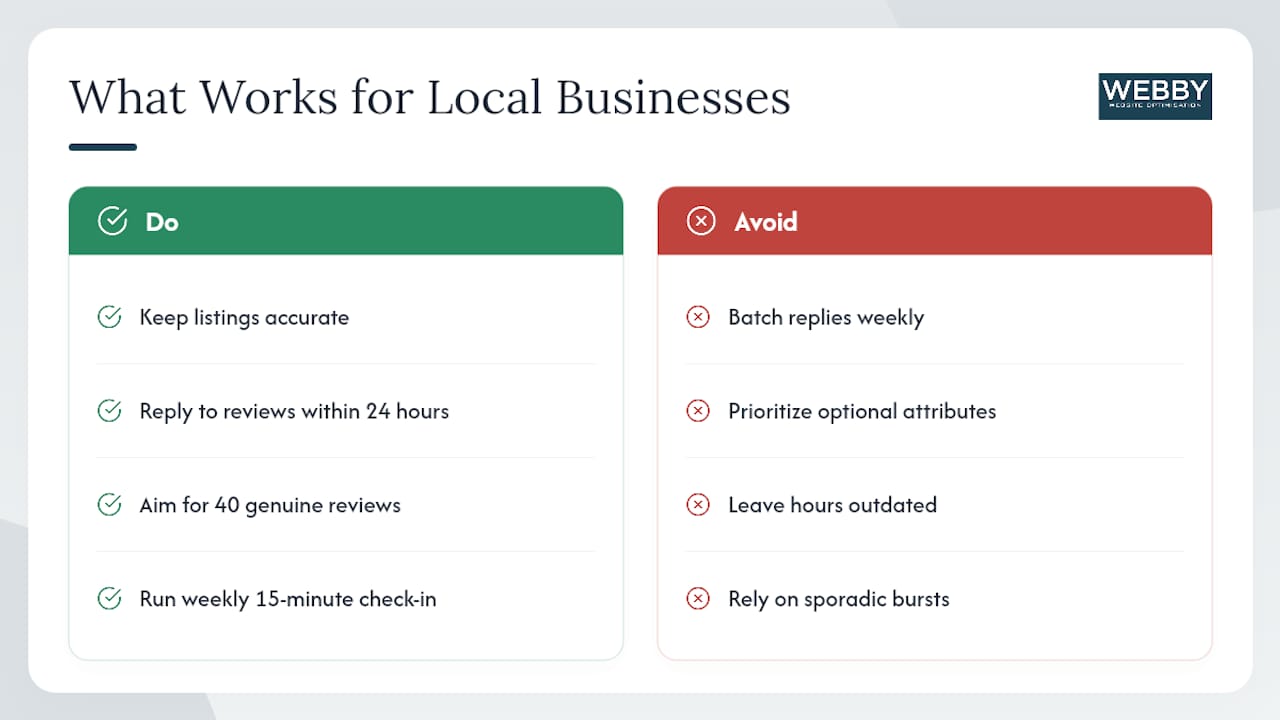
The most effective approach for most SMBs isn’t chasing the newest GBP feature. It’s consistent execution on the basics: accurate listings, timely review replies, and regular posts that signal an active business to Google.
Two patterns show up repeatedly in local campaigns. First, businesses that respond to reviews within 24 hours tend to see stronger engagement signals than those that batch responses weekly, even when the total number of reviews is similar. Second, getting the hours, service area, and primary category right matters more than adding every optional attribute. A profile with accurate core data and 40 genuine reviews will outperform a fully decorated profile with outdated hours and 10 reviews.
The single most useful habit: a weekly 15-minute check-in to update hours for holidays or special events, respond to any new reviews, and publish one post (a promotion, a service highlight, or a recent job photo). That cadence, maintained consistently, compounds over months in ways that sporadic bursts of activity don’t.
For more on what to post and when, the Google My Business post guide covers the formats and timing that tend to perform well.
Webby Website Optimisation manages your GBP so you don’t have to
Most SMBs don’t lack tools. They lack time and a clear strategy for turning GBP activity into actual leads. Webby Website Optimisation offers managed local SEO services that cover GBP profile optimization, citation cleanup, review strategy, geo-grid rank tracking, and monthly reporting tied to real business outcomes, not just rankings.

The difference between a tool subscription and a managed service is who owns the thinking. A tool gives you the capability; Webby Website Optimisation gives you the execution and the strategy behind it. For service businesses in competitive local markets, that distinction tends to show up in lead volume within the first 90 days.
If you want to know where your GBP stands right now, start with a website and local SEO audit to identify the gaps. From there, the path to better local visibility is straightforward.
Sources
Pricing and trial availability change frequently. Verify all figures directly on each vendor’s site before purchasing.