

Yes. If phone calls drive your bookings or quote requests, call tracking pays for itself fast, and the safe way to do it is simple: keep one canonical number listed everywhere your business appears online, then layer dynamic or static tracking numbers only on channels you control, like your website and ad campaigns. Start with your highest-spend channel first.
TL;DR:
- Call tracking helps attribute calls to specific marketing sources, enabling more accurate ad spend optimization and better understanding of ROI.
- Using controlled, canonical numbers across public listings prevents SEO harm caused by changing or untracked tracking numbers.
- Dynamic Number Insertion (DNI) is recommended for websites with multiple campaigns, while static numbers suit low-spend or offline channels.
- Proper setup requires logging all activated numbers, auditing periodically, and tagging calls to filter out spam and incorrect inquiries.
- Cost typically involves flat fees for static plans or small platform fees for DNI, with most small businesses needing only a few numbers to start.
Table of Contents
- What Call Tracking Is and Who Actually Needs It
- What You Actually Get From Tracking Calls
- The SEO-Safe Setup Checklist Every Local Business Needs
- How to Set Up Call Tracking Step by Step
- Turning Call Logs Into Marketing Decisions
- What Call Tracking Actually Costs and How Many Numbers You Need
- Mistakes That Undo Your Call Tracking Setup
- How Webby Website Optimisation Implements Call Tracking Safely
- What Actually Matters When You Track Calls
- Get SEO-Safe Call Tracking Set Up Without the DIY Guesswork
- Sources
What Call Tracking Is and Who Actually Needs It
Call tracking assigns unique phone numbers to different marketing sources so you can see exactly which ad, page, or listing generated each call. There are two main approaches, and picking the wrong one wastes money.
Static numbers are fixed swaps: one number for Google Ads, one for Facebook, one for your print flyer. They’re cheap and simple but can’t tell you which specific landing page or keyword worked.
Dynamic Number Insertion (DNI) swaps the number shown on your website in real time based on how the visitor arrived, giving you campaign-level attribution without touching your listed business number.
- Plumbers, electricians, and locksmiths taking urgent quote calls
- Dentists, physios, and clinics booking appointments by phone
- Real estate agents and property managers fielding inquiry calls
- Any local service business spending money on Google Ads or Google Business Profile promotion
What You Actually Get From Tracking Calls
The payoff isn’t just “more data.” It’s knowing which dollar of marketing spend produced a real customer, not just a click.
- Attribution: Match every call to the exact campaign, landing page, or keyword that generated it.
- Smarter ad spend: Feed qualified-call conversions into Google Ads and GA4 so the algorithm optimizes toward calls that turn into paying jobs, not just calls.
- Better staff performance: Recorded calls double as training material and QA checks, and businesses that respond to inquiries faster tend to close more of them.
Here’s a detail most business owners miss: Google Business Profile Insights only report calls made from mobile devices, so if a chunk of your customers call from a landline or a desktop click-to-call widget, your GBP dashboard is quietly undercounting them. Call tracking closes that gap and gives you the full picture across every device and source, which matters if you’re basing budget decisions on GBP numbers alone.
The SEO-Safe Setup Checklist Every Local Business Needs
Call tracking has a bad reputation in some SEO circles because businesses used to swap out their listed phone number for a tracking number everywhere, including Google Business Profile and directory citations. That breaks NAP (Name, Address, Phone) consistency and can hurt local rankings. The fix is straightforward: keep a controlled, canonical number in every public listing, and confine tracking numbers to places you own and manage.
- Pick your canonical number. This is the number that goes on Google Business Profile, your website footer, Yelp, directories, and anywhere else your NAP appears. It never changes, matching the structure Schema format expects for consistent listings.
- Use DNI only on pages you control, primarily your own website. Never publish a DNI number to a third-party directory.
- Use static numbers for offline or paid channels where dynamic swapping isn’t practical, like print ads or radio.
- Log every number you ever activate in a simple governance sheet: number, source/channel, date published, forwarding destination, and who owns it.
Pro Tip: Set a calendar reminder to audit your number-governance log every quarter. Old tracking numbers left active on outdated landing pages are the number one cause of “mystery calls” nobody remembers setting up.
How to Set Up Call Tracking Step by Step
Once your governance rules are set, the actual build is mechanical. Most providers follow a similar sequence, whether you’re using a dedicated call-tracking platform or a feature bundled into your ad software.
- Decide static vs. DNI based on your monthly ad spend. Low spend and one or two channels favor static numbers; anything running multiple campaigns benefits from DNI.
- Buy local numbers matching your area code, then configure call forwarding to your main business line and enable call recording where local law permits it.
- Install the provider’s tracking script or WordPress plugin on your site, then set rules mapping each DNI number to a campaign, landing page, or keyword group.
- Connect the platform to GA4 and your CRM, and configure a conversion event that fires only on qualified calls, not every ring.
- Run QA before going live.
Before calling it done, check these:
- Open an incognito browser, click through from a test ad, and confirm the number swaps correctly.
- Call the tracking number yourself and confirm it forwards to the right line.
- Verify the recording saved and appears in your dashboard.
- Confirm the call logged correctly in your CRM with source data attached.
Turning Call Logs Into Marketing Decisions
Raw call counts tell you almost nothing on their own. A phone ringing 40 times a week means little if 15 of those are spam or wrong numbers. The fix is a simple tagging system applied to every call: New Lead, Existing Customer, Spam, or Wrong Number. Tag consistently and the noise disappears fast.
Once calls are tagged, send only the qualified-lead conversions back into Google Ads and GA4. This is the step most businesses skip, and it’s the one that actually moves the needle: algorithmic bidding optimizes toward whatever conversion signal you feed it, so if you’re feeding it every call including spam, you’re training your ad account to chase junk.
Track these on a simple weekly or monthly dashboard:
- Calls by source or campaign
- Cost per qualified lead
- Booked rate (qualified calls that became paying jobs)
- Missed calls and average response time
That last one matters more than most owners think. A missed call at 4 PM on a Friday is a lead calling your competitor by 4:05.
What Call Tracking Actually Costs and How Many Numbers You Need
Pricing varies by provider, but most small business setups fall into two tiers: static-number plans that charge a flat monthly fee per number plus per-minute rates, and DNI-enabled plans that add a small platform fee for the dynamic swapping and pool management, plus recording storage costs if you keep call audio long term.
- A basic static setup with two or three numbers is the cheapest way to start and often enough for a single-location service business.
- A DNI-enabled plan costs more but pays off once you’re running several simultaneous campaigns or landing pages.
- Most small service businesses do fine with a small number of tracking numbers: typically one for the website, one for Google Ads, one tied to Google Business Profile promotions, and one for an offline channel like a flyer or vehicle wrap.
- Scale the number pool up only when you add locations, significantly increase ad spend, or need to split attribution across multiple offline campaigns running at once. Many practitioners recommend starting small and expanding only once you’re actually using the data you already have.
Mistakes That Undo Your Call Tracking Setup
Most call tracking failures aren’t technical. They are governance failures or follow-through failures.
- Publishing a tracking number to public citations. Once a DNI or static number lands in a directory listing outside your control, NAP consistency breaks and it can quietly hurt local rankings.
- Never tagging calls by quality. Without labeling spam versus real leads, your reporting is just noise dressed up as data.
- Ignoring after-hours routing. A caller who hits dead air or an unhelpful voicemail at 7 PM rarely calls back.
- Building a complex DNI setup before you have data to justify it. Start simple, prove the value, then expand.
Pro Tip: If you only fix one thing this month, fix after-hours voicemail. It’s the cheapest lead-recovery tool you already have and most businesses never touch it.
How Webby Website Optimisation Implements Call Tracking Safely
When Webby Website Optimisation sets up call tracking for a local service client, the process follows the same governance logic outlined above: lock in one canonical number across Google Business Profile and directories, deploy DNI only on the client’s own landing pages, then wire everything into GA4 and the client’s CRM so qualified-call conversions flow back into ad reporting automatically. Monthly reporting closes the loop, showing which pages and campaigns actually produced booked jobs.
A basic number-governance template looks like this:
- Number
- Channel/source
- Date published
- Forwarding destination
- Owner (who’s responsible if something breaks)
That single sheet prevents most of the mistakes covered above before they happen.
What Actually Matters When You Track Calls
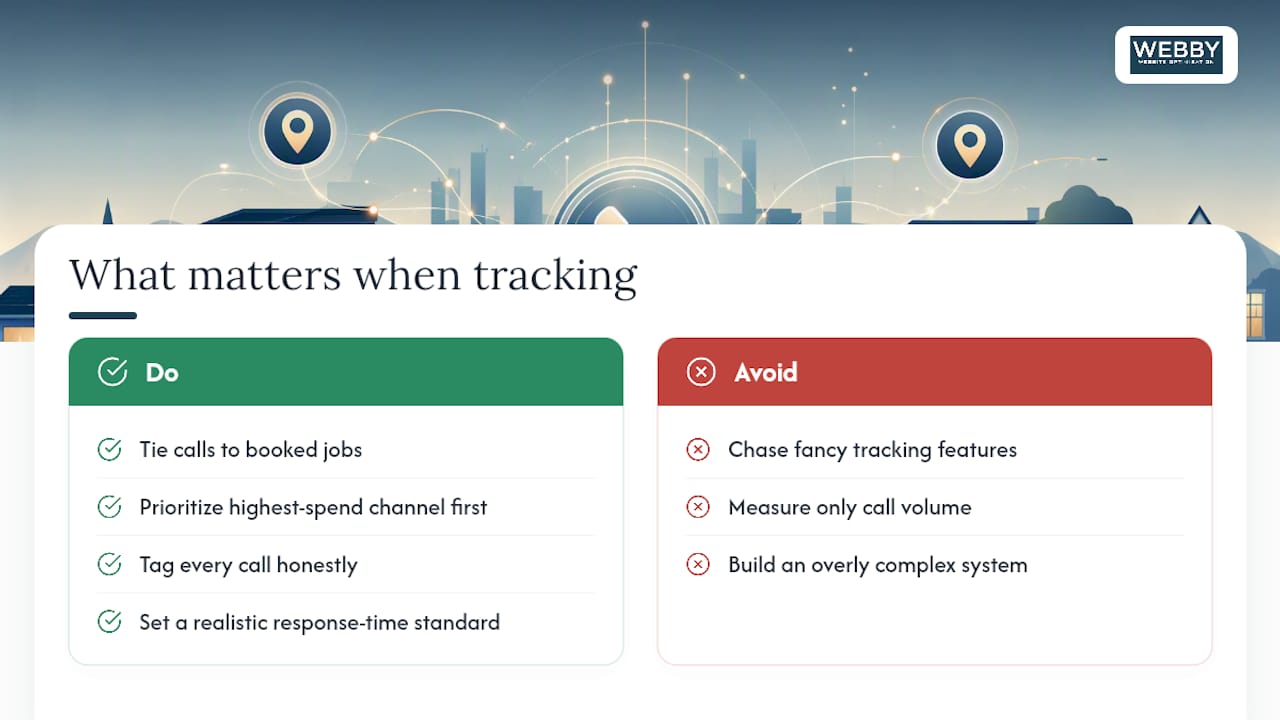
The businesses that get real value from call tracking aren’t the ones with the fanciest setup. They’re the ones who tie calls to booked jobs, not just call volume, and who build a system light enough that someone actually keeps it updated six months from now.
Start with the channel driving the most spend, tag every call honestly, and set a response-time standard your staff actually follows. Everything else is optimization on top of a foundation that either holds or doesn’t.
— Steve Doig
Get SEO-Safe Call Tracking Set Up Without the DIY Guesswork
Webby Website Optimisation handles the parts of this setup most owners get stuck on: installing DNI correctly on your own website without breaking your NAP consistency, wiring the tracking data into GA4 and your CRM, and building the monthly reporting that shows which campaigns actually produce booked jobs, not just ringing phones.

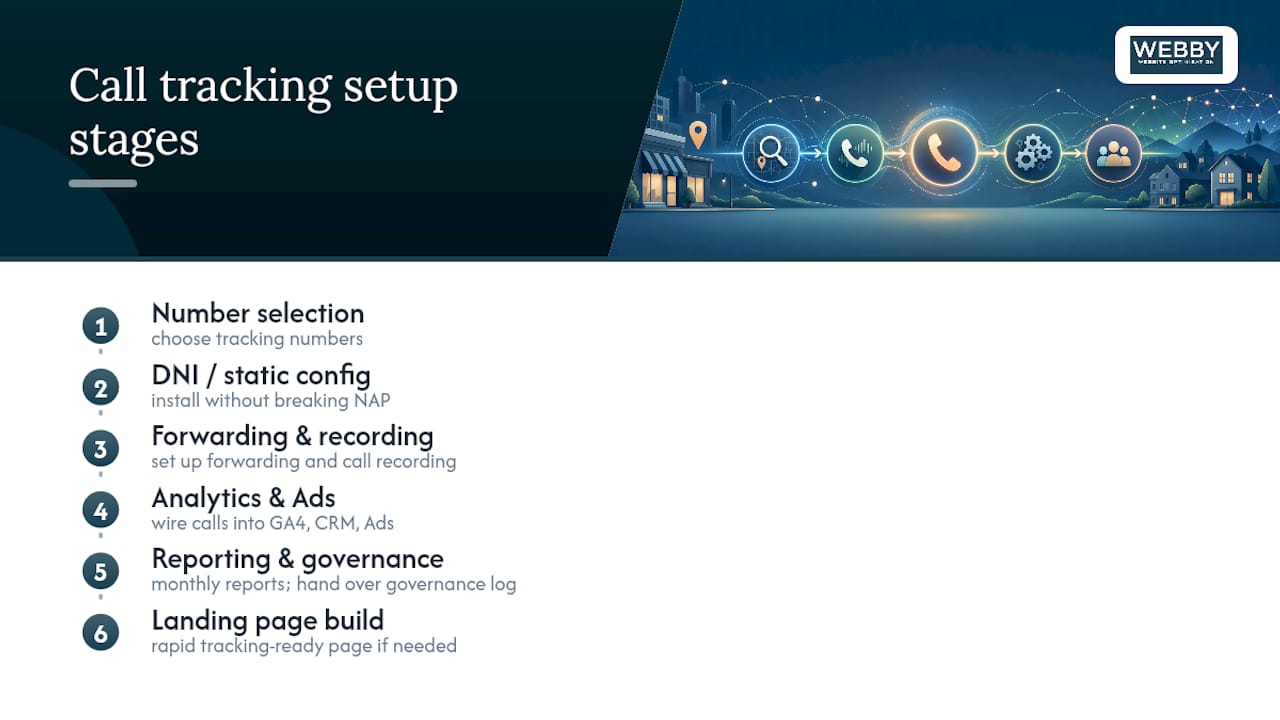
A typical engagement covers number selection, DNI or static-number configuration, forwarding and recording setup, analytics integration, and a governance log handed over so you can maintain it yourself. For businesses running paid search alongside call tracking, pairing it with disciplined Google Ads management sharpens the whole feedback loop, since qualified-call data only helps your bidding once it’s actually flowing back into the account.
If your current site can’t support a script install or plugin without a rebuild, Webby’s rapid website build service can get a tracking-ready landing page live fast. Reach out for a free audit and Webby will map out exactly what your setup needs before you spend a dollar on numbers or platforms.
Sources
For structured-data guidance on keeping your business listings consistent, see schema.org’s LocalBusiness reference. For GBP-specific listing hygiene, Webby’s guide on getting found on Google Maps covers the NAP fundamentals this article builds on, and the Google Business Profile explainer breaks down what GBP Insights can and can’t tell you about your calls.
- Schema
- Call tracking for local businesses: How to set it up and why you should – BrightLocal
- How to Set Up Call Tracking for Local Businesses (2026)
- Call Tracking Setup for Local SEO – Bipper Media
Recommended
- Fix Listings First: Build Local Citations for Australian Businesses
- Local SEO for Small Business: Boost Your Rankings
If this post raised some questions feel free to ask me a question