
A site migration loses rankings when the old URLs stop working and nobody tells Google where the content went. Do the work in order and most of that loss is avoidable. Benchmark the old site, map every important URL, test on staging, redirect permanently, launch, then watch Search Console closely. This checklist covers each stage, and it doubles as a pre-launch SEO checklist for a brand new site.
It is written for owners and managers of local service businesses in Australia who are about to redesign, change platform, switch domain or change hosting. You don’t need to be technical to run the project. You do need to know what to ask your developer for.
TL;DR
- Rankings drop after a move mainly because of poor execution: missing redirects, blocked pages, and changed content or URLs with no mapping.
- Before anything changes, crawl the old site and record traffic, rankings and your top landing pages. You can’t prove a loss without a baseline.
- Map every valuable old URL one-to-one to its closest new page, then use permanent server-side redirects, with no chains.
- Remove staging blocks, submit the new sitemap, and check Search Console daily for the first two weeks.
- Keep redirects live for at least 180 days. A year is safer for a small business with few backlinks to lose.
Table of Contents
- What counts as a site migration
- Stage 1: Plan and set a baseline
- Stage 2: Decide what stays, what merges, what goes
- Stage 3: Build the URL map
- Stage 4: Build and test on staging
- Stage 5: Launch day checklist
- Stage 6: Monitor after launch
- The mistakes we see most often
- Our perspective: migrations are won before the build starts
- Get a second pair of eyes before you launch
- FAQ
- Sources
What counts as a site migration
Not every website project is a migration in the SEO sense. The risk depends on what changes.
| Type of change | Typical SEO risk | What you must do |
|---|---|---|
| New design, same URLs and content | Low to medium | Check templates, titles, headings, speed |
| Platform or CMS change (for example to WordPress) | Medium to high | URL mapping, redirects, metadata carried over |
| URL structure change | High | Full redirect map, sitemap resubmission |
| HTTP to HTTPS | Medium | Sitewide redirects, updated canonicals |
| Domain change | High | Redirects plus the Change of Address tool |
| Hosting move, nothing else changes | Low if done well | DNS planning, speed and uptime checks |
Google’s own documentation on site moves with URL changes treats URL changes as the situation that needs a deliberate plan. If your URLs stay identical, your job is mostly quality control. If they change, the rest of this checklist becomes essential.
Stage 1: Plan and set a baseline
The most common mistake is starting the build before anyone has recorded how the current site performs. A strong benchmark of where the site stands is exactly what you will need after launch, when someone asks whether traffic fell.
- Write down the goal and the date. Redesign, rebrand, new platform? Avoid launching in your busiest season. A plumber, electrician or air-conditioning business should not go live the week before summer demand peaks.
- Name one owner. One person signs off the go-live, and the developer, the designer and whoever writes content all report to them.
- Crawl the current site. Export every URL with its status code, title, meta description, H1, canonical and indexability. This crawl is your map of what exists.
- Export performance data. From Google Search Console, download queries, pages, clicks and impressions for the last 12 to 16 months. From Google Analytics 4, export organic sessions and conversions by landing page.
- Record rankings for your money terms. For a Perth business that usually means the service plus suburb or city phrases, for example the ones your customers use to find you in Fremantle or Melville.
- List your backlinks. Note which pages attract links from other sites, directories and local press. Those pages must not disappear.
- Record your Google Business Profile details. Confirm your name, address, phone and website URL match what the new site will show.
If you track form submissions and phone clicks, check they are working before the move. Our walkthrough on conversion tracking with Google Tag Manager and GA4 covers setting that up so you don’t lose lead data during the switch.
Stage 2: Decide what stays, what merges, what goes
A migration is the best time to tidy content, but deleting pages carelessly is how businesses lose their best traffic.
Sort every URL from the crawl into one of four groups:
- Keep as is. Pages that rank, convert or attract links.
- Improve. Pages with impressions but weak clicks or thin content.
- Merge. Near-duplicate pages, such as ten almost identical suburb pages, folded into one stronger page. If you run location pages, read our guide to auditing service area pages to avoid doorway penalties before you decide what to merge.
- Retire. Pages with no traffic, no links and no purpose.
Retired pages still need a decision. If a close equivalent exists, redirect there. If nothing relevant exists, a clean 404 or 410 is more honest than redirecting everything to the homepage.
Plan the content carried across, too. Titles, meta descriptions, headings, body copy, image alt text and structured data that earn clicks today should move with the page unless you are deliberately improving them. A new design that swaps your keyword-rich headings for clever slogans can cost rankings with no technical error at all.
Stage 3: Build the URL map
The URL map is a spreadsheet with two main columns: old URL and new URL. It is the single most valuable document in the project.
- Include every indexable URL from the crawl, plus any URL that appears in Search Console, Analytics or your backlink list.
- Map each old URL to the most relevant new page, not to the homepage.
- Map directly to the final destination. Google advises against redirect chains and recommends keeping the path short, so A should go straight to C, never A to B to C.
- Keep parameters, trailing slashes and uppercase variants in mind. Decide on one version and redirect the rest.
- Mark priority: the top 20 landing pages by clicks and links get tested individually after launch.
For a typical local service site of 30 to 150 pages, this is a few hours of careful work. It is cheap compared with the weeks of recovery after a mistake.
Stage 4: Build and test on staging
Staging is a private copy of the new site. Treat it as a rehearsal. The SEO Handbook go-live checklist recommends running the checks on staging first to catch issues before they reach production, then repeating the live checks after launch. We agree.
On staging, check:
- Crawl it. The new site should have close to zero errors. Hand any inherited issues to the developer before launch.
- Titles, descriptions, H1s. Compare against the old crawl. Anything lost should be a deliberate choice.
- Internal links. They should point to final new URLs, not to URLs that will redirect.
- Canonical tags. Each page should point to itself on the production domain, not to the staging address.
- Mobile layout and speed. Test on a real phone over mobile data. Slow templates cost both rankings and enquiries.
- Structured data and forms. Confirm local business markup, contact forms and call buttons still work.
- Redirect rules. Test a sample of the redirect map on staging if the server allows.
Keep staging out of Google with password protection. A noindex tag alone is easy to forget, which brings us to the most common launch-day failure.
Stage 5: Launch day checklist
Pick a quieter period for the switch. Make sure someone can fix problems quickly, and don’t launch on a Friday afternoon if nobody will be watching over the weekend.
- Back up the old site and database. Keep it somewhere you can restore from.
- Remove the staging block. Delete any site-wide noindex tag and any Disallow rule in robots.txt that was protecting staging. Forgetting this is a classic way to disappear from Google.
- Switch on the redirects. Use permanent server-side redirects (301 or 308). Google explains in its site move documentation that you should send visitors and crawlers from old URLs to new ones permanently. Temporary 302s can leave the old URL in results.
- Test the top 20 URLs by hand. Each old address should land on its mapped page in one hop with a 200 status.
- Check robots.txt and the XML sitemap. The sitemap should list only live, indexable, canonical production URLs.
- Confirm HTTPS and that the version without www (or with it) redirects to your chosen one.
- Install analytics and tag manager and run a test conversion.
- Verify Search Console for the new property, and submit the new sitemap.
- Update external profiles. Google Business Profile, social profiles, email signatures, directories and paid ad destination URLs.
If you also run Google or Microsoft Ads, check that ad final URLs don’t point to pages that now redirect or error. Paid traffic hitting a 404 is money wasted within hours.
If you are changing domains
A domain change adds one extra step. Google’s Change of Address tool is for moving from one domain or subdomain to another, and it tells Google about the change so it can migrate your search signals. It does not replace redirects. Set up the server-side redirects for your pages first, then use the tool in Search Console.
Stage 6: Monitor after launch
Expect some movement. Google’s documentation notes that a move involving URL changes takes time as pages are recrawled and processed, and the larger the site, the longer it can take. Don’t panic over a wobble in week one, but don’t ignore real signals either.
Days 1 to 7
- Check Search Console’s Pages report for spikes in “Not found”, “Blocked by robots.txt” or “Excluded by noindex”.
- Re-crawl the live site and compare against the old crawl.
- Review the Crawl stats report for server errors and slow responses.
- Look in Analytics for landing pages that suddenly show zero sessions.
Weeks 2 to 6
- Compare clicks and impressions for your priority pages with the baseline you exported.
- Re-check rankings for your key service and location terms.
- Fix any 404s that still receive traffic or links by adding the missing redirect.
- Ask a few customers to try the contact form and phone link. Real-world testing finds what tools miss.
Months 2 to 12
- Keep the redirects. Google’s guidance is to leave them in place for at least 180 days. Because inbound links from other sites take a long time to update, we recommend one year for most small businesses, and longer for URLs that still collect links.
- Update your own links to the final URLs wherever you control them.
The mistakes we see most often
- Redirecting everything to the homepage. It is quick, but it discards the relevance of individual pages.
- Launching with the staging noindex still on. Rankings vanish within days.
- Changing URLs for no reason. If the old structure was fine, keep it.
- Dropping pages that earned links. Check the backlink list before retiring anything.
- Redirect chains from earlier migrations. Old redirects stacked on new ones create hops. Flatten them.
- No baseline. Without before data, you cannot tell a normal dip from a real problem.
- Treating launch as the finish line. The monitoring weeks are where recoveries are won.
For agencies and in-house teams running larger programs, professional services site migration planning is another angle worth reading on how to structure the project and stakeholder sign-off.
Our perspective: migrations are won before the build starts
We build and optimise WordPress sites for local service businesses around Perth, Fremantle and Melville, and the pattern is consistent. Owners rarely lose traffic because Google “punished” a new site. They lose it because a redesign was treated as a design job, and the SEO questions were asked after the site was already built.
Our view is simple. Start with what is already working: the pages that bring in calls and quote requests. Protect those first, then improve everything else. A beautiful site that loses its top five landing pages is a worse site for your business, whatever it looks like.
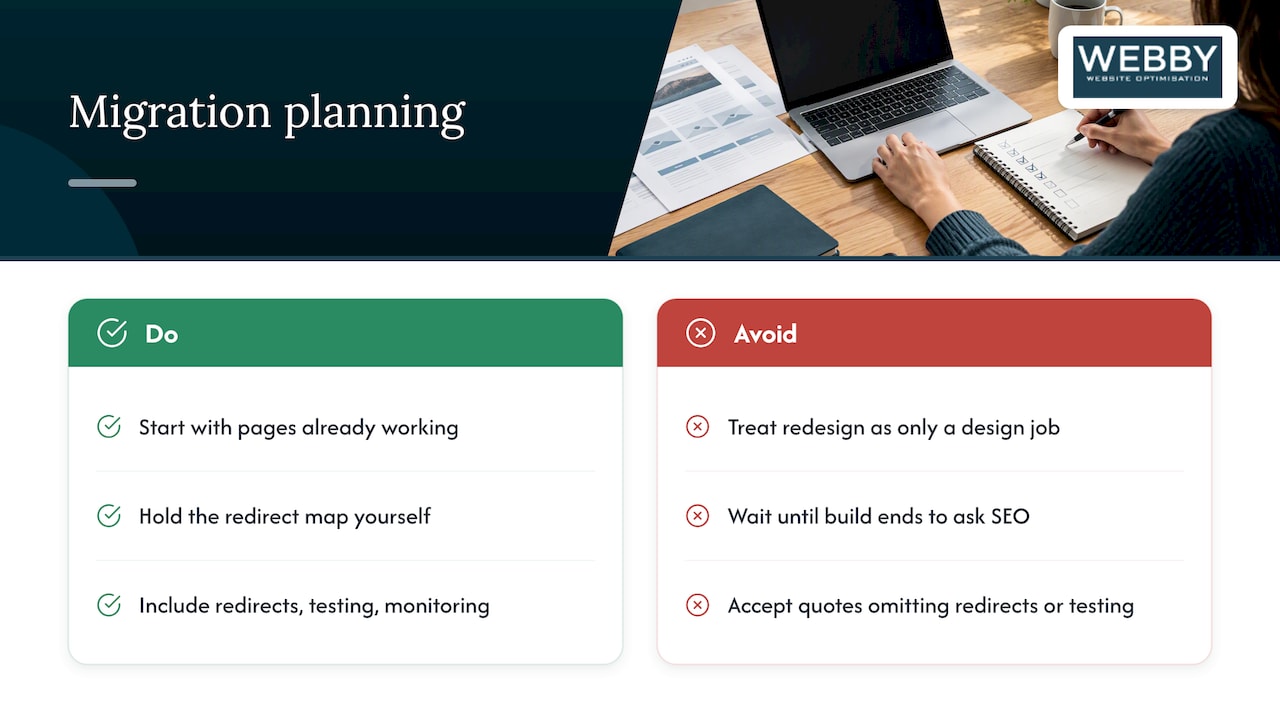
We also think owners should hold the redirect map themselves. You don’t need to read the code, but you should be able to open the spreadsheet and see where your best pages are going. That one document makes your developer accountable and makes problems easy to diagnose later.
And be wary of any quote that includes a new site but no line for redirects, testing or post-launch monitoring. Those are not extras. They are the migration.
— Steve Doig
Get a second pair of eyes before you launch
If you want an expert to check your plan before the switch, our Website Audit is a one-off 1250 AUD review of how your current site performs, so you know what to protect. If you are ready to improve the site as well, the Business Website Optimisation Campaign is a one-off 3125 AUD project. If you need a fast new site, see Website Built in a Day at 750 AUD one-off. You can also read more of our site migration articles or learn how search engine optimisation fits around a new build.
FAQ
How long does it take to recover rankings after a site migration?
It depends on the size of the site, how many URLs changed and how fast your server responds. Google says moves with URL changes need time while pages are recrawled, so expect fluctuation for several weeks on a small or medium site. A clean redirect map and a submitted sitemap are the best way to shorten it.
Do I need a pre-launch SEO checklist for a brand new site?
Yes, a cut-down one. With no old URLs there are no redirects to map, but you still need to remove staging blocks, set canonicals and sitemaps on the production domain, install analytics and verify Search Console. The launch-day stage above covers those items.
How long should I keep 301 redirects?
Google recommends keeping them for at least 180 days. We suggest a full year in practice, because external sites and directories take time to update their links. If an old URL still receives visits or links after that, keep its redirect.
Should I use the Change of Address tool for a redesign?
No. It is only for moving from one domain or subdomain to another. If your domain stays the same, you need redirects for any changed URLs, but not the tool.
Can I migrate my website myself?
A small brochure site with unchanged URLs is manageable if you follow a checklist like this one. Anything with changed URLs, a platform switch or many pages is safer with a specialist, because mistakes cost leads before you notice them.