

A digital presence audit is a structured review of every place your business shows up online, scored and ranked into a prioritized list of fixes tied to measurable KPIs. Run one and you walk away with a handful of concrete outputs: a prioritized recommendations list, a KPI baseline pulled from tools like Google Search Console and Google Business Profile, a quick-win list you can act on this week, and an audit scorecard showing where you stand against competitors.
Timing depends on scope. A quick scan using free tools like PageSpeed Insights takes a few days. A full audit covering website, SEO, paid ads, social, and reputation runs 2 to 4 weeks depending on how many channels you’re active on.
- Prioritized fix list ranked by impact and effort
- KPI baseline (traffic, conversion rate, cost per lead)
- Quick-win checklist you can implement immediately
- Audit scorecard for tracking progress over time
Key Takeaways
A digital presence audit works because it converts scattered guesses about website and marketing performance into a ranked, measurable action plan.
| Point | Details |
|---|---|
| Definition | An audit reviews website, SEO, social, listings, and paid media, then ranks fixes by impact and effort. |
| Core deliverables | Expect a prioritized fix list, KPI baseline, quick-win checklist, and audit scorecard. |
| Timeline varies by scope | Quick scans take days; full small-business audits run 1 to 3 weeks. |
| Prioritize impact over effort | Score fixes 1 to 5 on both dimensions and work down the ranked list. |
| Outsourcing option | Webby Website Optimisation runs focused audits and fast website fixes for local service businesses that want expert prioritization. |
Table of Contents
- What Does a Digital Presence Audit Cover?
- When Should You Run a Digital Presence Audit?
- How Do You Perform a Digital Presence Audit?
- What Tools Do You Need to Run the Audit?
- What Should the Audit Report Include?
- How Long Does an Audit Take and What Does It Cost?
- How Do You Prioritize Fixes After an Audit?
- Do Small Fixes Really Move the Needle?
- What’s the Right Way to Act on Audit Findings?
- Should You Outsource the Audit to a Professional?
- Frequently Asked Questions
- Sources
What Does a Digital Presence Audit Cover?
A proper audit touches every channel where a customer might encounter your business, not just your homepage. The idea is a systematic, data-driven review of the whole picture, so you catch problems that live in the gaps between channels.
- Website technical and UX: page speed, mobile usability, broken links, checkout or contact-form friction.
- SEO (technical and on-page): crawlability, title tags, keyword targeting, internal linking.
- Content: relevance, freshness, and whether it actually answers the questions customers search for.
- Local listings and Google Business Profile: accuracy of hours, categories, and service areas.
- Social profiles: consistency of branding and whether the channel matches where your customers actually spend time.
- Paid media: wasted spend, poor targeting, weak landing page match.
- Analytics and tracking: whether conversions are actually being recorded correctly.
- Reviews and reputation: volume, recency, and response rate.
- AI and answer-surface visibility: whether tools like ChatGPT or Google’s AI Overviews can find and cite your business.
- Backlinks and authority: the quality of sites linking back to you.
Pro Tip: If you’re strapped for time, start with website performance, your Google Business Profile, and analytics tracking. Those three areas usually account for the biggest share of lost leads.
When Should You Run a Digital Presence Audit?
Certain moments make an audit almost mandatory rather than optional. A website redesign, a sudden drop in lead volume, or a spike in cost per lead are all signals something in the system broke and nobody noticed yet. Inconsistent business listings across directories, an upcoming seasonal campaign, or a string of bad reviews are equally good triggers.
- Before or after a major website launch or redesign
- When lead volume drops or cost per lead climbs
- When your business name, address, or phone number is inconsistent across listings
- Before a big seasonal campaign or ad push
- After a reputation event like a cluster of negative reviews.
The payoff shows up fastest in wasted spend. Small, targeted fixes like optimizing a single landing page or claiming a Google Business Profile can produce measurable gains in leads without touching the rest of the site. An audit also gives you a KPI baseline, so six months from now you can actually prove what worked instead of guessing.
How Do You Perform a Digital Presence Audit?
Here’s a workable 10-step sequence you can run yourself or hand to an agency as a brief.
- Set goals and scope. Decide which channels matter most to your business right now. Output: a one-page audit brief.
- Pull baseline data. Export traffic, conversion, and ranking data from Google Search Console and GA4. Output: a KPI baseline spreadsheet.
- Check technical website health. Run Lighthouse or PageSpeed Insights for speed and mobile issues. Output: a technical issue list ranked by severity.
- Review on-page SEO. Check title tags, headers, and keyword targeting on your top ten pages. Output: an on-page fix list.
- Audit content quality. Flag outdated, thin, or duplicate pages. Output: a content gap list.
- Check local listings and Google Business Profile. Verify NAP consistency and categories across directories. Output: a listings correction sheet.
- Review social profiles. Compare posting frequency and engagement against your goals, following the structured approach HBR outlines for social audits. Output: a channel-by-channel scorecard.
- Audit paid media. Check for wasted spend, weak ad-to-landing-page match, and missing conversion tracking. Output: a paid media efficiency report.
- Validate analytics and tracking. Confirm goals and events fire correctly. Output: a tracking audit log.
- Synthesize and prioritize. Score every finding on impact and effort, then rank them. Output: the final prioritized action plan.
Scoring is simple: rate each fix 1 to 5 on impact and 1 to 5 on effort, then divide impact by effort. A landing page with a 4-second load time scores high impact, medium effort, which puts fixing page speed near the top of most small-business priority lists.
What Tools Do You Need to Run the Audit?
You don’t need an expensive stack to get real answers, though a few paid tools speed up deeper audits.
- SEO and crawl: Google Search Console (free, best for indexing and search performance); Screaming Frog (free up to 500 URLs, paid beyond that, best for site-wide technical crawls).
- Performance: PageSpeed Insights and Lighthouse (both free, best for a quick speed and mobile scan).
- Analytics: GA4 (free, essential for conversion and traffic validation).
- Local listings: Google Business Profile dashboard (free) and BrightLocal (paid, best for multi-location listing audits).
- Competitive and backlink analysis: Semrush or Ahrefs (paid, best for deep authority and gap analysis).
- AI visibility: manually query ChatGPT and Google AI Overviews with your key search terms to see if your business gets cited, a step now considered part of a modern audit.
What Should the Audit Report Include?
A useful report reads like a decision document, not a data dump. It should give you an executive summary, prioritized recommendations tied to measurable outcomes, and a technical appendix with raw exports and tag inventories for anyone who wants to dig deeper.
- Executive summary in plain language for non-technical stakeholders
- Prioritized recommendations ranked by impact and effort
- KPI baseline and target numbers for each metric
- Quick-win implementation plan with owners and deadlines
- Technical appendix with tracking and tag inventory
- Raw data exports for future comparison
A good KPI list maps directly to channels: organic traffic and impressions for SEO, click-through rate for paid and organic listings, conversion rate for the website, cost per lead for paid media, and average review rating for reputation. Presenting this with before/after screenshots and a one-page summary makes it far easier to get buy-in from a business partner who doesn’t read spreadsheets for fun.
How Long Does an Audit Take and What Does It Cost?
Timelines scale with scope, and cost follows the same curve. A quick scan can run a few days. A full small-business audit generally takes one to several weeks. An enterprise-level review, closer to the kind of governance-driven process outlined in frameworks like the NSW Digital Assurance Framework, can take 4 weeks or longer.
Cost ranges depend heavily on who does the work. DIY costs little cash but eats your time. A freelancer typically charges a modest fixed fee. An agency runs mid to high on a fixed-fee or retainer basis, usually justified by the ability to synthesize findings across channels fast.
- Hire outside help if you lack internal capacity to run cross-channel analysis
- Hire outside help if revenue impact is urgent and you can’t afford a slow DIY process
- DIY is fine if your presence is simple: one website, one or two channels, low ad spend
How Do You Prioritize Fixes After an Audit?
Score every finding on impact (1 to 5) and effort (1 to 5), divide impact by effort, and work down the list starting with the highest score. This keeps you from spending three weeks on a rebuild when a single settings change would move the needle faster.
- Claim and fully verify your Google Business Profile
- Fix load time on your highest-traffic landing page
- Repair broken calls-to-action or contact forms
- Recover missing analytics events so conversions actually get counted
- Rewrite title tags and meta descriptions on your highest-intent pages
Pro Tip: Measure uplift with a simple before-and-after KPI snapshot rather than a formal A/B test. Give each fix a 30 to 60 day window before judging the result.
Do Small Fixes Really Move the Needle?
Yes, and the evidence for this is fairly consistent across agency case studies. Targeted work like speeding up a landing page or claiming a Google Business Profile tends to show measurable movement in leads within 30 to 60 days, without a full rebuild.
- Set a baseline before touching anything
- Implement the fix
- Check results at the 30 and 60 day marks against the baseline
If you’re vetting an agency, ask this one question directly: “How will you measure and report lift for each recommended fix?” A vague answer is a red flag.
What’s the Right Way to Act on Audit Findings?
Treat the audit as a starting point, not a verdict. The highest-impact fixes almost always come first: page speed, Google Business Profile accuracy, and broken tracking, since these touch every visitor regardless of channel. Build a 90-day plan around the top ten items and resist the urge to greenlight a full website rebuild before you’ve tested whether smaller changes solve the problem. Track your KPI baseline weekly for the first month, then monthly after that.

Should You Outsource the Audit to a Professional?
Plenty of business owners run the DIY version above and get real value from it. But a paid audit typically goes further: cross-channel data pulls that connect paid, organic, and social into one picture, a prioritized roadmap with implementation support attached, and proper tracking configuration so you’re not guessing at KPIs six months from now.

Before hiring anyone, ask two questions: how they’ll measure and report lift on each recommendation, and whether they can show a sample deliverable from a past audit. Vague answers on either front are worth walking away from.
Webby Website Optimisation runs audits specifically for local service businesses that don’t have an in-house marketing team to chase down ten different tools and stitch the findings together. If you’d rather not DIY the whole process, a focused audit can fast-track the fixes that matter most, whether that means a full website design and development project or a fast landing page turnaround through Website Built in a Day if you need something live now. Get in touch and find out what a prioritized fix list would look like for your business.
Frequently Asked Questions
What is a digital presence audit in simple terms?
It’s a systematic check of every online channel your business uses, website, SEO, social, listings, and ads, that ends with a ranked list of fixes tied to measurable KPIs rather than a vague impressions report.
How much does a digital presence audit cost?
Costs vary widely based on scope. DIY costs mainly your time, a freelancer typically charges a modest fixed fee, and an agency audit runs mid to high depending on how many channels you need covered.
How often should a business run a digital presence audit?
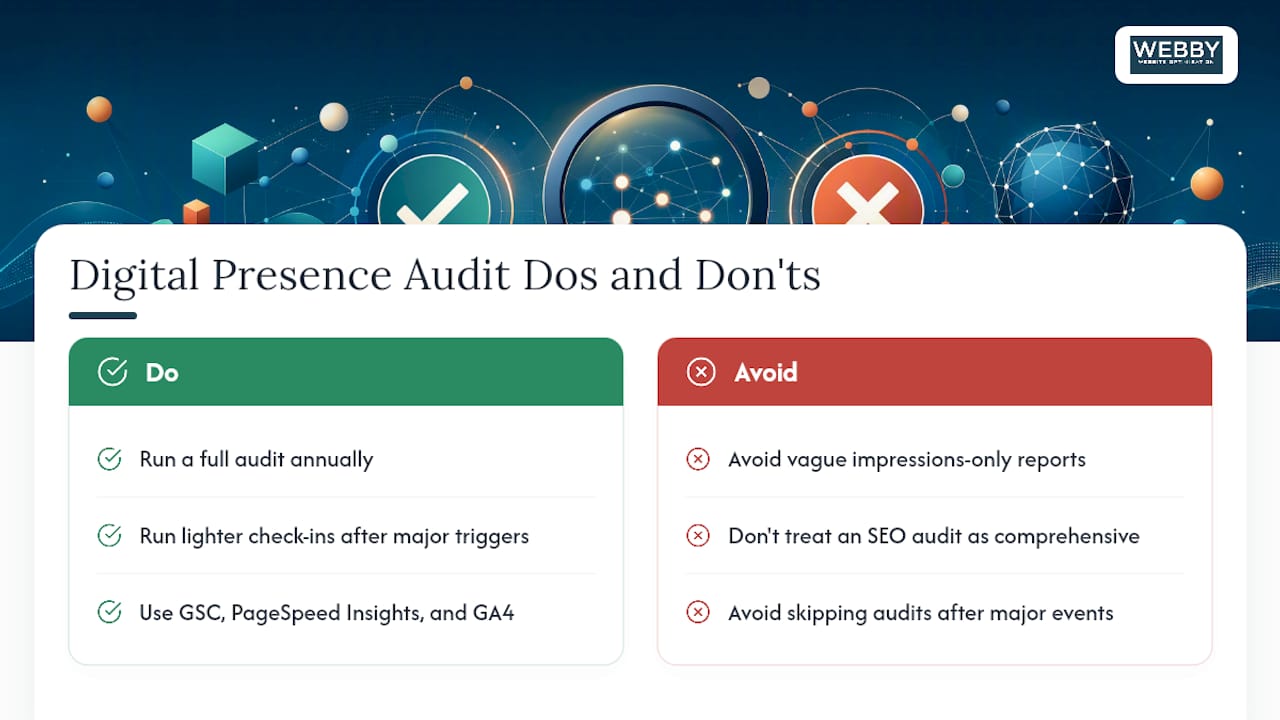
Most small businesses benefit from a full audit annually, with lighter check-ins after major triggers like a website redesign, a lead volume drop, or a reputation event.
Can I do a digital presence audit myself?
Yes, especially if your presence is simple: one website and a couple of active channels. Tools like Google Search Console, PageSpeed Insights, and GA4 cover most of the basics for free.
What’s the difference between an SEO audit and a digital presence audit?
An SEO audit looks only at search rankings and technical site health. A digital presence audit is broader, covering SEO plus social, paid ads, listings, reviews, and increasingly AI visibility.
Sources
- Auditing Your Online Marketing Presence
- Digital Marketing Audit: How to Run One (+ Framework)
- Online Presence Audit Checklist: SEO, AI Visibility & Social Proof | SavageAudit
- Conducting a social-media audit
Recommended
- 6 Simple Ways to Revamp Your SMB’s Online Presence for Better Visibility – Webby Website Optimisation
- Top 10 Common Local SEO Audit Findings and How to Fix Them
If this post raised some questions feel free to ask me a question