
Think of your WordPress website less like a static digital brochure and more like the engine driving your business forward. Just like a car needs regular oil changes and tune-ups to stay reliable on the road, your website needs consistent care to perform at its peak.
This ongoing attention is what WordPress maintenance services are all about.
What Are WordPress Maintenance Services?
In short, these services are your website's expert pit crew. They handle all the crucial, behind-the-scenes tasks that keep your site secure, fast, and functioning correctly. It's not about reacting when something breaks; it’s a proactive strategy designed to prevent problems before they ever start.
The main goal is simple: to maintain your website's overall health through a consistent schedule of essential technical jobs.
Need expert help? Hire us to fix your broken website.
The Foundation of a Healthy Website
At its core, a good maintenance plan takes care of all the technical housekeeping that most business owners simply don't have the time or deep expertise to manage themselves. We're not talking about adding new blog posts or changing product images here. This is the nitty-gritty work that keeps the entire platform stable and secure.
Typically, this includes a few non-negotiable components:
- Regular Software Updates: Keeping the WordPress core, themes, and plugins constantly updated is your first line of defence. This patches security holes and ensures everything plays nicely together.
- Consistent Backups: This is your safety net. Regular, secure copies of your website files and database are created, so if the worst happens, you can restore everything in a flash.
- Security Monitoring: Think of this as a 24/7 security guard for your site. It involves proactive scanning for malware, blocking suspicious activity, and hardening your site's defences against hackers.
- Performance Optimisation: Nobody likes a slow website. These tasks, like cleaning up your database and compressing images, ensure your site loads lightning-fast for every visitor.
WordPress maintenance brings all these tasks under one roof, often including access to dedicated support services for when you need a helping hand. This comprehensive approach is what separates a thriving online asset from a neglected, vulnerable one. For any Australian business, it's an essential investment.
For a local business, your website is your 24/7 digital storefront. Neglecting its upkeep is like leaving the front door unlocked and the lights off. It damages trust, hurts sales, and invites trouble.
The difference professional oversight makes is staggering. Australian businesses that hand over their WordPress maintenance can cut website downtime by a massive 95% and even boost conversions by as much as 22%.
Here’s a quick look at why this matters so much for your bottom line.
At a Glance: Why Maintenance Matters for Your Business
| Area of Concern | Without Professional Maintenance | With Professional Maintenance |
|---|---|---|
| Security | Vulnerable to hacks, malware, and data breaches. | Proactively secured, monitored 24/7, and quickly patched against threats. |
| Performance | Slow load times, frustrating user experience, poor SEO rankings. | Fast, smooth performance that keeps visitors and search engines happy. |
| Uptime & Reliability | Frequent crashes, error messages, and extended periods of being offline. | Near-perfect uptime, ensuring your site is always available for customers. |
| Business Focus | Wasting your valuable time trying to fix technical problems. | You're free to focus on growing your business, not fighting with your site. |
| Peace of Mind | Constant worry about what could go wrong next. | Confidence that your most important digital asset is in expert hands. |
When you consider that nearly 94% of local Aussie buyers check a company’s website before making a decision, treating it as a ‘set and forget’ project is a huge risk. The numbers show that professional care isn't just a technical expense—it's a direct driver of business growth.
The Core Components of a Great Maintenance Plan
Trying to understand what goes into a professional WordPress maintenance plan is a bit like looking under the bonnet of a well-maintained car. It’s not just one thing; it's a whole system of coordinated tasks designed to keep everything running smoothly, securely, and at peak efficiency. The best plans are always proactive, catching potential problems long before they turn into expensive emergencies.
At its heart, any solid maintenance plan rests on three key pillars: consistent updates, robust security, and top-notch performance. Each one supports the others, creating a stable and reliable foundation for your business's online presence.
This diagram helps visualise how these core pillars support your website's overall health.
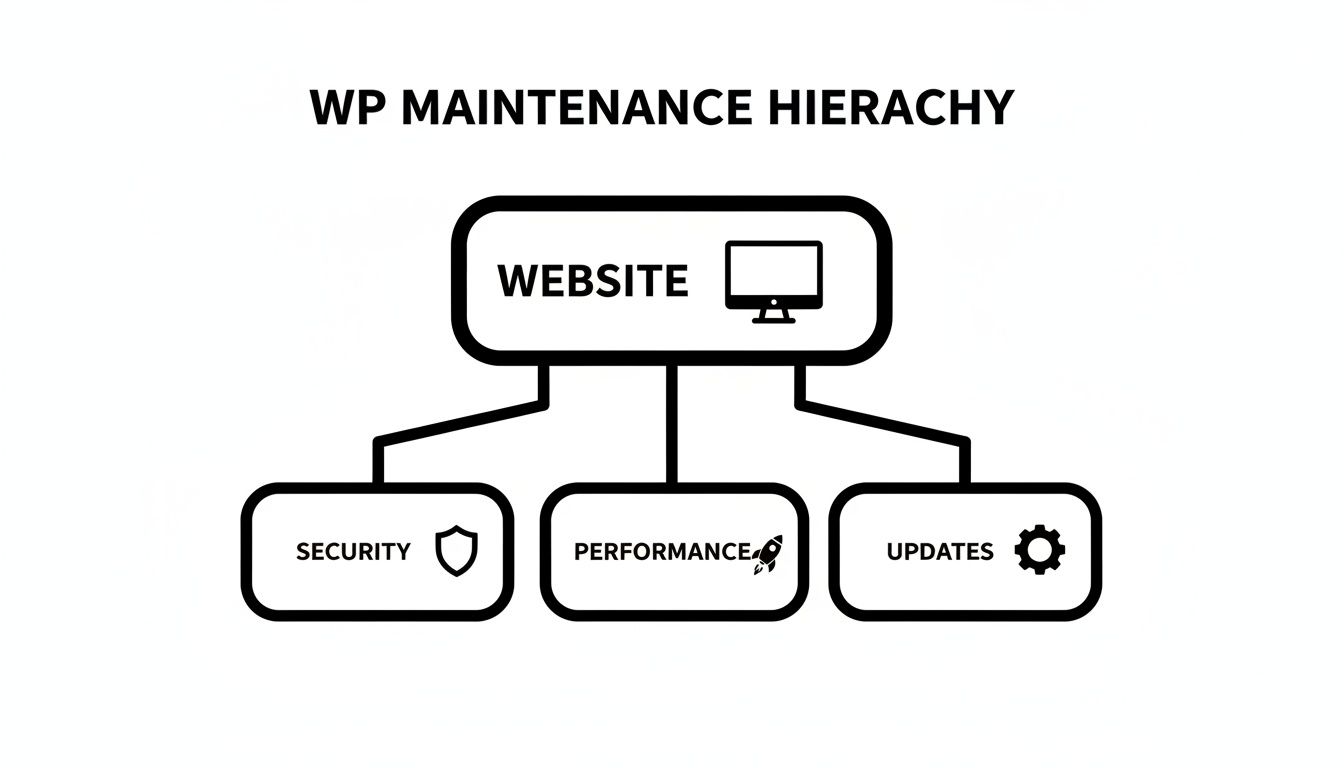
As you can see, security, performance, and updates are the fundamental elements that stop your website from becoming a liability. Let's break down exactly what each of these essential components involves.
Proactive Updates for WordPress Core, Themes, and Plugins
Think of software updates as patching holes in your castle walls. WordPress and its huge ecosystem of themes and plugins are constantly evolving. Developers don't just release updates for new features; more often than not, they're fixing security holes and bugs found since the last version.
Leaving these updates undone is one of the most common ways websites get hacked. Outdated software is practically an open invitation for the automated bots that constantly scour the internet for known weaknesses. A reliable maintenance service takes this entire headache off your hands.
This typically includes:
- WordPress Core Updates: Applying new versions of the WordPress software itself to make sure you have the latest security patches and features.
- Plugin and Theme Updates: Carefully updating all third-party plugins and your site’s theme. These are often the weakest links in a site's security.
- Compatibility Checks: This is a crucial step. A good provider will test that updates don’t cause conflicts or break parts of your site, usually in a safe "staging" environment before applying them to your live website.
By keeping every piece of software up to date, you’re effectively closing the doors that hackers are looking for. It makes your site far more resilient against common attacks.
Lifesaving Offsite Backups
If updates are your shield, then backups are your ultimate insurance policy. No matter how secure a site is, things can still go wrong. A server could fail, a critical file could be accidentally deleted, or a really sophisticated attack might get through. Without a recent backup, you could lose everything.
A professional maintenance plan doesn’t just create backups; it manages them intelligently.
Simply having a backup isn't enough. The real value is in having a reliable, recent, and readily accessible copy of your site stored in a completely separate, secure location. This is what turns a potential catastrophe into a minor inconvenience.
This means your provider will handle regular automated backups of both your website files and your database. Critically, these backups are stored offsite—on a different server, often in the cloud. That way, if your website’s server is ever compromised, your backups remain safe and untouched, ready for a quick restoration.
Constant Security and Performance Monitoring
The final pieces of the puzzle are ongoing vigilance and optimisation. A great maintenance plan isn't a "set and forget" service; it involves actively monitoring your site’s health around the clock.
Security Monitoring involves:
- Malware Scanning: Regularly checking your site's files for any malicious code or suspicious activity.
- Firewall Management: Setting up and managing a web application firewall (WAF) to block hacking attempts before they even reach your site.
- Uptime Monitoring: Getting an instant alert if your site goes down for any reason, which allows for a rapid response to get it back online.
Performance Optimisation is all about making sure your site is fast and responsive, which is vital for both user experience and your Google rankings. This includes tasks like cleaning the database to remove old clutter, compressing images to speed up load times, and implementing caching. For a deeper dive, our guide on The WordPress Best Practices Checklist offers more tips on keeping your site in top shape.
Together, these core components transform website ownership from a source of stress into a secure, high-performing asset that actively supports your business goals.
The Hidden Costs of Neglecting Your Website
It's easy to look at WordPress maintenance services as just another line item on the budget. But that’s missing the point. The real question isn't "What does maintenance cost?" but "What's the true price of doing nothing?" Neglecting your website is a bit like ignoring that little rattle in your car's engine; it might seem fine for a while, but you know a costly breakdown is just around the corner.
For Australian businesses, letting a website fall into disrepair isn't a minor oversight. It leads to very real financial losses and can seriously tarnish your reputation. You’re not just dealing with small glitches; you're risking a slow erosion of customer trust, followed by the sudden, sharp pain of a disaster that was entirely preventable.
The Downward Spiral of Downtime and Lost Revenue
Picture this: it's the peak of the Boxing Day sales, and your Melbourne-based e-commerce store suddenly goes offline. Every single minute your site is down, frustrated customers are clicking over to your competitors. An unmaintained site is a ticking time bomb of plugin conflicts, server errors, and security holes that all lead to one thing: downtime.
The financial hit is immediate and can be brutal. You're not just losing sales during the outage itself. You're also facing emergency call-out fees for a developer to drop everything and fix it, which always cost a premium. We saw this happen to a Sydney firm whose site crashed during Black Friday traffic because of one missed update, slashing their revenue by 22% for that sales period.
Neglect is an invisible debt that accumulates over time. Each missed update and ignored security warning adds interest, and eventually, the bill comes due—often in the form of an emergency that costs far more than proactive care ever would.
The High Price of an Emergency Hack Cleanup
So many of the hidden costs of website neglect boil down to security. Being proactive means mastering website security best practices, not just hoping for the best. Ignoring this is a massive gamble.
In Australia, a staggering 60% of site owners are left vulnerable simply by not keeping their WordPress core updated. When you realise WordPress powers over 62.6% of all websites using a CMS, you start to see the scale of the problem. Skipping those monthly updates exposes your site to the 90,000 cyber attacks that hammer WordPress sites every minute.
When—not if—a hack happens, the cleanup is a stressful and expensive nightmare. The typical scramble involves:
- Emergency diagnosis to figure out how they got in.
- Malware removal from every single file and database table.
- Patching vulnerabilities to stop it from happening again.
- Pleading with search engines to remove the scary security warnings that are killing your traffic.
This emergency recovery can easily run into thousands of dollars, completely dwarfing the annual cost of a proper maintenance plan.
Long-Term Damage to Brand and SEO
The fallout from neglect goes far beyond the immediate financial shock. A slow, buggy, or insecure website slowly chips away at the trust you’ve worked so hard to build.
- Damaged Brand Reputation: When a potential customer sees a "Not Secure" browser warning or finds your site is broken, their confidence evaporates instantly.
- Lost Customer Trust: If your site gets breached and customer data is stolen, the damage to your reputation can be permanent.
- Plummeting SEO Rankings: Google loves fast, secure, and reliable websites. Slow load times and security red flags will sink your search rankings, making it that much harder for new customers to find you.
At the end of the day, professional WordPress maintenance isn't an expense. It's essential risk management. Think of it as the insurance policy that protects your most valuable digital asset from financial and reputational ruin.
How to Choose the Right WordPress Maintenance Provider in Australia
Picking someone to look after your website is a big deal. It’s not just about finding the cheapest quote; you’re handing over a crucial part of your business to someone you need to trust. Think of them as an extension of your own team.
For Australian businesses, this means finding a partner who not only gets the tech side but also understands the local landscape. The wrong choice can lead to frustrating delays with time zones, confusing communication, and a general disconnect. The right one, however, becomes a genuine partner, making sure your site is always secure, fast, and ready to make you money.
So, how do you sort the experts from the amateurs? Let's break it down.
Your Essential Evaluation Checklist
Before you even glance at a price list, you need to do a bit of detective work. A cheap plan is useless if the provider goes MIA the moment your website breaks. This quick checklist will help you create a shortlist of genuine professionals.
To make an informed choice, you need a clear framework for comparing potential partners. We've put together this simple checklist to guide you through the essentials, helping you focus on what truly matters for your Aussie business.
Provider Evaluation Checklist
| Evaluation Criteria | What to Look For | Why It Matters |
|---|---|---|
| Proven WordPress Expertise | A portfolio filled with WordPress sites, case studies, and positive client reviews. Do they specialise? | A jack-of-all-trades won't know the specific security holes and performance tweaks WordPress needs. |
| Local Australian Presence | An actual office or team based in Australia. Check their contact page and business registration. | When your site goes down at 2 PM AEST, you need someone who is awake and ready to help, not just starting their day. |
| Clear, Transparent Plans | Specific, itemised tasks listed in each plan (e.g., weekly plugin updates, daily offsite backups). | Vague promises like "site optimisation" are red flags. You need to know exactly what you're paying for. |
| Proactive Security Measures | Details on their security stack (firewall, malware scanning) and how they prevent hacks, not just clean them up. | A good provider stops problems before they happen, saving you from stressful and costly downtime. |
| Staging Environment for Updates | Confirmation that they test all major updates on a copy of your site (a "staging" site) first. | This is non-negotiable. It stops faulty updates from breaking your live website and costing you customers. |
This process isn't about ticking boxes for the sake of it. It’s about building confidence that the provider you choose has the skills and systems in place to properly protect your investment.
Key Questions to Ask Potential Providers
Once you have a shortlist, it's time to dig a little deeper. The answers to these questions will tell you everything you need to know about their professionalism and how they'll respond under pressure.
1. What’s your support process and what are your guaranteed response times?
You need to know how to get help. Is it a ticketing system, email, phone? More importantly, ask about their Service Level Agreement (SLA). What's their commitment for a critical issue, like your site being completely offline?
2. How do you handle my website backups?
Everyone does backups, but the devil is in the details. Confirm they are automated and, crucially, stored off-site in a totally separate location. If their server gets compromised, you need to know your backup is safe somewhere else.
3. What’s your exact process for updating plugins?
Simply clicking "update" in WordPress is a recipe for disaster. The right answer involves them testing updates on a staging site first. This is a copy of your live site where they can check for any conflicts or bugs before touching your actual website.
4. If my site gets hacked, is the cleanup included?
This is a massive one. Many cheap plans will alert you to a hack but then charge you a huge fee to actually fix it. A proper maintenance plan should include full malware removal and site restoration. No excuses.
5. What is specifically not included in my plan?
This is a clever way to uncover hidden costs. Will they charge you extra for small content changes, installing a new plugin, or a bit of design advice? Knowing the boundaries upfront saves you from surprise invoices down the line.
Getting clear answers is crucial. Often, a maintenance plan is just the starting point. Many businesses soon find they need more than just the basics. If you need ongoing technical help beyond simple upkeep, exploring dedicated WordPress help and support services is the next logical step.
Choosing a provider based on price alone is a false economy. The real value lies in their reliability, expertise, and the proactive care that prevents costly emergencies from ever happening.
Taking the time to make a careful decision here is an investment in your peace of mind. It lets you get back to running your business, confident that your website is in safe hands.
Beyond Maintenance: Growth Services for Your WordPress Site
A well-maintained WordPress site is more than just a protected digital asset. It’s a launchpad, primed and ready for real business growth. While the core tasks of security patches and software updates are absolutely essential, the right WordPress maintenance services partner can take you far beyond basic upkeep to help you hit your biggest commercial goals. They can help transform your website from a passive online brochure into an active, high-performing sales engine.
This is where proactive maintenance lays the groundwork for all your digital marketing. Think about it: a healthy, fast, and secure site is the ideal platform for any campaign. When you’re spending money on Google Ads, content marketing, or social media, you need total confidence that the destination—your website—is fully optimised to turn that expensive traffic into leads and sales.

From Protection to Performance
The best maintenance providers offer value-added services specifically designed to deliver a measurable return on your investment. They draw a straight line from technical website health to tangible business outcomes, making sure every part of your site is actively working to support your growth. This strategic mindset elevates maintenance from a simple insurance policy into a proactive growth strategy.
Key growth-focused services often include:
- Technical SEO: This is all about making sure your site is structured in a way that search engines like Google can easily crawl and understand. It covers optimising site speed, improving mobile-friendliness, and fixing technical errors—all fundamental for climbing higher in search results.
- Conversion Rate Optimisation (CRO): This is the art and science of turning more of your website visitors into actual customers. Through things like A/B testing, user experience (UX) enhancements, and clearer calls-to-action, a good provider can help lift your conversion rates without you having to spend a dollar more on advertising.
- Analytics and Performance Tracking: You can't improve what you don't measure. A growth-focused partner will get tools like Google Analytics 4 set up properly, track key goals, and deliver regular reports that show exactly how your website is contributing to the bottom line.
Optimising the Engine for Better Results
One of the most overlooked areas where maintenance directly fuels growth is database performance. A staggering 80% of Australian WordPress site owners neglect quarterly database optimisation. This often leads to sluggish performance that hurts both user engagement and SEO. An unoptimised database can slow your site down by 30-50%—a delay that’s more than enough to make a potential customer click away.
A fast website isn't a luxury; it's a fundamental requirement for growth. Every millisecond you shave off your load time is a direct investment in a better user experience, higher conversion rates, and improved search engine rankings.
By investing in performance tuning, businesses often see a significant lift in conversions without having to go through a costly redesign. When every click from your marketing campaigns lands on a fast, responsive page, your overall return on ad spend improves dramatically. If your site feels slow or outdated, a full website optimisation service can pinpoint these bottlenecks and turn it into a powerful conversion machine.
Ultimately, by looking at maintenance through a growth lens, you shift the conversation from cost to value. Your provider becomes a strategic partner, ensuring the technical foundation of your site is not just stable, but actively engineered to help you find more customers and grow your revenue.
Your WordPress Maintenance Questions Answered
It's completely normal to have a few questions when you're thinking about getting professional help for your website. For Aussie business owners, getting clear on what's involved with WordPress maintenance services is the key to making a smart decision you feel good about.
Let's dive into some of the most common questions we get asked.
How Much Should I Expect to Pay for WordPress Maintenance in Australia?
There's no single price tag for WordPress maintenance in Australia, as the cost really depends on how big and complex your website is.
For a smaller business site with fairly standard needs, you’ll find plans starting from around $50 to $150 a month. This usually covers all the essentials – things like core WordPress updates, keeping your plugins current, and making sure you have regular backups.
If you’re running a more complex site, especially an e-commerce store with WooCommerce, the price will naturally be higher. You're likely looking at something in the $250 to $1,500+ per month range. These premium plans are more hands-on, including things like performance tune-ups, beefed-up security, dedicated support time for small jobs, and priority service. It helps to see this not as a cost, but as an investment. You're preventing a website disaster that could easily cost you thousands to fix down the track.
Can I Just Do WordPress Maintenance Myself?
Look, you technically can handle your own website maintenance, but for a busy business owner, it’s a risky and often unrealistic path. Doing it right takes a very specific set of skills, constant vigilance, and a chunk of time that most entrepreneurs just don't have to spare.
Proper maintenance is a lot more involved than just hitting the 'update' button. You need to know how to update plugins without accidentally breaking your site, how to check that your backups are actually working and stored safely off-site, and how to properly find and get rid of any malicious code.
For most business owners, the time you'd sink into learning and doing these technical tasks is time stolen from what you do best—running and growing your business. Handing it over to a pro is almost always the more cost-effective choice.
Is Website Maintenance the Same as Web Hosting?
This is a really common mix-up, but they are two completely separate services that need each other to work.
Here’s a simple way to think about it: web hosting is the block of land your website is built on. It’s the server space that keeps your site connected to the internet. Website maintenance is the ongoing upkeep of the house itself—making sure the doors are locked, the plumbing works, and everything is clean and in good repair.
While some hosting companies might throw in some basic, automated updates, a dedicated WordPress maintenance service offers a far more detailed, hands-on, and proactive level of care that’s built specifically around your site.
What Happens if My Site Gets Hacked Under a Maintenance Plan?
Any good maintenance provider will have a clear, documented plan ready to go for this exact situation. In fact, their expert response is one of the main reasons you have a plan in the first place.
If the worst happens, they'll spring into action immediately. The first step is usually to isolate the site to stop any further damage. From there, the team will do a deep clean to remove all the malware, find and fix the security hole that let the hackers in, and then restore your website from the most recent clean backup. The entire goal is to get you back online with minimal downtime, turning a potential catastrophe into a managed hiccup.
Time to Get Serious About Your Website's Health
We've covered a lot of ground in this guide, but it all comes down to one simple truth: professional WordPress maintenance isn't just another business expense—it's a core investment in your success. Think about it. Your website is your most valuable digital asset. It's your 24/7 storefront, your tireless sales team, and the face of your brand. It's time to start treating it that way.
The risks of letting your site slide are very real. We're talking about costly downtime, reputation-shattering security breaches, and sluggish performance that sends potential customers running to your competitors. These aren't just technical glitches; they are serious business problems that hit your bottom line, hard. A neglected website quietly becomes a ticking time bomb.
On the flip side, we've seen what proactive, expert care can do. A secure, fast, and reliable website is the bedrock of growth. It builds trust with your audience, helps you climb the search engine rankings, and makes every dollar you spend on marketing work harder.
Your website’s health is a direct reflection of your brand's professionalism and reliability. Investing in its upkeep is an investment in the trust your customers place in you, ensuring their digital experience is always positive, secure, and seamless.
Taking the Next Step
So, where do you go from here? The path forward starts with a quick, honest look at your website's current state.
- Are all your plugins and themes up to date?
- When was your last successful backup saved somewhere safe (offsite)?
- Are you actively scanning for security threats?
If you're hesitating on any of these, that's a clear signal it's time to bring in a professional.
Partnering with a local Australian expert does more than just protect your digital investment; it actively increases its value over time. It frees you from the technical headaches and stress, letting you get back to what you do best—running your business. Don't wait for a crisis to force your hand. The best time to secure your online future is right now.
Protecting and growing your digital presence is what we do best. The expert team at Webby Website Optimisation offers comprehensive WordPress help, support, and maintenance tailored for Australian businesses. Let us secure and optimise your website today.
Article created using Outrank