
A professional WordPress speed optimisation service is really about one thing: turning your slow, underperforming website into a fast, revenue-driving machine. It's a technical deep-dive, designed to fix the underlying issues that are actively costing you customers and hurting your search engine rankings.
Why a Fast Website Is Your Most Valuable Business Asset
In today's market, speed isn't just a nice-to-have feature; it's the very foundation of your online presence.
Think of your website as your digital storefront. If the doors are sticky and slow to open, potential customers won't hang around—they’ll just head next door to your competitor. This isn’t hyperbole; it's just how people behave online now.
Every single second your site takes to load directly increases the chance a visitor will "bounce" and leave. This impatience is even more obvious on mobile, where a clunky experience causes instant frustration and a lost opportunity. For Australian businesses, this is a critical problem that hits the bottom line hard.
The True Cost of a Slow Website
A sluggish website does more than just annoy visitors. It actively damages your business in a few critical ways:
- Lost Conversions: A slow checkout or an unresponsive product page is a surefire way to get people to abandon their carts, costing you direct sales.
- Damaged Brand Perception: Speed signals professionalism and reliability. A slow site can make your brand seem amateurish or untrustworthy.
- Lower Search Engine Rankings: Google's algorithm rewards websites that provide a great user experience, and site speed is a massive part of that.
A slow website is more than an inconvenience; it's a silent conversion killer. Improving your site's speed is one of the highest-impact investments you can make to boost user satisfaction, search visibility, and ultimately, your revenue.
Understanding Google's Core Web Vitals
To put a number on what a "good experience" looks like, Google introduced Core Web Vitals. These aren't just technical terms; they're the real-world benchmarks Google uses to judge your site's health. They measure how quickly your page loads, how soon someone can actually click on something, and whether the layout jumps around unexpectedly.
Failing to meet these standards is like telling Google your site offers a poor experience, which can seriously harm how visible you are in search results. It's why so many Australian businesses are now focused on technical SEO. Users expect pages to load in under two seconds, especially on mobile where over 58.99% of web traffic now comes from.
Ultimately, a fast, responsive website is essential for turning casual visitors into loyal customers. When you invest in a professional WordPress speed optimisation service, you're not just fixing a technical glitch—you're building a stronger, more profitable business. For more strategies on this, check out our guide on how to improve the conversion rate of your web pages.
What a WordPress Speed Optimisation Service Actually Delivers
So, what do you actually get when you pay for a WordPress speed optimisation service? It’s much more than just a vague promise of a "faster site." Think of it like taking your car to a high-performance mechanic instead of just a car wash. They’re not just polishing the exterior; they’re getting under the bonnet to tune the engine, refine the fuel system, and ensure every component works in perfect harmony to deliver maximum power.
That's precisely what an expert does for your website. It's a deep, systematic overhaul designed to make your site feel incredibly responsive to visitors. This isn't about slapping on a single plugin and calling it a day. Instead, it’s a series of deliberate, technical improvements that work together, creating a snowball effect that results in a massive leap in performance.
A slow website has real business consequences, creating a domino effect that leads to frustrated visitors, lost sales, and poor search engine rankings.
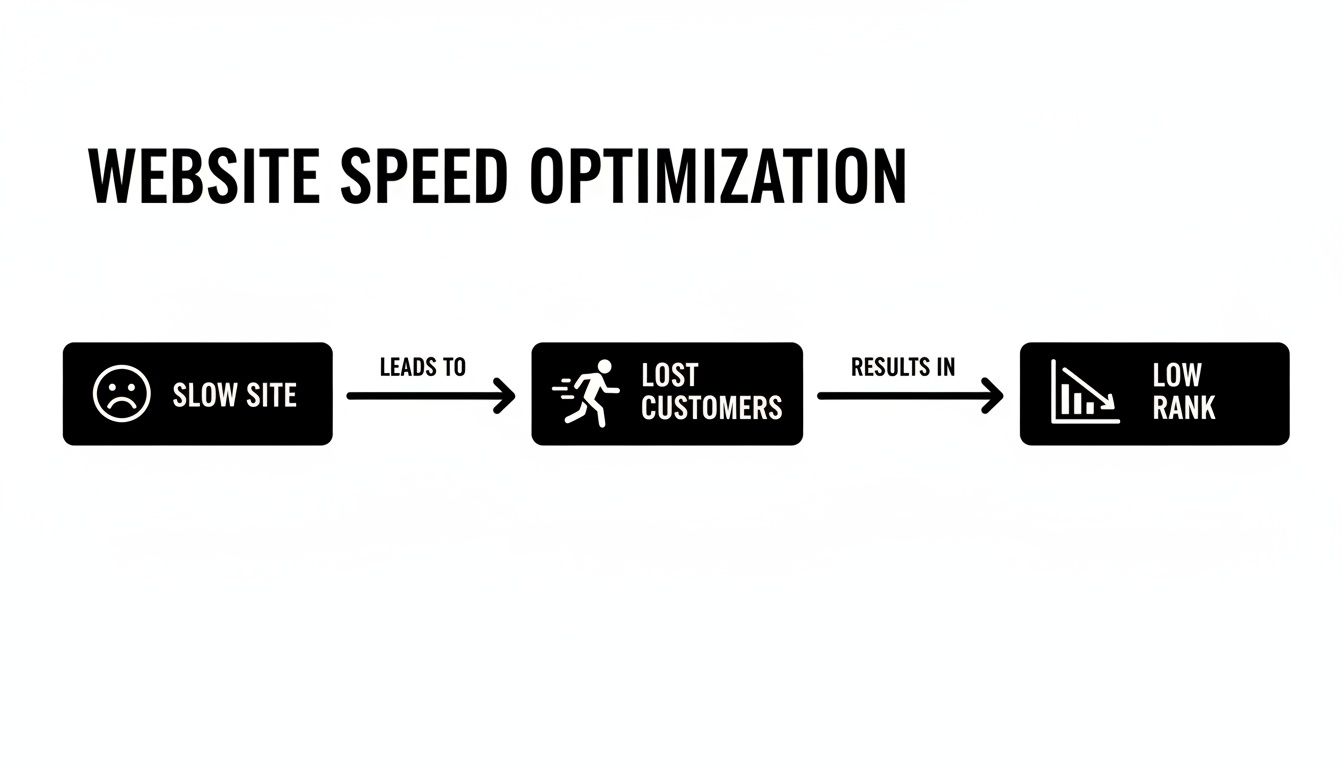
The bottom line is simple: speed isn't just a technical detail. It’s a crucial business metric that directly impacts your revenue and online visibility.
The Power of Smart Caching
At the very core of almost every speed optimisation project is caching. Imagine you ask a librarian for a popular book. The first time, they have to go deep into the archives to find it, which takes a few minutes. But a smart librarian keeps a copy of that same book right at the front desk for the next person who asks. It’s ready to go instantly.
Caching does exactly this for your website. It creates and stores a static, lightweight HTML copy of your pages. When a visitor arrives, their browser is served this pre-built version immediately, bypassing the need for your server to run complex PHP scripts and database queries from scratch. This massively reduces server workload and gets content in front of your users in a flash.
Optimising Your Visual Content
Let's be honest, images and videos are usually the heaviest elements on a webpage. They look great, but they are often the main reason a site feels sluggish. A professional service tackles this head-on with a few key techniques:
- Compression: Using smart algorithms to shrink image file sizes without any visible drop in quality.
- Next-Gen Formats: Converting images to modern formats like WebP, which offer far better compression than old-school JPEGs and PNGs.
- Lazy Loading: This is a clever trick that prevents the browser from loading all your images at once. Instead, it only loads an image or video right before it’s about to scroll into view. The initial page load is much faster, creating a smoother experience.
Refining Your Website's Code
Behind every WordPress site is a huge amount of code—CSS for styling, and JavaScript for interactive features. If that code is bloated or inefficient, it’s like asking the visitor’s browser to read a disorganised 1,000-page manual just to display a single page.
To tackle this, a good service will perform several key actions to clean up your site’s code. We’ve put together a table to show what each technique does and how it helps.
Key Optimization Techniques and Their Impact
| Technique | What It Does | Impact on Speed |
|---|---|---|
| Minification | Strips out unnecessary characters from code (like spaces and comments). | Makes CSS and JavaScript files smaller and faster to download. |
| Concatenation | Combines multiple CSS or JavaScript files into a single file. | Reduces the number of requests the browser has to make to the server. |
| Critical CSS | Identifies and loads only the CSS needed to display the top of the page. | Allows the visible part of the page to render almost instantly. |
| Defer/Delay JS | Prevents non-essential JavaScript from loading until after the main content. | Stops heavy scripts from blocking the initial page render. |
Each of these steps helps the browser process your site's instructions more efficiently, making everything feel quicker and more responsive.
For a complete overview of all the different elements a professional service will look at, you can check out a comprehensive guide to WordPress page speed optimization. This systematic approach ensures every potential bottleneck is found and fixed for good.
How Hosting and CDNs Create the Foundation for Speed
Even with the most streamlined code and perfectly sized images, a website’s performance can be completely crippled by a weak foundation. That foundation is your web hosting. Trying to build a fast website on cheap, slow hosting is like entering a Grand Prix in a family sedan—you just don't have the engine power to compete.
A professional WordPress speed optimisation service will almost always start by looking at your hosting setup. Why? Because your server's response time, what we call Time to First Byte (TTFB), is the very first domino to fall in the page loading sequence. If your server is sluggish to respond, everything else gets delayed, no matter how well-optimised the rest of your site is.
Think of your hosting server as the physical plot of land where your digital storefront is built. If the ground is shaky and unstable, even the strongest building will have problems. It's the same with low-quality shared hosting; you're often competing for resources with hundreds of other websites, creating a performance bottleneck that no amount of on-site tweaking can ever truly fix.
The Power of High-Quality Managed WordPress Hosting
This is where managed WordPress hosting enters the picture. Unlike generic, one-size-fits-all shared hosting, these plans are specifically engineered for WordPress. The servers are fine-tuned, security is much tighter, and crucial performance features like server-level caching are often built right in, giving your site the best possible environment to perform.
For Australian businesses, the real game-changer is the physical location of the data centre. When your website is hosted on a server in the United States, a request from a user in Perth has to travel halfway across the globe and back again. That physical distance creates a noticeable delay known as latency.
By choosing a premium host with local data centres in cities like Sydney or Melbourne, you dramatically shrink that travel time. This one change can shave precious milliseconds off your load time for every single visitor in Australia, making your site feel instantly more responsive.
Choosing the right hosting isn't just a technical decision; it's a strategic one. It's the single most impactful choice you can make for your website's speed, directly influencing user experience and search engine performance from the very first byte.
In fact, we're seeing huge benefits for Australian WordPress users who take a local-first approach. Specialised providers with Sydney and Melbourne data centres consistently outperform generic international hosts. They can comfortably handle over 3,000 visits per day on surprisingly affordable servers, all thanks to advanced server-side tech. You can read more about these Australian hosting insights and performance benchmarks to see the data for yourself.
Your Global Delivery Network
Okay, so local hosting is sorted for your Aussie customers. But what about visitors from overseas? If your server is in Sydney, someone visiting from London still has to deal with that long-distance latency problem. This is where a Content Delivery Network (CDN) becomes absolutely essential.
A CDN is basically a global network of mini-servers that act like warehouses for your website's files. It makes copies of your static assets—things like images, CSS, and JavaScript files—and distributes them to servers all around the world.
When someone visits your site, the CDN intelligently delivers those files from the server that's physically closest to them. So, your visitor in London gets the files from a London server, someone in New York gets them from a New York server, and your Perth visitor gets them from a local server.
This slashes latency for your global audience and ensures a consistently fast experience for everyone, no matter where they are. A professional optimisation service won't just turn on a CDN; they’ll configure it properly to make sure the right files are being cached and delivered efficiently for maximum impact.
By combining premium, local Australian hosting with a well-configured global CDN, you create a robust, high-performance infrastructure. This powerful duo forms the unshakable foundation upon which all other speed optimisations are built, ensuring your website is fast, reliable, and ready to convert visitors into customers.
Tackling the Hidden Speed Killers in WordPress
Sometimes, the biggest things slowing your website down aren't the obvious culprits like your hosting or big image files. The real problem is often the hidden clutter that builds up inside WordPress over time.
Many business owners don't realise their own website can become its own worst enemy, bogged down by badly coded plugins, an overly complex theme, and a disorganised database. These are the silent speed killers, and they can quietly grind your site’s performance to a halt.
Think of your website’s database as its central filing cabinet. When you first launch, it’s neat and tidy. But after years of adding content, trying out different plugins, and running updates, it gets stuffed with digital junk: old post revisions, spam comments, and leftover data from plugins you uninstalled ages ago. This mess forces your server to wade through clutter just to find the information it needs, slowing everything down.
A professional WordPress speed optimisation service always begins with a deep dive to find these performance drains. It’s not just about what you see on the front of the site; it’s about systematically cleaning out the backend to make it lean and ruthlessly efficient.
Performing a Deep Plugin and Theme Audit
Let's be honest: not all WordPress plugins are created equal. While many are brilliant, others are notoriously bloated. They load unnecessary scripts and styles on every single page—even where they aren't being used. It only takes one poorly built plugin to drag your entire site's performance down.
The same goes for your theme. That visually stunning theme might look amazing, but if it’s packed with hundreds of features you’ll never use, it's probably adding a lot of unnecessary weight.
A proper audit involves:
- Identifying Redundant Plugins: Finding plugins where the functionality overlaps or is simply no longer needed.
- Analysing Plugin Performance: Using specialist tools to measure the resource impact of every plugin to see which ones are the worst offenders.
- Recommending Lightweight Alternatives: Suggesting better, more efficient plugins that do the same job without the performance hit.
This systematic clean-up makes sure your site only loads what is absolutely essential, which has a direct and immediate impact on your load times. For a great framework on keeping your site healthy, check out our guide on The WordPress Best Practices Checklist.
The Critical Link Between Speed and Security
The problem with all this bloat goes far beyond slow pages; it creates serious security risks. Outdated or poorly maintained plugins are one of the most common ways hackers get in. Every extra plugin you have installed is another potential door for them to exploit.
When a developer abandons a plugin, it stops receiving security updates, leaving your site wide open. A bloated site full of outdated code is a sitting duck.
A lean website is a secure website. By regularly auditing and removing unnecessary plugins and themes, you not only boost your site's speed but also dramatically reduce its attack surface, protecting your business and your customers' data.
Speed optimisation services are in high demand across Australia, partly because WordPress vulnerabilities are on the rise. Thousands of known issues can bloat sites and tank performance, making professional oversight essential. You can find more insights on this over at MyCodelessWebsite.com.
Optimising Your Database for Peak Efficiency
Once the plugins and theme are streamlined, the next job is to clean out that "digital filing cabinet"—the database itself. Database optimisation is a technical process that clears out all the accumulated junk without touching your important content.
A specialist will typically:
- Remove thousands of old post revisions that WordPress automatically saves.
- Clear out transient options, which are temporary data caches that can get bloated.
- Delete spam, unapproved, and trashed comments for good.
- Optimise the database tables to make them faster for the server to read.
It's like having a professional organiser come into your office. They get rid of the clutter, label the important files, and make everything easy to find. The result is a database that responds in a snap, which translates directly to a faster website for your visitors.
How to Measure Performance and Choose the Right Partner
Investing in a WordPress speed optimisation service without knowing how to measure the results is like buying a race car without a speedometer. Sure, it feels faster, but you have no real proof. To make a smart decision and actually see a return on your investment, you need to understand what makes a website truly fast and what to look for in a professional partner.
It’s easy to get bogged down in technical jargon, but the most important performance metrics are all tied directly to your visitor's experience. Forget the complex charts for a second and think about what really frustrates a user: a page that takes an eternity to show up, elements that jump all over the screen while loading, or a button that doesn’t respond when you click it. Google’s Core Web Vitals are designed to measure exactly these moments of frustration.
Translating Metrics into User Experience
Let's unpack what these critical metrics actually mean for someone browsing your site. These aren't just abstract numbers; they represent real moments of delight or annoyance for your potential customers.
- Largest Contentful Paint (LCP): This is all about first impressions. It measures how long it takes for the most important part of your page—like a hero image or a block of text—to appear. A slow LCP is what makes a user stare at a blank white screen, wondering if your site is even working.
- Interaction to Next Paint (INP): This new metric is about responsiveness. It tracks how quickly your page reacts when someone tries to do something, like clicking a button or opening a menu. High INP is that awful delay after you click "Add to Cart" and nothing happens, making the whole experience feel clunky.
- Cumulative Layout Shift (CLS): Have you ever tried to tap a link, only for a last-second ad to load and push the entire page down, causing you to click the wrong thing? That’s a layout shift, and it’s incredibly annoying. A good CLS score means your page is visually stable and predictable as it loads.
- Time to First Byte (TTFB): This is the purest test of your server's health. It’s the time between a user requesting your page and their browser receiving the very first byte of data. A high TTFB is a red flag for a sluggish server, which often points back to your hosting.
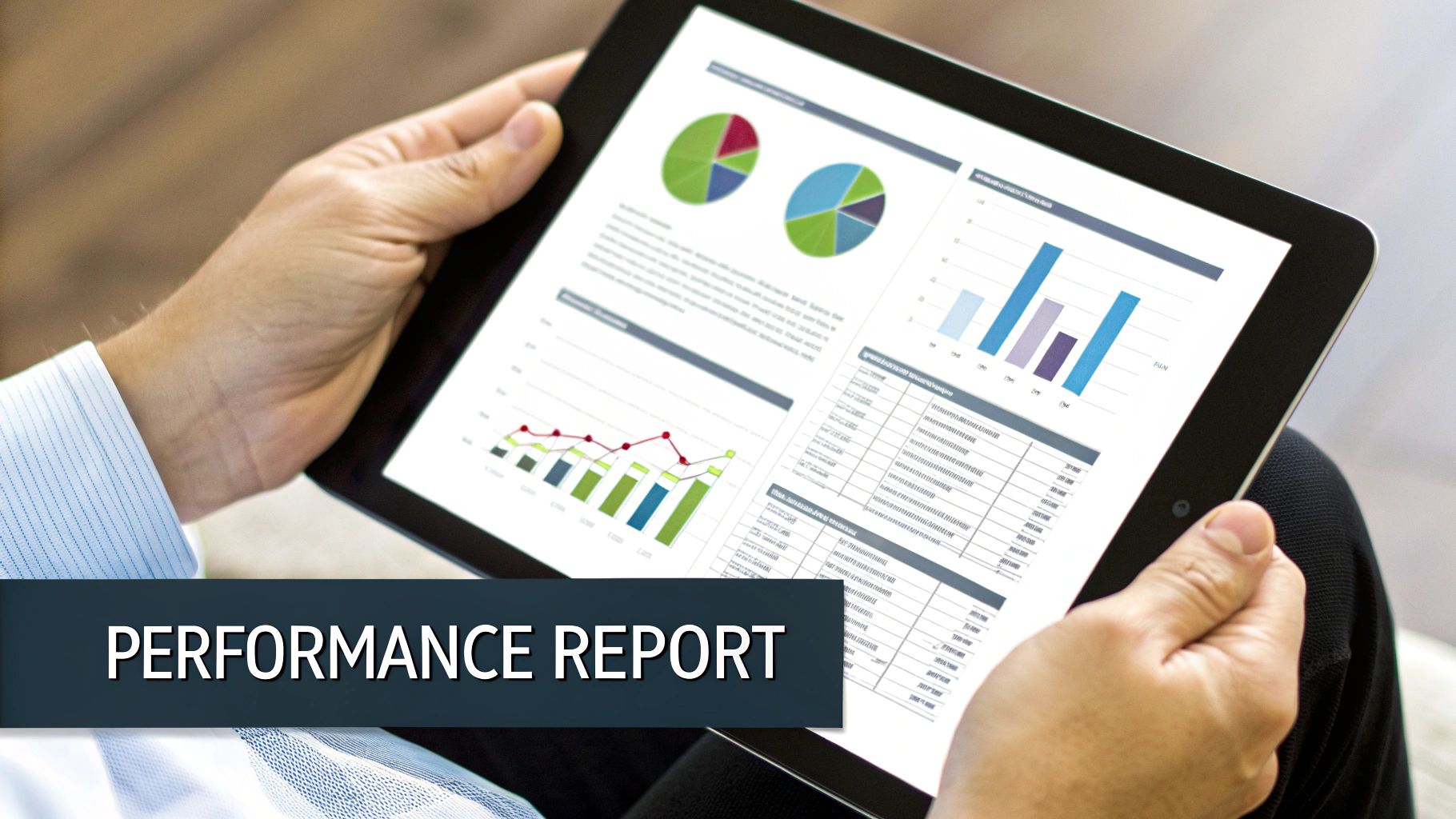
Consistently monitoring Web Vitals is non-negotiable for understanding how your site performs in the real world. Any reputable service will show you clear before-and-after reports that demonstrate genuine improvements in these key areas.
A Checklist for Evaluating Potential Partners
Choosing the right optimisation partner is about more than just technical chops. It’s about finding a team that values transparency, communicates clearly, and has the results to back up their claims. The right partner feels like an extension of your own team, dedicated to driving real business outcomes.
Use this simple checklist to vet any potential WordPress speed optimisation service:
Do They Provide Comprehensive Reporting?
They must be able to show you detailed "before" and "after" reports from trusted tools like Google PageSpeed Insights and GTmetrix. Without that baseline, you have no way of knowing if their work actually made a difference.Can You See Public Case Studies and Testimonials?
Look for tangible proof that they’ve helped businesses like yours. A provider who is confident in their work will be proud to show it off. For example, our own case studies show how we achieved a dramatic website speed increase for a local Perth business.What’s in Their Technical Toolset?
A true expert uses a combination of premium, best-in-class tools. Ask them if they are proficient with top-tier plugins like WP Rocket for advanced caching and Perfmatters for granular control over what loads on your site.Do They Offer a Performance Guarantee?
While no one can honestly promise a perfect "100" on PageSpeed (it's a constantly moving target), a good service should absolutely guarantee significant, measurable improvements and green Core Web Vitals scores.What’s Their Communication Like?
Clear, timely communication is essential. You need a dedicated point of contact and should expect regular updates on their progress without having to chase them for information.
Choosing a partner is a crucial decision. Look for a team that not only possesses deep technical expertise but also prioritises transparent reporting and demonstrates a clear track record of delivering measurable improvements for businesses in Australia.
By focusing on these practical metrics and vetting criteria, you can move past vague promises of "making your site faster" and confidently choose a WordPress speed optimisation service that will deliver a tangible return on your investment.
Frequently Asked Questions
Thinking about getting a professional WordPress speed optimisation service is a big step, and it's smart to have a few questions before you jump in. We've put together answers to the most common queries we get from Australian business owners, giving you the straightforward info you need.
Our aim here is to make sure you're comfortable and confident, so you know exactly how this investment will pay off in real-world results for your website.
How Long Does a WordPress Speed Optimisation Take?
For most sites, we can get the entire optimisation done and dusted within 3-7 business days. Of course, the exact timing depends on what we're working with.
A big e-commerce store with thousands of products and complex functions will naturally need a bit more love than a simple five-page business site. The number of gremlins we find in our initial audit and how quickly your current web host responds can also influence the timeline. We'll always give you a clear project schedule right after our first look, so you know exactly what to expect.
Will My Website Go Down During the Optimisation Process?
Not a chance. One of the golden rules of professional optimisation is to cause zero disruption to your live business. We do all our heavy lifting on a staging copy of your website—basically, an identical clone that's completely offline and invisible to your customers.
This safe, sandboxed environment lets us test every single tweak and adjustment without any risk. Only when you've seen and approved the incredible speed improvements on the staging site do we seamlessly roll the changes over to your live site. Your visitors won't notice a thing, except that your website is suddenly a whole lot faster.
Is Speed Optimisation a One-Time Fix?
The initial optimisation provides a massive, long-lasting boost, but keeping a website fast is an ongoing game. It's a bit like servicing a high-performance car; the first major tune-up gets it running like a dream, but regular checks are needed to keep it that way.
Over time, new plugins, WordPress updates, or even just adding new blog posts and images can start to slow things down again. This is precisely why many clients choose an ongoing maintenance plan. It’s the best way to protect your investment and make sure your site stays fast, secure, and ahead of the competition.
A one-off optimisation is a powerful leap forward, but ongoing maintenance ensures you never lose that competitive edge. It’s the difference between a fast website today and a fast website always.
What Results Can I Realistically Expect?
You can absolutely expect major, measurable improvements right across the board. The most immediate thing you'll notice is a much faster website, with our goal always being to get your load time well under the 2-3 second benchmark.
Beyond the raw speed, you'll see your Core Web Vitals scores in Google PageSpeed Insights improve dramatically, which is a big tick for your SEO. The most important result, though, is a much slicker and more enjoyable experience for your visitors. We always provide detailed before-and-after reports to show you exactly how much things have improved.
Ready to turn your slow WordPress site into a genuine business asset? The team at Webby Website Optimisation has been helping Australian businesses achieve incredible speed and reliability for over 16 years. Get in touch with us today for a free performance audit and discover how we can help your business grow.