
Yes, Performance Max supports negative keywords, but only for the Search and Shopping inventory inside a campaign. Start by exporting your Search terms report, flagging the clearest waste, and adding a short list of surgical negatives at the campaign level. You can also set negatives at the account level, and the cap on how many you can add has changed since launch, so check current limits before building a long list.
TL;DR:
- Negative keywords affect only Search and Shopping inventory, while account level lists apply across eligible campaigns and campaign level exclusions stay campaign specific.
- Use Search terms reports to find queries with meaningful clicks and zero conversions over several weeks, then review each candidate before excluding it.
- Negative broad match requires every listed word, phrase match requires the same sequence, and neither automatically catches close variants or plurals.
- Brand exclusions block a brand’s name, misspellings, and related subsidiary names; reserve manual negatives for narrower query problems.
- Review every two weeks during the first month, then monthly; add exclusions in small batches and reverse them if conversions fall without efficiency gains.
Table of Contents
- Why negative keywords matter in Performance Max
- Where negative keywords apply and account limits to know
- Step-by-step: add negative keywords to a Performance Max campaign
- How to find negative keyword candidates: reports, scripts and automation
- Negative match types and practical rules for PMax
- Brand exclusions vs negative keywords and the Shopping override
- Audit and monitoring framework for negative keywords
- Practical tips from Webby on managing PMax negatives
- Author perspective: balance surgical control with algorithm learning
- Webby campaign audits and managed Google Ads services
- FAQ
- Sources
Why negative keywords matter in Performance Max
Performance Max is built to find converting traffic across every Google inventory type with minimal manual steering. That is also its biggest risk for budget: without negatives, the algorithm can keep spending on Search and Shopping queries that look relevant to a machine but waste money in practice, like a budget furniture brand matching “luxury designer sofa” searches.
Negative keywords trim that waste, but each one you add also narrows what the algorithm is allowed to explore, as explained in Amazon PPC placement strategies. Pull back too hard and you choke off the discovery that makes PMax useful in the first place.
Before touching the negative keyword list, decide what the campaign is for:
- An efficiency-focused campaign (tight margins, fixed budget) benefits from tighter, more frequent negative keyword additions.
- A growth-focused campaign (new product launch, market expansion) should use negatives sparingly, reserved for clear, repeated ROI leaks.
Where negative keywords apply and account limits to know
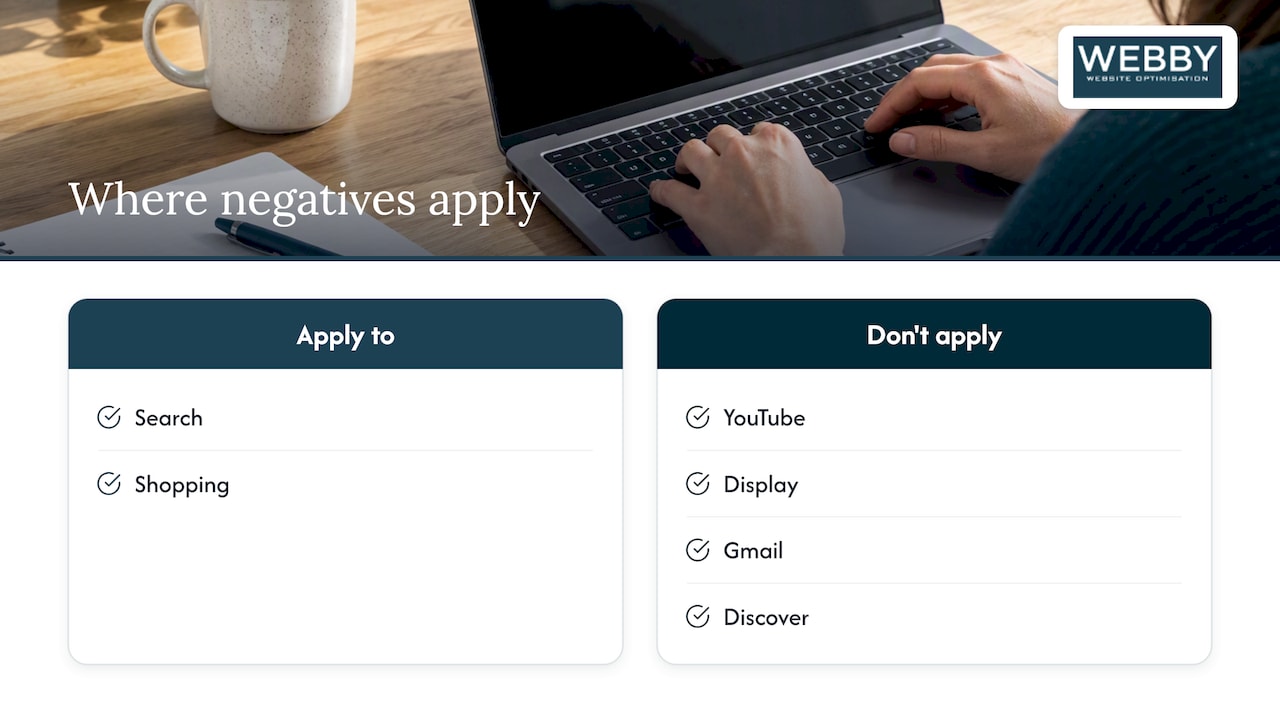
Negative keywords in Performance Max only affect Search and Shopping inventory: they never touch YouTube, Display, Gmail, or Discover placements, since those surfaces do not match on keyword text the same way. That scope matters because a negative that seems to “fix” a campaign’s overall performance may only be addressing a fraction of where the budget is actually spent.
You can apply negatives at two levels. Account-level negative keywords automatically apply across every eligible campaign, which is useful for permanent exclusions like job seekers or unrelated brand names. Campaign-level negatives let you sculpt traffic for one specific Performance Max campaign without affecting others.
Google initially capped Performance Max at 100 negative keywords during beta, then raised that limit to align with Search campaign thresholds of up to 10,000 negative keywords after advertiser pushback. That headroom is generous, but a long, unmanaged list is still harder to audit than a short, deliberate one.
Step-by-step: add negative keywords to a Performance Max campaign
Adding negatives is quick once you know where Google tucks the setting. The harder part is deciding what belongs on the list before you touch the interface.
- Export your Search terms report or review Search Term Insights and shortlist queries with clear, written exclusion reasons (wrong intent, wrong audience, wrong product).
- In Google Ads, open the campaign, go to Keywords, then the Negative keywords tab, and select Add.
- Choose whether the negative applies at the campaign level or gets saved to an account-level list for reuse across campaigns.
- Where the predicted performance preview is available, check it before saving so you can see the estimated impact on traffic and conversions.
- Save grouped negatives into named lists (by theme, by product line, by audience type) so future campaigns can reuse the same logic without rebuilding it.
Roll new negatives out in small batches rather than all at once. Adding twenty terms in one sitting makes it nearly impossible to tell which one caused a dip in traffic a week later.
Pro Tip: Date-stamp each negative keyword list when you save it, so an audit six months later shows exactly when and why each exclusion was added.
How to find negative keyword candidates: reports, scripts and automation
The Search terms report is the primary, Google-recommended source for finding negative keyword candidates, and it lets you add negatives directly from the report without switching screens. Look for queries with real spend and no conversions over a meaningful window, not a single bad day.
Beyond the report, a few other sources are worth checking before you commit to an exclusion:
- Search Term Insights groups related queries by theme, which can surface a pattern a single query would hide.
- Automated scripts can flag recurring zero-conversion terms on a schedule, but every flagged term still needs a human look before exclusion.
- Third-party keyword tools can suggest candidates, but cross-check them against your own account data since they often lack your specific conversion context.
A reasonable starting threshold is a query with meaningful clicks and zero conversions over several weeks, or spend that clearly exceeds your target cost per acquisition with no return. Shorter windows produce false positives.
Negative match types and practical rules for PMax
Negative keyword match types do not behave like their positive counterparts, and that trips up a lot of advertisers who assume the logic carries over. Negative broad match blocks a query only when all the words in the negative appear anywhere in the search term, in any order. Negative phrase match blocks queries that contain the exact phrase in that order. Negative exact match blocks only that specific query, with no variation.
Unlike positive keywords, negatives generally do not expand to catch close variants, misspellings, or plurals the same way.
- Use negative broad for high-level filtering, like blocking anything containing “free” or “jobs” across a whole account.
- Use negative phrase for thematic blocks, such as a competitor’s product line name.
- Use negative exact for one specific, repeatedly wasteful query that never converts.
Pro Tip: When in doubt between phrase and exact, start with exact. It is the safest way to stop a known problem query without risking collateral damage to similar, valid searches.
Brand exclusions vs negative keywords and the Shopping override
Brand exclusions are a more comprehensive tool than a handful of negative keywords. They block misspellings and related subsidiary brand names automatically, which a manual negative keyword list would struggle to replicate term by term. Brand exclusions apply across both Search and Shopping inventory within Performance Max.
Google also gives you the option to allow Shopping ads to keep appearing on searches that mention an excluded brand, even while Search ads for that brand stay blocked. That split matters for retailers who want to stop branded Search spend but still want product listings showing up for the same query.
- Use brand exclusions when you want broad, durable protection against an entire brand’s name and variations.
- Keep a handful of negative keywords for narrower, one-off query problems that do not justify a full brand exclusion.
- Isolate brand traffic in a dedicated Search campaign when you need tighter control over bidding and messaging than Performance Max allows.
Audit and monitoring framework for negative keywords
Negative keywords are not a set-and-forget fix. A reasonable rhythm looks like this:
- Review the Search terms report every two weeks for the first month after launch, then monthly once the campaign stabilizes.
- Roll out new negatives in small batches and wait at least one full reporting cycle before judging the effect.
- Track conversions, conversion value, cost per acquisition, and Search and Shopping impression share before and after each change.
- If conversion volume or value drops without a matching gain in efficiency, remove the most recent batch of negatives and reassess.
Treat every negative as a reversible experiment rather than a permanent rule. A query that looked like waste during a slow season might convert well during a promotion, so a periodic review catches exclusions that have outlived their usefulness.
Practical tips from Webby on managing PMax negatives
Our process for Performance Max accounts runs on a simple sequence: automated flagging surfaces candidate queries, a human reviews each one against the actual offer, we roll out negatives in small batches, and we audit the results on a set schedule rather than reacting to a single bad week.
When we review client data after a negative keyword change, the signal we look for is whether cost per acquisition improved without conversion volume dropping. If volume falls alongside the efficiency gain, that is a cue to loosen the exclusion rather than add more.
— Steve Doig
Author perspective: balance surgical control with algorithm learning
The biggest mistake in Performance Max negative keyword management is treating it like list-building. A long blacklist feels productive, but it mostly just narrows what the algorithm gets to learn from. The better habit is a small, reversible test: add a negative to fix a specific, observed leak, watch the result, and roll it back if it does not hold up. Negatives are a scalpel, not a wall.
Webby campaign audits and managed Google Ads services
If working through Search terms reports and match-type rules is more than you want to manage in-house, our Website Audit covers the technical and conversion side of a campaign, including the landing page issues that often explain why a query looked like waste in the first place.

- The audit reviews conversion tracking setup and page performance so negative keyword decisions are based on accurate data, not broken tags.
- Our ongoing Business Website Optimisation Campaign pairs that audit work with continued Google Ads management, including the kind of staged negative keyword rollout described above.
If you would rather hand the whole process to a team that reviews it on a schedule, our Website Audit is the starting point.
FAQ
Do negative keywords work the same way in Performance Max as in Search campaigns?
Not entirely. They apply only to the Search and Shopping inventory within a Performance Max campaign, and match type behavior for negatives differs from positive keywords, with less automatic coverage of close variants.
Can I set negative keywords at the account level for PMax?
Yes, account-level negative keyword lists apply automatically to eligible campaigns, including Performance Max, which is useful for permanent exclusions like unrelated job searches or off-topic terms.
What is the difference between brand exclusions and negative keywords?
Brand exclusions are a broader tool that blocks a brand name along with its misspellings and related subsidiary terms across Search and Shopping, while negative keywords handle narrower, specific query problems one at a time.
How often should I review negative keywords in a PMax campaign?
A reasonable cadence is every two weeks during the first month, then monthly once performance stabilizes, always checking conversions and cost per acquisition before and after each change.
Will adding too many negative keywords hurt Performance Max performance?
It can, since each negative narrows the pool of queries the algorithm can learn from. A short list of well-tested, reversible exclusions is generally safer than a long, infrequently reviewed one.
Sources
- Negative keywords in Performance Max campaigns – Google Ads Help
- Google PMax negative keyword limit increase — Search Engine Journal