

Right then, let's break down what a subdomain actually is.
In simple terms, a subdomain is an extra part you add to the beginning of your main domain name. This lets you create a completely separate section of your website. So, if your main site is yourwebsite.com.au, a subdomain could be blog.yourwebsite.com.au. Here, "blog" is the subdomain.
What Is a Subdomain Explained Simply
Let's ditch the technical jargon for a minute. Think of your main website as your house, sitting at a specific street address. A subdomain is like building a granny flat or a workshop out the back. It's on the same block of land and clearly part of your property, but it serves its own unique purpose.
This is a really helpful way to understand how a web address is structured.
Looking at an address like blog.yourwebsite.com.au, you can see the different parts:
- blog: This is the subdomain – your "granny flat."
- yourwebsite: This is your main domain name, often called the root domain. This is the "house."
- .com.au: This is the top-level domain (TLD), which is like the "street" your house is on.
So, the subdomain always comes before your main domain, separated by a dot. It's a clever way to organise your website into different zones without the hassle and cost of registering a brand new domain name every time. You can neatly manage different functions or content, all while keeping it under your main brand.
A Practical Australian Example
Let's say you run a small WordPress e-commerce store based in Perth. Your main digital storefront is myshop.com.au.
Now, you want to get into content marketing to attract more customers. Instead of cluttering up your shop, you can set up blog.myshop.com.au. It's a fantastic extension of your brand—a dedicated space for your articles and guides, all under your primary .au domain, with no new registration needed.
This strategy is incredibly common here in Australia. With over 4.3 million .au domains now registered (you can read more about this growth on the official auDA website), Aussie businesses rely on subdomains to keep their online presence organised and effective.
You could take this even further, creating a dedicated customer support portal at support.myshop.com.au or a members-only area. This keeps your main e-commerce site clean, fast, and focused on one thing: selling.
Subdomains vs. Subdirectories: Understanding the Key Difference
When it comes to organising your website, one of the first big decisions you’ll face is whether to use a subdomain or a subdirectory. They might look similar in a URL, but they work in fundamentally different ways. Making the right choice here is crucial, as it has a real impact on your site's structure and, importantly, its performance in search engines.
Let's use an analogy. Think of your main website as your house. A subdirectory (like yourwebsite.com.au/blog) is just another room inside that house. It's part of the same building and shares the same address.
A subdomain (like blog.yourwebsite.com.au), on the other hand, is more like a granny flat out the back. It’s on the same block of land and clearly connected to the main house, but it has its own separate entrance and structure.
This diagram helps visualise how a subdomain creates a whole new level in your website’s hierarchy, sitting just below your main domain.
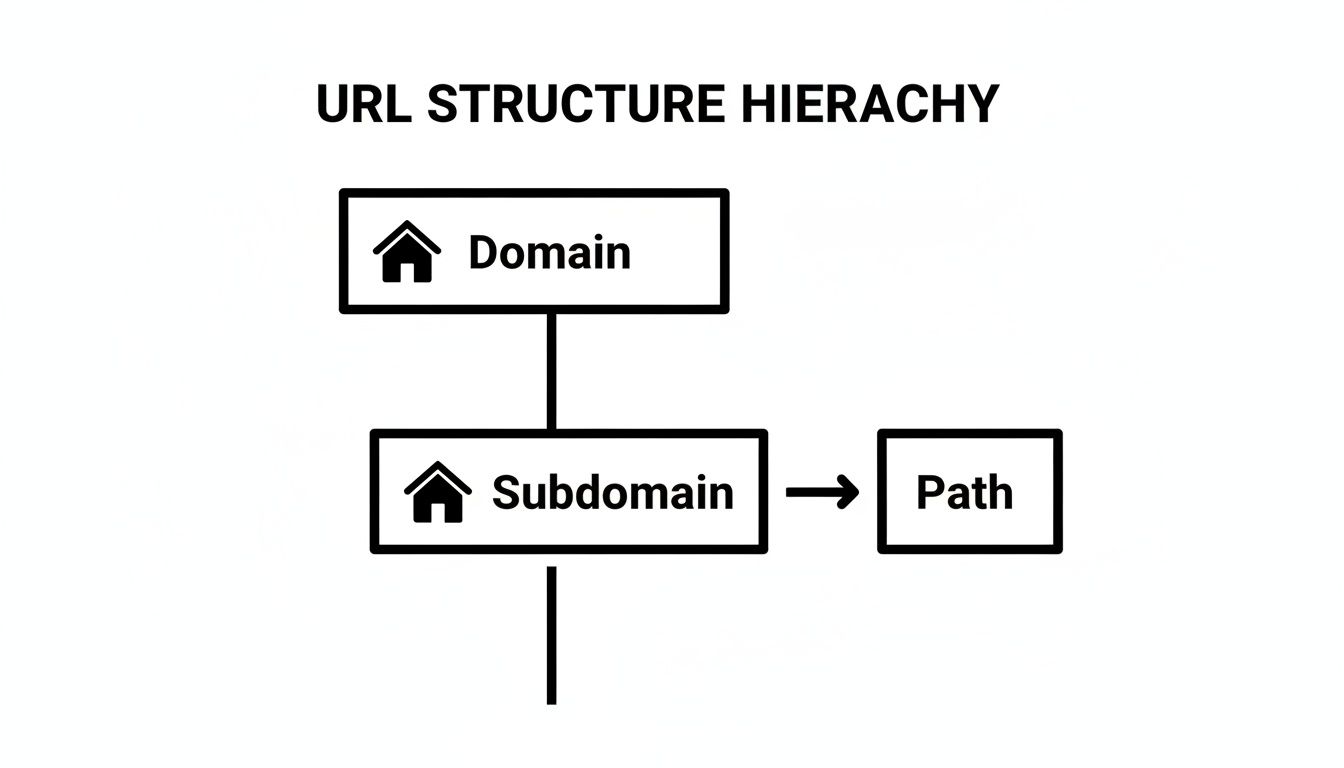
The critical thing to notice is that the subdomain comes before your main domain name, which signals to both users and search engines that this section is a more significant, separate part of your online presence.
Subdomain vs. Subdirectory At a Glance
To make the differences even clearer, let's break them down side-by-side. This table gives you a quick overview of how they stack up against each other.
| Aspect | Subdomain (e.g., blog.website.com.au) | Subdirectory (e.g., website.com.au/blog) |
|---|---|---|
| URL Structure | Sits before the main domain name. | Appears after the main domain name. |
| SEO Impact | Treated by search engines as a semi-separate entity. Builds its own authority. | Shares the SEO authority and "link juice" of the main domain. |
| Branding | Excellent for creating a distinct brand or purpose (e.g., support., shop.). |
Keeps all content under a single, unified brand. |
| Technical Setup | Requires DNS record changes (e.g., CNAME or A record). | Is simply a folder on your web server. No DNS changes needed. |
| Best For | Separate online stores, support portals, blogs with a different focus, or region-specific sites. | Integrated blogs, product categories, or any content closely tied to the main site's purpose. |
Ultimately, choosing a subdirectory is about consolidation, while a subdomain is about separation.
How Search Engines See Them
Here’s the most important part: search engines like Google tend to treat subdomains as almost-separate websites. This means a brand-new subdomain won't instantly share in the hard-won authority and trust your main website has built up. It has to earn its own reputation. For example, setting up shop.yourwebsite.com.au makes perfect sense if you want to build a distinct brand for your e-commerce arm, or perhaps run it on a completely different platform like Shopify while your main site is on WordPress.
In contrast, a subdirectory like yourwebsite.com.au/shop keeps all your SEO power, often called "link equity," under one roof. All the authority your main domain has earned flows directly into this new section, which can give it a massive head start in ranking. Many businesses that want all their content to work together prefer this structure. Knowing the benefits of using WordPress can help you see how its flexibility supports either setup depending on your goals.
So, should you use one over the other? It all comes down to your strategy. If you need to create a unique experience for a specific function—like a client portal or a dedicated support hub—a subdomain is often the ideal choice. But if you're adding content, like a blog, that's meant to directly boost your main site's authority and rankings, a subdirectory is almost always the smarter move.
When to Use a Subdomain for Your Business
Okay, we’ve covered the technical differences. But when does it actually make sense to use a subdomain instead of a simple subdirectory? Knowing when to reach for this tool can seriously help you organise your website, give visitors a better experience, and carve out unique online spaces for different parts of your business.
One of the best, and most common, reasons is to create a staging site. Let’s say you’re planning a major WordPress update, want to try out a new plugin, or are about to launch a complete theme redesign. Making those kinds of changes on your live site is like doing renovations during business hours—it’s risky, messy, and one wrong move could shut everything down.
A staging site, which you might set up at staging.yourwebsite.com.au, is basically a private copy of your live website. Think of it as your workshop. It's the perfect, safe sandbox to test new features, hunt for bugs, and get everything perfect before your customers see a thing. Once you're happy with how it all works, you can push the changes to your main site with confidence.

Common Business Use Cases for Subdomains
Beyond a private testing ground, subdomains are fantastic for separating parts of your business that have completely different goals or audiences. This approach keeps your main website clean and focused, while letting these specialised sections grow on their own terms.
For Australian businesses, some of the most popular uses include:
- Dedicated Blog or Content Hub: If your blog is a beast of its own with a huge library of articles, moving it to
blog.yourwebsite.com.aucan create a much cleaner, more focused space for readers. - E-commerce Store: Many businesses have a main site for information and then run a separate online store on a subdomain like
shop.yourwebsite.com.au. This is especially useful if your store is built on a different platform (like Shopify) while your main site runs on WordPress. - Customer Support Portal: A dedicated knowledge base or help desk at
support.yourwebsite.com.augives customers one clear place to go for help, separating support queries from your marketing and sales funnels. - Online Courses or Training: If you sell educational content, housing it on a subdomain like
learn.yourwebsite.com.aucan host your entire Learning Management System (LMS) and create a purpose-built environment for students.
A key benefit of using a subdomain is organisational clarity. It signals to your audience—and to search engines—that this part of your site has a specific, distinct function. This targeted approach can lead to a cleaner user journey and better overall site management.
In the end, choosing a subdomain is a strategic decision. If a part of your business is functionally different and would truly benefit from its own space—perhaps with a different design or even running on separate technology—then a subdomain is often the smartest way forward.
How Subdomains Actually Work Behind the Scenes
Ever wondered what happens when you type blog.yourwebsite.com.au into your browser? It’s not magic, but a clever, split-second process that finds the right content on the internet. At the heart of it all is the Domain Name System (DNS), which you can think of as the internet's giant phonebook. Its main job is to translate the easy-to-remember domain names we use into the numerical IP addresses that servers actually understand.
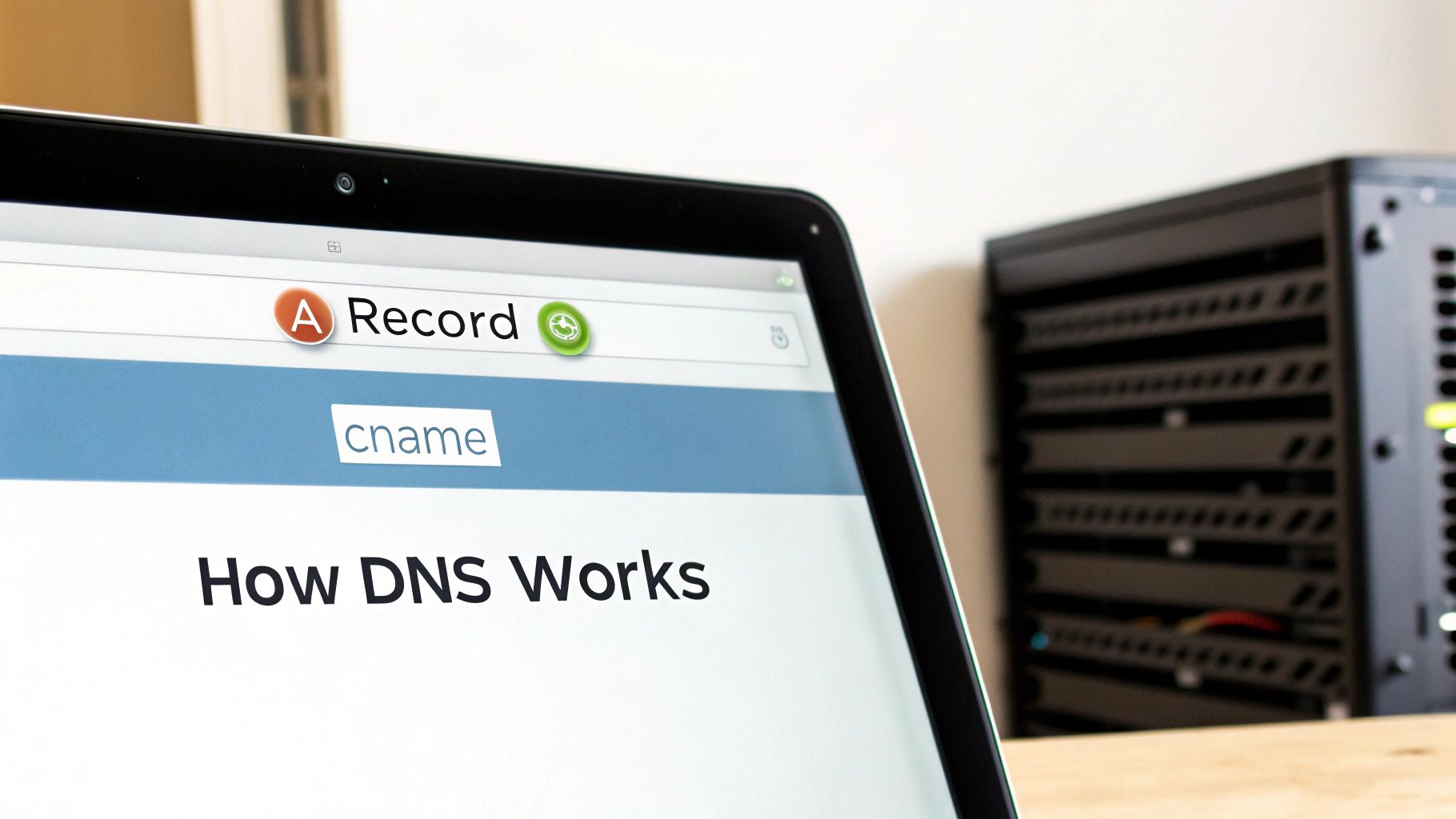
This translation relies on a set of instructions called DNS records. Getting a handle on setting up DNS records is key to understanding how your entire website, including any subdomains, is wired up. For subdomains, two specific types of records do most of the heavy lifting.
The Role of A and CNAME Records
These two records are like digital signposts, directing internet traffic to the correct destination.
-
A Record: The 'A' here stands for Address. This record points a subdomain directly to a specific server IP address. Think of it like giving someone the exact street address for a granny flat you've built out the back of your property. It’s a direct link.
-
CNAME Record: 'CNAME' is short for Canonical Name. Instead of pointing to an IP address, this record points a subdomain to another domain name. It’s a bit like saying, "The granny flat is officially part of the main house's property at this address."
So, your main site yourwebsite.com.au will have an A record pointing to your server's IP. Your subdomain, say shop.yourwebsite.com.au, might then use a CNAME record to point back to the main site. This essentially tells web browsers that the shop is an alias of your primary domain, even if it's hosted somewhere else entirely.
The SEO Impact of Using a Subdomain
This is the million-dollar question, isn't it? Will sticking part of my site on a subdomain tank my Google rankings? It’s a debate that’s been raging in SEO circles for years. While Google’s official line is that it treats subdomains and subdirectories pretty much the same, what happens in the real world can be a bit more complicated. Before we dive in, it helps to understand what search engine optimization is at a fundamental level.
At the end of the day, search engines often see a subdomain as a semi-separate website. Think of it like this: your main site, yourwebsite.com.au, has spent years building up trust and authority. When you create a new subdomain, say blog.yourwebsite.com.au, it doesn't automatically get all that SEO juice. It’s almost like starting from scratch, needing to build its own reputation with great content and backlinks.
Splitting Your SEO Authority
The biggest risk here is diluting your ranking potential. Every link that points to your website from another site passes on what we call "link equity" – a massive factor in climbing the search rankings. When you split your content across a main domain and a subdomain, you're also splitting that precious link equity.
For example, a fantastic backlink pointing to your new blog.yourwebsite.com.au will primarily boost the blog's authority. Only a fraction of that benefit might trickle down to your main yourwebsite.com.au domain.
By keeping all your content under one roof in subdirectories (like
yourwebsite.com.au/blog), you’re funnelling all that link equity into a single, powerful domain. This unified strategy often gives your entire website a much stronger ranking potential.
That said, a subdomain isn’t always the wrong move. In certain situations, it can be a very clever SEO play.
When Subdomains Make SEO Sense
Despite the potential downsides, a subdomain can be a powerful tool when you have a very specific, distinct purpose in mind.
- Targeting Different Regions: Let's say your Aussie business is expanding into the UK. Using a subdomain like
uk.yourbrand.com.ausends a crystal-clear signal to Google about who you're trying to reach in that market. - Highly Niche Topics: If you launch a blog or a resource hub that covers a topic wildly different from your core business, a subdomain helps search engines understand that separation. It keeps things neat and tidy.
- Brand Separation: A purely functional section of your site, like
support.yourbrand.com.au, doesn't need to rank for your main commercial keywords. Separating its SEO profile from your main site makes perfect sense.
Ultimately, the choice comes down to your business goals. If you're looking for more tips on building a solid foundation, take a look at our quick guide to SEO. But as a rule of thumb, if your content is closely tied to your main brand, a subdirectory is almost always the safer and more powerful choice for building and consolidating your authority.
How to Implement Subdomains The Right Way
Alright, let's move from theory to action. Setting up a subdomain is more than just a technical task; it's a strategic move. Getting it right from the start means it will support your business goals, not create a mess down the track. A well-executed subdomain feels like a natural extension of your brand and serves its purpose perfectly from day one.
First things first: the name. The name you choose for your subdomain is crucial. Keep it short, simple, and instantly recognisable. For instance, shop.yourbrand.com.au tells visitors exactly what to expect. On the other hand, something like ecommercestore.yourbrand.com.au is just clunky and doesn't look professional. The name should immediately broadcast what that part of your website is for.
Key Implementation Steps
Once you've nailed down the perfect name, it's time to think about the user experience and the technical bits and pieces. These are the elements that ensure your subdomain functions correctly and feels like a seamless part of your main website.
Here’s a straightforward checklist to guide you:
- Maintain Brand Consistency: This is a big one. Your subdomain must look and feel like it belongs to your brand. Use the same logo, colour palette, and typography. You want visitors to move between your main site and the subdomain without feeling like they've gone somewhere completely different.
- Set Up Analytics Correctly: Don't assume your existing Google Analytics will just work. By default, it won't track traffic to a new subdomain. You'll need to configure cross-domain tracking to get a unified view of your visitor's journey and accurately measure how everything is performing.
- Prioritise Security: Just like your primary domain, your subdomain absolutely needs an SSL certificate to run on HTTPS. This isn't optional, especially if you're handling transactions or user logins. It's essential for protecting data and building trust with your customers.
Getting these fundamentals right means your subdomain becomes a thoughtfully integrated part of your online world, not just a technical add-on. It's how you build a consistent, secure, and measurable ecosystem for your brand.
For businesses built on WordPress, juggling these technical details can feel like a bit of a handful. If you need a hand making sure your setup is optimised and secure from the get-go, professional WordPress help and support can be a real lifesaver, saving you time and preventing headaches later on.
Got Questions About Subdomains? We've Got Answers
Let's tackle some of the most common questions we hear from Australian business owners when they're weighing up whether to use a subdomain.
Do I Have to Pay Extra to Create a Subdomain?
Great news – probably not! In most cases, creating subdomains is included as a standard feature with your domain registrar or web hosting plan. You can typically create plenty of them without paying an extra cent.
The only time you might see an extra cost is if what you're building on the subdomain is a real beast—think a completely separate, resource-hungry e-commerce store—that needs its own high-powered hosting to run smoothly.
How Many Subdomains Can I Actually Create?
While you can technically create an almost endless number of subdomains, the real-world limit comes down to one thing: what you can realistically manage. Most hosting plans let you create dozens, if not hundreds.
The best approach? Only create a subdomain when it has a crystal-clear purpose. This keeps your online setup neat and prevents you from getting bogged down in unnecessary complexity.
Is Setting Up a Subdomain a Technical Nightmare?
Not at all. For the most part, it's a simple job you can do right from your hosting control panel (like cPanel or Plesk). It usually only takes a few clicks.
If you're running on WordPress, the next step would be either installing a fresh copy of WordPress on that new subdomain or, for more advanced setups, creating a Multisite network.
Does a Subdomain Automatically Get My Main Site's SEO Juice?
This is a big one. The short answer is no, not directly. Search engines like Google tend to view a new subdomain as a brand new website, at least initially.
This means it has to start from scratch, building its own authority and earning its own backlinks. It's a critical point to consider, and it's often the deciding factor when businesses choose between a subdomain and a subdirectory for their content.
Need a hand keeping your WordPress site secure, fast, and up-to-date? The team at Webby Website Optimisation offers expert help and support to handle all the technical details for you. Learn more about our WordPress maintenance plans.
If this post raised some questions feel free to ask me a question
Trackbacks/Pingbacks