
For most local service businesses, the best booking software is a lightweight, integrated platform that handles staff schedules, takes deposits, and embeds directly on your website without redirecting customers to a third-party domain. Square Appointments wins for businesses that already process payments through Square. Acuity Scheduling leads for service providers who need intake forms and deposit rules. Setmore is the strongest free-tier option for solo operators watching their budget.
Quick shortlist:
- Best overall: Square Appointments — native payments, real-time staff sync, free solo tier
- Best for solo pros: Setmore — generous free plan, branded booking page, no credit card required
- Best for salons and beauty: Booksy — built for personal care, client lifecycle tools included
- Best for multi-location/gyms: Mindbody — class management, memberships, and multi-site support
- Best free/budget: Picktime — free-first with standard features for small teams
- Best for healthcare: NexHealth or SimplePractice — patient communication and practice management built in
Act now:
- Start a free trial with your top pick and run one real booking end-to-end
- Test the embed snippet on your homepage (not a redirect link)
- Sync at least one staff calendar before going live
Automated online booking captures clients 24/7, including the hours your phone goes unanswered. That alone makes the switch worth it for most local service businesses.
Table of Contents
- Which booking software is right for your local business?
- Short reviews: what each tool actually does well
- How to choose the right booking software for your business
- What booking software actually does for your local business
- How we compared these tools
- Key Takeaways
- The gap between “set it up” and “set it up right”
- Your website should do the booking work for you
- Useful sources and vendor documentation
Which booking software is right for your local business?
The table below covers all 33 tools by use case, starting price, key features, and setup ease. Use it to cut your shortlist to three candidates, then trial each one.

| Tool | Best for | Starting price / free plan | Key features | Staff / multi-location | Integrations | Setup ease | Payments | Mobile app | Support |
|---|---|---|---|---|---|---|---|---|---|
| Square Appointments | Solo pros and retail/service teams needing native POS | Free solo tier; paid plans available | Reminders, deposits, real-time sync | Yes / Yes | Square POS, Google Cal, CRM | Very easy | Built-in (Square) | iOS + Android | Chat, phone, email |
| Calendly | Professionals needing simple meeting scheduling | Free; paid from ~$10/user/mo | Reminders, calendar sync, lead routing | Yes / Limited | Google, Outlook, HubSpot, Zoom | Via Stripe/PayPal | iOS + Android | Chat, email | |
| Acuity Scheduling | Service businesses needing intake forms and deposits | From ~$16/mo | Intake forms, deposits, custom rules | Yes / Yes | Google Cal, Stripe, Zoom, Squarespace | Easy | Stripe, Square | iOS + Android | Email, help center |
| Setmore | Budget-conscious solo pros and small teams | Free; Pro from ~$5/user/mo | Branded pages, reminders (Pro: SMS) | Yes / Limited | Google Cal, Stripe, Square, Zoom | Via Stripe/Square | iOS + Android | Email, chat | |
| SimplyBook.me | Multi-channel reminders and deposits | Free limited plan; paid plans available | SMS/WhatsApp/email reminders, deposits, widget embed | Yes / Yes | Google Cal, Zoom, Zapier | Moderate | Multiple gateways | iOS + Android | Chat, email |
| Booksy | Salons, barbers, personal care | Paid plans available | Client lifecycle, reminders, marketplace listing | Yes / Yes | Google Cal, payments | Easy | iOS + Android | Chat, email | |
| Mindbody | Gyms, studios, multi-service wellness | From ~$79/mo | Classes, memberships, waitlists, reporting | Yes / Yes | POS, CRM, marketing tools | Moderate | iOS + Android | Phone, chat | |
| Zoho Bookings | Zoho users; workspace-based booking | Free (1 staff); paid from ~$6/staff/mo | AI page creation, white-label, team workspaces | Yes / Yes | Zoho CRM, Google Cal, Zoom | Via Zoho/Stripe | iOS + Android | Email, chat | |
| HoneyBook | Photographers, event pros, creatives | From ~$16/mo | Contracts, invoices, scheduling combined | Limited / No | Gmail, Zoom, QuickBooks | Easy | iOS + Android | Chat, email | |
| Appointy | Class and group bookings + appointments | Free plan available; paid plans available | Classes, group booking, reminders | Yes / Yes | Google Cal, Facebook, Zoom | Via Stripe | iOS + Android | Chat, email | |
| Bookeo | Tour operators and complex group bookings | Paid plans available | Add-ons, group rules, cancellation policies | Yes / Yes | Google Cal, Stripe | Moderate | Via Stripe/PayPal | ||
| YouCanBook.me | Consultants needing deep calendar control | Free (1 calendar); paid from ~$9/mo | Calendar-driven rules, embed, team booking | Yes / Limited | Google Cal, Zoom, Zapier | Via Stripe | Browser-based | ||
| Brevo Meetings | Teams tied to email/marketing workflows | Free (limited); paid varies | Meeting scheduling, CRM integration | Limited / No | Brevo CRM, Google Cal | Limited | Browser-based | Email, chat | |
| Cal.com | Tech-enabled businesses wanting customization | Free (open source); paid from ~$12/mo | Developer-friendly, custom workflows | Yes / Yes | Google Cal, Zoom, Zapier, Slack | Moderate | iOS + Android | Community, email | |
| BookedIn | Small salons and solo health practitioners | Paid plans available | Simple flows, reminders, client notes | Limited / No | Google Cal | Very easy | iOS + Android | ||
| Roverd | Local businesses exploring niche platforms | Varies | Local-market orientation | Limited / Limited | Varies | Easy | Varies | Varies | |
| Bokun | Tour operators with channel distribution | Free limited plan; paid plans available | Channel distribution, reservations | Yes / Yes | OTAs, Google, Stripe | Via Stripe | iOS + Android | Chat, email | |
| Checkfront | Rentals and tours with complex availability | Paid plans available | Resource booking, online payments | Yes / Yes | Stripe, Google Cal, Zapier | Built-in | iOS + Android | Chat, email | |
| FareHarbor | High-volume tour operators | Free (commission-based) | Scale, distribution, reporting | Yes / Yes | OTAs, Google, Stripe | Built-in | iOS + Android | Phone, chat | |
| FunAway | Tourism and event-based services | Varies | Activity-focused distribution | Limited / Limited | Varies | Moderate | Varies | ||
| Insteract | Smaller businesses testing alternatives | Varies | Appointment workflows | Limited / No | Varies | Easy | Varies | ||
| Sign In Scheduling | Front-desk-driven small operations | From ~$9/mo | Sign-in, in-person appointments | Limited / No | Google Cal | Very easy | iOS + Android | Email, chat | |
| Appointlet | Teams needing coordinated meeting booking | Free; paid from ~$10/user/mo | Team scheduling, calendar sync | Yes / No | Google Cal, Zoom, HubSpot | Easy | Browser-based | ||
| Appointment.com | General small business appointment needs | Paid plans available | Broad category coverage, reminders | Yes / Limited | Google Cal, Stripe | Via Stripe | iOS + Android | ||
| Baluu | Small local service providers | From ~$15/mo | Niche scheduling, reminders | Limited / No | Google Cal | Easy | Browser-based | ||
| Bookwhen | Class-based businesses and event organizers | Free (limited); paid from ~$15/mo | Public schedules, class management | Yes / Limited | Google Cal, Stripe, Zoom | Via Stripe | Browser-based | ||
| Doodle | Group scheduling and availability polling | Free plan available; paid plans available | Time polling, group scheduling | Yes / No | Google Cal, Zoom | Limited | iOS + Android | ||
| HubSpot meeting tool | HubSpot CRM users | Free (with HubSpot) | CRM-connected scheduling, lead routing | Yes / No | HubSpot CRM, Google Cal | Limited | iOS + Android | Chat, email | |
| NexHealth | Medical practices and healthcare providers | Custom pricing | Patient communication, reminders, EHR sync | Yes / Yes | EHR systems, Google Cal | Built-in | iOS + Android | Phone, chat | |
| Picktime | Budget-first small businesses | Free plan available; paid plans available | Standard booking, reminders, reports | Yes / Limited | Google Cal, Zoom, Stripe | Via Stripe | iOS + Android | ||
| SimplePractice | Therapists and health practitioners | Paid plans available | Practice management, billing, scheduling | Limited / No | Insurance billing, Google Cal | Built-in | iOS + Android | Chat, email | |
| SuperSaaS | Businesses needing highly customizable rules | Free (limited); paid from ~$9/mo | Custom rule engine, resource booking | Yes / Yes | Google Cal, Stripe, Zapier | Via Stripe | Browser-based |
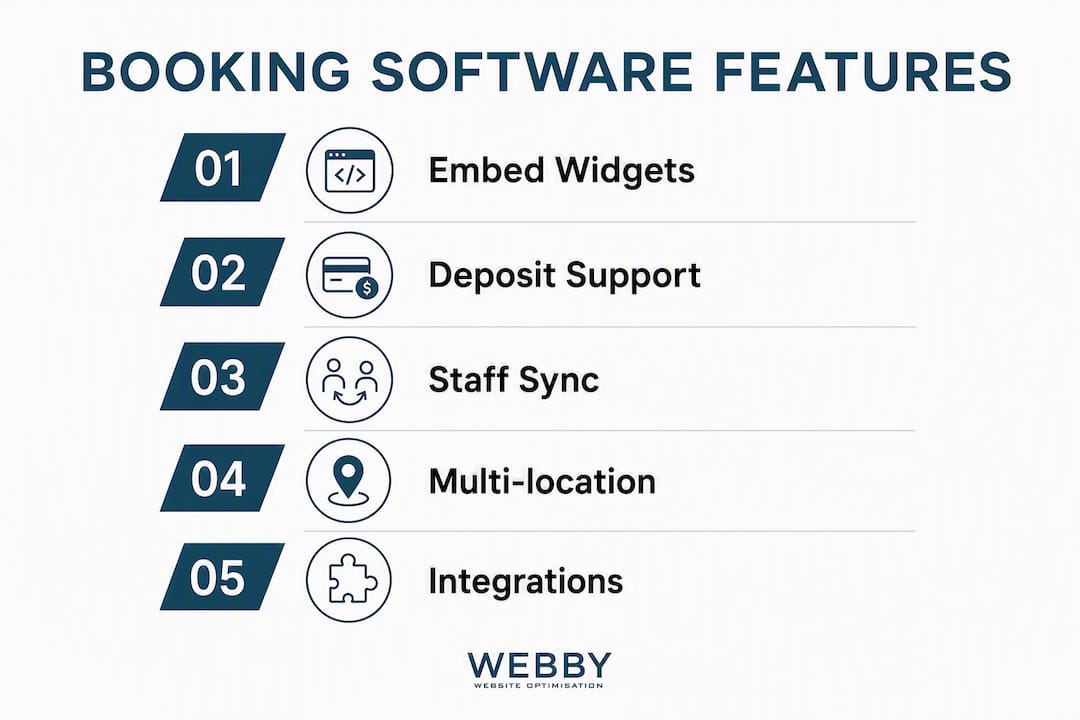
Quick filters: If you need a booking widget that lives on your own site (not a redirect), prioritize tools with an embed snippet: SimplyBook.me, Acuity Scheduling, SuperSaaS, and Zoho Bookings all support this. If payments are non-negotiable from day one, Square Appointments and FareHarbor have the tightest native integration. Most tools offer a 14-day free trial — run a real booking with a deposit before you commit.
Short reviews: what each tool actually does well
Square Appointments
Square Appointments is the most practical choice for any business already using Square for payments. The free solo tier covers basic scheduling, and paid plans add staff management and real-time sales insights through the Square Dashboard. Setup takes under an hour for most solo operators.
Pros: Native POS and payment processing; real-time staff availability sync; strong mobile app.
Cons: Heavily tied to the Square ecosystem; limited customization for intake forms.
When to use: Hair salons, massage therapists, or retail service shops that process payments at the counter.
Calendly
Calendly is the simplest way to get a booking link live today. It handles meeting scheduling cleanly, connects to Google and Outlook calendars, and routes leads through HubSpot or Salesforce. It is not built for deposits or complex service menus, so it fits professionals who sell time, not packages.
Pros: Extremely fast setup; broad calendar support; solid free tier.
Cons: No native deposit or intake form support on lower plans; limited for multi-service businesses.
When to use: Consultants, coaches, and solo professionals who book single meetings.
Acuity Scheduling (Squarespace Scheduling)
Acuity is the go-to for service businesses that need clients to answer questions before booking. Intake forms, deposit rules, and custom availability windows are all built in. Workflow fit and integration capability matter more than feature count for multi-step service businesses, and Acuity delivers on both.
Pros: Intake questionnaires; deposit and card-on-file support; flexible calendar rules.
Cons: Interface feels dated compared with newer tools; Squarespace branding can confuse clients.
When to use: Spas, personal trainers, and any service provider who needs pre-appointment information.
Setmore
Setmore offers the most generous free tier in this list. The free plan supports multiple staff members and a branded booking page. Upgrade to Pro for SMS reminders and payment processing via Stripe or Square.
Pros: Free plan with staff support; clean branded booking page; easy embed.
Cons: SMS reminders locked behind paid plan; limited reporting on free tier.
When to use: Solo pros and small teams who want a professional booking page without a monthly fee.
SimplyBook.me
SimplyBook.me stands out for notification breadth. SMS, WhatsApp, and email reminders run simultaneously, and the deposit and card-on-file options reduce no-shows without extra setup. The embed widget drops into any website with a single code snippet.
Pros: Multi-channel reminders (SMS, WhatsApp, email); strong embed options; deposit support.
Cons: Feature-heavy interface takes time to configure; pricing tiers can feel complex.
When to use: Businesses with high no-show rates or clients who prefer WhatsApp communication.
Booksy
Booksy is purpose-built for personal care. Salons, barbers, and nail techs get a marketplace listing alongside their booking page, which drives new client discovery. Client lifecycle tools track visit history and spending.
Pros: Industry-specific features; marketplace exposure; client retention tools.
Cons: Higher starting price than general tools; limited outside the beauty/personal care vertical.
When to use: Any salon or personal care business that wants both a booking system and a discovery channel.
Mindbody
Mindbody handles complexity that most tools cannot. Class scheduling, membership billing, waitlists, and multi-location management run from a single dashboard. The tradeoff is price and a steeper learning curve.
Pros: Class and membership management; multi-location support; deep reporting.
Cons: Expensive for small operators; onboarding takes longer than simpler tools.
When to use: Gyms, yoga studios, and wellness centers with multiple instructors and recurring memberships.
Zoho Bookings
Zoho Bookings earns its place for businesses already inside the Zoho ecosystem. The AI-assisted booking page creation pulls from your existing site content, and white-label pages keep your brand front and center. Staff-based pricing scales predictably as your team grows, and a 15-day trial lets you test the full feature set before committing.
Pros: AI page creation; white-label options; tight Zoho CRM integration.
Cons: Best value only if you use other Zoho products; interface less intuitive for non-Zoho users.
When to use: Service businesses already running Zoho CRM or Zoho One.
HoneyBook
HoneyBook combines scheduling with contracts and invoicing in one client-facing workflow. Photographers and event professionals who send proposals, collect signatures, and take deposits in a single flow will find it indispensable.
Pros: Contracts and invoices built in; clean client portal; strong for project-based work.
Cons: Not suited for high-volume appointment businesses; limited multi-location support.
When to use: Photographers, event planners, and creative professionals who manage the full client lifecycle.
Appointy
Appointy adds class and group booking to standard appointment scheduling, which makes it useful for businesses that run both one-on-one sessions and group events. The free tier is functional for solo operators.
Pros: Class and group booking; Facebook integration; solid free plan.
Cons: UI feels dated; reporting is basic on lower tiers.
When to use: Tutors, fitness coaches, and service businesses that mix private and group sessions.
Bookeo
Bookeo handles complex booking rules that simpler tools ignore. Add-ons, group pricing tiers, and custom cancellation policies make it the right fit for tour operators and businesses with variable group sizes.
Pros: Flexible add-ons; group booking rules; strong cancellation policy controls.
Cons: Interface is not modern; setup takes more time than average.
When to use: Tour operators, escape rooms, and activity businesses with variable group pricing.
YouCanBook.me
YouCanBook.me gives calendar-driven businesses tight control over availability windows, buffer times, and booking rules. It embeds cleanly and works well for individual consultants who live in Google Calendar.
Pros: Deep calendar control; clean embed; team booking support.
Cons: Limited payment options; browser-based only (no dedicated mobile app).
When to use: Consultants and advisors who manage availability entirely through Google Calendar.
Brevo Meetings
Brevo Meetings is a lightweight add-on for teams already using Brevo for email marketing. It connects scheduling directly to CRM contact records, which keeps lead-to-meeting workflows tight.
Pros: CRM-connected scheduling; free tier available; simple setup.
Cons: Limited standalone value; no deposit or intake form support.
When to use: Small teams using Brevo as their primary marketing and CRM platform.
Cal.com
Cal.com is the open-source option. Developers can self-host, customize workflows, and build integrations that proprietary tools cannot match. The hosted paid tier works for non-technical teams who want flexibility without managing infrastructure.
Pros: Open-source and self-hostable; highly customizable; strong integration ecosystem.
Cons: Requires technical comfort for full customization; community support on free tier.
When to use: Tech-enabled businesses or agencies that need a scheduling system they can fully control.
The remaining tools at a glance
BookedIn suits small salons and solo health practitioners who want the simplest possible appointment flow with no extra features to configure. Roverd surfaces as a local-market-oriented option worth exploring for niche regional use cases. Bokun and FareHarbor are the two dominant platforms for tour and activity operators — Bokun for businesses that need OTA channel distribution, FareHarbor for high-volume operators who prefer a commission-based model with no monthly fee. Checkfront covers rental and resource-based booking with solid payment integrations.
FunAway and Insteract appear in market roundups but have limited public documentation on pricing and features — worth a direct inquiry if they surface in your research. Sign In Scheduling handles front-desk sign-in and in-person appointment flows for small offices. Appointlet and Doodle both solve group scheduling problems: Appointlet for team meeting coordination, Doodle for polling-first availability finding.
HubSpot meeting tool is free with any HubSpot account and connects scheduling directly to CRM contact records. NexHealth and SimplePractice serve healthcare and therapy practices respectively, with EHR integrations and billing features that general tools do not offer. Picktime is the strongest free-first option for budget-constrained small teams. SuperSaaS offers a rule engine flexible enough to handle almost any booking scenario, from resource allocation to complex availability windows.
Appointment.com covers general small business categories with a straightforward feature set. Baluu and Bookwhen are solid for class-based and event-focused businesses that need a clean public schedule. Brevo Meetings rounds out the list for marketing-stack-connected teams.
Pro Tip: AI voice receptionists that integrate with scheduling calendars can convert high-intent callers into booked appointments without human intervention. If your business takes a high volume of phone inquiries, look at platforms like Scheduling Studio that offer AI booking agents as an add-on to your existing scheduling tool.
How to choose the right booking software for your business
The buying checklist
Work through these before you sign up for anything:
Core features
- Does the tool embed directly on your website, or does it redirect customers to a third-party domain?
- Can clients book 24/7 without staff involvement?
- Does it support your service types (single appointments, classes, resources, group bookings)?
- Can you customize the booking page with your logo, colors, and domain?
- Does it send automated reminders via SMS and email?
Payments and deposits
6. Can you require a deposit or store a card on file at the time of booking?
7. What payment processors does it support (Stripe, Square, PayPal)?
8. What are the transaction fees on top of the monthly plan?
9. Does it handle refunds and cancellation-triggered charges automatically?
Staff and roster
10. Can each staff member have their own calendar and availability rules?
11. Does it support multi-location scheduling from a single account?
12. Can clients choose a specific staff member, or is it auto-assigned?
Integrations
13. Does it sync with Google Calendar and Outlook in real time?
14. Does it connect to your POS or payment system without a workaround?
15. Can it push booking data to your CRM or email marketing tool?
Security and compliance
16. Is the payment processing PCI-compliant?
17. Does it offer HIPAA compliance if you handle health-related appointments?
Support and contract terms
18. What support channels are available (phone, chat, email) and during what hours?
19. Is there a free trial with no credit card required?
20. What are the cancellation terms — month-to-month or annual lock-in?
Questions to ask on a vendor demo
- How does the system handle double-booking across multiple staff members?
- What happens when a client cancels after the deposit window closes?
- How does the tool manage time zones for remote or multi-location bookings?
- Is PCI compliance handled at the platform level, or does it require additional configuration?
- Can I cancel month-to-month, or is there an annual contract with an early termination fee?
Pricing expectations by business size
Solo operators can get started free with Setmore or Picktime, or pay $5–$16/month for SMS reminders and payment processing. Small teams (2–5 staff) typically land in the $20–$50/month range for a tool with staff calendars, deposits, and integrations. Multi-location businesses with complex needs (Mindbody, Checkfront) usually start at $79/month and scale with location count.
Red flags to watch for
- No embed option (redirect-only booking pages increase abandonment)
- No card-on-file or deposit support
- Integrations limited to Zapier workarounds with no native connectors
- Email-only support with no live chat or phone option
- Annual contracts with no month-to-month alternative
Pro Tip: Before going live, paste the embed snippet onto a staging version of your homepage and complete a test booking on a mobile device. If the booking flow breaks or feels clunky on a 375px screen, fix it before your clients encounter it. Most drop-off happens in the first two steps of the booking form.
What booking software actually does for your local business
The core job is simple: replace a phone call or email thread with a self-service booking flow that runs around the clock. But the features that matter most to local service businesses go well beyond a calendar widget.
Essential features to expect:
- Booking page or widget embed — a snippet that lives on your site, not a link that sends clients elsewhere
- Staff calendars with real-time sync — each team member’s availability updates instantly when a booking is made
- Class and resource booking — scheduling rooms, equipment, or group sessions alongside individual appointments
- Deposits and cards on file — requiring a deposit at booking is one of the most effective ways to cut no-shows
- Automated reminders — SMS, email, and WhatsApp notifications sent at configurable intervals before the appointment
- Waitlists — automatically fill cancellations without manual follow-up
- Reporting and analytics — track bookings per channel, revenue per service, and no-show rates
Two workflows that show how this plays out
A solo massage therapist using Square Appointments sets her availability once, embeds the booking widget on her homepage, and requires a $25 deposit via Stripe. Clients book at 11 PM on a Sunday. She wakes up to confirmed appointments with deposits already collected, zero phone tag.

A five-location fitness studio using Mindbody runs class schedules across all sites from one dashboard. Instructors manage their own availability. Members book classes through the app, join waitlists automatically when a class fills, and receive SMS reminders 24 hours before. Front-desk staff spend less time on the phone and more time with clients who are actually in the building.
Integration touchpoints that matter
The tools that create the most operational value connect to what you already use: Google Calendar or Outlook for staff scheduling, Stripe or Square for payments, your CRM for lead tracking, and your website CMS for the embed. Workforce platforms like Homebase add shift scheduling and payroll integration alongside appointment demand, which helps manage labor costs when booking volume fluctuates.
Data security and PCI compliance
Any tool that stores payment card data or processes transactions in the U.S. must be PCI-DSS compliant. Most major platforms (Square, Stripe-connected tools, Mindbody) handle PCI compliance at the platform level, meaning you do not need to configure it yourself. For health-related appointments, check whether the tool offers a HIPAA Business Associate Agreement — NexHealth and SimplePractice both do; most general scheduling tools do not.
How we compared these tools
The evaluation used seven scoring axes, weighted toward the concerns local service businesses raise most often.
- Price and free tier — does a usable free plan exist, and what does the first paid tier actually unlock?
- Setup time — how long does it take to go from account creation to a live, embeddable booking page?
- Integrations — native connectors to Google Calendar, Stripe/Square, and at least one CRM or marketing tool
- Staff and multi-location support — can multiple staff members manage their own calendars, and does multi-location work without a separate account?
- Payment features — deposit support, card-on-file, transaction fees, and refund handling
- Mobile app availability — iOS and Android apps for both staff and clients
- Customer support — channels available (phone, chat, email), response time reputation, and quality of onboarding documentation
Testing steps
For each tool in the shortlist, the evaluation followed this sequence: create a free or trial account, configure a service with a deposit requirement, embed the booking widget on a test page, complete a mock booking from a mobile device, check calendar sync with Google Calendar, and assess the quality of onboarding documentation and support response time.
Pricing data was pulled from vendor sites and third-party review platforms including G2 and Capterra. Pricing changes frequently — confirm current rates on each vendor’s site before purchasing.
“Workflow fit and integration capability usually matter more than a long feature list for businesses with multi-location or team-based scheduling needs. The right tool is the one that connects to what you already use, not the one with the most checkboxes.” — Acuity Scheduling vendor guidance
Key Takeaways
The best booking software for local businesses combines a direct website embed, deposit support, and real-time staff calendar sync — those three features together do more to reduce no-shows and capture after-hours leads than any other combination.
| Point | Details |
|---|---|
| Embed beats redirect | A booking widget on your own site converts better than a link to a third-party booking domain. |
| Deposits cut no-shows | Requiring a deposit or card on file at booking is the single most effective operational lever against late cancellations. |
| Free tiers have real limits | Setmore and Picktime offer genuine free plans; most others restrict SMS reminders or payments behind paid tiers. |
| Match the tool to your workflow | Integration with your existing POS, calendar, and CRM matters more than feature count, especially for multi-location teams. |
| Webby Website Optimisation | Webby Website Optimisation helps local service businesses embed booking tools and optimize their site for conversions. |
The gap between “set it up” and “set it up right”
Most local business owners pick a booking tool, drop a link in their Instagram bio, and call it done. That is where the money gets left on the table.
The redirect problem is real and underappreciated. Sending a client from your website to a third-party booking domain — even a clean, well-designed one — breaks the trust signal your site spent months building. The client leaves your brand environment, hits an unfamiliar URL, and a meaningful share of them do not complete the booking. Embedding the widget directly on your site, ideally on the homepage or a dedicated “Book Now” page, keeps the entire transaction inside your brand. A professional web design that integrates the booking flow as a native element, not an afterthought, converts materially better.
The deposit conversation is the one most owners avoid because they worry it will put clients off. It does the opposite. A client who has paid a $30 deposit is a client who shows up. The ones who balk at a deposit are often the ones who would have canceled the morning of. Setting a clear cancellation policy and communicating it at booking, not after, is the professional move — and most booking platforms make it easy to display that policy on the confirmation page.
Staff time buffers are the other thing that gets ignored until it causes a problem. If your booking software does not automatically add 15 minutes between appointments for cleanup or travel, you will find out the hard way when two clients overlap. Configure buffer times before you go live, not after your first scheduling conflict.
The tools that work best for local businesses are not necessarily the ones with the longest feature lists. They are the ones that fit the workflow you already have, connect to the payment system you already use, and embed cleanly on the site your clients already visit.
Your website should do the booking work for you
Self-service booking tools are only as effective as the website they live on. If your site is slow, hard to navigate on mobile, or sends clients to a third-party booking page, you are losing appointments before the calendar even opens.

Webby Website Optimisation works with local service businesses to embed booking software directly into their websites, optimize the booking flow for mobile, and connect scheduling tools to their existing POS and payment systems. The goal is a frictionless path from “I found your site” to “I have a confirmed appointment” — without the client ever leaving your domain. Webby implements the tool that fits your workflow, not a single preferred vendor.
For businesses that want a faster start, the website-built-in-a-day service includes booking embed setup as part of the build. For more complex integrations, the website design and development service covers full POS connectivity, responsive design, and conversion optimization. Request a free embed audit to see exactly where your current booking flow is losing clients.
Useful sources and vendor documentation
Verify all pricing and trial details directly on vendor sites before purchasing — rates change frequently.
- Square Appointments — free online booking and scheduling
- Calendly for small business
- Acuity Scheduling solutions for small business
- Setmore — free online appointment scheduling software
- SimplyBook.me — free appointment booking system
- Zoho Bookings — AI-powered appointment scheduling
- Roverd — best online booking software for small businesses
- G2 reviews — SimplyBook.me
- Capterra — SuperSaaS appointment scheduling
- Scheduling Studio — AI booking agents
- Workflow automation case study — Zatersio