
Bing Places optimization means claiming your free Bing Places for Business listing, verifying it, filling in every field accurately, and keeping it consistent with your website and Google Business Profile. For a Perth plumber, electrician, accountant or cleaner, it is a one-afternoon job that puts your business details on Bing search and Bing Maps. Most competitors have never touched it. This guide walks through the full process, with the Australian specifics, and finishes with how to tell whether it is working.
TL;DR
- Bing Places for Business is Microsoft’s free tool for managing how your business appears in Bing search results and Bing Maps. It is available to Australian businesses through a Microsoft account.
- Claim your listing, verify it, then complete every field: name, address or service area, phone, hours, website, categories, description and photos.
- Keep your name, address and phone number (NAP) identical across your website, Google Business Profile and Bing.
- Use Bing Webmaster Tools and your own analytics to measure visits, calls and enquiries. Expect modest, steady results, not a flood.
- The work takes a few hours once, then a few minutes a month. It pays off most when your website and Google profile are already in good shape.
Table of Contents
- What Bing Places for Business is, and why Australian businesses should care
- Who is eligible, and what to prepare
- Claiming or creating your listing in Australia
- Optimizing each part of the profile
- Keep your details consistent everywhere
- Reviews and reputation
- Bing Webmaster Tools: the other half of the job
- Measuring whether Bing Places is working
- A 60-minute checklist
- Our perspective: treat Bing as a consistency exercise, not a ranking trick
- Get your website ready for the traffic Bing sends
- FAQ
- Sources
What Bing Places for Business is, and why Australian businesses should care
Bing Places for Business is Microsoft’s platform for businesses to add or change their information in Bing Maps and search results. Microsoft’s Australian support page describes it as the place to claim or update your listing. In plain terms, it is Bing’s counterpart to Google Business Profile.
Why bother when Google dominates? Three practical reasons:
- It costs nothing but time. There is no fee for the listing.
- Fewer local competitors are optimized there. On Google, every Perth tradie is fighting for the map pack. On Bing, a complete, accurate listing stands out more easily.
- It is a trust signal and a data source. Your listing is a public record of your name, address, hours and phone number. If it is wrong, someone will eventually call a dead number or turn up at the wrong address.
We would not tell a business owner to drop everything for Bing. We would tell them that if Google is handled, Bing is the cheapest next step in local visibility.
Who is eligible, and what to prepare
Microsoft built Bing Places for companies and professionals with a physical location, such as restaurants, shops and local service providers, according to the Bing Maps team’s announcement. That covers most of our clients: trades, clinics, consultants, cleaners and mobile services that operate from a base or a home office and travel to customers.
Before you sign in, collect these in one document:
| Item | What to prepare |
|---|---|
| Business name | Exactly as it appears on your website, signage and invoices |
| Address | Your street address, or the base you serve from if you work at customers’ premises |
| Phone | A local number with your area code, if you have one |
| Website | The exact URL you want people to land on |
| Hours | Regular hours, plus public holiday hours |
| Categories | One primary category and a few secondary ones |
| Description | Two or three plain sentences on what you do and where |
| Photos | Logo, storefront or vehicle, team, and finished work |
The same list serves your Google profile and any other directory, so the effort is not wasted. Microsoft’s own announcement lists the same basics: name, address, phone numbers, website, hours, photos, description and categories.
Claiming or creating your listing in Australia
The management experience now sits at bing.com/forbusiness. Microsoft moved it there in late 2025 as part of a redesign that added dashboards, bulk editing for multi-location businesses and real-time status updates. Older tutorials with screenshots of the previous interface will look different, but the sequence is the same.
Step by step
- Sign in with a Microsoft account. Use a business-owned email, not a personal one, so access survives staff changes.
- Search for your business name first. Bing may already hold a listing built from public data. Claim it rather than creating a duplicate.
- Create a new listing only if none exists. Enter the details you prepared.
- Consider importing from Google Business Profile. Bing Places offers an import option that pulls your details across. Review everything after the import. Imported data is a starting point, not a finished listing.
- Verify ownership. Microsoft says verification helps protect your listing against unauthorized changes, so do not skip it. The methods offered depend on your listing, and can include phone, email or postcard. Follow the options shown in your dashboard.
- Wait for review. Changes are not always instant. The dashboard shows the status of your edits.
If you already have a duplicate, resolve it inside the dashboard rather than letting two records compete. Two listings with slightly different phone numbers send mixed signals to every system that reads them.
Optimizing each part of the profile
A verified but half-empty listing is the most common thing we see. Here is how to complete each element.
Business name
Use your real, trading name. Do not add keywords such as “Best Perth Plumber 24/7”. It misleads customers, risks suspension on any platform, and breaks consistency with your website.
Categories
Microsoft says categories and keywords can increase the relevance of when your listing appears, per its Bing Maps announcement. That makes category choice the single most useful decision you will make.
- Pick the most specific primary category that describes your main revenue source. “Electrician” beats “Contractor”.
- Add secondary categories only for services you genuinely sell.
- Mirror the wording you use on your service pages so the listing and website agree.
Address or service area
Many of our clients travel to the customer. If you work from home, think about whether you want your home address public. Where Bing Places lets you hide it and define a service area instead, list the suburbs you actually cover, such as Fremantle, Melville and surrounding areas. Do not list every suburb in Perth hoping for reach. Cover what you can realistically serve in a day.
The same logic applies to your website. Our article on service area business SEO explains why three focused service pages do more than a long list of suburbs.
Phone number
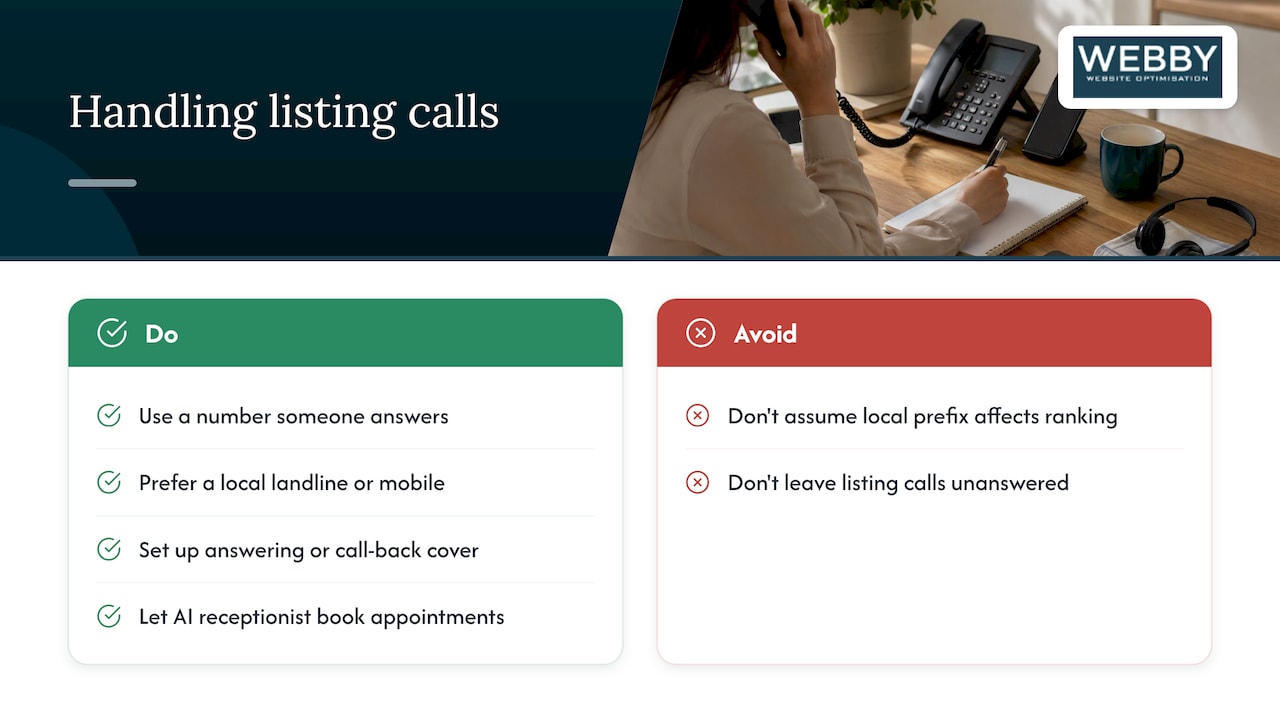
Use a number a person answers. For home-based and service-area businesses, a local landline or mobile is generally preferred over a 1800 number, because a local prefix signals presence in the area. That advice comes from Australian practitioners rather than Microsoft, so treat it as sensible practice, not a confirmed ranking factor.
Also think about what happens when the phone rings and you are up a ladder. Missed calls from a listing are lost jobs. An answering or call-back system helps, and a service like an AI voice receptionist can pick up, answer common questions and book appointments while you work.
Website URL
Point to the page that best serves the searcher. For a single-location business, the homepage is usually right. For a business with a dedicated location or service page, use that. Make sure the page loads quickly on mobile and shows your phone number prominently.
Hours
Set regular hours and update them for public holidays and the Christmas period. Wrong hours are the fastest way to earn a bad review. If you offer emergency call-outs, say so in the description rather than stretching listed hours.
Description
Write two or three factual sentences: what you do, who for, where. Use the words customers use. Skip superlatives. Example:
Family-run electrical contractor serving Fremantle, Melville and nearby suburbs. Switchboard upgrades, lighting, fault finding and safety inspections for homes and small businesses.
Photos
Upload your own images: your van, your team, finished jobs, your shopfront. Microsoft’s terms for its separate Bing Local image upload programme exclude organizations and businesses, which are expected to manage their official imagery through their Bing Places listing. So your listing is where your photos belong. Use real photos of real work, not stock images.
Keep your details consistent everywhere
Bing reads the web, and listing details that conflict with your website or other directories create doubt. Australian practitioners advise that your name, address and phone number match your Google Business Profile and website exactly. We agree. It is boring, and it works.
A quick consistency check:
- Is your business name written identically on your website footer, contact page, Google profile and Bing listing?
- Is the phone number the same format and number in each place?
- Does your address use the same abbreviations (“St” or “Street”, “Unit 3” or “3/”)?
- Do your hours match?
If you maintain several listings, tools that keep your business name, address and phone consistent across your website and directories can save time. A simple spreadsheet works just as well for a single-location business.
Reviews and reputation
Reviews are part of how customers judge a listing, whichever platform shows it. We would not build a Bing-only review strategy. Ask happy customers for a review on Google first, since that is where most of your customers look, and respond to any feedback that appears on your Bing listing. A short, polite, factual reply to a complaint says more about your business than the complaint does.
We do not publish figures on how many Bing reviews a typical business receives, because there is no reliable public data to quote. Treat Bing reviews as a bonus.
Bing Webmaster Tools: the other half of the job
Your listing is only one side of Bing visibility. Your website also needs to be crawled and indexed. Bing Webmaster Tools is the free dashboard for that, and it is the closest equivalent to Google Search Console. Connecting it lets you submit your sitemap, see which pages Bing has indexed and spot crawl errors.
If you want a deeper technical review of the same issues, an automated crawl through Bing Webmaster Tools can surface indexability problems, broken redirects and missing meta tags. Fix those first. A polished listing pointing at a slow or broken website wastes the click.
Measuring whether Bing Places is working
Be realistic. Bing will not replace Google as your main source of local enquiries. The aim is incremental visits, calls and leads from a channel most competitors ignore. Here is how to find out whether it is working for you.
What to track
- Referral traffic. In your analytics, filter traffic by source for Bing. Compare the three months before and after you complete the listing.
- Calls. Use a dedicated tracking number only if you can keep the main number visible and consistent. Otherwise, ask new callers how they found you and log the answer.
- Enquiry forms. Add a “How did you hear about us?” field with Bing, Google, referral and other options.
- Dashboard insights. The Bing Places dashboard shows listing activity. Check it monthly.
- Bing Webmaster Tools. Watch impressions and clicks for your key service queries.
What to expect
For a small local service business, expect small numbers: a handful of extra visits and the odd call a month, rising slowly as your listing and site mature. We will not promise a figure, because results depend on your category, suburb and competition. If a month of tracking shows nothing, check completeness, consistency and website speed before you conclude Bing is a dead end.
A 60-minute checklist
- Gather your business details into one document (10 minutes).
- Sign in at bing.com/forbusiness with a business-owned Microsoft account (5 minutes).
- Search for an existing listing and claim it, or create one (10 minutes).
- Complete name, categories, address or service area, phone, website, hours and description (15 minutes).
- Upload at least five real photos (10 minutes).
- Verify ownership using the method offered (5 minutes plus waiting).
- Connect Bing Webmaster Tools and submit your sitemap (5 minutes).
Put a recurring reminder in your calendar to review the listing every quarter, and every time your hours, phone number or services change.
Our perspective: treat Bing as a consistency exercise, not a ranking trick
We work with local service businesses around Perth, Fremantle and Melville, and the pattern is consistent. Owners hear “optimize” and expect a secret lever. With Bing Places there is none. The businesses that benefit are the ones whose details are complete, accurate and identical everywhere, and whose website backs up the listing with clear service pages, a visible phone number and fast loading.
That is why we start with the website and the Google profile, then extend to Bing. A listing can only send people to a site that converts them. If the site is slow, outdated or hard to use on a phone, an extra listing just sends more people to a page that loses them. Fix the foundation, then add channels.
Be wary of anyone who sells Bing optimization as a standalone miracle. It is a sensible, low-cost task that belongs in a wider local SEO routine.
— Steve Doig
Get your website ready for the traffic Bing sends
If you have claimed your listing and want to know whether your website is ready for it, our Website Audit is a one-off $1,250 AUD review of what is holding your site back, from speed to structure to conversion. You get a clear list of what to fix first.

Want a quick technical check first? Try our free SEO Inspector for an instant analysis of your pages. If you prefer to build skills yourself, our website development courses cover the practical side. You can also see how we approach local visibility on our blog.
FAQ
Is Bing Places free for Australian businesses?
Yes. Creating and managing a listing through Bing Places for Business does not require payment. You need a Microsoft account and a way to verify ownership. Your only cost is the time to complete and maintain it.
Do I need Bing Places if I already have a Google Business Profile?
It is worth doing, but Google comes first. If your Google profile is verified and complete, Bing is a short extra step, and you can review imported details rather than retyping them. It also gives you a second public record of your business information.
How long does verification take?
It depends on the method offered for your listing. Some options are quick and others, such as postcard, take longer. Check your dashboard for the status of each request, and make sure your details are correct before you submit so you do not have to repeat the process.
Can a home-based or mobile business list on Bing?
Yes, if you serve customers from a base. Microsoft designed Bing Places for businesses with a physical location, and home-based service providers commonly list by defining the area they serve. Decide whether you are comfortable with your address being public, and use the service-area options where they are available.
What should I do if there is already a wrong listing for my business?
Sign in, search for your business and claim the existing record, then correct the details. Do not create a second listing. Once verified, you control the information, and Microsoft notes that verification helps protect against unauthorized changes.