
To fix NAP consistency, decide on one exact version of your business name, address and phone number, match it to your Google Business Profile, then find every place that shows something different and correct it, starting with the places customers actually see. That is the whole job. The work is in the details: spotting the old listing from your previous office, the mobile number a tradie put on a directory in 2019, or the “Pty Ltd” that appears on some sites and not others.
This guide walks through the fix in the order we run it for local service businesses in Perth, Fremantle and Melville. It covers what to settle first, where to look, what to fix first, and how to stop the problem coming back.
TL;DR
- NAP means name, address and phone number. Consistency means these read the same on your website, your Google Business Profile and every listing that mentions you.
- Start with one master record, based on your Google Business Profile and what is on your shopfront, van, invoices and website. Everything else gets corrected to match it.
- Fix by customer impact, not alphabetically: wrong phone numbers and closed addresses first, formatting quirks like “St” versus “Street” last.
- Duplicate and outdated listings are usually worse than slight spelling differences, because they send real customers to the wrong place.
- Put a recheck in the calendar. Details drift whenever you move, change a number, rebrand or sign up to a new directory.
Table of Contents
- What NAP consistency means in practice
- Why it matters for an Australian local business
- Step 1: Build your master NAP
- Step 2: Find where your details appear
- Step 3: Sort errors by customer impact
- Step 4: Make the corrections
- Step 5: Confirm the public result
- Perspective: why we treat NAP as a hygiene job, not a trick
- Keeping your details consistent over time
- When to get help
- Frequently asked questions
- Sources
What NAP consistency means in practice
Your NAP is the trio every customer needs to find or contact you: business name, address, phone number. Google and other search engines collect those details from your website, your Business Profile, directories, social pages and mentions elsewhere online. When the sources agree, they have one confident answer. When they disagree, they have to guess which version is right, and so does the customer.
Here is what “disagree” looks like in the real world:
- Name: “Smith & Sons Plumbing” on your website, “Smith and Sons Plumbing Pty Ltd” on a directory, “Smiths Plumbing Perth” on Facebook.
- Address: “Unit 4, 12 Example Street, Welshpool” in one place, “12 Example St Welshpool WA” in another, and your old Fremantle address still alive on a third.
- Phone: a landline on your website header, a mobile on your Business Profile, and a number with no area code on an older listing.
Not all of these matter equally. “St” versus “Street” is a formatting difference that any search engine can reconcile. A closed address or a dead phone number is a material error, because it loses you calls and damages trust. We separate those two categories in the process below, because treating them the same is how people burn a weekend on trivia and leave the real damage in place.
Why it matters for an Australian local business
For a service business, the phone call is the sale. If your Business Profile shows one number and a directory shows another that rings out, you lose jobs you never knew existed. Most local service businesses compete on the map results, where the details shown are the product. Google’s own guidance asks that your business is represented as it is consistently recognized in the real world across signage, stationery and other branding, and that your address and service area are accurate and precise. In other words, the platform that decides whether you appear locally is explicitly asking for consistency.
There are practical Australian wrinkles too:
- Trading name versus registered name. Many Australian businesses trade under a name that differs from the company name on their ABN record. Pick the name customers know and use it everywhere customers see it.
- Service-area businesses. Plumbers, electricians, cleaners and mobile trades often work from home and travel to the customer. Your address handling needs care, and we cover it below.
- Suburb naming. Perth customers search by suburb, and the same location can be written several ways. Choose one suburb spelling and state format (WA) and stick to it.
- Phone formats. Local landlines, 13/1300 numbers and mobiles all appear in the wild. Choose the one customers should actually call and use it as the primary everywhere.
We do not claim that fixing NAP alone will catapult you up the rankings. It is one of several local signals, alongside your Business Profile quality, reviews, website content and links. What it does is remove an obvious source of confusion, and it is cheap to do. If you want the wider picture, our guide to local SEO for small business shows where NAP fits.
Step 1: Build your master NAP
Before you touch a single listing, write down the correct version. Open a simple document and record:
- Business name exactly as it appears on your signage, vehicle, invoices and website. Decide on “and” or “&”, and whether “Pty Ltd” is included. Our advice: leave legal suffixes off unless they are on your signage.
- Street address in one format, for example “Unit 4, 12 Example Street, Welshpool WA 6106”. Decide on “Unit” versus “U” versus “4/12”, and keep it.
- Phone number in one format, for example “(08) 1234 5678” or “0412 345 678”. Pick one primary number.
- Website URL, hours, categories and a short description, since these travel with NAP on most listings.
Your Google Business Profile is the natural anchor. It is the listing customers see most, and Google asks that the name reflect your real-world name rather than keywords or promotional additions. If your Profile currently carries extras like “Best Plumber Perth 24/7”, you have a decision to make: the name should be the one on your storefront and stationery, and the extras belong in the description or services sections. Google’s guidelines say to add details like address, service area, hours and category in their own sections, not in the name.
If your details have changed recently, update the Profile first. Note that if you move to a new address after your Profile is verified, you must verify your business again, so allow time for that before you start pushing the new address everywhere else. If you are not sure your Profile is set up well, read our Google Business Profile explained for local service owners first.
A note for service-area businesses
If you travel to customers and do not serve people at your premises, your address should usually not be public. Google’s guidance for service-area businesses covers this, and it also says such businesses can’t list a virtual office unless it is staffed during business hours. The consistency rule then shifts: your phone number, name and service areas must match everywhere, and you should not publish a home address on one directory while hiding it on another. Decide once whether the address is shown, and apply that choice to every listing that allows it. Our piece on service area business SEO explains how to build your pages around this.
Step 2: Find where your details appear
You cannot fix what you have not found. Work through these in order, and record each one in a spreadsheet with columns for the site, the URL, what it shows for name, address and phone, and whether it is correct.
Your own assets first
- Website: header, footer, contact page, about page, service pages, privacy policy and terms. These are the places owners forget, especially old footers on secondary pages.
- Structured data: if your site uses local business markup, check that the name, address and phone in the code match the visible text. Many WordPress themes and plugins store a separate copy of these details, and it goes stale quietly.
- Email signatures, quotes, invoices and PDFs that are published online.
- Social profiles: Facebook, Instagram, LinkedIn, YouTube.
Then the listings you control
- Google Business Profile (and check for duplicates, see below).
- Bing and Apple’s business listing tools.
- Industry bodies, trade associations and licensing registers you belong to.
- Chamber of commerce and local business association pages.
- Any directory you signed up to yourself, including free ones. Search your email for “verify your listing” and “welcome” messages, which is the quickest way to recall them.
Then the listings you did not create
Many directories scrape or buy data and publish your business without asking. To find them:
- Search Google for your phone number in quotes, in each format you have used. Repeat with your old numbers.
- Search for your street address in quotes, and for your old addresses.
- Search your exact business name plus your suburb, then page through at least the first three pages of results.
- Search your name with and without “Pty Ltd”, and any former trading names.
- Look at the map itself: search your business type in your suburb and see whether a second pin sits at your old address.
This takes an hour or two for most small businesses, and it is the bulk of the effort. Free checking tools exist, and they are fine for a first pass, but they only compare what you feed them. They will not know about the listing that uses your old name, so the searches above remain worth doing.
Step 3: Sort errors by customer impact
This is where most DIY clean-ups go wrong. People start at the top of a list and work down, spending the same effort on a harmless abbreviation as on a listing that sends customers to a closed shopfront. Sort what you found into three tiers.
| Priority | What it looks like | Why it matters | What to do |
|---|---|---|---|
| High | Wrong or disconnected phone number; old or closed address; duplicate Google profile; wrong business name from a former brand | Customers call or drive to the wrong place, and search engines see conflicting facts | Fix this week. Claim, edit or request removal |
| Medium | Missing suite or unit number; website URL pointing to an old domain; wrong category or hours | Customers are mildly misdirected and listings look neglected | Fix within a few weeks |
| Low | “St” versus “Street”; “&” versus “and”; capitalization; minor punctuation | Search engines usually reconcile these, though matching exactly is tidier | Fix when you are already editing the listing |
A practical rule: if a real person acting on the listing would end up in the wrong place or on a dead phone line, it is high priority. Everything else can wait.
Step 4: Make the corrections
The method differs by type of listing.
Listings you can edit
Log in and change the name, address, phone and website to your master version. Save a screenshot of the finished listing and note the date in your spreadsheet. If a platform has a verification step after an address change, as Google does, complete it before moving on, otherwise the edit may not go live.
Listings you do not own yet
Search the directory for a “claim this business” or “update this listing” option. Claiming normally means confirming by phone, postcard or email. Once claimed, edit it as above. This is slow only because of the verification wait, so start claims early and do other work while you wait.
Duplicates
Google’s guidance says there should only be one profile per business, because duplicates can cause problems with how your information shows on Maps and Search. If you find a second profile for your business, do not edit it into a copy of the first. Use the Profile’s tools to report the duplicate or request removal, and keep the one with your reviews and history. If you are unsure which to keep, choose the verified one you control.
Old listings you cannot reach
Some sites have no contact route. Use their feedback or removal form, and give the correct details plainly. For anything high priority, follow up after a couple of weeks. For low-priority leftovers, accept that a few will linger and move on. Your time is better spent on the main listings.
Your website
Update every instance of the old details, including the footer, contact page and any structured data. If you use a WordPress site with a theme that stores business details in settings, change it in the settings so the update flows through. If your site is old and every edit is a chore, this is a good moment to look at whether it needs a proper tidy. Our website audit at $1,250 AUD one-off covers this kind of issue alongside speed, structure and conversion problems.
Step 5: Confirm the public result
A correction in your dashboard is not the same as a correction in public. After a few weeks:
- Search your business name and suburb in a private browser window, so personalized results do not mislead you.
- Search your phone number in each format.
- Look at your map pin and the details on it.
- Re-open the main listings and confirm that the edits stuck, since some platforms overwrite your edits with data from a supplier.
- Ring the number from the listing, and ask a friend to do the same from their phone. You will be surprised how often a diverted or old line is still live.
If something has reverted, fix it again and note which source is feeding it. Often a single data supplier is behind several stale listings, and correcting it at the source clears them together.
Perspective: why we treat NAP as a hygiene job, not a trick
We see the same pattern with local service owners. They have been told that NAP consistency is a secret ranking lever, so they pay for a bulk submission to dozens of directories, and a year later the business has moved, the number has changed and half of those listings are wrong again. More listings means more places to go stale.
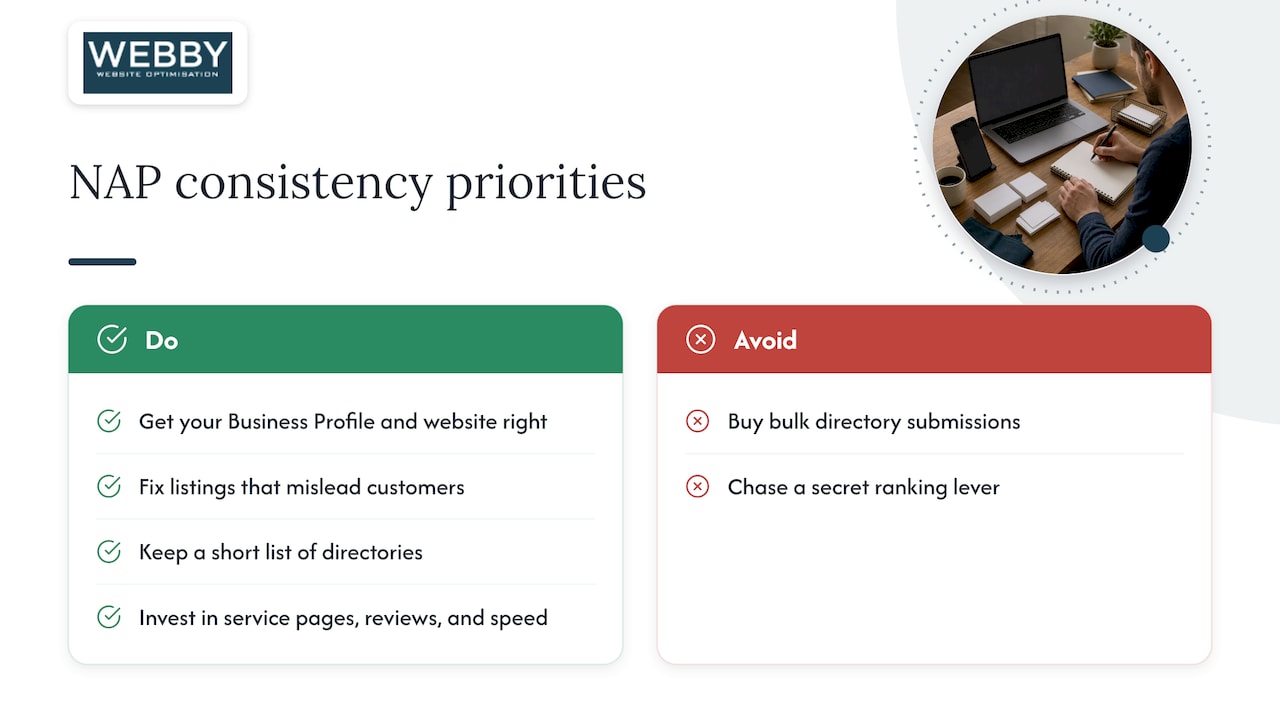
Our view is simpler. NAP consistency is about being easy to find and easy to call. Get your Business Profile and website right, fix the listings that actually mislead customers, keep a short list of the directories that matter for your trade and area, and stop. Time saved goes into things that bring in jobs: service pages that match what people search for, reviews, and a website that loads quickly and makes it obvious how to call you.
When we work with businesses in Perth, Fremantle and Melville, the NAP check usually sits inside a wider look at how they show up on Google. The messy details are rarely the only problem, but they are the easiest one to fix, and fixing them makes the other problems easier to see.
— Steve Doig
Keeping your details consistent over time
NAP problems come back whenever something changes. Build a few habits so you are not repeating the audit from scratch each time.
- Keep the master document alive. Store it somewhere your team can find. When anyone creates a new profile, they copy from it rather than typing from memory.
- Trigger a re-check on events. A move, a new number, a rebrand, a new owner or a name change each deserve a mini audit. Do the Business Profile first, then the website, then the rest.
- Put a recheck in the calendar. Twice a year is enough for most small businesses. Repeat the searches from Step 2 and compare.
- Be careful with new directories. Before signing up, ask whether this listing will matter to customers in your trade and area. If not, skip it.
- Watch your Google profile. Edits suggested by users and changes from third parties can alter your details. Check the Profile now and then, especially after anything unusual in your calls or reviews.
- Check what your website says. If a developer or plugin update touches your theme, confirm the contact details survived.
If you are not showing on the map at all, the cause may be something other than NAP. Our 10-point checklist for getting found on Google Maps covers the other usual suspects. And if you want the afternoon version of this process, we wrote a shorter NAP audit for local businesses.
When to get help
Most owners can do this clean-up themselves in a few hours spread over a couple of weeks. It is worth getting help when:
- you have moved or rebranded and the old details are scattered widely;
- you have several locations or service areas;
- your site is old, hard to edit, or stores contact details in several places;
- you are not showing up on the map at all and are not sure why.
We do this for local service businesses as part of a broader SEO and website job. Our Website Audit is a one-off $1,250 AUD review of your site, and the Business Website Optimisation Campaign at $3,125 AUD one-off goes further, fixing what the audit finds. If you only need someone to keep the site’s details and plugins current, the Monthly Maintenance plan is $59 AUD per month, listed on our WordPress help and support page.

If you would rather not do it alone, contact us through webby.net.au and tell us your business name, suburb and what you think is wrong. We will tell you honestly whether it is a quick fix or something bigger.
Frequently asked questions
What is NAP consistency?
NAP stands for name, address and phone number. NAP consistency means these three details are written the same way on your website, your Google Business Profile and every directory or social page that mentions your business. The aim is that both search engines and customers see one clear set of facts.
How do I check my NAP consistency?
Write down your master NAP, then search Google for your phone number, street address and business name in each format you have used. Record every listing that appears and compare it to your master version. Also check your website footer, contact page and any structured data, since those are often out of date.
Do small differences like “St” and “Street” really matter?
Usually not much, because search engines can reconcile common abbreviations. Matching exactly is still tidier, and it is easy to do when you are already editing a listing. Spend your effort first on wrong phone numbers, closed addresses and duplicate profiles, which cause real harm.
What should I do if I move premises?
Update your Google Business Profile first and complete the re-verification Google requires after an address change. Then update your website, social pages and directories, and claim or correct any old listings that still show the previous address. Keep your old address on your list of searches for the next few months, since stale listings tend to surface.
Should a service-area business show its address?
If you do not serve customers at your premises, you generally should not publish a home address, and Google does not allow a virtual office unless it is staffed during business hours. Choose whether to show the address, then apply that decision to every listing that offers the option. Keep the name and phone number identical everywhere.
Sources
- Guidelines for representing your business on Google, Google Business Profile Help
- Edit your Business Profile, Google Business Profile Help