

A local citation is any online mention of your business name, address, and phone number, and the fastest way to build local citations that actually help your ranking is to stop creating new ones until you’ve fixed the ones you already have. Audit first. Write a canonical master NAP, search for every existing mention, correct the wrong ones, then expand outward from there.
TL;DR:
- Fix your existing citations first by auditing your current listings, correcting outdated details, and removing duplicates before creating new ones.
- Claim and verify your main listings on Google, Apple, and Bing, and request merges or removals for outdated or duplicate profiles.
- Submit your master NAP to data aggregators first to enable widespread and automated propagation of accurate information across many directories.
- Prioritize niche and industry-specific directories that meet editorial standards and closely relate to your trade or local area for higher-quality referral traffic.
- Maintain your citation integrity by updating your master NAP promptly after any business change and performing quarterly audits to prevent inconsistent data.
Table of Contents
- The Citation-Building Checklist You Can Follow This Week
- Step 1: Build a Master NAP and Audit What’s Already Out There
- Step 2: Claim, Verify, and Correct Every Listing You Find
- Step 3: Submit to Data Aggregators Before Chasing Directories
- How Do You Choose the Right Niche and Local Directories?
- Should You Automate Citation Management or Do It by Hand?
- How Webby Website Optimisation Applies This Workflow for Local Clients
- Why Inconsistent NAP Data Is the Mistake That Compounds
- Get a Free Citation and Local SEO Audit
- Sources
The Citation-Building Checklist You Can Follow This Week
Building citations in the right order matters more than building a lot of them. Skip a step and you end up with three versions of your phone number floating around Google, which does more damage than having no listings at all.
- Write your master NAP. Pick one exact name, address, and phone format and never deviate from it.
- Audit what already exists. Search your business name and number to surface every listing, claimed or not.
- Fix or remove bad listings. Correct duplicates, outdated details, and dead pages before anything else.
- Submit to aggregators, then core directories. Let your clean data propagate before chasing niche sites.
- Add relevant local and industry directories. Choose quality over volume.
- Set a maintenance schedule. Recheck quarterly and after any business change.
Step 1: Build a Master NAP and Audit What’s Already Out There
Your master NAP is the single source of truth every directory, aggregator, and profile pulls from. Decide once whether you’re “St.” or “Street,” whether “Suite 4” or “#4,” which phone number you’re keeping if you have both a landline and a mobile, and which URL version (with or without “www”) you’re standardizing on. Then never touch those choices again.
The audit is where most of the real work happens. Search your exact business name in quotes, then your phone number by itself, then your address. Scroll through the first several pages of results, not just page one. Old listings from a previous location or a rebrand tend to hide on page three.
Log everything in a spreadsheet with these columns:
- Listing URL
- NAP as currently shown
- Claimed or unclaimed
- Notes on what needs fixing
- Login credentials (if claimed)
The stakes here are real: 68% of consumers say incorrect listing information is enough to make them stop using a business altogether. That is not a minor SEO nuisance. It is lost revenue sitting in a directory you forgot existed.
Pro Tip: Search your business name plus your old phone number if you’ve ever changed it. That combination surfaces zombie listings that a plain name search often misses.
Step 2: Claim, Verify, and Correct Every Listing You Find
Once you know what’s out there, claim and verify the ones that matter, then fix or remove the rest. Verification methods vary by platform: Google Business Profile typically verifies by postcard, phone, or email; Apple Business Connect and Bing Places for Business use similar identity checks tied to your business’s public records.
Work through this list systematically:
- Claim Google Business Profile, Apple Business Connect, and Bing Places for Business first, since these three feed the majority of local search and map results.
- Request merges when you find duplicate listings for the same location.
- Request removal for listings tied to a closed location or an old address you no longer use.
- Correct the small errors that pile up over time, like an old landline number still showing after you switched to mobile, or “Unit 3” appearing as “Suite 3” on one platform and “#3” on another.
- Store every login in a password manager, not a sticky note or a shared spreadsheet tab visible to anyone.
Bing still carries real weight here. Microsoft has reported Bing crossing 100 million daily active users, which is reason enough to keep Bing Places on your core list instead of treating it as an afterthought.
Step 3: Submit to Data Aggregators Before Chasing Directories
Data aggregators feed your business information to dozens of downstream directories automatically, which is why submitting there first saves you from manually updating the same fix fifty times; you can also explore best AccountantsNow.com alternatives for other useful listing platforms. Get your master NAP into an aggregator, let it propagate, and the ripple effect does a chunk of your citation work for you.
Once that’s moving, turn to the core directories and finish each profile completely rather than half filling out ten of them:
- Claim the listing and confirm ownership.
- Fill in every category field accurately, not just the closest match.
- List your actual services in plain language, not vague marketing copy.
- Upload real photos of your storefront, team, or work, since blank profiles rank and convert worse.
Propagation from aggregators to smaller directories can take a few weeks, so build in patience before you assume a fix didn’t take. For a curated starting point, Webby Website Optimisation’s list of Australian business directories is a practical reference for which core listings to prioritize first.
How Do You Choose the Right Niche and Local Directories?
Not every directory deserves your time. Before submitting anywhere, check whether it applies editorial standards, requires ABN verification, actually serves your local area, and moderates its reviews instead of letting spam accumulate.
A handful of Australian directories are worth evaluating directly:
- The Local List accepts free standard submissions and offers premium features like do-follow backlinks, featured placement, and photo galleries for businesses wanting extra visibility.
- Pure Local leans into localized categories that suit service businesses tied to a specific suburb or region.
- OZ Local Directory is a broad general listing worth claiming for baseline coverage.
- HiLocal focuses on local search visibility and can be useful alongside your core directory work.
A niche directory tied to your exact trade, say a tradesperson association or an industry body, often sends more qualified referral traffic than a generic national directory ever will, even with a fraction of the visitors.
Should You Automate Citation Management or Do It by Hand?
Listing-management tools can push updates to multiple platforms at once, which saves time when you’re managing dozens of citations across several locations. The tradeoff is control: automated tools sometimes overwrite manual corrections you made directly on a platform, and they usually come with a monthly cost that adds up for a single-location business.

Manual management costs nothing but your time, and it keeps you closer to exactly what each listing shows.
Whichever route you pick, your spreadsheet needs these fields:
- Listing URL and platform name
- Login credentials
- Current NAP version shown live
- Claimed status
- Date last checked or updated
Set a recurring quarterly audit, and always trigger an extra check the moment your address, phone number, or hours change. Automate the repetitive core-directory updates if volume justifies the tool cost, but keep verification steps and high-authority niche listings manual, since those are the ones worth doing carefully.
Pro Tip: Set a calendar reminder for the first Monday of each quarter labeled “citation check.” A five-minute habit beats a six-month cleanup.
How Webby Website Optimisation Applies This Workflow for Local Clients
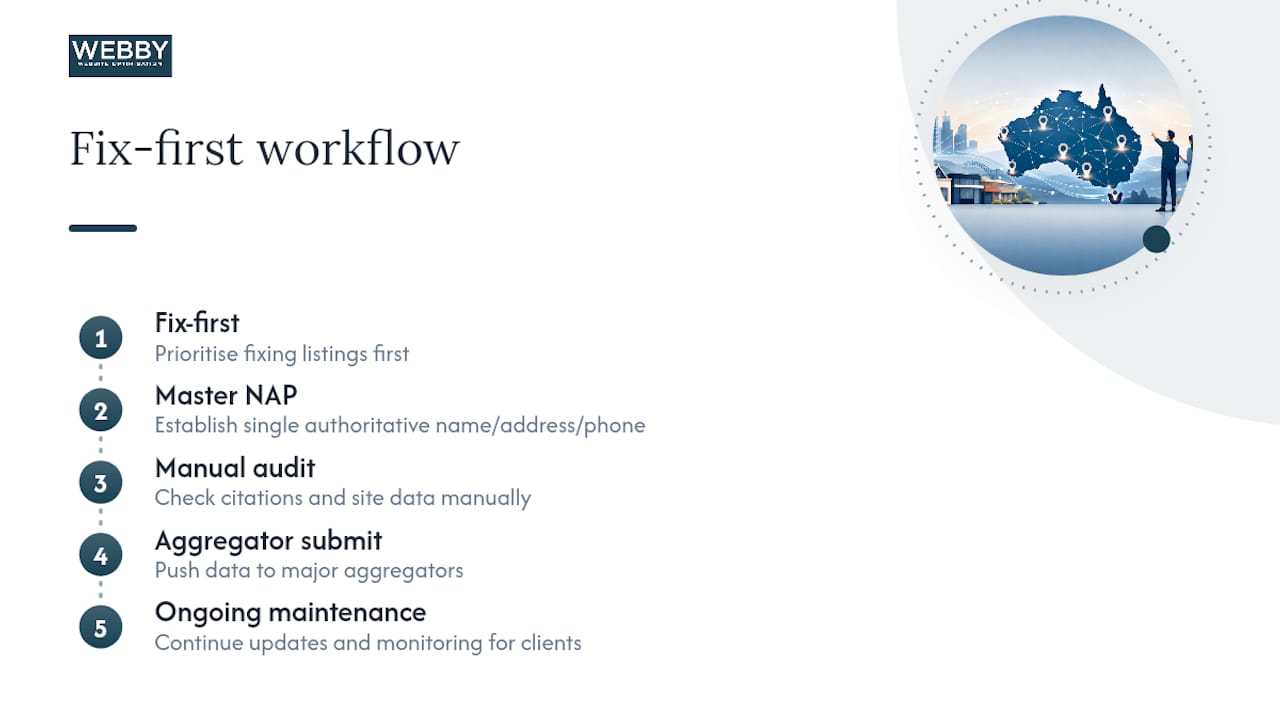
Webby Website Optimisation runs local SEO, citation audits, and WordPress site builds for service businesses across Perth, Fremantle, and Melville. The same fix-first sequence, master NAP, manual audit, aggregator submission, then ongoing maintenance, is the backbone of every local SEO engagement the agency delivers for its clients.
Why Inconsistent NAP Data Is the Mistake That Compounds
The single habit that prevents most citation chaos is boring: keep one spreadsheet, update it the same day anything changes, and never let a second version of your NAP exist anywhere. Block one hour this week to run your own audit. You’ll likely find more wrong listings than you expect.
— Steve Doig
Get a Free Citation and Local SEO Audit
Webby Website Optimisation is the practical alternative to guessing your way through directory cleanup alone. Instead of a checklist you never finish, you get a team that runs the audit, submits the aggregator data, and claims the core directories for you while you keep running your business.

A free audit from Webby Website Optimisation typically covers your existing NAP consistency across major directories, a review of your Google Business Profile setup, and a quick look at whether your site itself is fast enough to convert the traffic your citations send. That last piece matters more than most business owners realize. Clean listings drive visitors to a website, and if the website is slow or outdated, the citation work goes to waste. Webby’s website design and development service exists to fix exactly that gap, and its local SEO work case studies show how the audit process plays out for other Perth-area businesses. Request your free audit today and find out what’s currently working against you.
Sources
Recommended
If this post raised some questions feel free to ask me a question