
The fastest, safest way to get more authentic Google reviews is to ask every customer within 24 to 48 hours using your Business Profile’s short review link or a QR code, then send one follow-up if they don’t respond. Skip incentives, skip gating, and skip staff quotas. Copy your review link today and send your first batch of requests this week.
TL;DR:
- Send review requests within 24 to 48 hours after service completion using your short link or QR code, and only one follow-up if needed.
- Avoid offering incentives, gating reviews, or pressuring staff, as Google’s policies strictly prohibit manipulation attempts.
- Use verified ownership or managerial access to your profile, test your short link and QR code on multiple devices, and ensure consistent, documented request procedures.
- Respond to reviews promptly within 24 to 48 hours, thanking positive feedback specifically and handling negative reviews professionally and offline when possible.
- Be mindful of review filtering triggers by avoiding sudden volume spikes, mass outreach to old customers, or fake account activity that could flag or remove your reviews.
Table of Contents
- How Do You Get Google Reviews with a Short Link or QR Code?
- What Does Google Allow and Prohibit for Review Requests?
- When Should You Ask for a Google Review, and What Should You Say?
- How Can You Automate Google Review Requests Without Losing Compliance?
- How Should You Reply to Google Reviews to Build Trust?
- Why Do Reviews Get Filtered, Faked, or Removed?
- Why Webby Website Optimisation Understands Local Review Performance
- A 30-Day Checklist to Get More Google Reviews
- Sources
How Do You Get Google Reviews with a Short Link or QR Code?
Every request starts with one thing: your short review link. Without it, you’re asking customers to hunt through Google Maps for your business, find the review tab, and figure out how to leave feedback. Most won’t bother. With it, the process takes 30 seconds.
Here’s how to find it. Open your Business Profile Manager (either through Google Maps or by searching your business name and clicking “Ask for reviews”). Google generates a short link, usually formatted like g.page/r/your code, that drops customers straight into the review box, skipping the map search entirely. That single reduction in friction is often the difference between a customer who intends to leave a review and one who actually does.
Once you have the link, put it to work:
- Copy the short link from your Business Profile and test it yourself on a phone before sending it to anyone.
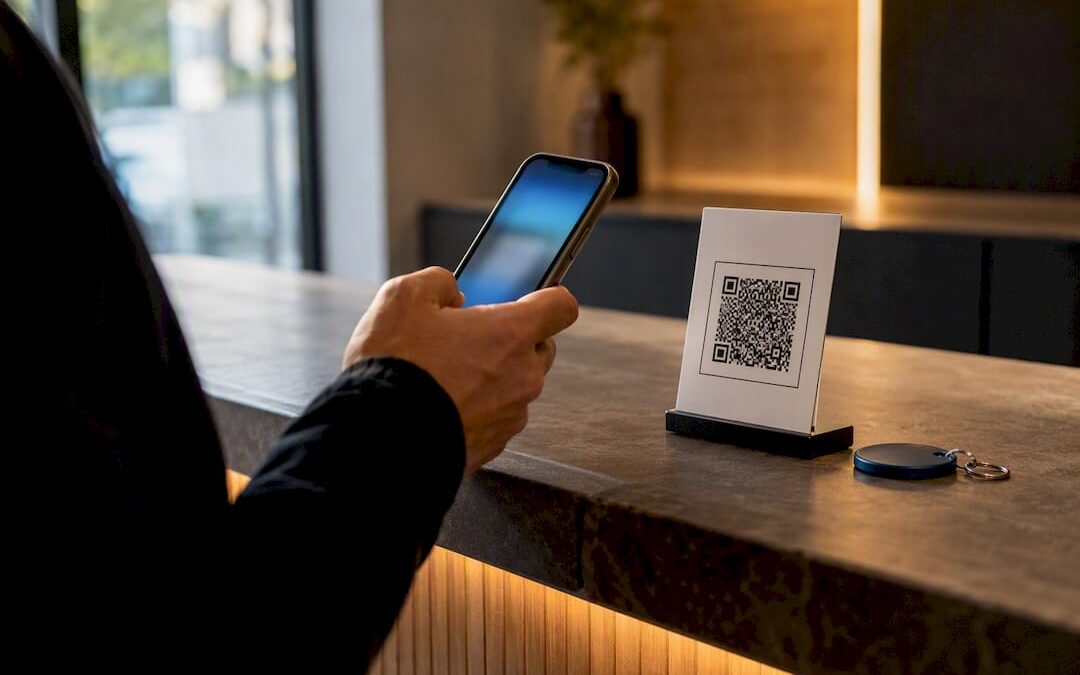
- Generate a QR code from that same link using any free QR generator, then print it where customers naturally pause: on receipts, invoices, table tents, or the back of a van.
- Shorten or brand the link (a service like Bitly works fine) so it fits cleanly in a text message and doesn’t get cut off or flagged as suspicious.
- Confirm you have manager access to the profile. If you inherited the business or a past employee set it up, verify your account has “Owner” or “Manager” status before you start driving traffic to it.
- Test the QR code on at least two different phones. Codes that look fine on a monitor sometimes fail to scan under real lighting.
Google’s own guidance on getting more reviews confirms this link-and-QR approach is exactly what the platform wants you to use. If you haven’t set up or verified your profile yet, Google Business Profile setup covers the verification steps first.
What Does Google Allow and Prohibit for Review Requests?
Google draws a firm line between asking for reviews and manipulating them. Cross it, and you risk losing reviews you already have, or worse, a profile flag that suppresses your visibility entirely.
Asking is fine. Bribing is not. Google’s policy explicitly states that offering incentives, discounts, or free products in exchange for reviews is prohibited, and so is gating, where you filter customers so only happy ones get sent to Google while unhappy ones get redirected to a private form. That second one feels tempting because it seems harmless. It isn’t. Google treats gating as manipulation because it skews your public rating away from reality.
Here’s what stays inside the lines and what doesn’t:
- Allowed: Sending every customer the same review link, placing QR codes in-store, asking verbally after a job, sending one follow-up reminder.
- Prohibited: Offering discounts or gift cards for reviews, routing only satisfied customers to Google while diverting complaints elsewhere, setting staff quotas tied to review counts, pressuring customers with an on-premises kiosk while they wait.
- Consequences: Google can remove flagged reviews in bulk, and profiles with a pattern of manipulation can get flagged for a manual review or lose review functionality altogether.
Pro Tip: Write down your review-request process in one paragraph and use it word-for-word across your whole team. A documented, uniform process is your best defense if Google ever questions a spike in activity.
The safest rule is simple: ask everyone the same way, every time, and let the ratings fall where they fall. If a review contains false claims, harassment, or clearly violates Google’s content policy, flag it through official channels rather than replying publicly with a defensive tone. Public arguments with reviewers almost always cost you more credibility than the review itself.
When Should You Ask for a Google Review, and What Should You Say?
Timing determines whether a request turns into a review or gets buried in someone’s inbox. Ask too late and the moment’s gone. Ask at 11 p.m. and you’ll annoy people who were otherwise happy with your work.
Industry data backs a specific window: ask within 24 to 48 hours of the job finishing, delivery landing, or invoice getting paid, while the experience is still fresh. If you don’t hear back, one follow-up sent three to five days later is enough. Don’t send a third reminder. It stops feeling like a request and starts feeling like nagging.
- Send the first request within 24 to 48 hours of service completion, delivery, or invoice payment, using whichever channel fits the interaction.
- Wait three to five days, then send a single, short follow-up only if there’s been no response.
- Stop after the follow-up. No third message, no phone call chasing a review.
Match the channel to the business type:
- SMS works best for appointment-based services (plumbers, dentists, mobile mechanics) because people already expect a text after a job.
- Email fits ecommerce and B2B relationships better, especially when paired with an order confirmation or invoice receipt.
- QR code or in-person ask wins for retail and foodservice, where the customer is standing right in front of you at the moment of highest satisfaction.
A short SMS template: “Hi [Name], thanks for choosing [Business]! If you have 30 seconds, we’d love your feedback here: [link].” An email version can carry more detail: “Hi [Name], we hope your [service/product] worked out well. A quick Google review helps other [local customers] find us. Here’s the link: [link]. Thanks for your time.”
For in-person asks, keep the script conversational, not scripted-sounding: “Glad that worked out for you. If you’ve got a minute later, a Google review really helps us out; I can text you the link right now.” No pressure, no waiting around while they type it out.
Avoid batching historical requests into one huge blast. Spread them out and skip sending anything after 8 p.m. or before 8 a.m., since late or early sends tend to get ignored or, worse, deleted before they’re read.
How Can You Automate Google Review Requests Without Losing Compliance?
Most small businesses start manually and outgrow it fast. The path usually looks like this: manual SMS sent by the owner, then a templated email a bookkeeper sends after invoicing, then eventually a CRM trigger that fires automatically the moment a job is marked complete.
The trigger point matters more than the tool. Set the automation to fire on job completion, delivery confirmation, or invoice-paid status, not on an arbitrary schedule. That keeps requests tied to real satisfaction moments instead of a calendar date that might land during a bad week for the customer.
A few rules keep automation from backfiring:
- Stagger your batches. Sending 200 review requests in one afternoon after importing an old customer list looks unnatural to Google’s spam detection and can trigger filtering on the resulting reviews.
- Limit historical outreach. If you’re reaching back through old customer records, send small batches over several weeks rather than one mass campaign.
- Track clicks, not submissions. A shortened or UTM-tagged link tells you how many people clicked through, but Google doesn’t expose who actually submitted a review. Treat click data as a rough proxy for engagement, not proof of a completed review.
- Use your booking or invoicing system’s built-in triggers if it has them; most modern CRMs support a post-job automated message without needing a separate tool.
Pro Tip: If you’re already tracking local rankings, a tool like Maprank can help you see whether steady review activity is actually moving your Maps visibility, rather than guessing.
Programmatic access to review data requires a verified Business Profile and proper API authorization, according to Google’s developer documentation. That matters if you or your CRM provider ever want to pull review data automatically rather than checking manually. If your team is stretched thin and none of this feels manageable on top of running the business, that’s exactly the point where a managed service, like the review and reputation support Webby Website Optimisation offers alongside its SEO work, saves owners the weekly grind of chasing requests by hand.
How Should You Reply to Google Reviews to Build Trust?
Reply speed and tone do more work than most owners realize. A prompt, specific reply signals to future customers, and to Google’s local algorithms, that the business is actively managed.
Aim to reply within 24 to 48 hours of a review posting. For positive reviews, thank the customer by name and reference a specific detail they mentioned: “Thanks, Maria! Glad the emergency call-out on Tuesday worked out; that’s exactly the turnaround we aim for.” Generic replies like “Thanks for your review!” waste the opportunity.
Negative reviews need a different approach entirely:
- Acknowledge the complaint without getting defensive, even if you think the customer is wrong.
- Offer to resolve it offline: “We’d like to make this right. Please call us at [number] so we can sort this out directly.”
- Never argue in the public comment thread. Future customers read the reply, not just the review, and a calm response can rebuild more trust than the negative review costs you, according to Salesforce’s guidance on managing social reviews.
- Keep replies short. Three sentences is usually enough.
Replying consistently also keeps your profile looking active, which factors into freshness signals that influence local search placement, a point covered in more depth in Google Maps ranking factors. If a review is glowing enough to feature elsewhere, ask the reviewer’s permission before republishing it in marketing materials or embedding it on your site; third-party widgets can pull review content onto a webpage, but reposting still requires the reviewer’s consent. For a full breakdown of negative-review wording, Webby’s guide to responding to negative reviews has templates you can adapt directly.
Why Do Reviews Get Filtered, Faked, or Removed?
A review disappearing usually isn’t random. Google’s spam detection flags sudden spikes in volume, reviews from accounts with no history or a suspicious posting pattern, and clusters of reviews that arrive within minutes of each other. If you ran a mass historical email blast last month and several reviews vanished afterward, that’s very likely why.
To troubleshoot:
- Check your review count over time. A drop usually traces back to a filtering event, not a technical glitch.
- Flag suspicious or fake reviews through Google’s official reporting tool, and include specific evidence, like the reviewer having no connection to your business, if you have it.
- While waiting for Google’s response, keep any public reply short, professional, and free of accusations, even if you’re confident the review is fake.
- Audit your own request cadence. A natural pattern trickles in over weeks; a spike of 40 reviews in two days is the exact pattern that gets flagged.
- If a flagged review sits unresolved for weeks despite a clean report, Google’s Business Profile support channels are the next step.
Why Webby Website Optimisation Understands Local Review Performance
Review strategy doesn’t exist in isolation from the rest of a business’s online presence. Webby Website Optimisation works with local service businesses on SEO, WordPress website builds, speed optimization, and conversion rate work, which means review performance gets viewed alongside site speed, page structure, and how well a homepage converts the traffic those reviews help attract.
One recurring pattern in local service work: a business fixes its review request process, sees review count climb, but doesn’t see leads follow until the website itself gets addressed too. Reviews build trust before a click; the website has to close the gap after it.
For readers who want to go deeper on the surrounding pieces:
- Google Business Profile explained for local service owners walks through profile setup and link sharing in more detail.
- Google Maps ranking factors explains how review signals interact with the rest of local search ranking.
- How to set up a Google Business Profile covers verification for businesses starting from scratch.
A 30-Day Checklist to Get More Google Reviews
Give yourself four weeks and you’ll see the shift. Week one: verify your profile, generate your short link and QR code, and send a small manual batch of requests to your most recent customers, no more than 20 to 30, to see how response rates look before scaling up.
Week two: set up whatever automation your booking system or CRM allows, tied to job completion, and schedule the one follow-up reminder for three to five days out. Week three: reply to every review that’s come in, thank people by name, and ask permission from anyone who left glowing feedback before featuring it anywhere.
Week four: pull your review count and look at the pace. Did requests trickle in naturally, or did something spike? Adjust your batch size accordingly. If by day 30 you’re still doing this entirely by hand and it’s eating hours you don’t have, that’s the point to consider a professional audit rather than keep improvising. For a single-person operation, the time saved from emulating your messages once and reusing them is worth more than any single review you’ll collect this month.
— Steve Doig
Sources
Google’s own review policy and link guidance is the primary reference for what’s allowed. The Business Profile API documentation covers programmatic access for developers managing reviews at scale. Shopify’s guide to Google reviews breaks down how review count and recency affect local visibility, and Square’s Australian guide offers point-of-sale examples worth reviewing for retail and hospitality businesses.
- Tips to get more reviews – Google Business Profile Help
- Managing social reviews — Salesforce blog
- accounts.locations.reviews.list | Google Business Profile APIs
Recommended
- Get Found on Google Maps: 10 Point Checklist for Local Service Owners
- How to Respond to Negative Google Reviews and Win
- Google Business Profile Explained for Local Service Owners
- How to Set Up Google Business Profile in 2026
If this post raised some questions feel free to ask me a question