
Your store looks good. The theme is clean, the checkout works, the products are loaded, and the ads bring in a few sales. Then the paid campaigns pause and traffic falls off a cliff.
That’s where most Australian WooCommerce owners realise the actual problem isn’t design. It’s visibility. If your category pages don’t rank, your product pages don’t earn clicks, and your store loads slowly on mobile, Google has no reason to send you buyers.
That matters because WooCommerce already holds a major place in the local market. In Australia, it powers approximately 30-38% of online stores, and stores that invest in thorough WooCommerce SEO can see a 3x improvement in organic traffic within six months plus a 25% boost in click-through rates from search results according to WooCommerce statistics and market data. The opportunity is there. The hard part is doing the right work in the right order.
Your WooCommerce Store Is Live So Where Are The Customers
A live store isn’t the same thing as a discoverable store.
I see this pattern often with small and mid-sized Australian retailers. They launch with a solid WordPress build, connect payments, add shipping, maybe run some Meta or Google Ads, and assume organic traffic will follow. It usually doesn’t. Google doesn’t rank a shop because it exists. It ranks pages that are fast, clear, useful, trustworthy, and technically easy to crawl.
That’s why woocommerce seo services matter. Not as a vague marketing add-on, but as the work that turns your website into a proper acquisition channel. Done well, SEO helps your category pages rank for buying terms, your product pages qualify for richer search results, and your content supports customers earlier in the buying cycle.
The mistake is treating SEO like a plugin setting.
A plugin such as Rank Math or Yoast helps. It doesn’t solve duplicate category paths, bloated templates, weak product copy, poor internal linking, or AU-specific content gaps around compliance and local intent. Those issues sit inside the store build, the content model, and the decision-making behind the site.
Good WooCommerce SEO doesn’t chase traffic for its own sake. It builds pages that attract the right searches and turn them into revenue.
Australian store owners also deal with issues that generic US and UK guides barely touch. Product information has to be clear. Pricing presentation can affect trust. Local shipping expectations matter. Searchers often prefer local suppliers, especially in competitive categories where buyers compare fulfilment speed, return terms, and legitimacy before they compare brands.
If your store depends too heavily on paid traffic, SEO is how you reduce that dependency over time. It won’t fix a weak offer, but it will stop a strong offer from staying invisible.
What Exactly Are WooCommerce SEO Services
Think of a physical shop.
You can lease a premium retail space, fit it out beautifully, and still struggle if the signage is poor, the aisles make no sense, the shelves are badly labelled, and customers can’t find what they came for. A WooCommerce store works the same way. The build is the premises. SEO is the visibility, layout, labelling, and flow that make the shop easy to find and easy to buy from.
That’s the practical meaning of woocommerce seo services. It’s a mix of technical work, content work, store structure, and conversion support built specifically for WordPress and WooCommerce.
Why WooCommerce SEO is different from general SEO
A brochure website has a handful of core pages. A WooCommerce store has products, categories, tags, filters, search results, pagination, attributes, variable products, and often a blog layered on top. That creates a different set of SEO problems.
A specialist service usually deals with issues like these:
- Product page optimisation. Titles, descriptions, image alt text, metadata, review visibility, and structured product information.
- Category page targeting. Category pages often have stronger ranking potential than individual product pages because they match broader commercial intent.
- Duplicate content control. Variations, archive pages, and filter combinations can create multiple URLs around the same content.
- Faceted navigation management. Filter systems can help users and still confuse search engines if they’re left unmanaged.
- Schema implementation. Product data, breadcrumbs, and business details need to be marked up properly.
- Performance tuning. WooCommerce stores get heavy quickly, especially once plugins, page builders, and large image galleries pile up.
What a real service should include
Generic SEO packages often stop at keyword lists and title tags. That’s not enough for ecommerce.
A proper WooCommerce SEO engagement should combine:
| Area | What it actually involves | Why it matters |
|---|---|---|
| Technical SEO | Crawl checks, indexation review, canonicals, XML sitemaps, speed work, schema fixes | Google can’t rank pages cleanly if the store is messy underneath |
| On-page SEO | Product titles, category copy, internal links, metadata, image optimisation | Helps pages match search intent and earn clicks |
| Content strategy | Buying guides, FAQs, supporting blog content, collection copy | Expands reach beyond product-only keywords |
| Conversion support | Trust signals, review placement, page layout, messaging clarity | More traffic only matters if visitors buy |
If an agency talks only about rankings and never about category architecture, crawl waste, or conversion paths, they probably don’t understand WooCommerce deeply enough.
The revenue angle most providers miss
The goal isn’t “more keywords”. It’s profitable search visibility.
For an ecommerce store, the best pages are rarely the ones with the most impressions. They’re the ones that attract buyers with intent. That usually means a category page built around a commercial phrase, supported by product pages that answer practical objections and content that captures earlier-stage searches.
That’s also why some stores waste months writing blog posts while their money pages stay thin. Helpful content matters, but product and category pages carry the commercial load. If they’re weak, your SEO won’t translate into sales.
The Technical Engine Room of WooCommerce SEO
The technical side of WooCommerce SEO is where good stores separate themselves from expensive mistakes. A polished design can hide serious backend problems for months. Then rankings stall, crawl issues pile up, and no one understands why product pages aren’t performing.
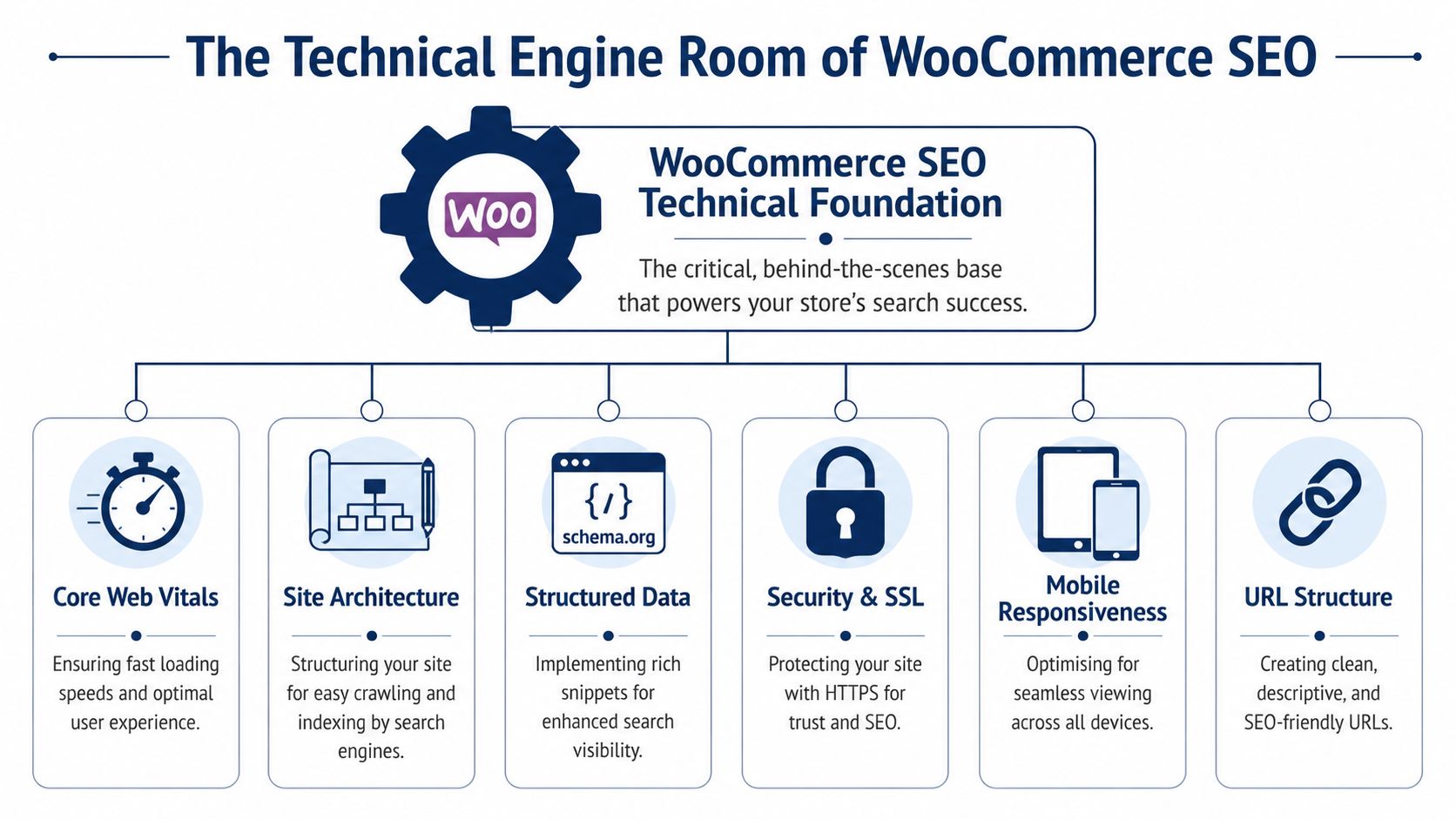
If you’re still deciding whether WooCommerce is the right long-term fit, this comparison of the best ecommerce platforms for SEO growth is useful because it highlights where platform flexibility helps and where it creates more technical responsibility.
Site speed is not a nice-to-have
WooCommerce can become heavy fast. Large product galleries, oversized theme assets, sliders, app-style plugins, and poor hosting stack into one outcome. Slow pages.
For Australian stores, that’s not a minor annoyance. Unoptimised WooCommerce sites average 4.1s load times, which can increase bounce rates by 40%, and professional optimisation using caching and a CDN can cut load times below 2.5s, directly improving rankings according to this review of WooCommerce speed and SEO practices.
In practice, speed work usually means removing plugin overhead before adding more tools. Store owners often look for a magic cache plugin. The better approach is narrower:
- Audit what’s loading. Theme scripts, page builder assets, tracking tools, chat widgets, and review apps all add weight.
- Compress product imagery. Galleries are one of the biggest performance drains on WooCommerce stores.
- Use proper caching and CDN support. This helps repeat visits and reduces load across locations.
- Clean up templates. Some themes are too bloated for serious ecommerce SEO work.
Product schema changes how your pages appear
Structured data tells Google what a page is. Without it, a product page can look like generic content with a price stuck in the middle. With proper product schema, Google can understand the item, price, availability, and ratings more clearly.
That matters on mobile, where search results need to do more work in less space. Implementing product schema markup on WooCommerce sites can increase click-through rates by up to 30% in Australia, and rich snippets are especially effective in a market where 62% of searches happen on mobile, based on guidance in this WooCommerce SEO guide focused on schema.
The important point is accuracy. Schema should match the visible page content. If a plugin outputs stale price data, broken review markup, or malformed fields, it creates confusion instead of improvement.
Practical rule: Schema is not “set and forget”. Check live product pages after theme updates, plugin changes, and feed integrations.
Canonicalisation stops your store competing with itself
WooCommerce stores often generate duplicate or near-duplicate URLs without the owner noticing.
This happens with variable products, layered navigation, sort parameters, tag archives, and category overlap. Search engines may then split signals across multiple versions of the same page. The result is weaker rankings, index bloat, and pages that don’t consolidate authority properly.
A specialist usually looks at:
- Preferred URL paths for products and categories.
- Canonical tags on product variations and filtered views.
- Indexation rules for low-value archives and parameter combinations.
- Sitemap cleanliness so only pages worth ranking are pushed forward.
A common mistake is indexing every filtered URL because “more pages means more chances to rank”. Usually it means the opposite. Most filter combinations don’t deserve indexation. They dilute crawl budget and clutter search results with thin pages.
Faceted navigation needs restraint
Filters help users narrow a catalogue. They can also create an SEO mess.
If customers can combine colour, size, brand, price range, material, and stock status, WooCommerce may expose a large set of URL combinations. Some are useful for shoppers in-session. Very few are useful as standalone landing pages.
The right approach depends on catalogue size and search demand. Some filtered collections deserve dedicated indexable pages if there’s clear search intent behind them. Most should remain crawl-controlled and user-focused only.
Here’s the trade-off:
| Approach | Upside | Downside |
|---|---|---|
| Index every filter | More URLs exist | Low-value pages flood the index |
| Block every filter | Cleaner index | You may lose useful commercial landing pages |
| Curate key filter pages | Focused visibility | Requires deliberate mapping and maintenance |
Site architecture still wins boring battles
A lot of WooCommerce SEO problems aren’t glamorous. They come down to poor store structure.
If categories are vague, breadcrumbs are inconsistent, products live too deep, and internal links are random, both users and crawlers work harder than they should. Clean architecture improves discoverability, relevance, and maintenance.
A strong store structure usually has these traits:
- Clear parent and child category logic
- Consistent URLs
- Helpful breadcrumbs
- Internal links from guides to categories and products
- Search-friendly copy on collections, not just products
Technical SEO isn’t exciting to most store owners. It is, however, where a lot of revenue gets lost.
Optimising Product And Category Pages That Convert
Most stores underperform because they publish catalogue data, not sales pages.
A supplier spreadsheet gets imported into WooCommerce. The title becomes the product name, the short description becomes a line of manufacturer copy, and the category page says almost nothing. That might fill a store quickly, but it won’t help rankings or conversions.
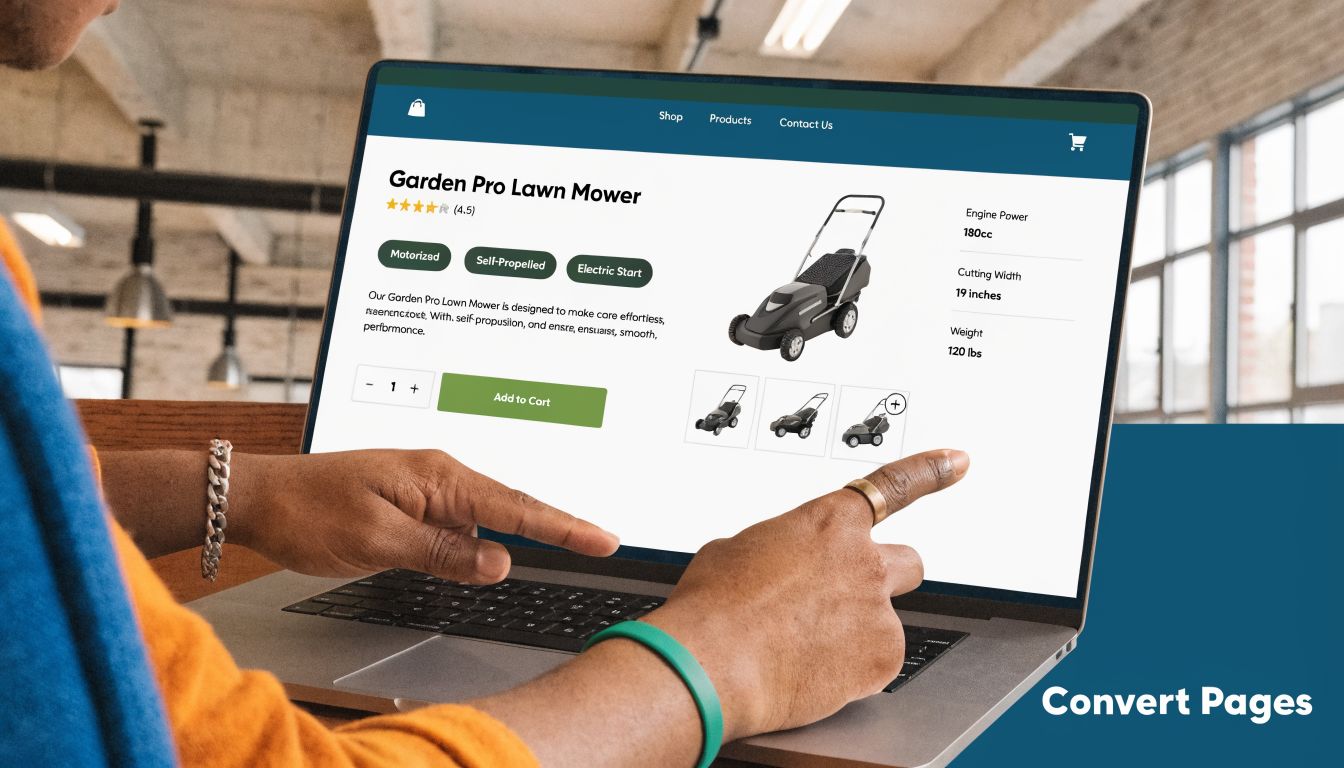
Stores that use 200+ word product descriptions and 300-500 word category pages avoid poor rankings caused by thin content, and capturing 10% of a niche with 100,000 monthly searches can translate to 10,000 new visitors according to these WooCommerce content and traffic benchmarks.
Product pages need to answer buying questions
A strong product page does two jobs at once. It helps Google understand the page, and it helps a buyer decide whether the product is right for them.
That means your copy should go beyond specs. Specs matter, but they’re not enough on their own.
Good product page copy usually covers:
- Use case. Who the product is for and what problem it solves.
- Decision points. Size, material, compatibility, setup, or maintenance details.
- Trust details. Shipping expectations, returns, warranty information, and review signals.
- Search language. Natural inclusion of the terms buyers use.
If you also sell on marketplaces, it helps to compare how listing strategy differs across channels. This guide on how brands have optimized my listings on Amazon is useful because it shows how marketplace buyers scan for clarity, benefits, and proof. Your WooCommerce pages need that same discipline, even though the ranking mechanics are different.
Category pages often drive the commercial traffic
Category pages are frequently the strongest SEO assets in a store because they align with broader transactional intent. Someone searching for a product type often wants options, not a single SKU.
That means category pages shouldn’t be treated like decorative archive screens. They need real copy, useful subcategory links, filter logic, and introductory text that helps both users and search engines.
A practical checklist for on-page fundamentals is this on-page SEO checklist for WordPress pages. For WooCommerce, apply that thinking to your key product collections first, not just your homepage.
A weak category page forces every individual product to fight alone. A strong category page lifts the whole collection.
Images matter for rankings and conversion
Product photography carries search value and sales value.
The search side is straightforward. File names, alt text, compression, and responsive sizing help engines understand the page and help the page load faster. The conversion side is just as important. Shoppers want context, scale, detail, and confidence.
Don’t upload the biggest image your camera produced and hope a plugin sorts it out later. Prepare images properly before upload, keep naming descriptive, and make sure your gallery order supports the buying decision.
This walkthrough is worth watching if you’re reviewing product page structure and search basics in tandem.
Reviews, internal links, and page intent
Reviews help with trust, but placement matters. Burying them behind tabs or loading them in awkward ways can reduce their usefulness. Surface enough proof near the purchase decision to reduce hesitation.
Internal links also deserve more care than most stores give them. Link from buying guides to categories. Link from categories to related collections. Link from relevant products to accessories or complementary items. Those paths help users discover more and help search engines understand topic relationships.
The final test is simple. If a buyer lands on the page cold from Google, can they understand the product, compare it mentally, trust the store, and move forward without friction? If not, no amount of keyword tweaking will save the page.
Service Deliverables Pricing And Timelines
SEO feels vague when agencies hide the work behind broad promises. It gets much easier to judge when you know what should be delivered each month.
A serious WooCommerce SEO service isn’t just “we’ll improve rankings”. It should include diagnosis, implementation, prioritisation, and reporting tied to commercial pages.

What you should receive
Most worthwhile engagements start with a technical and commercial baseline. That means understanding what’s broken, what’s underperforming, and where the revenue opportunities sit inside the catalogue.
A practical deliverables list usually looks like this:
| Deliverable | What it includes | Why it matters |
|---|---|---|
| Technical audit | Crawl issues, indexation review, speed problems, schema checks, template issues | Prevents hidden technical drag |
| Keyword mapping | Assigning target terms to categories, products, and support content | Stops pages competing with each other |
| On-page optimisation | Titles, headings, copy updates, internal links, metadata | Improves relevance and click appeal |
| Monthly implementation | Fixes, content updates, testing, refinement | Keeps progress moving |
| Reporting | Search Console trends, rankings, page-level movement, conversions | Shows whether work is affecting revenue |
One deliverable deserves special scrutiny. Site speed. Unoptimised Australian WooCommerce sites average 4.1s load times, which can increase bounce rates by 40%, and professional work with caching and a CDN can bring them below 2.5s, improving Google rankings, as explained in this WooCommerce performance and ranking article.
How agencies usually charge
Pricing models vary, but most fall into a few patterns.
- Monthly retainer. Best when the store needs ongoing technical work, content improvements, and regular reporting.
- Project fee. Useful for a defined audit, migration support, or one-off remediation.
- Hybrid model. Initial project for cleanup, followed by a lighter monthly plan.
I’m not going to invent neat market-wide fee ranges. They vary too much by store complexity, number of key categories, catalogue size, and how much implementation the provider handles directly. The main thing to check is whether you’re paying for strategy documents or actual work inside the website.
If the proposal is heavy on recommendations and light on implementation, expect delays. WooCommerce SEO often needs developer-level changes, not just marketing notes.
How long results usually take
Timelines depend on the store’s starting point.
If the site already has some authority and the biggest issue is technical debt, improvements can appear sooner. If the store is new, the category pages are thin, and competitors are well-established, the runway is longer. SEO compounds, but it doesn’t happen on demand.
A sensible expectation is:
- Early phase. Audit, fixes, keyword mapping, and cleanup.
- Middle phase. Category optimisation, product improvements, supporting content, and internal linking.
- Ongoing phase. Refinement, testing, reporting, and expansion into adjacent search opportunities.
If you also spend heavily on paid media elsewhere, it helps to understand how return is measured across channels. This article on calculating Amazon PPC ROI is a useful reference point because it shows the kind of commercial thinking you should expect from any performance partner. SEO reporting should be less immediate than PPC, but it still needs to connect activity to revenue outcomes.
What honest reporting looks like
Good reporting doesn’t drown you in vanity metrics.
You want to know which category pages gained traction, whether product clicks improved, whether search impressions are shifting toward transactional terms, and whether organic sessions are contributing to completed purchases. Rankings matter, but page-level business impact matters more.
If reports keep talking about “overall visibility” while your money pages stay flat, ask harder questions.
How To Choose The Right WooCommerce SEO Partner
Most agencies can talk about SEO. Fewer can explain how WooCommerce archives, variable products, plugin conflicts, and category structure affect rankings and sales. That gap matters when you’re trusting someone with an ecommerce store instead of a brochure site.
The easiest way to judge a provider is to listen for specificity. If they speak in slogans, move on. If they can explain what they’d check in your product templates, your canonical setup, your category copy, and your tracking, you’re probably dealing with someone who understands the platform.
The specialist advantage
A generalist agency might still do solid work. But WooCommerce has enough platform-specific quirks that specialist experience usually wins.
The right partner should understand:
- WordPress implementation realities. Theme bloat, plugin conflicts, template overrides, and update risks.
- Ecommerce search intent. The difference between informational content and revenue-driving collection pages.
- Technical edge cases. Archive indexation, parameter handling, schema output, and crawl waste.
- Commercial priorities. Not every product deserves equal effort. The focus should go where margin, demand, and search opportunity overlap.
If you’re comparing providers, this review of SEO companies for small business is a useful benchmark for what smaller firms should expect from a credible SEO relationship.
Hiring Checklist for Your WooCommerce SEO Partner
| Evaluation Area | Key Questions to Ask | Potential Red Flags |
|---|---|---|
| WooCommerce expertise | Have you worked on WooCommerce stores with similar catalogue complexity? | They talk about SEO broadly but never mention categories, variations, or archives |
| Technical capability | Who implements technical fixes in WordPress and WooCommerce? | They only provide recommendations and rely on your developer for everything |
| Strategy quality | How do you prioritise category pages, products, and support content? | They promise “more traffic” without discussing search intent or revenue pages |
| Reporting | What do your monthly reports actually show? | Reports focus on impressions and vague visibility rather than page-level outcomes |
| Communication | How often do we speak, and who handles the work? | Sales person disappears after signing, or support is routed through multiple layers |
| Ethics | Do you guarantee rankings or use aggressive shortcuts? | Any ranking guarantee, link scheme, or evasive answer about methods |
Questions worth asking in the first meeting
Don’t ask only about results. Ask how they think.
Try questions like these:
- What would you audit first on a WooCommerce store like mine?
- Which pages are most likely to drive commercial growth and why?
- How do you handle faceted navigation and duplicate URLs?
- What changes usually require developer input rather than content edits?
- How do you report on organic revenue contribution?
The best answers are usually calm and specific. The worst answers are broad promises with no mention of implementation details.
Red flags that show up early
Some warning signs appear before work even starts.
If an agency claims every client follows the same process regardless of catalogue size or platform setup, that’s a problem. If they’re obsessed with blog output but barely mention category optimisation, that’s another. If they promise fast page-one wins in a competitive retail niche without reviewing the site, take that as a sales tactic, not expertise.
A strong partner should sound practical. They should acknowledge trade-offs, explain where results are likely to come from first, and be comfortable saying no to bad ideas. That’s usually a better sign than polished decks and generic jargon.
Your Action Plan For WooCommerce SEO In Australia
Most generic SEO advice for ecommerce is written for broad international use. That’s why Australian businesses often end up with technically sound stores that still miss local search intent, local trust signals, and local compliance details.
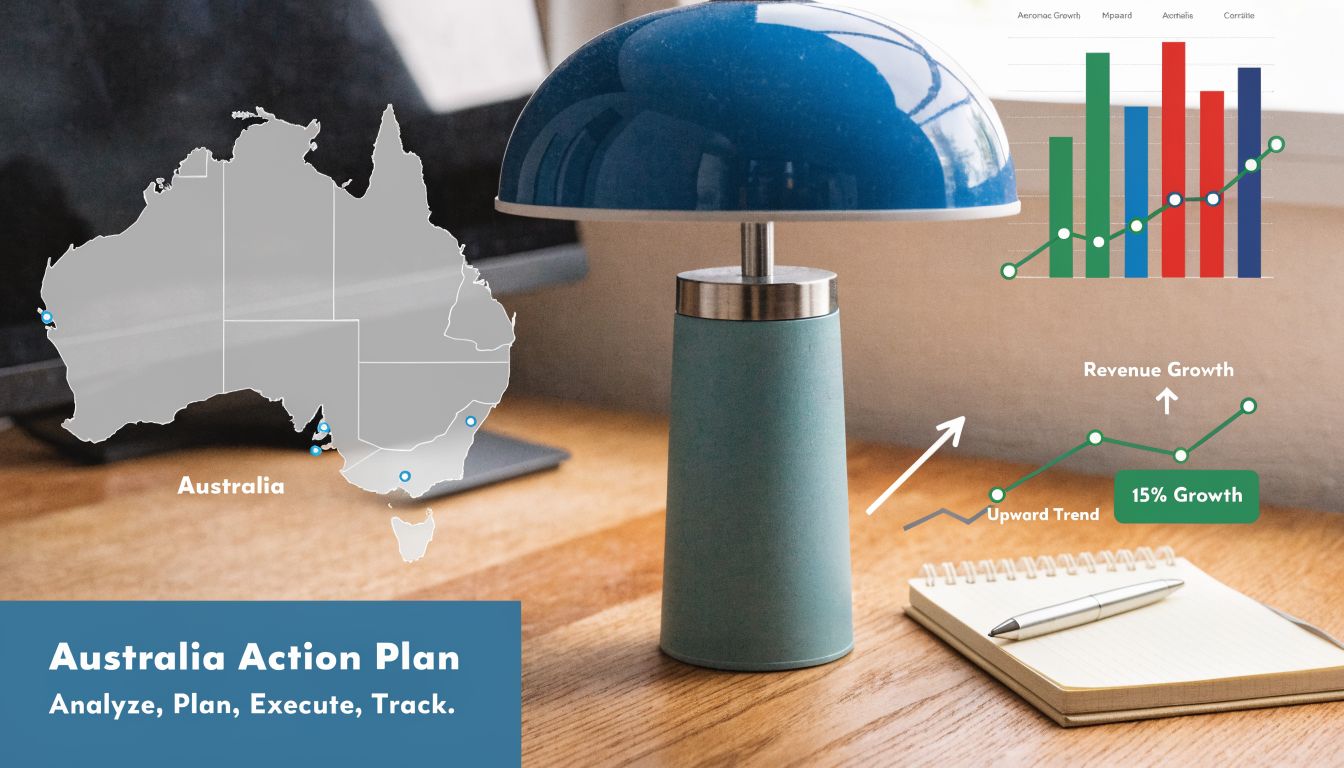
That gap is real. Most WooCommerce SEO service content overlooks Australian-specific needs, especially Australian Consumer Law compliance, GST implications for product categorisation, and region-specific keyword analysis, according to this review of gaps in WooCommerce SEO service coverage.
Start with the pages that make money
Don’t spread effort evenly across the whole store.
Prioritise the categories and products with the strongest mix of demand, margin, and fit. That sounds obvious, but a lot of stores do the opposite. They spend months polishing low-value pages while their best collections stay underwritten and technically weak.
The order should usually be:
- Core category pages
- Top commercial product pages
- Supporting informational content
- Lower-priority long-tail products
Keyword research matters here, but local phrasing matters too. Australian buyers don’t always search the same way overseas buyers do. Product names, abbreviations, regional modifiers, and supplier trust cues can shift intent. A practical guide to how to do keyword research helps frame that process, but the important part is applying it to your actual catalogue and local customer language.
Build trust into the page, not just the footer
Australian shoppers are cautious. They compare stores quickly. If the product page is vague, the return information is hard to find, or the pricing presentation feels unclear, trust drops.
That has direct SEO implications because weak trust often leads to poorer engagement and lower conversion once traffic arrives.
Review these elements on your key pages:
- Product details that are clear and complete
- Pricing presentation that avoids confusion
- Shipping and returns information that buyers can find without effort
- Contact and business legitimacy signals that support confidence
- Review visibility near the decision point
For stores with physical premises, local signals matter even more. Location pages, business details, and local business schema can support nearby search visibility and reassure customers who prefer buying from an Australian seller with a real footprint.
Handle GST and catalogue structure carefully
GST doesn’t just affect accounting. It can influence how products are grouped, described, and presented across the store.
If category structures become muddled because pricing logic, product types, and tax treatment are handled inconsistently, both users and search engines get a messier experience. The answer isn’t to write “GST included” everywhere blindly. It’s to keep your product data, category logic, and visible page content consistent.
Many international SEO providers often fall short. They may improve metadata and internal links, but they often miss how catalogue decisions interact with Australian expectations and local compliance realities.
Local SEO for ecommerce isn’t only about suburbs and city names. It’s also about making the store feel locally credible and operationally clear.
Use an Australia-specific implementation checklist
If I were reviewing an Australian WooCommerce store from scratch, I’d want these boxes checked before expanding into broader growth work:
| Priority | What to review | Why it matters |
|---|---|---|
| Technical health | Speed, schema, crawl behaviour, canonicals, mobile usability | Prevents hidden ranking friction |
| Commercial pages | Category copy, product copy, internal linking, trust elements | Improves sales from existing traffic |
| Compliance clarity | Product disclosures, returns language, pricing clarity | Supports trust and reduces ambiguity |
| Local relevance | AU terminology, local delivery cues, physical location signals | Better fit for Australian search behaviour |
| Measurement | Search Console, GA4, conversion tracking | Lets you see what’s actually working |
Keep the strategy grounded
The strongest WooCommerce SEO strategies in Australia are rarely flashy. They’re disciplined.
They clean up technical debt. They strengthen category pages. They improve product content where it affects buyer decisions. They respect local expectations around clarity and trust. And they treat SEO as part of the store’s commercial engine, not a side project run in isolation.
That’s the difference between getting more impressions and building a channel that contributes real revenue month after month.
If your WooCommerce store needs sharper technical SEO, faster performance, cleaner tracking, or hands-on WordPress support from a Perth-based team, Webby Website Optimisation can help keep the site secure, current, and easier to grow.
If this post raised some questions feel free to ask me a question