
At its core, cloud hosting offers two massive advantages: dynamic scalability and cost-efficiency. It lets your website handle a sudden flood of visitors without breaking a sweat, and you only pay for the resources you actually consume. Think of it as moving your site from a single, rigid server into a flexible, powerful network built for reliability and speed.
Is Your Hosting Holding Your Business Back?
Ever launched a big sale only to watch your website grind to a halt? Or stared at a server error message right when traffic should be peaking? It’s a painfully common scenario. Many businesses don't realise their own growth is being choked by old-school hosting that just wasn't built for today's demands.
Traditional hosting is like a bricks-and-mortar shop with a fixed amount of floor space. Once you hit capacity, you have no choice but to turn customers away. Every time your server crashes during a product launch or a page takes forever to load, you're losing real money and damaging your brand.
Cloud hosting flips this script entirely. It's more like a pop-up shop that can instantly expand to the size of a football stadium the moment a massive crowd shows up. This isn't just a small tech upgrade; it’s a fundamental change in how your website operates, and it has a direct impact on your revenue.
By moving to the cloud, you're not just buying server space. You're investing in an agile foundation that can grow with your business, protect your online presence, and maximise the return on every dollar you spend on marketing.
This guide will break down the key benefits of cloud hosting and show you what they mean for your WordPress site in practical terms. We’ll dive into:
- Effortless Scalability: How you can handle any amount of traffic without worrying about downtime.
- Ironclad Security: Why a distributed network is inherently safer than a single, vulnerable server.
- Surprising Cost-Effectiveness: The smart economics behind the pay-as-you-go model.
Ultimately, this is about converting more visitors, protecting your reputation, and spending your money wisely. If your current setup is giving you headaches, a comprehensive website audit can pinpoint exactly where the performance bottlenecks are. Making the switch to the cloud isn't just about getting better technology—it's about building a stronger, more resilient business.
The True Benefit of Cloud Hosting: Unlocking On-Demand Scalability
One of the biggest game-changers with cloud hosting is scalability. Let’s paint a picture: your Perth-based e-commerce store has just launched a massive Google Ads campaign. On old-school traditional hosting, that sudden flood of visitors is a recipe for disaster. You're looking at a crashed site, lost sales, and a marketing budget down the drain. This is exactly where cloud hosting proves its worth.
Instead of being stuck on a single server with fixed resources, your cloud-hosted WordPress site can tap into a huge, interconnected network. When your traffic suddenly spikes, the system automatically assigns more processing power, memory, and bandwidth to your site, right when you need it. Think of it as an elastic foundation for your website—it stretches to handle the pressure and shrinks back down when things quieten, ensuring every single visitor gets a fast, reliable experience.
The magic behind this is a technology called load balancing. It works like a brilliant traffic cop, intelligently directing incoming visitors across multiple servers. This simple but powerful process prevents any one server from getting overloaded, which is the number one reason websites crash during big events like a sale or a successful marketing push.
From Fixed Limits to Limitless Potential
This move from a single, rigid server to a flexible network marks a massive shift in how we think about web infrastructure. It’s a transition from a world of fixed capacity to one of on-demand, virtually limitless resources.
This evolution is all about moving from a restrictive model to one that’s built for growth and resilience.
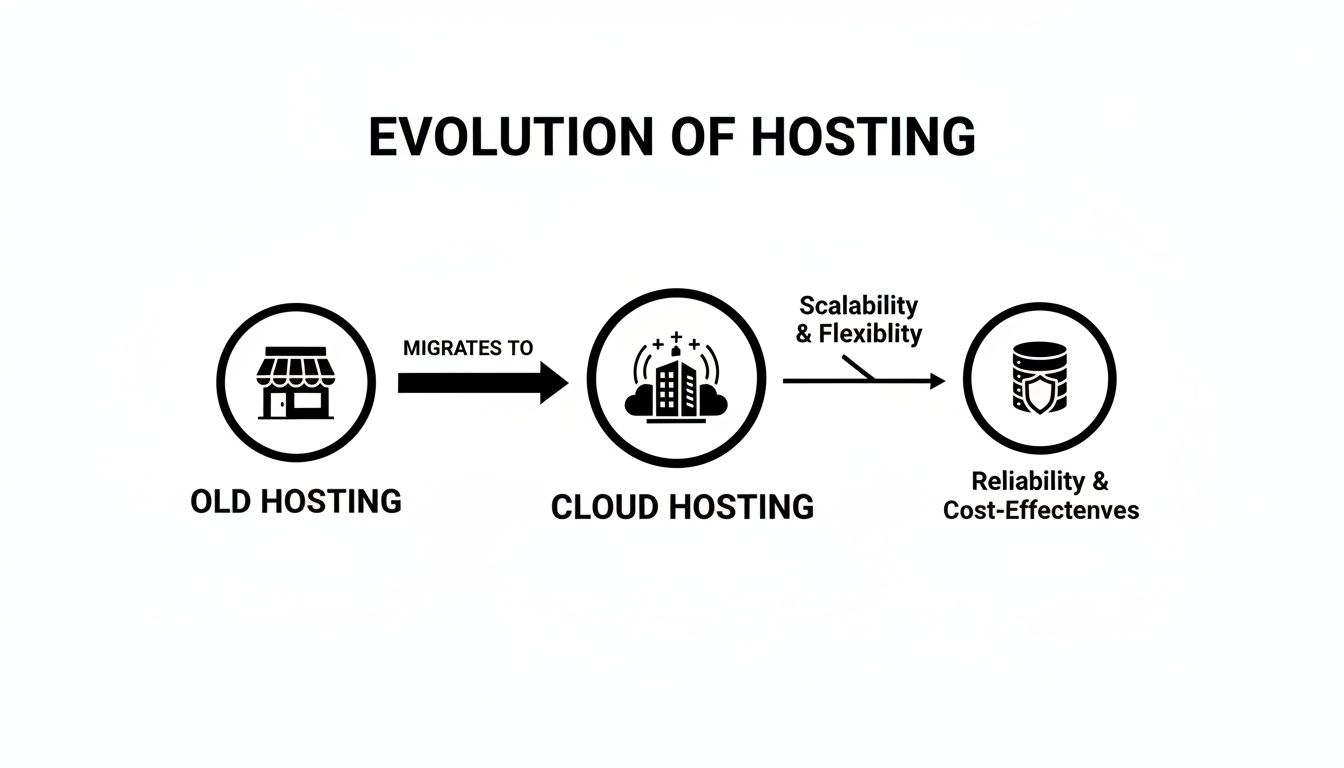
The diagram above really captures it: cloud hosting isn’t just a small step up; it’s a strategic decision to build your online presence on a foundation that can grow with you. This is especially relevant here in Australia, where we're seeing huge investment in the data centre infrastructure needed to power this kind of dynamic demand.
In fact, the growth is staggering. Live data centre capacity in Australia is expected to jump from 1.4GW to 1.8GW in just three years, largely thanks to the demands of AI and cloud adoption. For a Perth business, this means the local infrastructure is more than ready to handle your biggest campaigns, which is a critical piece of the puzzle for getting the best possible return on your marketing spend.
To see how this plays out in real-world situations, let's compare how cloud hosting and traditional hosting handle common business events.
Cloud Hosting vs Traditional Hosting Performance Under Pressure
This table breaks down how each hosting type reacts when faced with typical traffic scenarios, highlighting the clear performance edge of the cloud.
| Scenario | Traditional Hosting Response | Cloud Hosting Response | Business Impact |
|---|---|---|---|
| A major social media campaign goes viral. | Site slows down or crashes due to overwhelming traffic on a single server. | Resources scale automatically; multiple servers handle the load seamlessly. | Cloud prevents lost sales and protects marketing ROI. |
| Seasonal traffic surge (e.g., Black Friday). | Performance degrades, leading to high cart abandonment rates. | Load balancing distributes traffic, maintaining fast page loads for all shoppers. | A smooth user experience leads to higher conversions. |
| Unexpected mention in a popular blog. | Server overloads, resulting in "503 Service Unavailable" errors for new visitors. | The system allocates more RAM and CPU in real-time to manage the spike. | The business captures new leads and capitalises on the free publicity. |
As you can see, the cloud's ability to adapt on the fly isn't just a technical feature; it's a core business advantage that protects your revenue and reputation when it matters most.
Turning Scalability into Business Success
At the end of the day, this technical capability delivers real, tangible business outcomes. A website that can scale means you can invest in growth with confidence, knowing your infrastructure won't crumble the moment your marketing succeeds.
For any business, scalability isn’t really about managing servers—it’s about seizing every single opportunity. It means lower cart abandonment, better conversion rates, and a consistently great user experience that builds lasting trust in your brand.
To really get the most out of this, it helps to understand how does scaling work in the cloud at a deeper level. Knowing the mechanics helps you appreciate how a managed provider like Webby proactively handles all this for you. We've seen the difference it can make firsthand, like when we helped the team at Bib & Tucker achieve a massive website speed increase that had a direct, positive impact on their bottom line.
Building an Impenetrable Fortress Around Your Website
Forget just speed for a moment. One of the biggest wins with cloud hosting is its fundamentally stronger security setup. You're no longer relying on a single, isolated server—a lone target for attackers. Instead, your website sits within a distributed, multi-layered defence system.
Think of it like this: traditional hosting is a house with a decent lock on the front door. Cloud hosting is more like a secure compound with patrols, reinforced walls, and a dedicated surveillance team. It’s just a whole different league of protection.
This is especially critical for anyone running a WordPress site. A common nightmare is the Distributed Denial-of-Service (DDoS) attack, where swarms of bots flood your server with junk traffic to knock it offline. On a single server, that's often game over. But a cloud network is built to handle this. It spreads the attack load across so many different points that the malicious traffic gets diluted, losing its power to land a knockout punch.

Proactive Defence, Not Just Reactive Fixes
Real security isn’t about cleaning up messes; it’s about stopping them from happening in the first place. This is where managed cloud environments truly shine. They create a robust shield that actively defends your digital assets, which is what separates professional-grade hosting from the basic, budget plans.
This defence system is built in layers, including:
- Dedicated Firewalls: These are your digital gatekeepers. They inspect every bit of traffic heading to your site and block anything suspicious long before it can even touch your WordPress installation.
- Automated Malware Scanning: The system is always on patrol, constantly scanning your site’s files for malicious code. It finds and quarantines threats automatically, often before you even realise an attack was attempted.
- Encrypted Offsite Backups: If the worst happens, a quick recovery is everything. Your site is backed up daily, with copies stored in a completely separate, secure location, so you can always restore a clean version in a flash.
This level of protection is a must-have for Australian businesses. With regulations like the Notifiable Data Breaches (NDB) scheme, safeguarding customer data isn’t just good practice—it’s a legal requirement. It's no surprise that Australia’s cloud storage market is booming, projected to jump from USD $2.35 billion in 2024 to $9.23 billion by 2033.
For a Perth e-commerce owner, this means getting access to enterprise-grade security without the eye-watering cost of building it yourself. You can read more about the trends shaping Australia's expanding cloud market on IMARC Group.
At the end of the day, a cloud hosting environment isn't just about stopping hacks. It's a complete strategy for protecting your revenue, your customer data, and the trust you've worked so hard to build. That security-first approach gives you the peace of mind to stop worrying about your website and start focusing on growing your business.
What's the Real Cost? Thinking About Cloud Hosting as an Investment
It’s tempting to just look at the monthly price when choosing a host. But to really understand the financial impact of cloud hosting, you need to see it as more than just an expense. Think of it as a strategic investment, one that delivers a real, measurable return. The conversation isn't just about cost; it's about the value you get back.
With traditional hosting, you're often hit with a huge upfront bill for a physical server. Then you have to keep paying to power it, cool it, and maintain it—and eventually, you’ll have to replace it. This old-school approach ties up your capital in hardware that loses value every single day. Cloud hosting flips that model on its head.
You move to a flexible, operational expense model. It's a bit like the difference between buying a car outright and using a ride-sharing service. You only pay for what you need, when you need it, which is a much smarter way to manage your cash flow.
Looking Beyond the Monthly Bill
To see the full picture, you need to consider the Total Cost of Ownership (TCO). This isn't just the hosting fee; it's everything else that comes with managing your own hardware.
With a cloud solution, the savings start adding up immediately:
- No Big Upfront Costs: Forget spending thousands on servers you might quickly outgrow.
- No More Maintenance Bills: You're not on the hook for hardware repairs, replacements, or the power bill to keep it all running.
- Lighter IT Load: Your team can stop babysitting servers and focus on work that actually grows the business.
This shift is changing how Australian businesses operate. With public cloud spending projected to hit A$26.6 billion in 2025, it’s clear that smart companies are ditching expensive on-site infrastructure. Models like Infrastructure-as-a-Service (IaaS) let Perth businesses completely offload hardware maintenance and cut IT costs, with some reports showing savings between 30-50%. For our clients, that means getting started with a flexible monthly plan instead of a A$100,000+ server purchase. You can read more about Australia's public cloud spending trends on Computer Weekly.
Calculating the True Return on Your Investment
The ROI is where the power of cloud hosting really shines. The money you put into a quality cloud environment isn't just spent—it actively generates value in ways you can see and measure. It’s not just about saving money; it’s about making money.
Your hosting isn’t just a line item on an expense report. It's a growth engine. A faster, more reliable website directly translates to more sales, zero revenue loss from downtime, and more staff time focused on innovation instead of IT problems.
Every dollar you invest comes back to you through better business performance. A faster website leads to higher search rankings and more conversions. Rock-solid uptime means you never miss out on a sale, even during your busiest periods. This is the tangible ROI that makes quality cloud hosting an essential tool for any serious business.
Why Managed Cloud Hosting Is a Game-Changer for WordPress
Having powerful cloud infrastructure at your fingertips is one thing. Having a team of experts managing it for you is another thing entirely. That’s the real difference between just buying cloud server space and investing in a managed cloud hosting solution built for WordPress.
Think of it this way: one is like being handed a box of high-performance engine parts, and the other is being given the keys to a perfectly tuned race car, ready to go.
While the underlying tech offers incredible potential for speed and security, it's the management layer that actually unlocks it for your business. Without that expert oversight, you're the one stuck trying to figure out server configurations, security rules, and performance tweaks.
What Does 'Managed' Actually Mean in Practice?
A managed service is the bridge between amazing technology and your day-to-day business reality. It means a dedicated team of specialists handles all the complex, time-sucking tasks required to keep your WordPress site humming along, so you don’t have to.
For any serious business, this expert management isn't just a "nice-to-have"; it’s essential. It turns your hosting from a simple utility bill into a proactive partner in your growth. Your provider effectively becomes an extension of your team, completely focused on optimising your online presence.
With a managed approach, you get all the incredible benefits of cloud hosting—scalability, security, and speed—but without needing an in-house IT department to deal with the technical headaches. It’s all about getting maximum performance with minimum effort on your part.
This hands-off approach frees you up to concentrate on what you do best: running and growing your business. Here’s a taste of what the service usually covers:
- Proactive Updates: Experts keep your WordPress core, themes, and plugins updated. Crucially, they test everything for compatibility first, closing security gaps before hackers can find them.
- Performance Tuning: The team is always monitoring and fine-tuning server settings, caching mechanisms, and databases to make sure your site loads at lightning speed for every single visitor.
- Specialised Security: This goes way beyond standard firewalls. A managed solution uses WordPress-specific security rules, active malware scanning, and proactive threat monitoring to keep your site safe.
- Expert Support: When you run into an issue, you're not talking to a generic call centre. You’re getting help from specialists who live and breathe WordPress all day, every day.
Ultimately, this management layer is what makes a powerful platform genuinely useful. It removes the technical barrier, ensuring your site isn’t just hosted, but actively maintained and optimised for success. For business owners who need rock-solid performance without becoming server experts, looking into professional WordPress help and support is the clear next step.
Planning A Seamless Migration To The Cloud

So, you can see the benefits. That’s the easy part. But the idea of actually moving your entire website can feel pretty daunting. It’s natural to worry about things like your site going down for hours on end, or worse, losing critical data along the way.
These are completely valid fears, but a professional migration process is built from the ground up to avoid exactly those nightmares. It’s less like a risky gamble and more like a carefully planned operation, designed to get your digital presence from A to B without a single hiccup.
For businesses looking at this shift, it's reassuring to see how common and refined the procedures for moving to the cloud have become. The goal is always a smooth transition that gives your website a massive upgrade behind the scenes, without your customers ever noticing a thing.
Your Roadmap To A Flawless Transition
A successful migration isn't about crossing your fingers and hoping for the best. It follows a clear, methodical plan where safety and stability are the top priorities. This approach takes all the guesswork out of the equation.
Here’s a look at what that professional roadmap usually involves:
- Full Site Audit and Backup: Before a single file is moved, we create a complete, verified backup of your entire WordPress site. This includes every file, your complete database—everything. This is your non-negotiable safety net.
- Staging Environment Setup: Next, a private, carbon copy of your new cloud hosting environment is set up. Think of this "staging site" as a test lab, completely separate from your live website, where all the work happens.
- Data Migration and Testing: We carefully transfer your site's data over to this staging environment. Once it's there, it goes through a battery of tests to hunt down any broken links, check for plugin compatibility issues, and make sure every feature works perfectly.
- Final Sync and Go-Live: After you've had a chance to look over the staging site and give it the green light, we do one last sync to copy over any final changes from your live site. Then, and only then, we flip the switch, pointing your domain to the new, faster cloud server.
The core principle is simple: test everything in a safe, offline environment first. This zero-risk approach means your customers won’t see any of the technical work. They’ll just notice a faster, more reliable website. This meticulous planning is one of the biggest advantages of having your cloud hosting managed by experts.
Common Questions About Cloud Hosting Answered
Moving your website to a new home always brings up a few questions. It's completely normal to want a clear picture of what you're getting into. Let's walk through some of the most common queries we hear from business owners, turning those uncertainties into confident decisions.
Is Cloud Hosting More Expensive Than Shared Hosting?
At first glance, a cloud plan might seem more expensive than that cheap shared hosting deal you see advertised. But it’s crucial to look beyond the monthly price tag and consider the total cost of ownership.
Shared hosting is cheap for a reason: you're crammed onto a server with hundreds of other websites, all fighting over the same limited resources. This often leads to frustratingly slow performance and, even worse, costly downtime the moment you get a decent spike in traffic.
Cloud hosting, on the other hand, is all about value. Think about the sales you don't lose because your site stays online during a promotion. Consider how much better your SEO rankings will be with faster page load times. Factor in the advanced security that's already built-in. When you weigh the cost against the revenue you protect and generate, the return on investment from cloud hosting blows cheap shared hosting out of the water.
The real cost isn't the monthly fee; it's the lost business from an underperforming website. Cloud hosting is an investment in reliability and growth, not just an operational expense.
Do I Have to Manage the Technical Server Tasks Myself?
This is a big one, and thankfully, the answer is a clear no—not when you choose a managed cloud hosting solution. It’s important to understand the difference here. Unmanaged cloud hosting is like being handed the keys to a high-performance engine; you get the raw power, but you’re responsible for all the maintenance, tuning, and repairs.
That's where a managed provider comes in. We act as your dedicated server expert, handling all the technical heavy lifting behind the scenes. This includes:
- Setting up and configuring the server perfectly for WordPress.
- Proactively applying all the necessary software and security updates.
- Constantly optimising and tuning for peak performance.
- Taking daily, secure backups of your entire site.
This frees you up to focus on what you do best—running your business—while we keep the technical foundation of your website solid and secure.
How Difficult Is It to Move My WordPress Site?
The idea of migrating a website can sound pretty daunting, but with an experienced partner, it's a completely seamless process. A professional migration is planned down to the last detail to ensure zero downtime or data loss.
We start by making a complete copy of your site. Then, we set up your new cloud environment, move all your files and your database across, and get everything running on a temporary staging domain. Only once you’ve checked and confirmed everything looks perfect do we make the final switch. We handle all the tricky bits so you can just look forward to the benefits.
Ready to unlock the full potential of your WordPress site with none of the technical headaches? The expert team at Webby Website Optimisation offers managed cloud hosting and support designed to keep your site fast, secure, and optimised for growth. Explore our WordPress Help & Support services to see how we can help.