
For most small and medium service websites, the fastest path to better search visibility is a free JSON-LD generator to build your first schema block, a WordPress plugin to inject and maintain it, and Google’s Rich Results Test to confirm it works. That three-part setup costs nothing and takes an afternoon.
Three picks to start with:
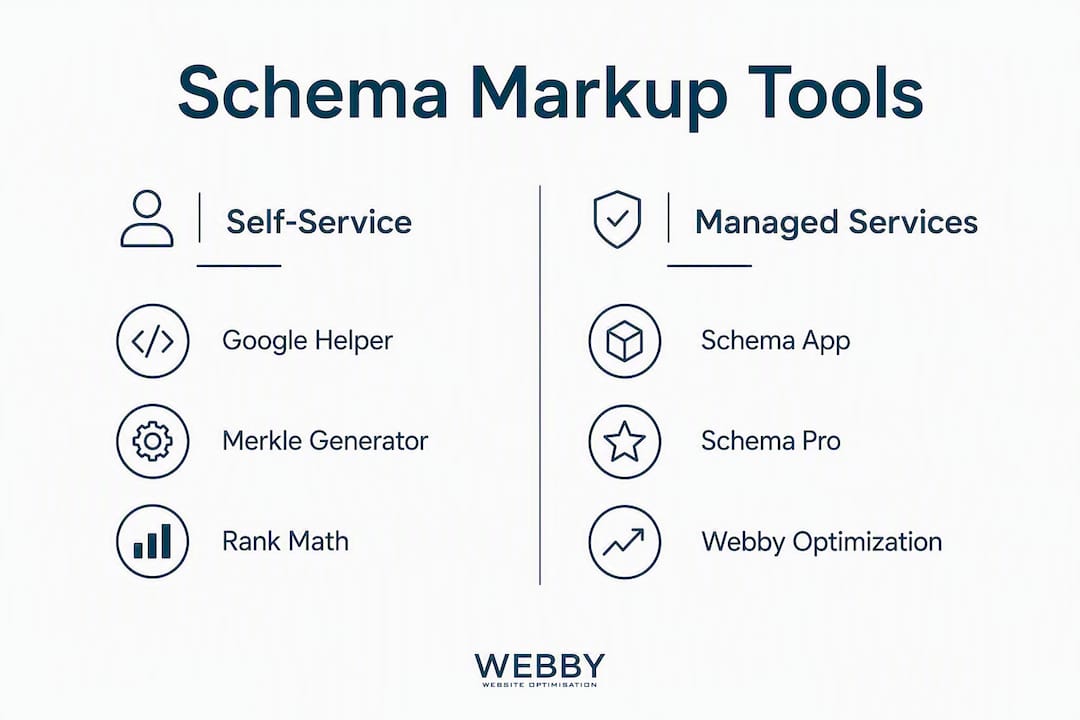
- Free generator: Merkle Schema Markup Generator — no signup, outputs clean JSON-LD for LocalBusiness, Service, and FAQ types in minutes
- WordPress plugin: Rank Math or Yoast SEO — both automate schema injection across your pages with minimal configuration
- Managed service: Webby Website Optimisation — audit, implementation, validation, and monthly monitoring handled for you
Immediate next step: Pick your highest-traffic service page, generate a LocalBusiness or Service schema block, and run it through Google’s Rich Results Test before touching anything else.
Table of Contents
- Why schema markup matters for service websites right now
- Schema formats and the types your service pages actually need
- The best schema markup tools for service websites
- How to implement schema on a service page: step by step
- Self-service tools vs. hiring a managed schema service
- How to choose the right tool or service for your situation
- Schema’s role in Entity SEO and AI-driven discovery
- Key Takeaways
- The case for getting schema right the first time
- Webby Website Optimisation handles schema so you don’t have to
- Useful tools and official sources
Why schema markup matters for service websites right now
Structured data is a block of code, written in schema.org vocabulary and formatted as JSON-LD, that tells search engines exactly what your page is about. Instead of Google inferring that your plumbing company serves the Denver metro area, you state it explicitly. That clarity pays off in two ways.
First, it makes your pages eligible for rich results in Google Search — the star ratings, FAQ dropdowns, and business details that appear directly in the search results. Sites with correct JSON-LD have seen 30–50% higher click-through rates compared to equivalent pages without schema, when position is held constant.
Second, and increasingly important in 2026, schema feeds AI systems. Google AI Overviews, voice search, and AI-powered answer engines all rely on structured signals to identify and confidently cite a business. Without schema, your service pages are harder for those systems to interpret accurately.
Google’s official validation endpoints — the Rich Results Test, the Schema Markup Validator, and Search Console’s Enhancement reports — let you confirm your implementation is working at every stage.
Schema formats and the types your service pages actually need
JSON-LD vs. Microdata vs. RDFa
Google explicitly recommends JSON-LD over Microdata and RDFa for most implementations. JSON-LD lives in a <script> tag, separate from your visible HTML, which makes it far easier to update without touching page content. Microdata and RDFa embed attributes directly into HTML elements — they work, but editing them is error-prone and time-consuming. For any service website built on WordPress or a modern CMS, JSON-LD is the only format worth considering.
Core schema types for service websites
- LocalBusiness / Organization — your business name, address, phone, hours, and service area
- Service — individual service offerings with descriptions and pricing where applicable
- FAQPage — question-and-answer content that can trigger FAQ rich results
- HowTo — step-by-step process content (useful for “how we work” pages)
- WebPage / WebSite — site-level identity and sitelinks search box eligibility
- BreadcrumbList — navigation path for multi-level service pages
- ContactPoint — phone, email, and contact type for customer service or sales
- Offer / Product — pricing and availability for specific service packages
When to use @graph
For pages that contain multiple related entities — say, a service page that includes your business identity, a specific service offering, an FAQ section, and breadcrumbs — a @graph JSON-LD structure is the right approach. It links all those entities within one block, preventing fragmentation and making the relationships between them explicit. A standalone LocalBusiness block and a separate FAQPage block on the same page can create ambiguity; a single @graph block eliminates it.
Pro Tip: Always keep your schema consistent with what’s visible on the page. If your FAQPage schema lists five questions, those same five questions must appear in the page’s visible content. Google’s guidelines penalize schema that describes content the user can’t actually see.
The best schema markup tools for service websites
The tools below cover the full range from free self-serve generators to managed services. Each serves a different skill level and budget.
| Tool | Best For | Format | Ease of Use | WordPress? | Pricing | Managed Option | Validation |
|---|---|---|---|---|---|---|---|
| Google Structured Data Markup Helper | Visual tagging of existing pages | Microdata / JSON-LD | Beginner | No (outputs code) | Free | No | No |
| Google Rich Results Test | Testing any schema before and after deploy | Any | Beginner | No | Free | No | Yes |
| Merkle Schema Markup Generator | Fast, clean JSON-LD generation for common types | JSON-LD | Beginner | No (outputs code) | Free | No | No |
| Yoast SEO | Automated schema for WordPress sites | JSON-LD | Low | Yes | Free / Premium | No | No |
| Rank Math | Full schema control in WordPress with built-in types | JSON-LD | Low–Medium | Yes | Free / Pro | No | No |
| Schema Pro | Advanced per-page schema for WordPress power users | JSON-LD | Medium | Yes | Paid (one-time) | No | No |
| Schema App | Enterprise-grade schema management and monitoring | JSON-LD | High | Yes (plugin) | Paid (subscription) | Yes | Yes |
| All In One Schema Rich Snippets | Lightweight WordPress plugin for basic rich snippets | Microdata | Beginner | Yes | Free | No | No |
Google Structured Data Markup Helper is the right starting point if you want to see how schema maps to your actual page content. You paste a URL or HTML, highlight elements visually, and it generates the markup. It outputs Microdata by default, so you’ll want to convert the output to JSON-LD before deploying.
Merkle Schema Markup Generator is the cleanest free option for generating JSON-LD directly. No account, no friction. It covers LocalBusiness, Service, FAQ, and a dozen other types. For most SMBs, this is the fastest way to produce a valid first block.
Yoast SEO handles schema automatically for WordPress sites. It generates Organization, WebSite, WebPage, and BreadcrumbList schema across your entire site without any manual input. The free tier covers the essentials; Yoast Premium adds FAQ and HowTo block support.

Rank Math goes further. Its free tier includes a schema module with support for LocalBusiness, Service, FAQPage, HowTo, and more, with per-page control. For most service websites on WordPress, Rank Math’s free version is the single highest-value tool available.
Schema Pro is for WordPress sites that need granular control — mapping specific custom fields to schema properties, applying schema templates across post types, and handling edge cases. It’s a one-time purchase, which suits SMBs that want to avoid subscriptions.
Schema App targets larger organizations or agencies managing schema at scale. It includes a full editor, automated monitoring, and a managed-service tier. The pricing reflects that scope.
All In One Schema Rich Snippets is a lightweight WordPress plugin that handles the most common rich snippet types. It uses Microdata rather than JSON-LD, which is a limitation, but it’s genuinely simple to configure and works well for sites that just need basic review or recipe markup.
For most SMBs, the practical pick is Rank Math (free) plus Merkle for custom one-off blocks — low effort, no cost, and covers 90% of what a service website needs. A JSON-LD schema generator that handles automatic structured data injection can also reduce the manual work for sites with many service pages.
How to implement schema on a service page: step by step
Audit your priority pages. List your top five service pages by traffic or conversion value. These get schema first. Your homepage and contact page are secondary.
Choose the right schema types. For a typical service page, you need at minimum: LocalBusiness (or Organization), Service, and FAQPage if the page includes Q&A content. Use the list in the formats section above as your reference.
Generate your JSON-LD. Use Merkle’s generator or Rank Math’s schema module to build the block. Fill every property that maps to visible page content — name, description, areaServed, telephone, address.
Add it to your site. In WordPress, Rank Math or Yoast SEO inject schema automatically. For custom or non-WordPress sites, paste the JSON-LD block inside a
<script type="application/ld+json">tag in the<head>or just before</body>.Validate before deploying. Run the page (or paste the code) through the Rich Results Test and the Schema Markup Validator. Fix any errors flagged before the page goes live.
Deploy and monitor. After deploying, submit the URL in Google Search Console. Check the Enhancements tab weekly for the first month, then monthly. Search Console will surface parsing errors and coverage drops.
Common pitfalls and quick fixes:
- Schema doesn’t match visible content: Google may ignore or penalize it. Fix: audit every property against what the page actually says.
- Missing required properties: The Rich Results Test will flag these. Fix: check the schema.org spec for each type and fill required fields.
- Duplicate schema blocks: Two conflicting LocalBusiness blocks on the same page confuse parsers. Fix: use @graph to consolidate, or remove the duplicate.
- Schema on pages that return 404 or redirect: Wastes crawl budget and generates Search Console errors. Fix: audit URLs in Search Console’s Enhancement reports monthly.
Pro Tip: Optimize your service pages before adding schema. Schema amplifies what’s already on the page — it won’t compensate for thin content or missing service details.
Self-service tools vs. hiring a managed schema service
The honest trade-off comes down to time, technical confidence, and how much your site changes.
| Entry-Level Self-Serve Tools | Plugin-Maintained Setup | Agency / Managed Service | |
|---|---|---|---|
| Upfront cost | Free | Free— | — |
| Ongoing cost | Your time | Minimal | Monthly retainer or per-audit fee |
| Technical skill needed | Low | Low–Medium | None |
| Maintenance burden | Manual | Semi-automated | Handled |
| Best for | 1–5 page sites, simple schema | WordPress sites, standard types | Multi-location, complex service catalogs, review aggregation |
| Risk of errors | Medium (user error) | Low | Very low |
| Time to implement | 2–4 hours | 1–2 hours setup | 1–2 weeks (full audit + deploy) |
Self-serve works well when your site is straightforward — a single location, a handful of service pages, no review aggregation, and someone on your team who can spend a few hours on it. A plugin-maintained setup on WordPress is the sweet spot for most SMBs: configure Rank Math once, and it handles schema updates as you add pages.
Hiring a managed service makes sense when any of these apply: you have multiple locations, your service catalog changes frequently, you want review schema tied to a third-party aggregator, or you simply don’t have the time to monitor Search Console monthly. The cost of one missed schema error on a high-converting page often exceeds the cost of a managed service.

How to choose the right tool or service for your situation
Run through this checklist before committing to any tool or provider:
Compatibility and setup:
- Does it support your CMS (WordPress, Webflow, Squarespace, custom)?
- Does it output JSON-LD, or will you need to convert the output?
- Can it apply schema across multiple pages automatically, or is it page-by-page?
Validation and reporting:
- Does it include built-in validation, or do you need to test externally?
- Does it surface errors before deployment, or only after?
- Does it connect to Search Console for live monitoring?
Maintenance and support:
- Who updates the schema when you add a new service or change your hours?
- Is there a support channel if something breaks after a Google algorithm update?
- What’s the rollback process if a schema change causes a Search Console error spike?
Pricing predictability:
- Is the cost a one-time fee, annual subscription, or hourly?
- Are there per-page or per-location charges that scale unexpectedly?
Questions to ask a managed provider specifically:
- What schema types do you implement, and how do you decide which ones apply to my pages?
- How do you test schema before and after deployment?
- How often do you review my Search Console Enhancement reports?
- What happens if Google updates its schema requirements and my markup breaks?
- Can you show me an example of a service site you’ve implemented schema for?
A simple scoring pass: mark each criterion as must-have, nice-to-have, or optional for your situation. For most SMBs, the must-haves are JSON-LD output, WordPress compatibility, and built-in or easy external validation. Everything else is secondary.
Schema’s role in Entity SEO and AI-driven discovery
Schema has moved well beyond rich snippets. It’s now foundational for what practitioners call Entity SEO — the process of making your business a clearly defined, unambiguous entity that AI systems can identify and cite with confidence.
Structured, validated JSON-LD helps AI systems — including Google AI Overviews and AI-powered answer engines — identify and confidently cite a business or page by clarifying entity relationships and matching page content to entity types. For a local service business, that means the difference between appearing in an AI Overview for “best HVAC company in Austin” and being invisible to it.
That said, schema alone doesn’t guarantee AI citation. Independent analysis confirms that schema improves AI confidence but citation also depends on content quality, authority signals, and how well your entity is established across the web. Schema is a necessary condition, not a sufficient one.
For service businesses, the practical implication is to keep your Organization, Service, and FAQPage schema consistent, validated, and aligned with your Google Business Profile. That consistency across signals is what builds AI confidence in your entity.
Pro Tip: Run a three-stage validation process: first check syntax with the Schema Markup Validator, then check semantic accuracy (do the properties match visible content?), then run the Rich Results Test to confirm eligibility. All three stages matter.
Key Takeaways
For most service websites, a free JSON-LD generator combined with a WordPress plugin like Rank Math covers the essentials — hire a managed service only when site complexity, multiple locations, or limited time make DIY impractical.
| Point | Details |
|---|---|
| JSON-LD is the right format | Google recommends it over Microdata and RDFa; it’s easier to maintain and update. |
| CTR uplift is measurable | Correct JSON-LD has been associated with 30–50% higher CTR vs. no-schema pages at the same position. |
| Rank Math + Merkle is the SMB default | Free, low-effort, and covers LocalBusiness, Service, FAQ, and more for WordPress sites. |
| Schema now feeds AI discovery | Validated JSON-LD helps AI systems cite your business in AI Overviews and voice answers. |
| Webby Website Optimisation | Offers managed schema audit, implementation, validation, and monthly monitoring for service businesses. |
The case for getting schema right the first time
Most service businesses treat schema as a checkbox — generate something, paste it in, move on. That approach produces schema that technically exists but doesn’t actually work. Missing required properties, mismatched content, and unmonitored errors are the norm, not the exception.
The tools covered here make correct implementation genuinely accessible. A free generator and a well-configured WordPress plugin will get most single-location service sites to a solid baseline. The gap between “schema exists” and “schema is correct, validated, and monitored” is where the actual search and AI visibility gains live. That gap is also where most SMBs stop short.
If your site has more than five service pages, serves multiple locations, or you’re competing in a market where AI Overviews are already surfacing competitors, the DIY approach starts to cost more in missed opportunity than a managed service would cost in fees. The path to ranking higher runs through getting the fundamentals right and keeping them right as your site grows.
Webby Website Optimisation handles schema so you don’t have to
Spending hours on schema generators when you should be running your business is a poor trade. Webby Website Optimisation’s managed schema service gives service businesses a done-for-you path: full audit of your existing markup, JSON-LD implementation across your priority pages, three-stage validation (syntax, semantic, Rich Results Test), and monthly Search Console monitoring to catch errors before they cost you rankings.

The scope covers your homepage, service pages, contact page, and FAQ content — the pages that drive leads. Monthly checks flag any parsing errors or coverage drops in Search Console’s Enhancement reports, and updates are handled when you add new services or change your details.
For businesses ready to build or rebuild their site alongside schema implementation, Webby’s website design and development service includes schema as part of the build. No separate project, no extra coordination.
Get a free schema audit for your service website — contact Webby Website Optimisation to see what’s missing and what it would take to fix it.
Useful tools and official sources
| Resource | What it’s for | How to use it |
|---|---|---|
| Google Rich Results Test | Test rich-result eligibility | Paste a URL or code snippet; fix any errors before deploying |
| Schema Markup Validator | Validate schema against the spec | Paste JSON-LD to check syntax and property accuracy |
| schema.org | Full schema type reference | Look up required and recommended properties for any type |
| Google Structured Data Markup Helper | Visual tagging of existing pages | Highlight page elements to generate markup; convert output to JSON-LD |
| Schemify Free Generator | Form-driven JSON-LD generation | Fill in fields for common types; copy the output into your site |
| All In One Schema Rich Snippets (WordPress) | Lightweight WordPress rich snippets | Install and configure per-page schema types from the WordPress dashboard |