
Think of a GoDaddy SSL certificate as your website's digital passport. It does two critical jobs: it proves your website is who it says it is, and it scrambles any information passed between your site and a visitor's browser.
This creates a secure channel for sensitive details like credit card numbers or personal information. It's far more than a technical checkbox; it's a massive signal of trust to your customers.
Why SSL Security Is Essential for Your Website
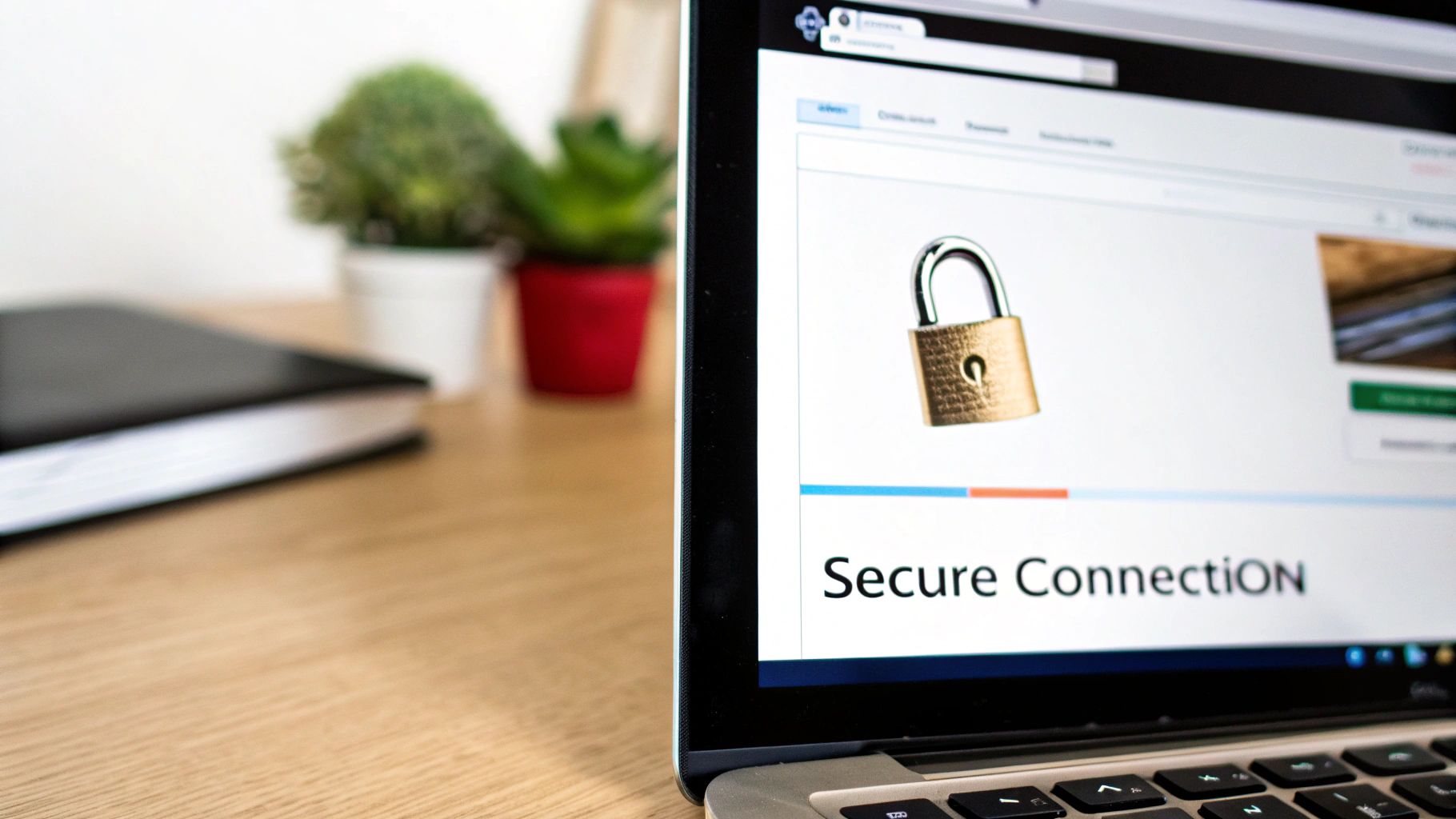
An SSL (Secure Sockets Layer) certificate is like sending a letter in a sealed, tamper-proof envelope instead of on a postcard. When someone fills out a contact form or buys something from your site, encryption makes sure that only you and your customer can read the contents. Without it, that data travels as plain text, wide open for anyone to intercept.
For any business, this is simply non-negotiable. That little padlock icon and the "HTTPS" in the browser's address bar are the modern-day signs of a safe business. They tell visitors, in an instant, that you care about their privacy, which is absolutely vital for building the credibility needed to make a sale.
The Impact of SSL on Trust and SEO
Customer trust is a huge factor, but there's another giant reason to get SSL security sorted: Google. Search engines give a clear preference to websites that use HTTPS. A secure site will almost always have an edge and rank higher than an unsecured competitor.
On top of that, Google Chrome now actively warns visitors when a site is "Not Secure." Seeing that message is enough to scare away up to 85% of online shoppers.
This turns SSL from a simple security feature into a core part of your business strategy. It has a direct effect on:
- Customer Confidence: Visitors feel safe knowing their personal and financial details are locked down.
- Brand Reputation: A secure website looks professional and legitimate, boosting your brand's image.
- Search Engine Rankings: You get a real, measurable boost in your SEO, which means more organic traffic.
An SSL certificate is a foundational step in understanding how to secure web applications effectively. It’s the first line of defence in a layered security approach that protects both your business and your users from online threats.
At the end of the day, a GoDaddy SSL certificate isn't just about ticking a box. It's about building a trustworthy online space that protects valuable information and helps your business grow.
Choosing the Right GoDaddy SSL Certificate
Trying to figure out which GoDaddy SSL certificate you need can feel a bit overwhelming. With all the different names and acronyms, it’s easy to get lost. But it’s simpler than it looks.
The good news is that each certificate is built for a specific purpose, whether you're running a personal blog or a bustling e-commerce store. It all comes down to matching the certificate's validation level to the amount of trust you need to build with your visitors.
Think of it like getting ID. A library card is fine for borrowing a book, but you'll need a passport to travel internationally. SSL certificates follow a similar logic—the more sensitive the interaction, the stronger the proof of identity required.
Understanding SSL Validation Levels
The main difference between GoDaddy’s SSL offerings is how thoroughly the Certificate Authority (CA) checks you out before handing over the certificate. This verification process is called "validation," and it comes in three main flavours.
- Domain Validation (DV SSL): This is the most basic level and the quickest to get. It’s like the library card of the SSL world. The CA simply verifies that you own or control the domain name. It’s perfect for blogs, online portfolios, or any site that doesn't ask for personal or financial details.
- Organisation Validation (OV SSL): This one’s a step up. Think of an OV certificate as a notarised business document. The CA doesn’t just check your domain ownership; they also look at official records to confirm your organisation is a legitimate, registered business. This is a solid choice for company websites that want to show customers they're dealing with a real entity.
- Extended Validation (EV SSL): This is the highest level of assurance you can get. The EV process involves a much more detailed vetting of your business—it’s the most rigorous background check of the three. While browsers have changed how they display EV indicators, this certificate remains the gold standard for sites processing high-value transactions, like major online retailers or financial services.
GoDaddy has certainly made a name for itself in this space. They hold a 14.36% market share in the software security industry by revenue here in Australia, making them a go-to provider. What's more, 9.9% of the top 10,000 most-visited Australian websites are secured with GoDaddy's SSL technology, which says a lot about its trust among established businesses. You can dig deeper into these trends and learn more about GoDaddy's role in Australian web security.
To help you decide, here’s a quick comparison of GoDaddy’s main certificate types.
GoDaddy SSL Certificate Comparison
This table breaks down the key differences to help you match a certificate to your website's needs and budget.
| Certificate Type | Validation Level | Best For | Typical Use Case |
|---|---|---|---|
| Standard SSL | Domain (DV) | Blogs, portfolios, info sites | Securing a single website that doesn't handle payments or sensitive data. |
| Deluxe SSL | Organisation (OV) | Business websites, lead gen forms | Building trust on a company site where users might submit contact details. |
| Ultimate SSL | Extended (EV) | E-commerce, finance, sensitive data | Providing maximum assurance for online stores or sites handling transactions. |
| Wildcard SSL | Domain (DV) or Organisation (OV) | Sites with multiple subdomains | Securing yourdomain.com.au plus blog.yourdomain.com.au and shop.yourdomain.com.au. |
| Multi-Domain SAN SSL | Domain (DV) or Organisation (OV) | Agencies, businesses with multiple brands | Securing several different domains (e.g., brand-a.com.au and brand-b.net) with one certificate. |
Ultimately, the goal is to find that sweet spot between security and user expectations.
Matching a Certificate to Your Website
So, how does this all apply to your situation? Beyond just the validation level, you also need to think about how many domains or subdomains you're looking to cover.
Choosing the right SSL is about aligning security with user expectations. A simple blog doesn't need the same level of validation as an online store, but both need encryption to protect visitors and improve SEO.
Here’s a look at the most common scenarios:
- A Single Website: If you only have one domain to worry about (like yourbusiness.com.au), a standard DV, OV, or EV certificate will do the job perfectly.
- A Website with Subdomains: Does your site have different sections like blog.yourbusiness.com.au or shop.yourbusiness.com.au? A Wildcard SSL is your best friend here. It’s designed to cover your main domain and an unlimited number of subdomains, all under one certificate.
- Multiple Different Websites: If you're managing a portfolio of completely different domains (yourbusiness.com.au, anotherbrand.net, and mynewproject.org), a Multi-Domain SAN SSL is the most practical choice. It lets you secure a whole list of different domains on a single certificate, which makes management way easier and is often more cost-effective.
Getting Your GoDaddy SSL Certificate onto Your WordPress Site
Alright, you've picked out the perfect GoDaddy SSL certificate for your website. Now for the fun part: getting it installed and working. This might sound a bit daunting if you're not a web developer, but it's more straightforward than you'd think, especially with GoDaddy's setup.
The exact steps you'll take really just depend on one thing: where your website lives. We'll walk through the two most common scenarios—installing the SSL on a WordPress site hosted by GoDaddy, and installing it on a site hosted with another company.
Installing on a GoDaddy-Hosted WordPress Site
If you're keeping everything in the GoDaddy family—domain, hosting, and SSL—you've got the easiest path. GoDaddy has done a fantastic job of simplifying this, and often, they'll handle the tricky bits for you. In many cases, especially with their managed WordPress plans, the SSL certificate gets installed and switched on automatically. You might not have to lift a finger.
But if you find yourself needing to do it manually, here’s the typical process:
- First, log in to your GoDaddy account and head over to the "My Products" area.
- Look for your SSL certificate and click "Manage."
- From there, you’ll be prompted to activate the certificate for the specific domain you want to secure. GoDaddy's system usually takes over here, verifying you own the domain without any fuss.
- Once it's activated, the system will install the certificate on your WordPress hosting. This can take a few minutes to a couple of hours, so it's a good time to step away and let the magic happen.
This seamless integration is easily one of the biggest perks of having your domain, hosting, and SSL certificate all under one roof.
Installing on a Third-Party Host
What if your WordPress site is hosted with someone else, like Cloudways or Kinsta? No problem. The process just involves a few extra steps, where you'll basically act as a go-between for GoDaddy and your hosting provider.
First up, you need to generate something called a Certificate Signing Request (CSR). You'll do this from your hosting account's control panel (often cPanel). The CSR is just a block of encoded text that contains your domain and company details. Think of it as the official application form for your SSL.
With that CSR copied, pop back over to your GoDaddy account to activate the SSL certificate. During the activation process, you'll see a field where you can paste the CSR. GoDaddy uses this to verify your request and then issues the actual certificate files (you'll usually get a .crt file and a .ca-bundle file).
The final step is to take those files back to your hosting provider and upload them using their SSL/TLS manager. Once they're uploaded, your site is officially secured.
The Final Checklist After Installation
Just getting the certificate installed isn't quite the end of the road. Now you need to make sure WordPress and your visitors are actually using the new secure connection.
- Update Your WordPress URLs: In your WordPress dashboard, go to
Settings>General. You need to change both the "WordPress Address (URL)" and "Site Address (URL)" fields to usehttps://instead ofhttp://. - Hunt Down Mixed Content Errors: Sometimes after making the switch, you'll see "mixed content" warnings in the browser. This just means that while your page is secure, some elements (like an image or a script) are still being loaded over the old, insecure
http://connection. A plugin like Really Simple SSL is a lifesaver here and can fix most of these issues automatically. - Set Up Your Redirects: This is a big one. You need to make sure anyone trying to visit the old
http://version of your site is automatically sent to the new, securehttps://version. This is critical for both your users and for SEO. Most hosts have a simple tool for this, but a WordPress plugin can handle it too.
It's not uncommon to hit a snag during these final steps. If you're scratching your head or just want to be sure it's done right, getting some expert WordPress help and support can be a huge relief, saving you time and preventing small mistakes that could affect your site’s security.
How Does a GoDaddy SSL Stack Up Against the Competition?
Picking a security provider is a big deal. While grabbing a GoDaddy SSL certificate is often the path of least resistance, especially if you're already in their ecosystem, it pays to look at the whole picture. This isn't just a tech decision; it's about what’s right for your business.
The demand for secure websites is exploding. The SSL certificate market was valued at USD 234.5 million in 2025 and is expected to more than double to USD 518.4 million by 2032. It’s a busy space, with GoDaddy Inc. sitting alongside other major Certificate Authorities like DigiCert and Sectigo. Knowing how they differ is crucial. You can dive deeper into the growing SSL certificate market on coherentmarketinsights.com.
Let's break down how GoDaddy compares to the most common alternatives.
GoDaddy vs. Free SSL Options
When people talk about free SSL, they’re almost always talking about Let's Encrypt. It’s an amazing, non-profit service that has made basic web encryption accessible to everyone. For a small blog or a personal project, a free SSL is often a perfect fit.
So, how do they compare?
- The Price Tag: This one’s easy. Let's Encrypt is 100% free. GoDaddy's SSL certificates are a paid service, typically billed annually.
- The Setup Experience: Here’s where GoDaddy has an edge, particularly for their own hosting customers. Installing an SSL is usually a simple one-click affair, and their Managed SSL service takes care of everything for you. Free SSLs used to be tricky, but most modern hosts have now built-in simple tools to install and renew them. Still, GoDaddy’s process is hard to beat for sheer simplicity.
- Getting Help: If your GoDaddy SSL certificate runs into a problem, you can call their 24/7 support line. With free options, you’re relying on community forums and your own troubleshooting skills.
While a free SSL gives you that crucial padlock and basic encryption, paid options like GoDaddy's offer more. They often include warranties, dedicated support, and higher levels of validation (OV/EV), which are non-negotiable for e-commerce sites and businesses that need to build serious customer trust.
GoDaddy vs. Other Paid SSL Providers
Now, what about GoDaddy’s direct commercial competitors, like DigiCert, Sectigo, or GlobalSign? The differences here are a bit more subtle. All of these are reputable, established players offering a full suite of certificates, including the high-assurance OV and EV options that big businesses rely on.
GoDaddy's biggest selling point is its all-in-one platform. If you’ve already registered your domain and set up hosting with them, adding an SSL certificate is a breeze. Managing everything—domain, hosting, email, and security—from a single dashboard is incredibly convenient.
On the other hand, specialised providers might beat GoDaddy on price, especially if you’re buying certificates in bulk or for multiple years. And while GoDaddy has a solid reputation, it's worth remembering they aren't immune to issues. A 2021 incident where some of their certificates didn't meet Apple's requirements is a reminder that no provider is perfect.
Ultimately, the choice comes down to what you value most: the convenience of an integrated system or the potential cost savings and specialised focus you might find elsewhere.
The Business Case for SSL Security
Let's step away from the technical side for a moment and talk about what an SSL certificate actually means for your business. It's easy to dismiss security as just another line item on a budget, but smart business owners now see it as essential infrastructure—as vital as your business name or a shopfront. An SSL certificate is a powerful, instant signal that tells potential customers you’re professional, legitimate, and can be trusted.
This digital trust has a direct, measurable impact. When a visitor sees that little secure padlock icon in their browser, they feel much more comfortable handing over their email for your newsletter, filling out a contact form, or, most importantly, completing a purchase. Every one of those actions is a conversion, and removing the hesitation caused by security warnings is a clear path to getting more of them.
From Expense to Investment
If you're looking at a GoDaddy SSL certificate as purely a technical cost, you're missing the bigger picture. Think of it as an investment in your brand’s reputation and the relationship you have with your customers. In a crowded online marketplace, trust is your most valuable currency, and visible security is one of the fastest ways to build it.
This shift in thinking is already happening right here in Australia. A 2021 GoDaddy survey revealed that a massive 74% of Australian entrepreneurs see cybersecurity as 'very important'. Digging deeper, 70% pointed to SSL certificates specifically as critical infrastructure, second only to antivirus software. This shows a real understanding that the HTTPS encryption an SSL provides is simply fundamental to doing business securely online. You can read the full GoDaddy survey on Australian entrepreneurs for more on this.
What this data really tells us is that your competitors are almost certainly using security as a selling point. If you aren't, you're already behind.
An unsecured website is like a shop with a broken front door. It doesn’t matter how fantastic your products are if customers don't feel safe enough to even step inside. Getting your SSL sorted is the first step in creating a secure and welcoming digital storefront.
The Tangible Returns of Digital Trust
The payoff for having a secure site goes straight to your key business metrics. For one, a secure connection is a known ranking factor for Google. That means an SSL certificate can give you a genuine edge over unsecured competitors in search results. Our quick guide to SEO explains more about how security fits into the broader strategy.
At the end of the day, every bit of trust you build contributes to your success. By investing in a GoDaddy SSL, you’re not just buying encryption technology; you're actively:
- Increasing conversion rates by getting rid of those off-putting "Not Secure" browser warnings.
- Protecting your brand’s reputation from the serious damage a data breach can cause.
- Boosting customer confidence, which encourages repeat business and positive word-of-mouth.
This makes SSL security a non-negotiable, foundational investment in your online growth.
Taking the Hassle Out of WordPress Security and SSL Management

Let's be honest, managing an SSL certificate can feel like a full-time job you never signed up for. First, you have to choose the right one. Then comes the installation, the renewal reminders, and the inevitable troubleshooting when something goes wrong. For a busy business owner, it's a huge time sink.
This is exactly where bringing in a professional partner can be a game-changer. Imagine handing all those technical headaches over to an expert who handles website security day in and day out.
More Than Just an SSL Certificate: A Holistic Approach
A proper WordPress maintenance plan goes way beyond just installing your GoDaddy SSL. It’s about building a complete security fortress around your entire website, making sure every single part is strong and dependable.
A really solid, integrated approach usually covers:
- Proactive Security Monitoring: Running regular, automated malware scans to find and fix threats before they can do any real damage.
- Performance Health Checks: Keeping a close eye on your site’s speed and responsiveness to ensure a great user experience.
- Consistent Updates: Making sure your WordPress core, themes, and plugins are always up-to-date to close off any security loopholes.
Handing off SSL management isn't just about ticking a box. It's an investment in your own peace of mind. You get the confidence that your website is secure, reliable, and professionally looked after, freeing you up to focus on what you do best: running your business.
A critical piece of this puzzle involves implementing strong secrets management best practices, particularly for private certificates. This practice helps keep all your sensitive credentials locked down and secure.
At the end of the day, a managed security service turns your SSL certificate from a recurring chore into a true "set-and-forget" asset. For a closer look at what it takes to keep your site in top shape, have a read of our guide on https://www.webby.net.au/guides/the-wordpress-best-practices-checklist/. When you pair a powerful GoDaddy SSL with expert management, you’re not just securing your site—you’re building a safer, more trustworthy online space for your customers.
Got Questions About GoDaddy SSL? We've Got Answers.
Even after you've got your SSL certificate installed, a few practical questions can pop up. Let's tackle some of the most common ones that business owners run into with their GoDaddy SSL certificates.
Is a Free SSL Certificate Good Enough, or Do I Need a Paid One?
This is a great question, and the answer really comes down to what kind of website you're running. A free SSL, like the ones from Let's Encrypt, provides basic Domain Validation (DV) encryption. It proves your domain is yours and secures the connection, which is perfectly fine for a personal blog, a portfolio, or a simple informational site.
But when money changes hands, trust becomes paramount. That's where paid GoDaddy SSL certificates step in. They offer higher levels of validation, like Organisation Validation (OV) and Extended Validation (EV), which go further to confirm your business is a legitimate, registered entity. You also get the peace of mind that comes with 24/7 customer support if something goes wrong.
A simple way to think about it is this: a free SSL is like showing your driver's licence to prove who you are. A paid OV or EV certificate is like presenting a notarised business registration document—it offers a much stronger guarantee that you're a real, trustworthy business, which is exactly what customers want to see on an e-commerce site.
What Happens If My SSL Certificate Expires?
Forgetting to renew your SSL certificate is a bigger deal than it might sound. The moment it expires, visitors using browsers like Chrome or Firefox will be met with a jarring security warning, often a big red screen that says something like "Your connection is not private."
That's a surefire way to scare potential customers away. Your site will no longer load over a secure HTTPS connection, which not only looks unprofessional but can also ding your search engine rankings. To avoid this digital disaster, it's always best to have auto-renewal switched on.
Don't want to worry about SSL renewals and keeping your WordPress site secure? The team at Webby Website Optimisation can manage all of it for you, so you can focus on your business. Find out more about our WordPress help and support services.