
Think of proactive website support and maintenance as the best insurance policy you can buy for your business's most important digital asset. It's about moving away from the frantic, stressful cycle of fixing things when they break and instead, preventing them from going wrong in the first place. This keeps your site secure, fast, and dependable.
Why Website Support and Maintenance Is Your Best Insurance Policy

Let’s use an analogy. Imagine your website is the company car, working around the clock to bring in new customers and drive sales. You wouldn’t dream of driving that car for years on end without changing the oil, checking the brakes, or getting it serviced, would you? The risk of a major breakdown would just be too great.
Funnily enough, that’s exactly how many Australian businesses treat their websites. They invest in a beautiful, new site and then just... leave it. They assume it will keep humming along perfectly forever, which is a massive gamble. Without regular care, your website is left wide open to a heap of problems that can seriously damage your business overnight.
The Hidden Costs of Neglect
Ignoring your website’s upkeep is like ignoring the check engine light in your car. Everything might seem fine on the surface, but small, unseen issues are building up, paving the way for a catastrophic failure.
Without a consistent maintenance routine, your website can fall victim to:
- Critical Security Flaws: Outdated plugins and themes are the number one way hackers get in. A security breach can lead to stolen data, a trashed reputation, and even getting blacklisted by Google.
- Sudden Failures: Something as simple as a plugin update can clash with your theme and take your entire website offline. This is particularly devastating if it happens during a big sale or a marketing campaign.
- Slowing Performance: Over time, your site’s database gets clogged with junk, and unoptimised images can make your pages load at a snail's pace. Studies consistently show that even a one-second delay in page speed can cause a huge drop in conversions.
- Data Loss: If your site is hacked or the server gives up, not having a recent, working backup means you could lose absolutely everything. All your content, customer orders, and years of hard work—gone.
When you weigh the potential consequences, the choice becomes clear.
The Cost of Neglect vs Proactive Maintenance
| Area of Impact | Outcome of Neglect (Reactive) | Benefit of Proactive Maintenance |
|---|---|---|
| Security | High risk of hacking, data breaches, and blacklisting. Emergency cleanup costs thousands. | Vulnerabilities are patched before they can be exploited. Peace of mind. |
| Uptime | Frequent crashes and unexpected downtime, often at the worst possible moments. | Site remains stable and reliable, ensuring it’s always working for your business. |
| Performance | Slow load times that frustrate visitors and hurt your Google rankings. | Ongoing optimisation keeps the site fast, improving user experience and conversions. |
| Cost | Unpredictable and high emergency repair bills. Significant loss of revenue. | A predictable, fixed monthly cost that is far cheaper than emergency fixes. |
| Data | Risk of total data loss with no reliable way to recover. | Regular, verified backups mean you can restore your site quickly after any disaster. |
The table really just confirms what experience teaches us: paying for a tow truck and an emergency engine rebuild is always more expensive and stressful than a routine service.
The Proactive Approach to Digital Health
Investing in a proper website support plan completely changes your perspective from reactive to proactive. Instead of holding your breath and waiting for disaster to strike, you have a team of experts—like the specialists here at Webby—running regular health checks to keep your digital asset in top form.
For small and medium Australian businesses, this isn't a "nice-to-have"; it's a fundamental part of running a successful online operation. As you start looking into your options, it's also useful to learn more about why WordPress website management services are a smart investment that quickly pays for itself.
This proactive approach means security patches are applied promptly, backups are checked and verified, and performance is constantly fine-tuned. It transforms your website from a potential ticking time bomb into a reliable, high-performing engine that drives your business forward.
The Four Pillars of WordPress Website Care
Thinking about support and maintenance of the website can feel like a huge, complicated task. But in my experience, it really comes down to four core areas. I like to think of them as the four pillars holding up your entire digital presence. If just one of them starts to wobble, the whole structure is at risk.
So, what are these foundational elements? Let's get practical and break down exactly what goes into keeping your WordPress site healthy, secure, and working for your business.
Pillar 1: Software Updates
Your WordPress site isn't a single thing; it’s an ecosystem. You have the WordPress core software, your theme (which controls the design), and a collection of plugins that add specific features. Every single one of these components gets updated by its developers, and ignoring these updates is one of the riskiest things you can do.
These updates aren’t just about adding new bells and whistles. More often than not, they contain vital security patches that close up vulnerabilities hackers have found. In fact, a massive percentage of website hacks happen simply because the software was out of date.
Think of it like this: A software vulnerability is like a thief discovering a faulty lock on one of your windows. The update is the manufacturer sending you a brand-new, stronger lock for free. All you have to do is install it. Not updating your site is like leaving that window unlocked, inviting trouble.
Updates also make sure everything plays nicely together. They ensure your plugins, theme, and WordPress core remain compatible, preventing conflicts that can break parts of your site or even take it completely offline. Any good maintenance plan involves carefully testing updates in a staging environment first, so your live site never skips a beat.
Pillar 2: Regular Backups
If your website ever goes down, backups are your absolute lifeline. A backup is a full copy of everything—all your files, pages, posts, and the database that holds it all together—ready to be restored when disaster strikes. And disaster can come in many forms: a server crash, a human error, a plugin update gone wrong, or a security breach.
Without a recent, reliable backup, you risk losing everything you've invested in your site. A proper backup strategy is more than just occasionally hitting a "backup now" button. A truly professional service includes:
- Automation: Backups should run on a strict schedule without you having to think about it—daily for busy sites, weekly for others.
- Offsite Storage: Your backups must be stored separately from your website's server. If the server goes down, you don't want your backups to disappear with it.
- Verification: A backup is worthless if it's corrupted. A key part of maintenance is checking that backups are complete and can actually be restored.
Having a solid backup process is half the battle. To see what a thorough process looks like, you can learn how to backup a WordPress site properly in our detailed guide.
Pillar 3: Security Monitoring
If backups are your safety net, security monitoring is your 24/7 alarm system. It’s all about proactively looking for threats, scanning for malware, and hardening your site’s defences to stop attackers before they get in.
This is so important because most security threats are completely silent. A hacker could slip malicious code onto your site that steals customer data or redirects your visitors to spammy websites, and you might not know until Google blacklists your domain.
Effective security monitoring isn't a one-off task. It involves:
- Malware Scanning: Constantly checking your website's files for any malicious code.
- Firewall Management: Using a Web Application Firewall (WAF) to act as a security guard, blocking bad traffic from ever reaching your site.
- Login Protection: Putting measures in place to stop "brute-force" attacks, where automated bots try to guess your password over and over.
Pillar 4: Performance Optimisation
The final pillar is all about one thing: speed. Nothing kills conversions, frustrates visitors, or hurts your search engine rankings faster than a slow website. Performance optimisation is the regular tune-up that keeps your site running like a well-oiled machine.
Over time, things get messy behind the scenes. Your database gets clogged with old post revisions and spam comments. Large, uncompressed images can bring your page load times to a crawl. A fundamental part of this is starting with a reliable web hosting provider, as the quality of your server is the bedrock of your site's speed.
Regular performance tweaks ensure your site stays lean and fast. This creates a fantastic experience for your visitors and gives you a major advantage with search engines like Google.
How to Read a Website Maintenance Plan
Trying to choose a website support provider can feel like you’re reading a foreign language. The plans are often packed with technical jargon and vague promises, making it almost impossible to compare apples with apples. But figuring out what you’re actually paying for is the only way to get real value and properly protect your business online.
Let's be clear: not all "maintenance" is the same. Some plans are little more than an automated script that clicks the 'update' button for you. Others provide comprehensive, hands-on care that anticipates problems before they happen. The trick is to see past the flashy marketing and pinpoint the specific, tangible services that will keep your website secure, fast, and online. It's just like servicing your car—you need to know if you're getting a full logbook service or just a quick oil change.
Decoding the Service Level Agreement
The Service Level Agreement (SLA) is the most critical part of any maintenance plan. It’s the contract that lays out exactly what the provider is promising to deliver. Unfortunately, this is also where most of the confusion happens, thanks to two very important but often misunderstood terms: response time and resolution time.
- Response Time: This is simply how quickly the provider promises to acknowledge your support request. A one-hour response time means someone will reply within that hour, even if it's just an automated email saying, "We got your ticket." It doesn't mean your problem is being fixed.
- Resolution Time: This is the one that really counts. It's the maximum time the provider commits to actually fixing the issue. A lightning-fast response is pretty useless if the final resolution takes days.
A provider might brag about a "15-minute response time," which sounds amazing on paper. But if your site goes down and their SLA allows for a "48-hour resolution time" on critical issues, your business could be offline for two whole days. Always hunt for the commitment to resolution.
Distinguishing Proactive Care from Basic Updates
A lot of the cheaper plans out there focus on one thing: running updates. And while keeping your software updated is absolutely essential, any plan that stops there is giving you a false sense of security. Real website support is proactive, not just reactive.
To get a better handle on what a good plan looks like, you can use a detailed website maintenance checklist to compare different offerings side-by-side. A genuinely proactive partner, like us here at Webby, will always build in services that stop problems from ever occurring. This includes things like security hardening, performance monitoring, and careful testing before any updates go live.
Key Questions to Ask Any Provider
Before you even think about signing a contract, you need to ask some direct questions to uncover what you’re truly getting. Use this list to make sure you're not just buying a piece of paper, but actual protection for your business.
Backups & Recovery
- How often do you back up my website and its database?
- Where are those backups kept? (The only right answer is off-site and secure.)
- Have you actually tested your restore process? What's involved?
- In an emergency, what's your guaranteed time to get my site back online?
Updates & Testing
- What’s your process for testing plugin and theme updates?
- Do you use a separate staging site for testing so my live site isn't at risk?
- What’s the plan if an update breaks something on my website?
Security & Performance
- Beyond basic scans, what specific security measures do you put in place?
- How do you actively monitor my site's performance and uptime?
- Will I get regular reports that clearly explain the work you’ve done?
The answers you get will tell you everything you need to know about the quality of the service. They’ll help you look beyond the price tag and make a decision based on real value, ensuring your website gets the expert care it deserves. To dive deeper into what makes a quality plan, have a look at our guide to WordPress website maintenance packages tailored for Aussie businesses.
Your Step-by-Step Emergency Recovery Playbook
Even with the best website support plan in the world, things can still go wrong. A routine plugin update might suddenly clash with your theme, or a persistent hacker might discover a brand-new vulnerability. When your website goes down, that sinking feeling in your stomach is immediate. But panicking won't get you back online.
What you need is a clear, practiced playbook. Think of it like the procedure paramedics follow at an emergency scene. They don't just rush in; they assess, communicate, and then act with precision. This same calm, methodical approach can turn a potential website catastrophe into a manageable incident.
Step 1: Stay Calm and Identify the Problem
The moment you realise your site is offline or broken, your first job is to step back and breathe. It’s incredibly tempting to start randomly deactivating plugins or fiddling with settings, but this can easily make a bad situation much worse.
Instead, become a detective. Gather clues. Is the entire site down, or are you just seeing an error message on one page? Does the problem only affect the checkout process?
Take a screenshot of any error messages you see—these are vital clues. Jot down the exact time you noticed the issue and what you (or anyone else) were doing on the site right before it happened. This information is gold for your support team and the first step to a fast fix.
Step 2: Contact Your Support Provider Immediately
Once you’ve gathered your initial notes, it’s time to call in the experts. Your maintenance partner is your emergency response team, and they need clear, actionable intelligence to work efficiently.
When you get in touch, give them the specifics:
- The exact problem: "My checkout page is timing out" is far more helpful than "The website is broken."
- When it started: Pinpointing the time helps them cross-reference server logs and recent automated updates.
- Any recent actions: Did you just publish a blog post or install a new plugin? Be sure to let them know.
This level of clarity helps them diagnose the root cause much faster. A good provider will have an emergency contact process clearly outlined in their SLA, so you know exactly how to get hold of them when it counts.
Step 3: Restore From a Verified Backup
This is the moment your investment in a quality maintenance plan really pays off. While your support team investigates the underlying cause, the quickest way to get your business back online is almost always to restore the site from a recent, clean backup.
Imagine an online store that crashed right in the middle of a massive sales event. Lost sales and frantic customer emails were piling up by the minute. Because they had a professional maintenance plan, their support partner was able to restore a fully working version of the site from a backup taken just a few hours earlier. The site was back online in under an hour, turning a business-ending disaster into a minor hiccup.
This is precisely why daily, offsite backups are non-negotiable. They are your ultimate "undo" button, letting you rewind to a point in time before the problem ever existed.
This simple diagram shows how a solid recovery plan starts long before an emergency—it begins with how you vet and choose your partner.
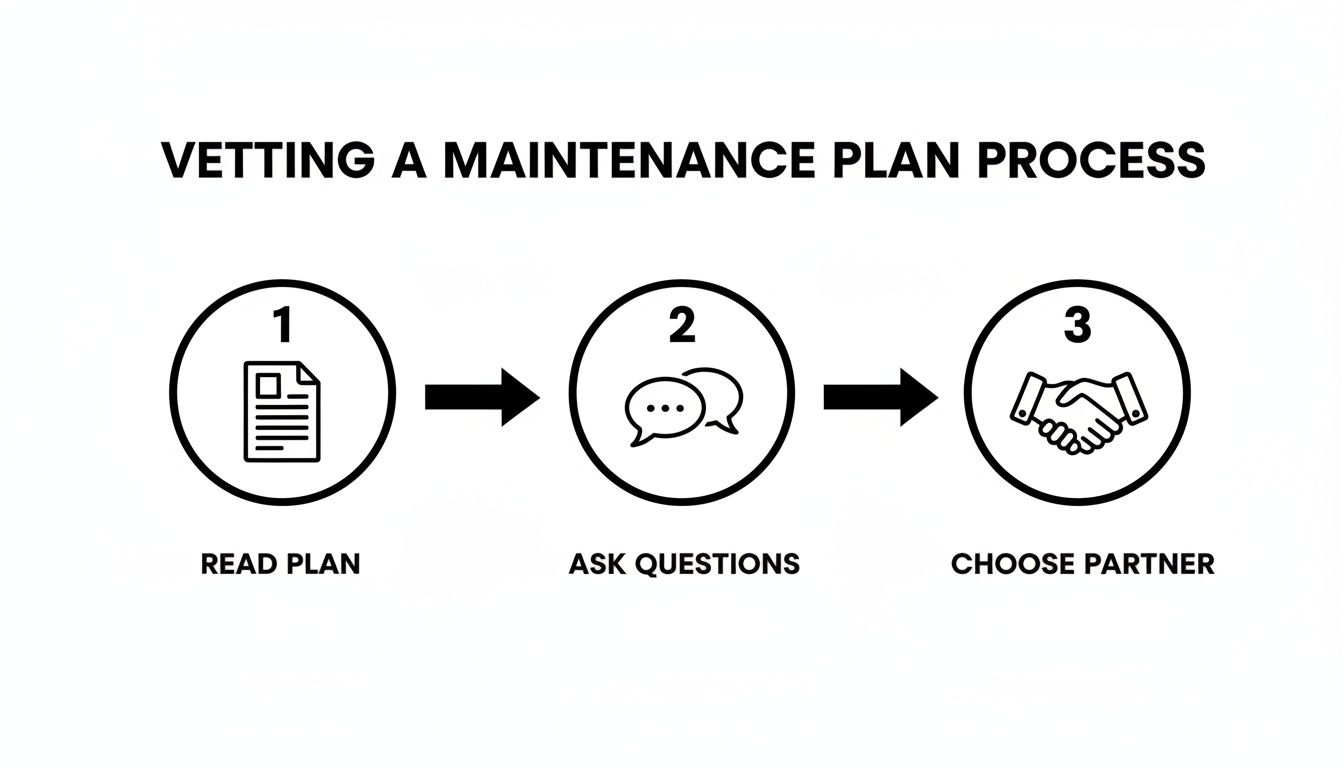
Choosing the right provider with a robust backup strategy is the foundation of any good disaster recovery plan.
Step 4: Conduct a Post-Recovery Analysis
Getting the site back up is the priority, but the job isn't done yet. The final, crucial step is to understand why the emergency happened in the first place. Was it a conflict from a plugin update? A new strain of malware? An issue with the server?
Your support partner should provide you with a clear, easy-to-understand report detailing the cause of the problem and the steps they took to resolve it. This post-incident analysis is essential for preventing the same thing from happening again. It might lead to blacklisting a dodgy plugin, tweaking security rules, or changing an internal process, all of which strengthens the ongoing health and support and maintenance of the website.
Choosing the Right WordPress Support Partner
Picking a partner to look after your website’s support and maintenance is a big deal—as important as finding the right accountant or lawyer for your business. This isn't just a technical task you’re outsourcing; you're handing over the keys to a critical business asset. It's about finding an expert you can trust to protect and grow your digital investment, so the decision needs to be about more than just who’s cheapest.
The right partner slots into your business like an extension of your own team, a specialist dedicated to keeping your website secure, fast, and humming along smoothly. Making the wrong choice, on the other hand, can quickly turn into a nightmare of downtime, unexpected bills, and a whole lot of stress. To get it right, you need to know what separates the real professionals from the rest.
Look for Proven Expertise Not Generalists
Think of it this way: you wouldn't ask a GP to perform open-heart surgery. The same logic applies to your website. A generalist "web person" who dabbles in WordPress alongside a dozen other platforms might handle the basics, but they won't have the deep-seated knowledge needed to solve complex problems or truly optimise your site.
On the surface, WordPress can look straightforward. But underneath, its ecosystem of themes, plugins, and custom code is a tangled web of potential conflicts and vulnerabilities. A true WordPress specialist has seen it all before. They will:
- Instinctively know which plugins are notorious for clashing with others.
- Understand how to lock down your site against WordPress-specific security threats.
- Be able to dive deep into your database and code to make meaningful performance tweaks.
You want a provider that lives and breathes WordPress every single day. That hard-won experience is your best line of defence when things get tricky, ensuring they can handle anything from routine updates to a full-blown emergency.
Prioritise Clear Communication and Reporting
What’s the point of paying for support if you’re left in the dark about what’s actually being done? Vague invoices and radio silence are huge red flags. A professional partner should operate with total transparency, making sure you’re always up to speed on the health and status of your site.
This means you should be getting regular, easy-to-understand reports that lay out the work completed in plain English. These reports should detail all the updates, security scans, backup checks, and any performance improvements. It’s the proof in the pudding, showing that your investment is actively working to protect your business. Just as importantly, you should know exactly who to contact and how, whether you have a simple question or an urgent problem.
Find a Proactive Mindset
When it comes to website maintenance, there are two camps: the reactive and the proactive. A reactive provider basically waits by the phone for you to call with a problem. A proactive partner, however, is actively working in the background to stop those problems from ever happening.
Red Flags of a Poor Provider:
Be wary of partners who offer ambiguous or missing Service Level Agreements (SLAs), have no client testimonials or case studies to show, or whose primary focus is simply reacting to support tickets. A truly valuable partner acts as a preventative force, not just an emergency service.
This proactive approach is the difference between simply doing updates and strategically managing your website. It’s about hardening security to block threats before they even reach your site, constantly monitoring performance to catch slowdowns before your customers do, and rigorously testing updates on a staging server to make sure nothing breaks. Always choose a partner focused on prevention, not just the cure.
Value Local Australian Knowledge
Finally, for any Australian business, having a local partner is a massive advantage. When your website goes down at 2 PM on a Tuesday, you need someone who is also working at 2 PM on a Tuesday—not a team on the other side of the world that’s still fast asleep. In an emergency, every minute of downtime costs you money, and being in the same time zone is critical.
A local provider also gets the nuances of the Australian market, from customer expectations to the best local hosting solutions. This shared context makes for smoother communication and ensures the advice you're getting is genuinely relevant to your business goals. Choosing a partner who understands your day-to-day reality is the final piece of the puzzle in securing the long-term health of your website.
Common Questions About Website Maintenance
Once you grasp why website support and maintenance is so vital, the practical questions usually start popping up. You know it’s important, but what does that actually look like for your business day-to-day? Let's dive into the questions we hear most often from Australian business owners, with some straight, clear answers to help you move forward.
How Often Does My WordPress Site Need Maintenance?
This is usually the first thing people ask, and the right answer really hinges on how central your website is to your business. For most small to medium businesses, a monthly maintenance schedule hits the sweet spot. It creates a reliable rhythm for applying updates, running security scans, checking backups are working, and tuning up performance.
That said, there's no magic one-size-fits-all solution. If you're running a busy e-commerce store processing dozens of orders an hour, or your site has complex custom functionality, you'll probably want to bump that up to weekly checks. These more frequent tune-ups ensure your critical sales pathways are never at risk and the site stays rock-solid under constant pressure.
Think of it like servicing your car. Your daily driver is probably fine with a check-up every 10,000 kilometres. But a commercial delivery van that’s on the road eight hours a day, every single day, needs far more regular attention to stay reliable. The goal isn't to hit a specific number; it's about consistency and matching the level of care to the site's workload.
Can I Do My Own Website Maintenance?
The short answer is yes, you can technically learn to do the basics yourself. WordPress makes it look easy with its one-click update buttons for plugins and themes. The real question isn’t whether you can do it, but whether you should.
Taking on your own maintenance means you’re accepting a pretty significant responsibility. It's time spent away from what you do best—running your business. More importantly, it requires a level of technical know-how that goes far beyond just clicking "update." What’s your plan when a plugin update conflicts with your theme and suddenly your whole site is offline? Do you have the skills to jump in, diagnose the issue, and fix it on the spot? Or will your business be dead in the water for hours, maybe even days, while you frantically search for a solution?
A professional maintenance service is like your website's specialist mechanic. You wouldn't try to rebuild your car's engine just to save a few dollars; you'd bring in an expert. A good provider offers efficiency, deep experience, and, most importantly, peace of mind, freeing you up to focus on what really matters.
What Is the Difference Between Hosting and Maintenance?
This is a big one. It's an essential distinction that trips up a lot of business owners, so let’s clear it up with an analogy.
Picture your website as a physical shop.
Website Hosting is the plot of land you rent for your shop. The hosting company provides the server (the land) and the infrastructure (like power and plumbing) that keeps your shop connected and open to the public. Their core job is to make sure the server is running so your website has a place to live.
Website Maintenance is the team that looks after the actual building. These are the people fixing the leaky roof (patching security holes), mowing the lawns (performance optimisation), checking the locks on the doors (software updates), and making sure the alarm system is armed (malware scanning).
Your web host's responsibility pretty much ends with keeping the server online. A support and maintenance of the website plan, on the other hand, is what keeps your actual website—the building on the land—healthy, secure, and working as it should. You absolutely need both, but they do completely different jobs.
Why Pay for Maintenance If My Site Works Fine?
This line of thinking is a bit like saying, "I feel fine, so why would I need health insurance?" It's understandable, but it fundamentally misunderstands how risk works in the digital world. A website can look perfectly fine from the outside while, behind the scenes, serious problems are quietly brewing.
These silent threats are the most dangerous. Things like:
- Hidden Security Flaws: Outdated plugins or themes can have vulnerabilities that hackers are actively looking for. By the time you notice something is wrong, your customer data may have been stolen or your site blacklisted by Google.
- Slow Performance Creep: Over time, your site's database gets bloated with post revisions and spam comments, and unoptimised images start to bog down your page speed. It doesn't happen overnight; it's a gradual erosion of user experience that slowly drives away customers and sinks your search rankings.
- A Ticking Time Bomb: A site that works perfectly today might be built on software that becomes incompatible with a future server update, causing it to break completely without any warning.
Proactive maintenance is simply preventative care for your most important digital asset. You're making a predictable, manageable investment to prevent a sudden, expensive, and stressful catastrophe down the road—one that could take your site offline, lose you customers, and tarnish your brand's reputation.
Ready to stop worrying about your website and get back to focusing on your business? The team at Webby Website Optimisation offers professional, proactive WordPress support for Australian businesses. Get the peace of mind that comes with expert care by exploring our WordPress help and support services.