
Of course. Here is the rewritten section, designed to sound natural and human-written, with all requirements met.
Think of a WordPress site maintenance service as the dedicated pit crew for your website. It’s a professional care plan designed to keep your site secure, fast, and running without a hitch. This isn't about calling for help when your site is already down; it's about proactive, scheduled work to make sure that never happens in the first place.
What Is WordPress Maintenance and Why It Matters
Your website might look fantastic, but under the hood, it’s a complex piece of machinery. Just like a car, it needs regular tune-ups to stay in top condition. Without them, performance starts to lag, security risks pop up, and eventually, it breaks down—usually at the worst possible moment for your business.
A professional maintenance plan is your expert mechanic for the digital world. It’s an ongoing strategy to protect your online asset and make sure it’s always working for you. For any business in Australia, a healthy, well-maintained website isn’t a nice-to-have; it’s an absolute necessity for staying competitive and secure.
Think of it this way: you’d never run a fleet of delivery vans without servicing the engines or checking the brakes. Your website delivers your brand and generates leads 24/7, so ignoring its health carries an even bigger business risk.
The Core Components of Website Upkeep
At its core, a good maintenance plan shifts you from a reactive, "fix-it-when-it-breaks" mindset to a proactive, "prevent-it-from-breaking" one. This is so important because a sudden site crash or a security breach can cost you thousands in lost sales and emergency repair bills.
Most quality plans are built around four key pillars:
- Updates: This means keeping your WordPress core software, themes, and plugins up to date. These updates aren’t just for new features; they often contain critical security patches and performance boosts.
- Backups: Your provider will take regular, automated backups of your entire site—files and database included—and store them securely off-site. If anything ever goes wrong, your site can be restored in a flash.
- Security: This is all about active defence. Your team will monitor for threats, run malware scans, and use tools like firewalls to block hacking attempts before they can do any damage.
- Performance: A slow website kills conversions. Maintenance includes optimising your site’s speed, cleaning out the database, and ensuring every visitor has a smooth, fast experience—something Google loves, too.
To make this clearer, here’s a quick breakdown of what these tasks involve and why they are so non-negotiable for a healthy website.
Core Components of WordPress Maintenance at a Glance
| Maintenance Task | Why It Matters | Consequences of Neglect |
|---|---|---|
| Plugin, Theme & Core Updates | Closes security holes and fixes bugs identified by developers. | Your site becomes an easy target for automated hacks and may break. |
| Regular Off-site Backups | Creates a complete "undo" button for your website. | A single crash, hack, or server failure could wipe out your entire site permanently. |
| Security Monitoring & Scans | Actively looks for malware, viruses, and suspicious activity. | Your site could be infected, blacklisted by Google, and used to harm your visitors. |
| Performance Optimisation | Ensures a fast-loading, smooth experience for users and search engines. | Slow speeds lead to high bounce rates, poor user experience, and lower rankings. |
| Database Cleanup | Removes junk data (like post revisions and spam comments) that bloats your site. | A bloated database slows down your site and can eventually cause errors. |
Ultimately, handing these technical jobs over to an expert means your digital shopfront is always open, safe, and ready for customers. It frees you up to focus on running your business, not worrying about the tech. This is precisely why so many small and medium-sized businesses see professional WordPress maintenance as essential for their long-term growth.
The Pillars of Professional WordPress Maintenance
When we talk about professional WordPress site maintenance services, we're not talking about a single task. It's a complete system designed to protect your website, built on a few core principles that work together. Get one wrong, and the whole thing becomes fragile.
It’s a bit like looking after a high-performance car. You need regular oil changes (updates), a good alarm system (security), reliable insurance (backups), and a proper engine tune-up (performance). Skip any one of these, and you're asking for trouble down the road. For your website, these elements are what keep it running securely and smoothly around the clock.
This diagram really simplifies how these different jobs come together to create a healthy, functioning website.
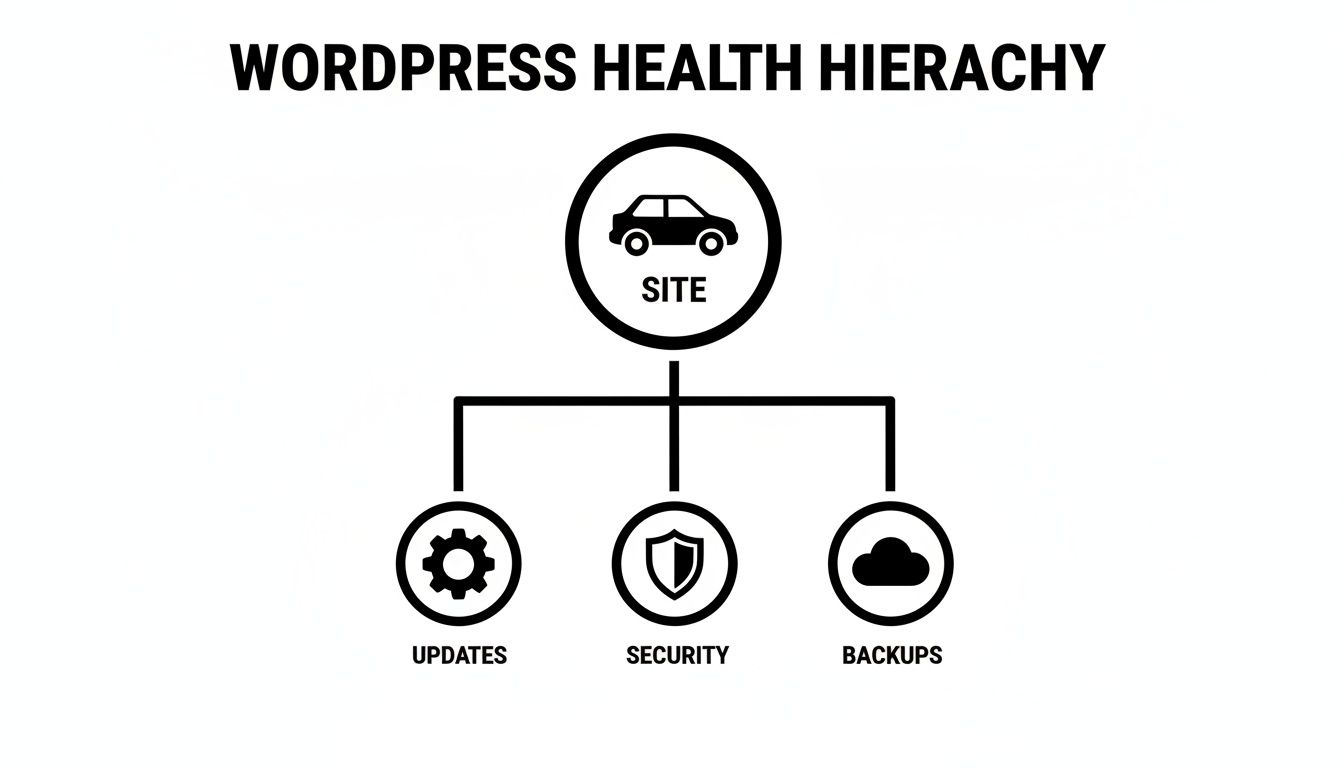
As you can see, a healthy site isn't an accident. It's the direct result of these interconnected activities being managed properly.
Keeping Everything Up-to-Date: Core, Themes, and Plugins
The world of WordPress moves fast. Developers are constantly releasing updates to fix bugs, add features, and—most importantly—patch security holes. Ignoring those update notifications is like leaving your digital front door wide open.
A good maintenance service takes this completely off your plate. We handle:
- WordPress Core Updates: Making sure your site is always running on the latest and most secure version of WordPress itself.
- Theme Updates: Applying patches from your theme’s developers to fix bugs and prevent conflicts.
- Plugin Updates: Carefully managing all your plugin updates. This is crucial, as outdated plugins are the number one way hackers get in.
Crucially, we don't just blindly click "update." Every change is tested on a staging site first—a private copy of your website. This ensures a buggy update never takes your live site down.
Proactive Security: Monitoring and Hardening
Here in Australia, security is the top reason businesses come to us for a maintenance plan. It’s no wonder why. The average WordPress site gets hit with around 52 hack attempts every single day. Attackers are constantly looking for weak passwords and outdated software. In fact, a staggering 99% of 1,756 documented vulnerabilities trace back to plugins and themes.
This is a huge issue for local businesses. Perth firms like ours see this firsthand. With 12% of sites still running on unsupported versions like WordPress 5, they're missing critical security patches. For an Australian small business, a breach can easily cost $25,000+ in lost revenue and recovery efforts—a nightmare for any business, but especially for WooCommerce stores handling customer payment details.
A dedicated maintenance team doesn’t just wait for an attack to happen. We actively defend your site with tools like a web application firewall (WAF), run constant malware scans, and "harden" your WordPress installation by locking down common weak points.
Your Ultimate Safety Net: Reliable Backups
No matter how tight your security is, you can never be 100% immune to disaster. A server might crash, a software update could go horribly wrong, or a brand-new, sophisticated attack might slip through. This is where a solid backup strategy becomes your most important asset.
A professional plan means you can rest easy knowing you have:
- Frequent, Automated Backups: Your entire site—all files and the database—is backed up automatically, often daily or even in real-time.
- Secure Off-site Storage: Backups are stored in a completely separate, secure cloud location. If your web server is compromised, your backups are safe and sound elsewhere.
- One-Click Restoration: If the worst happens, your maintenance partner can restore a clean, recent version of your site in minutes, keeping downtime to an absolute minimum.
Without this, you're gambling with your entire online business. With it, you have peace of mind.
Keeping It Fast: Performance and Speed Optimisation
A slow website is a business killer. It frustrates visitors, sends them straight to your competitors, and tells Google not to rank you as highly. That’s why a core part of any good maintenance plan is ongoing work to improve page load speed.
This isn't a one-and-done fix; it's a continuous process of fine-tuning, which includes:
- Database Optimisation: Regularly cleaning out the digital clutter that accumulates over time, like old post revisions and spam comments, which can bog down your site.
- Image Compression: Automatically reducing the file size of images so your pages load in a snap, without losing visual quality.
- Caching: Setting up a system that serves saved, static copies of your pages to visitors, making delivery almost instant.
These aren't just technical tweaks; they have a direct impact on your bottom line. A faster website means happier visitors, better conversion rates, and more love from search engines. If you want to see what’s possible, we’ve written more about what our https://www.webby.net.au/blog/wordpress/wordpress-speed-optimisation-service/ can do.
Someone to Call: Uptime Monitoring and Expert Support
Finally, a first-class maintenance service means someone is always watching. We use 24/7 uptime monitoring to constantly check if your website is online. If it ever goes down, our team gets an instant alert—often before you or your customers have any idea there's a problem.
And when an issue pops up, you have a direct line to WordPress experts. No more frantic Googling for a freelance developer in an emergency. You have a trusted partner on standby, ready to diagnose the issue and get your business back online fast.
Why Ignoring Maintenance Is a Costly Mistake
Treating WordPress site maintenance services as an optional extra is one of the biggest—and most common—mistakes a business can make. It’s a bit like buying a new company car and then deciding to skip the insurance and servicing to save a few dollars. While you might feel clever pocketing the savings now, you’re setting yourself up for a predictable and hugely expensive disaster down the road.
Think of it this way. Imagine two local Perth businesses selling online.
"Seamless Store Co." has a monthly maintenance plan. A routine update causes a major plugin to clash with their theme. Their support team spots the issue on a private staging site, fixes it, and pushes the stable version live. Customers never notice a thing and keep on shopping.
Now, let's look at "Risky Retailers." They chose to 'save' that monthly fee. A well-known security hole in an old plugin they never updated gets exploited by hackers. They wake up to a defaced website, stolen customer details, and a warning from Google blacklisting their domain. The result? A week of crippling downtime, emergency repair bills that dwarf a year's worth of maintenance fees, and a brand reputation left in tatters.
This isn't just a story; it happens all the time.
The takeaway is simple: proactive maintenance isn't just another bill. It's a smart investment that protects what you’ve built.
Protecting Your Revenue and Reputation
For any Australian business, your website is your digital front door. It’s often the very first impression you make. A slow, broken, or insecure site doesn't just look unprofessional; it actively tells potential customers to go elsewhere.
Keeping your site professionally maintained directly fuels your bottom line.
- Security builds trust. A website that’s clearly secure and protects customer information is fundamental. Without that trust, you can’t expect anyone to hand over their credit card details or personal data.
- Speed improves your SEO. Google gives a leg-up in search rankings to websites that load quickly. A properly optimised site means more organic traffic from people actively looking for what you offer.
- A great experience drives sales. When your site is fast and works perfectly on any device, visitors stick around. They find what they need, and they're far more likely to buy, book a call, or fill out your contact form.
Think of it like this: neglecting your website is like sending your top salesperson to a crucial meeting in a rusty car with a flat tyre. They might not even get there, and if they do, the first impression will be awful. A maintained site ensures your digital presence is always sharp, reliable, and ready to win business.
The True Cost of Downtime
It's easy to shrug off the risk of your website going down—until you're staring at an error screen during a peak sales period. The financial hit goes far beyond just a few lost transactions. The real damage is wider and cuts much deeper than most business owners realise.
When your website is offline, the dominoes start to fall:
- Immediate Revenue Loss: Every minute your site is down is a minute you aren't making money. For an e-commerce store, this is a direct, measurable hit to your bank account.
- Damaged Brand Reputation: A customer who finds your site offline or, even worse, hacked, loses trust in your business. Many will never come back.
- Wasted Marketing Spend: All the money you’re pouring into Google Ads, social media campaigns, or SEO is completely torched if every click leads to a dead end.
- Emergency Repair Costs: Getting a developer to drop everything and fix your site in a panic is always more expensive than a proactive monthly plan. You're paying a premium for urgency.
- Negative SEO Impact: If Google's crawlers try to visit your site and find it's unavailable, your search rankings can take a nosedive that lasts long after the site is back up.
Ultimately, signing up for professional WordPress site maintenance services isn’t an IT expense. It's a straightforward business decision that turns a potential liability into a dependable asset—one that secures your brand, supports your marketing, and helps you grow. The cost of prevention is, and always will be, a fraction of the cost of the cure.
Understanding WordPress Maintenance Plans and Pricing
When you start looking for a WordPress site maintenance service, one of the first things you'll notice is the huge range of prices. It’s not like buying a product off the shelf. The cost is a direct reflection of how much protection and expert attention your specific website actually needs. Making sense of these plans is the key to a smart investment that fits both your budget and your business goals.
Think of it as being a bit like choosing an insurance policy for your car. A basic plan will cover you for the essentials, but a premium one offers comprehensive protection for a much more valuable asset. Here in Australia, this means costs can be worlds apart depending on how complex your site is and how critical it is to your daily operations.
After all, a simple brochure website for a local tradie has very different needs from a bustling e-commerce store that processes hundreds of sales every day. This is exactly why you'll find a whole range of options out there.
Breaking Down the Service Tiers
Most maintenance providers will package their services into different tiers, which makes it much easier to find a good fit. The names might vary—you'll see things like 'Basic,' 'Growth,' or 'Premium'—but the real differences usually boil down to how often tasks are done and the level of hands-on support you get.
Let's unpack what you can generally expect from each level:
- Basic Plans (Entry-Level): These are perfect for small business sites, blogs, or portfolios that aren't the primary source of revenue. They’ll cover the absolute essentials, like automated weekly plugin updates, a monthly health report, and some basic security monitoring. Support is often limited to email.
- Business or Growth Plans (Mid-Range): This is the sweet spot for a lot of growing businesses. These plans typically step things up with more frequent (often daily) off-site backups, priority support, performance scans, and more proactive security measures like a web application firewall.
- Premium or E-commerce Plans (Top-Tier): Built for online stores or membership sites where any downtime means instant lost revenue. These plans offer real-time backups, advanced security hardening, dedicated developer hours for small fixes, and even strategic advice on improving site speed and conversions.
In short, as you move up through the tiers, you’re paying for more proactive work, faster response times, and a much deeper level of expert involvement in your site’s overall health.
Monthly Retainers vs Ad-Hoc Support
Beyond the tiers, you'll also see a couple of different pricing models. The two most common are monthly retainers and ad-hoc (or 'pay-as-you-go') support.
A monthly retainer is the industry standard for professional maintenance. You pay a set fee each month for an agreed list of services. This entire model is built around proactive care—preventing problems before they even start. It gives you predictable costs and a dedicated partner who really gets to know your site.
On the other hand, ad-hoc support is purely reactive. You only reach out for help when something has already gone wrong. While it might seem cheaper upfront, emergency fixes are almost always more expensive and far more stressful than preventative maintenance.
The pricing for these services in Australia reflects this difference in value. You'll find the cost of WordPress site maintenance services typically ranges from $100 to over $3,000 per month, depending on the site's complexity and business needs. For example, e-commerce sites powered by WooCommerce often require plans in the $1,000–$2,000 monthly range to cover crucial tasks like user login testing and enhanced security against the constant threat of attack.
What Determines the Final Cost?
Several key factors will influence the price you're quoted for a maintenance plan. Understanding them helps you see why a one-size-fits-all price just doesn't work and why a custom quote is often the best approach.
Here are the main cost drivers:
- Site Complexity: A simple 5-page site is far easier to look after than a 500-product WooCommerce store with custom plugins and complex payment gateways.
- Level of Support: Do you need 24/7 emergency availability, or is next-business-day email support enough? Faster response times and direct access to a developer naturally cost more.
- Included Development Time: Some higher-tier plans come with a set number of hours per month for small jobs, content updates, or minor design tweaks, which can be fantastic value.
- Strategic Services: Premium packages might bundle in SEO audits, conversion rate optimisation, or performance consulting, moving beyond simple upkeep to active business growth.
Choosing the right plan isn't about finding the cheapest option; it's about aligning the investment with your site's value. You can see how different website maintenance packages are put together to meet these very different needs. By matching the service level to your business reality, you make sure you’re getting transparent value without paying for things you don't need.
How to Choose the Right Maintenance Partner
Choosing a provider for your WordPress site maintenance services is a big deal. It’s not just about hiring a tech; you’re looking for a partner who will become a genuine extension of your team. The right choice brings peace of mind, while the wrong one can be a fast track to headaches and costly fixes down the line.

Think of it like finding a good GP for your family. You wouldn't just go with the cheapest option you could find. You’d want someone with a proven track record, who communicates clearly, and who you’d trust to handle a real emergency. Your website, your business's digital front door, deserves that same careful consideration.
Evaluate Their Technical Expertise
First things first, you need to check their technical chops. A great maintenance partner does more than just click the "update" button—they’re experienced problem-solvers who know WordPress inside and out.
To get a real sense of their skills, ask some direct questions:
- What’s your process for testing updates? A non-negotiable answer here involves using a staging site. This is a private clone of your live website where they can test everything first to make sure no updates break your actual site.
- Can you show me some examples of complex sites you manage? This will prove they can handle more than a simple blog and have experience with custom setups or e-commerce stores.
- How do you approach performance optimisation? A top-tier provider will talk about more than just installing a caching plugin. They should mention things like database optimisation, image compression, and analysing code for bottlenecks.
A confident, seasoned pro will have no trouble giving you clear, detailed answers. If you get vague responses or hesitation, that's a red flag.
Assess Communication and Reporting
All the technical skill in the world means nothing if you can't get a hold of your provider or understand what they’re actually doing. Clear communication and transparent reporting aren't just nice-to-haves; they’re essential.
A great partner doesn’t work in a black box. They provide regular, easy-to-understand reports detailing all the work performed—updates, backups, security scans, and performance checks. This transparency builds trust and keeps you informed.
Before you sign anything, get clarity on their support process. Do they use email, a ticketing system, or can you actually call someone? More importantly, what are their guaranteed response times, especially for an urgent issue like your site being down? As you weigh up your options, you might look at different providers and their offerings, like those detailed in gethukt's services.
Consider Local Australian Expertise
For Australian businesses, having a partner who’s local or at least in a similar timezone can make a massive difference. This is especially true for businesses in Perth, which has its own unique market dynamics.
The Australian web services market, which is tightly linked to WordPress care, is growing fast. In fact, the sector is tipped to grow at an 11% compound annual growth rate, projected to hit AUD 11.56 billion by 2035, as more small and medium businesses realise they need reliable website management.
In Western Australia specifically, key industries like resources and agriculture are driving demand for local providers who can offer better response times and security tailored to our business environment. A partner who understands the local market can simply provide more relevant, timely support.
Finding a provider you trust to look after your most important digital asset is the ultimate goal. The checklist below is a great starting point for comparing potential partners.
Provider Evaluation Checklist
Use this table to score potential providers against the criteria that matter most. It’s a simple way to see who truly stacks up.
| Evaluation Criteria | Provider A | Provider B | Ideal Partner |
|---|---|---|---|
| Technical Expertise | Strong evidence of deep WordPress knowledge | ||
| Staging Site Process | Yes, for all updates and changes | ||
| Case Studies/Portfolio | Examples of complex or similar sites | ||
| Communication Channels | Clear, accessible (phone, email, ticket) | ||
| Reporting Quality | Transparent, regular, and easy to understand | ||
| SLA/Response Times | Clearly defined, especially for emergencies | ||
| Local/Timezone Aware | Yes, understands the Australian market | ||
| Customer Reviews/Trust | Positive, verifiable testimonials | ||
| Pricing Transparency | No hidden fees, clear value for money |
After filling this out, the right choice should be much clearer. You’re looking for a partner who will help your website—and your business—thrive.
Taking Action to Secure Your Website
We've covered a lot of ground, and it's easy to feel a bit overwhelmed by all the technical details of WordPress site maintenance services. But here’s what it all boils down to: proactive care isn't just another business expense. Think of it as a crucial investment in your website's security, speed, and future success.
At this point, you're in one of two boats. Either your website is sailing along smoothly, or you're in the middle of a crisis. Whatever your situation, there's a clear path forward.
For Healthy and Performing Websites
If your site is running well, fantastic! Your job now is to keep it that way. The smartest move you can make is to bring in a professional maintenance partner before something goes wrong. This isn't about being pessimistic; it's about being strategic. A proactive approach keeps your site secure, updated, and optimised, helping you avoid those stressful and expensive emergencies down the track.
Getting started is straightforward:
- Schedule a Site Audit: A professional will give your site a thorough check-up, spotting any hidden vulnerabilities you might have missed.
- Choose a Maintenance Plan: Pick a plan that truly fits your website's needs and your business ambitions.
- Onboard with Your New Partner: Now you can hand off the technical headaches and get back to what you do best—running your business.
For Hacked or Broken Websites
First off, if your website has been hacked or is broken, take a deep breath. It’s a gut-wrenching experience, but you're not alone, and the situation is almost always fixable. The key is to act fast to contain the damage and get your business back online.
Here are the immediate steps you should take:
- Contact an Emergency Recovery Service: Don't try to DIY this. A specialist team can jump on the problem right away.
- Lock Down Your Site: The first thing experts will do is secure the site to stop the problem from getting any worse.
- Clean and Restore: Professionals will meticulously remove any malware and restore your site from a clean backup. We dig deep into this process in our guide on how to backup and restore your WordPress site.
- Implement a Maintenance Plan: Once your site is back, signing up for a maintenance plan is non-negotiable. It’s the only way to prevent another disaster.
The worst thing you can do is nothing. A secure, fast-loading website is the engine of your modern business. By taking these next steps, you’re not just fixing a problem—you’re taking control of your digital future and turning your website into the reliable asset it’s meant to be.
Frequently Asked Questions
It’s completely normal to have a few questions when you’re looking into WordPress site maintenance services. We get asked these all the time, so we’ve put together some straightforward answers to help you make the right call for your business.
How Often Does My WordPress Site Need Maintenance?
This really depends on how complex your site is, but a few things are non-negotiable. For instance, secure, off-site backups should be happening daily. If the worst happens, you need the most recent version of your site ready to go, not one from last week.
For everything else—like updating your plugins, themes, and the WordPress core—a weekly or monthly schedule usually does the trick. A busy e-commerce store with lots of transactions will benefit from weekly checks. On the other hand, a simpler business website can often get by just fine with monthly updates and a health report.
Can I Just Do the Maintenance Myself?
You absolutely can, but the real question is whether you should. If you’ve got the technical know-how and, more importantly, the time to spare, DIY maintenance is an option. It's a fiddly process, though. You need to test updates on a staging site first to make sure they don't break anything, keep an eye out for security threats, and know exactly what to do when something goes wrong.
Most business owners find that the hours spent wrestling with their website are hours stolen from sales, marketing, and actually running the business. A professional service brings in expertise and efficiency, taking on all the technical risks so you can stay focused on growth.
Think of it like this: You could do your own business accounting, but hiring an accountant is more efficient and less risky. The same logic applies to the health of your most important digital asset.
What Is the Difference Between Hosting and Maintenance?
This is a really common point of confusion, but a simple analogy clears it right up.
- Web Hosting is like the block of land you rent to build your house on. It’s the physical space on a server that makes your website files accessible on the internet.
- Website Maintenance is all the work you do to keep the house in good shape. It’s checking the locks (security), fixing leaky pipes (software bugs), and mowing the lawns (performance) to make sure everything is safe and works perfectly for your visitors.
Simply put, one gives your site a place to live; the other makes sure it’s a great place to visit.
My Website Was Hacked. Is It Too Late?
No, it is definitely not too late. Realising your site has been hacked is incredibly stressful, but it's a problem that can be fixed. The worst thing you can do is ignore it. That just gives the hackers more time to do damage, hurts your brand’s reputation, and can even get you blacklisted by Google.
A professional emergency recovery service can jump on it immediately. Their first step is to run a deep scan to find and clear out all the malicious code. Then, they’ll find and patch the security weakness that let the attacker in and restore your site to a clean, working state. After the fire is out, they’ll put stronger defences in place so it doesn’t happen again.
Ready to get that peace of mind and know your website is in safe hands? Webby Website Optimisation offers expert WordPress help and support for businesses right across Australia. Whether you need a proactive maintenance plan or an emergency rescue, our team is here to keep your site fast, secure, and running perfectly. Learn more about our WordPress support services.