
For many Australian businesses, the idea of paying website maintenance charges between $200 and $900 a month can feel like just another expense. But seeing it this way misses the point entirely. This isn't an optional extra; it's a fundamental investment in your site's health, security, and performance.
Why Website Maintenance Is a Critical Investment

It helps to think of your website less like a static, digital brochure and more like a company vehicle. You’d never buy a new car and just assume it would run flawlessly forever without any servicing. To keep it safe and reliable, you get regular oil changes, tyre rotations, and engine check-ups.
Your website is no different. It’s a complex piece of machinery built from constantly evolving software—the WordPress core, themes, and various plugins. All these parts need regular attention to work together smoothly. If you skip the servicing, it’s not a matter of if something will break, but when.
The True Cost of Neglect
Trying to save a few dollars by skipping website maintenance is a classic false economy. It almost always ends up costing you far more down the track, and often in ways that are much more painful than a predictable monthly fee.
Without proactive care, Australian small businesses are exposed to serious risks. Website downtime alone can cost a staggering $5,600 per minute on average, and a security breach can do irreparable damage to your brand's reputation.
A neglected website is a ticking time bomb, vulnerable to:
- Security Breaches: Outdated software is the number one reason websites get hacked. A single breach can lead to stolen customer data, getting blacklisted by Google, and a complete loss of trust.
- Poor Performance: Over time, your site naturally slows down. The database gets clogged, old code becomes inefficient, and large images drag down loading speeds. A slow website frustrates visitors and tells search engines not to rank you.
- Broken Functionality: Sometimes a simple software update elsewhere can create a conflict that breaks your contact form or checkout process. Just like that, your main channel for leads or sales is dead in the water.
Website maintenance charges aren't an expense; they are an insurance policy for your most important digital asset. It’s the proactive work that keeps your online revenue streams flowing and your brand reputation intact.
Shifting from Cost to Investment
Once you realise that maintenance is proactive, not reactive, the entire conversation changes. You're not just paying someone to fix things when they break. You're investing in a system designed to stop them from breaking in the first place. You can learn more about what this entails by exploring our detailed guide on WordPress website care plans.
This ongoing investment ensures your website remains a dependable engine for business growth, one that consistently attracts customers and protects your brand in an ever-more competitive online world.
What a Maintenance Plan Actually Includes

So, what are you actually paying for when you get an invoice for website maintenance? It’s a fair question. It’s not just some vague fee for "keeping things running"—it’s a concrete set of tasks your provider performs to protect your investment.
Think of it less like a bill and more like a car service. You’re not just paying for a mechanic to stand there; you’re paying for an oil change, a tyre rotation, and a safety check to prevent a breakdown on the motorway. Let’s pop the bonnet and see what’s included.
WordPress Core Updates
The heart of your website is the WordPress software itself. It’s the engine, the chassis, the whole foundation—much like iOS is for an iPhone. The team behind WordPress is constantly working to improve it, releasing updates that add features, boost performance, and, most importantly, patch security holes.
Skipping these updates is like ignoring the software update notifications on your phone. At first, it’s fine. But over time, it becomes slow, buggy, and vulnerable to security flaws that were fixed months ago. A solid maintenance plan ensures your site’s engine is always running the latest, most secure version.
Theme and Plugin Updates
If the WordPress core is the engine, your theme and plugins are the customisations—the paint job, the stereo system, and the GPS. Your theme defines the look and feel, while plugins add all the cool features, from contact forms to online shopping carts.
But just like apps, these add-ons need regular updates from their developers to fix bugs, patch security risks, and stay compatible with the main WordPress software. Outdated plugins are one of the single biggest security risks for any WordPress site.
An outdated plugin is like leaving a ground-floor window wide open. It’s a glaring invitation for trouble. Professional maintenance isn’t just about clicking 'update'—it’s about testing those updates to make sure nothing breaks in the process.
Comprehensive Security Monitoring
A great maintenance plan is proactive, not reactive. It doesn't wait for the alarm to go off; it has a security guard patrolling the perimeter 24/7. This isn't just a metaphor—it involves real, tangible security services.
- Malware Scanning: Automated, regular checks of all your website files to hunt for any malicious code.
- Firewall Management: A powerful Web Application Firewall (WAF) acts like a bouncer, filtering out shady traffic before it can even knock on your website's door.
- Login Protection: Smart tools that block brute-force attacks, which are automated attempts by hackers to guess your password over and over.
This is the difference between hoping for the best and having a proper security system in place. If you want to get into the nitty-gritty, have a look at our detailed guide to WordPress site maintenance services.
Reliable Website Backups
Sometimes, despite all the best precautions, bad things happen. A server might fail, a critical update could cause a conflict, or a clever new hack might find a way through. This is where your backups become the ultimate safety net.
A non-negotiable part of any maintenance plan is frequent, automatic backups of your entire site—every file, every image, and every customer order. Critically, these backups are stored "off-site" on a completely separate, secure server. So, even if your site completely implodes, you have a clean copy ready to restore, getting you back online in no time. Without it, you risk losing everything.
How Maintenance Directly Impacts Business Growth
It’s easy to look at website maintenance charges and see just another line item on your expense sheet. But thinking of it as a simple cost is a fundamental misunderstanding of what keeps a modern business running. It’s less like paying for a service and more like fuelling the engine that drives your revenue.
A website that’s properly looked after is your hardest-working salesperson, generating leads and closing deals 24/7. When you invest in proactive upkeep, you're pouring resources directly into the things that get you more customers and keep them coming back.
Winning the Search Engine Game
Let's be frank: Google holds the keys to the kingdom. Its main job is to give people the best, most relevant results, which means it has a strong preference for websites that are fast, secure, and easy to use. These aren't set-and-forget qualities; they need constant attention, and that’s precisely what a good maintenance plan delivers.
Take Google’s Core Web Vitals, for instance. These aren't just technical jargon; they're Google's way of measuring how a real person experiences your site—how quickly it loads, how soon they can interact with it, and whether things jump around on the screen. Hitting these targets is almost impossible without someone consistently working behind the scenes, fine-tuning code, compressing images, and making sure your server is up to snuff.
A slow or buggy website tells Google that you're not providing a good experience. The result? You get pushed down the search rankings, effectively becoming invisible to people actively looking for what you sell. On the flip side, a zippy, secure site gets rewarded with better visibility, which means more organic traffic and more chances to make a sale.
The Real-World Cost of a Slow Website
The link between your website's performance and your bank account is brutally direct. Every second a potential customer waits for your page to load, and every security glitch they encounter, costs you real money.
In Australia, this is a massive issue. With over 27 million Aussies in cities like Perth, Sydney, and Brisbane using their smartphones to browse, a slow mobile site is a death sentence. Research shows that sites taking longer than 3 seconds to load lose 53% of their mobile visitors. Core Web Vitals (LCP, INP, CLS) are now firm ranking factors for Google in 2026, making ongoing optimisation non-negotiable. This is the exact work covered by typical website maintenance charges, which usually fall between $200-$900/month. Local data for 2026 even shows that well-optimised sites can increase conversions by 28%, whereas neglected ones often see their bounce rates shoot up past 50%. You can explore more on these developing trends and their business impact to get the full picture.
Think about that for a moment. If your site is sluggish, more than half of your potential customers on mobile are gone before they even see what you have to offer. That’s not a vague problem; it’s a direct hit to your bottom line.
Website maintenance charges are not an operational cost to be minimised. They are a direct investment in your growth engine, protecting revenue, enhancing brand reputation, and maximising your visibility in a competitive market.
Protecting Your Brand and Your Business
Beyond just speed and SEO, consistent maintenance is your front-line defence against disasters that can bring your business to a grinding halt.
- Preventing Lost Revenue from Downtime: Every minute your site is offline is a minute you're losing sales and letting customers down. Regular maintenance catches the software conflicts and server hiccups that cause these costly outages before they happen.
- Guarding Your Reputation: A hacked website can shatter customer trust in an instant. Proper security monitoring and patching stop the breaches that lead to stolen data, blacklisted domains, and a PR nightmare you don’t want.
- Ensuring Business Continuity: Think of reliable backups as your business’s insurance policy. If the worst happens—a hack, a server crash, a catastrophic user error—you can restore your site quickly, minimising the disruption and the financial fallout.
When you start to see these charges as an investment, their value becomes crystal clear. You aren't just paying someone to click 'update'. You're paying for better search rankings, higher sales conversions, and the invaluable peace of mind that comes from knowing your most important digital asset is secure and working hard for your growth.
Comparing Website Maintenance Pricing Models
Trying to get your head around website maintenance charges can feel a bit like comparing apples and oranges. There’s no single, universal price tag. Instead, agencies and freelancers use a few different pricing structures, and figuring out which one works for you is the first step to getting the right support.
In Australia, you’ll mostly come across three common ways of paying for maintenance: a monthly retainer, hourly (or ad-hoc) rates, and fixed project-based fees. Each one is designed for a different situation, from consistent, proactive care to a one-off emergency fix. Let's break them down.
The Monthly Retainer Model
For any business that relies on its website, the monthly retainer is hands-down the most popular and sensible option. It works just like a subscription. You pay a set fee every month, and in return, you get a clearly defined package of services—things like regular software updates, daily backups, security monitoring, and often a block of time for support or small changes.
The whole point of a retainer is to be proactive. It's about preventing problems, not just reacting to them. Your provider works behind the scenes to keep everything running smoothly, so you avoid those heart-stopping moments when your site suddenly goes down. This approach makes budgeting a breeze and ensures minor glitches are squashed before they turn into major, costly disasters.
For Australian small and medium businesses, a good retainer plan offers genuine peace of mind. You know what you’re paying each month, and you’ve got a trusted expert on call. Most agencies offer a few different tiers to match your needs.
- Basic Plan: Usually covers the absolute must-haves: core updates, security scans, and backups. This is a great fit for simple brochure or informational sites.
- Business/Growth Plan: Includes all the basics plus performance tuning, more hands-on support, and sometimes a bit of time for content updates.
- E-commerce Plan: This is the top-tier plan, built for online stores. It provides specialised support for systems like WooCommerce, heightened security, and faster response times because when you're selling online, downtime literally costs you money.
Hourly Ad-Hoc Rates
Another option is to simply pay by the hour. Often called "ad-hoc" support, this is a purely reactive model—you call for help when something breaks, and you're billed for the time it takes to fix it.
At first glance, this might look like the cheapest route. If your site is very simple and you rarely touch it, you might get away with it. But it's a bit of a gamble. The hourly rate for a good WordPress developer isn't cheap, and an emergency fix can get expensive, fast. One bad plugin update or a security breach can leave you with a surprisingly hefty bill.
The ad-hoc model is a bet against disaster. You're hoping nothing serious goes wrong. But when it does, you're left scrambling for help during a stressful time with no idea what the final cost will be.
The biggest downside here is the lack of preventative care. Without someone actively looking after your site, it’s much more vulnerable. When you're weighing up website maintenance pricing models, it helps to see these ongoing fees in the context of your initial investment. By factoring in both the build and the upkeep, you get a clearer picture than just understanding web page design cost alone.
Project-Based Fees
The third structure is a fixed fee for a specific, one-off project. This isn’t for your day-to-day upkeep but for bigger, well-defined tasks. Think cleaning up a hacked website, moving to a new hosting provider, or undertaking a major speed optimisation project.
You and the developer agree on the exact scope of work and a firm price before anything starts. This gives you cost certainty for larger, isolated jobs. It’s a great option for tackling big issues that fall outside a standard maintenance plan, but it’s no substitute for regular, ongoing care. If you want to explore what's typically included in different plans, have a look at our detailed guide on choosing WordPress website maintenance packages.
To help you visualise the impact of your decision, here’s a simple decision tree.
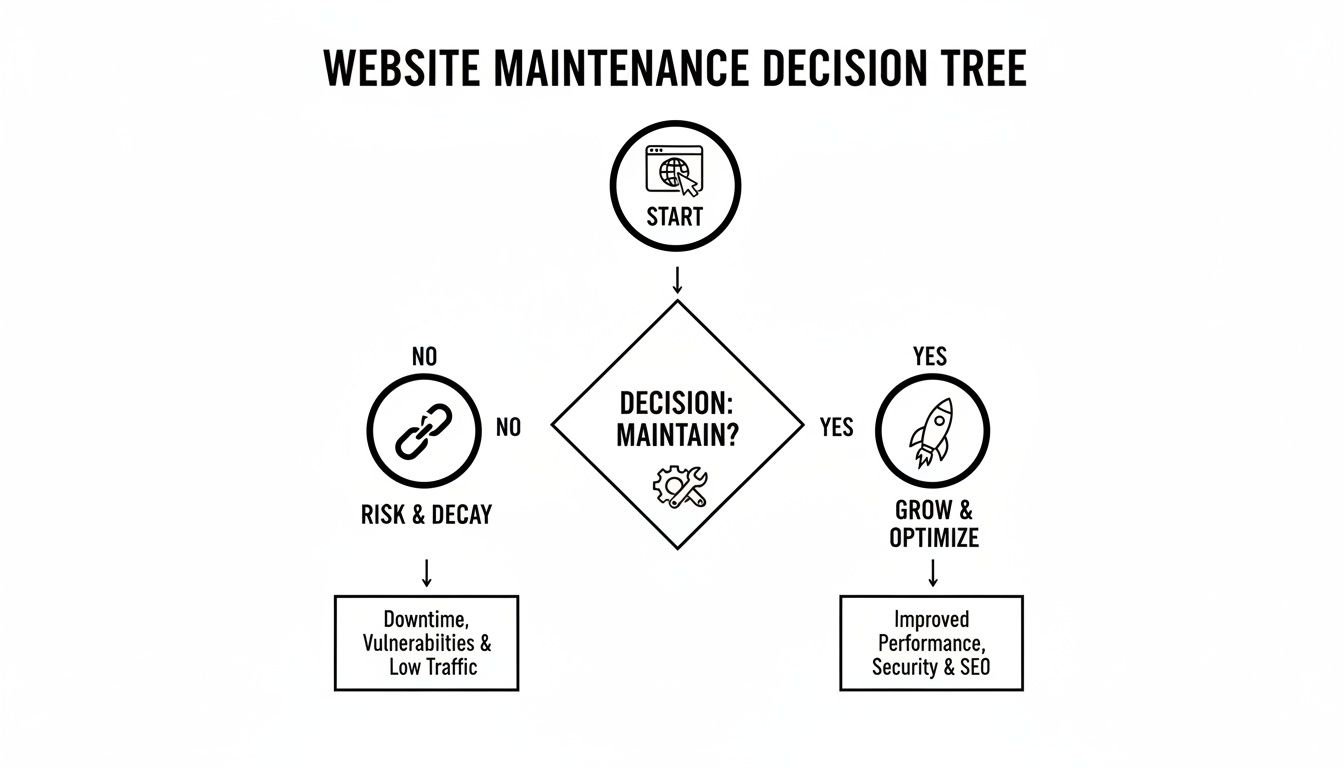
As you can see, the path of active maintenance leads to a secure, growing asset for your business. Neglect, on the other hand, almost always leads to vulnerabilities, broken features, and eventually, a crisis. For most businesses, the predictable, proactive approach of a monthly retainer offers the best balance of value, security, and peace of mind.
How to Choose the Right Maintenance Provider

So, you’ve got a handle on the different services and pricing models. That’s a great start, but now comes the most important part: finding the right partner to look after your website. Choosing a maintenance provider isn’t just about comparing website maintenance charges; it's about finding an expert you can trust to protect your most valuable online asset.
Don't rush this decision. The cheapest plan is almost never the best one, and picking the wrong provider can create far more problems than it solves. To choose with confidence, you need to know exactly what to look for and which questions to ask.
Key Questions for Potential Providers
When you're talking to an agency or freelancer, think of it as a job interview. You are, after all, hiring them for a critical role in your business. Having a few key questions ready will help you quickly gauge their expertise, work ethic, and overall reliability.
- Are you a WordPress specialist? Your provider should live and breathe WordPress. A generalist IT company might know the basics, but they often lack the deep, specific knowledge needed to handle the platform’s unique quirks and security challenges.
- What does your communication process look like? Find out how they handle regular queries versus genuine emergencies. A clear process—whether it's through email, phone, or a dedicated support portal—is the mark of a professional outfit.
- Can I see a sample report? A good provider will be transparent, offering monthly reports that detail all the work they’ve done. This should include updates applied, security scans, backups completed, and performance checks. It’s your proof of work.
- Do you have experience with Australian businesses? A local provider gets it. They understand the market, they're in your timezone when you need support, and they know the specific challenges Aussie small businesses face.
Choosing a provider is an act of trust. You’re giving them the keys to your digital storefront. Ensure their expertise, communication, and transparency align with your business values before handing them over.
Specialisation and Technical Fit
It’s crucial that your chosen provider has proven experience with the specific type of website you run. For example, an e-commerce store built with WooCommerce has vastly different, and far more complex, needs than a simple five-page brochure site. Make sure they have a track record of successfully managing sites like yours.
The demand for this kind of specialised care is growing fast. The Australian web hosting services market, which is closely tied to maintenance, is predicted to jump from AUD 4.07 billion in 2025 to a massive AUD 11.56 billion by 2035. Much of this growth comes from managed WordPress solutions that bundle hosting with expert upkeep. Big players like WP Engine offer an impressive 99.99% uptime and lightning-fast speeds because they handle every update, security patch, and backup. This is the same successful model you'll find with local specialists like Perth's Webby Website Optimisation. You can discover more about Australia's growing demand for managed web services.
Red Flags to Watch Out For
Just as important as knowing what to look for is knowing what to avoid. Certain signs should be an immediate red flag, telling you to walk away and look elsewhere.
Be wary of any provider who:
- Is vague about security: If they can’t clearly explain their security setup (like firewalls, malware scanning, and login protection), they probably don’t take it seriously enough.
- Doesn't offer off-site backups: Backups are your safety net, and they're non-negotiable. If they are stored on the same server as your website, they’re useless in a server-wide disaster.
- Lacks testimonials or case studies: A reputable provider will have a trail of happy clients and be proud to show off their work. No proof often means no results.
- Competes solely on price: Rock-bottom website maintenance charges are a sure sign that corners are being cut, usually on crucial things like security checks or proper testing.
Taking the time to vet your provider properly is an investment that will pay for itself many times over in security, performance, and your own peace of mind.
Frequently Asked Questions About Website Maintenance
We've covered a lot of ground, but there are always a few lingering questions that pop up when business owners are weighing up their options. It's completely understandable. Let's tackle the most common ones I hear so you can feel confident in your decision.
Think of this as the final piece of the puzzle.
Can I Do Website Maintenance Myself to Save Money?
Look, I get it. The temptation to roll up your sleeves and handle your own website maintenance to save a few dollars is strong. And technically, if your site is incredibly simple, you could try. But for a business, it's a huge gamble.
Proper maintenance isn't a quick five-minute job; it requires a serious and consistent time commitment, not to mention a fair bit of technical know-how. One wrong click during a plugin update can break a key feature or, even worse, knock your entire site offline. The honest truth is that the potential cost of fixing a major problem—lost sales, emergency developer fees, and a hit to your reputation—almost always outweighs the predictable monthly cost of having a professional take care of it.
For most businesses, the peace of mind alone is worth the investment.
Does My Web Hosting Include Maintenance?
This is probably the most common point of confusion I come across. The short answer is almost always no. Web hosting and website maintenance are two completely different services.
Think of it this way: hosting is like renting the plot of land your house is built on. Maintenance is the ongoing work that keeps the house itself secure, clean, and in perfect working order.
Your hosting provider gives your website a physical place to live on the internet. While some premium "managed hosting" plans might handle some basic server-level security and updates, they rarely, if ever, touch the critical parts of your actual website. That means they won't be updating your specific plugins and theme, testing for compatibility issues, optimising your database, or helping with content changes. Always read the fine print to understand exactly what you're paying for.
How Often Is Maintenance Actually Performed?
Professional maintenance isn't a single task you just tick off once a month. It’s a continuous, proactive process. The frequency of each job really depends on how critical it is.
Here’s what a typical schedule looks like for a well-maintained WordPress site:
- Daily or Weekly: The most vital tasks happen most often. Things like security scans for any malicious code and creating full off-site backups are done frequently. This ensures you always have a recent, clean version of your site ready to restore at a moment's notice.
- Weekly or Monthly: Software updates for the WordPress core, your theme, and all your plugins are checked constantly. However, a pro won't just blindly hit 'update'. They'll typically apply them on a weekly or monthly schedule after testing them in a safe staging environment to make sure they don't cause any conflicts on your live site.
It's this consistent, multi-layered approach that keeps your site secure, fast, and working the way it should, justifying the ongoing website maintenance charges.
Ready to stop worrying about your website and start focusing on your business? The expert team at Webby Website Optimisation offers proactive WordPress maintenance plans that keep your site fast, secure, and running smoothly. Explore our WordPress help and support services today.