
Think of your WordPress website as the digital front door to your business. It needs to be fast, secure, and always open for customers. But keeping it that way involves a lot of technical heavy lifting behind the scenes. That’s where WordPress website management services come in—they're the expert crew that handles all that essential upkeep for you.
This isn't just about calling a developer when something breaks. It's about having a dedicated technical co-pilot who proactively manages all the complex backend tasks, so you can get back to what you do best: running your business.
What Are WordPress Website Management Services
Let's use an analogy. Imagine your business website is a high-performance car. To keep it running at its best, you need regular servicing—oil changes, tyre checks, and engine tune-ups. If you skip this maintenance, you're risking a breakdown at the worst possible moment. WordPress website management services are your specialist mechanics, providing the ongoing, expert care your site needs to perform at its peak.
This is a proactive strategy, not a reactive one. It’s designed to prevent problems before they can ever affect your customers or hurt your sales. A good management service updates your plugins before they become a security risk, just like a good mechanic checks your brakes before they fail on the road.
Beyond Simple Fixes to Proactive Care
Too many business owners treat their website support like an emergency service, only calling for help when an error pops up. True website management is the complete opposite. It’s about continuous, preventative care that covers every critical aspect of your site's health and performance.
By taking this approach, you ensure your website remains a reliable and effective asset for your business. It takes the technical burden off your shoulders and places it in the hands of a team whose entire job is to maintain the integrity of your online presence.
Think of it this way: You wouldn't build a physical shop and then leave the doors unlocked, never clean the windows, or ignore a leaking roof. Professional website management is the digital version of property maintenance, security, and cleaning all rolled into one essential service.
Key Components of Professional Management
So, what does this proactive care actually look like day-to-day? While every provider's plan is slightly different, any quality service will bundle several core functions into a single package. These aren't optional extras; they're the absolute foundations of a healthy, high-performing website.
- Security Monitoring: Think of this as a 24/7 security guard for your site, constantly watching for and blocking threats like malware and hacking attempts.
- Regular Backups: Secure, off-site copies of your entire website are created regularly. If disaster strikes, you can get back online in a flash.
- Software Updates: Your WordPress core, themes, and plugins are carefully updated to patch security holes and add new features without breaking your site.
- Performance Optimisation: Your site is constantly fine-tuned for speed. Fast-loading pages are critical for keeping visitors happy and ranking well on Google.
At the end of the day, investing in wordpress website management services is about buying peace of mind and protecting one of your most valuable business assets.
What's Really Inside a WordPress Management Plan?
A proper WordPress management plan isn't a single item you can just tick off a list. It’s more like a team of specialists working together, each handling a critical part of keeping your website healthy, secure, and running like a well-oiled machine. Understanding what these specialists do shows you the real value you get from a professional WordPress website management service.
Think of your website as a high-performance car. You wouldn't just put fuel in it and hope for the best. It needs regular servicing, security checks, a solid insurance policy, and performance tuning to keep it safe and fast on the road. Neglecting any one of these leaves you vulnerable to a breakdown, or worse. A good management plan covers all those bases, proactively.
This diagram shows how the core functions of management work together to support your website.
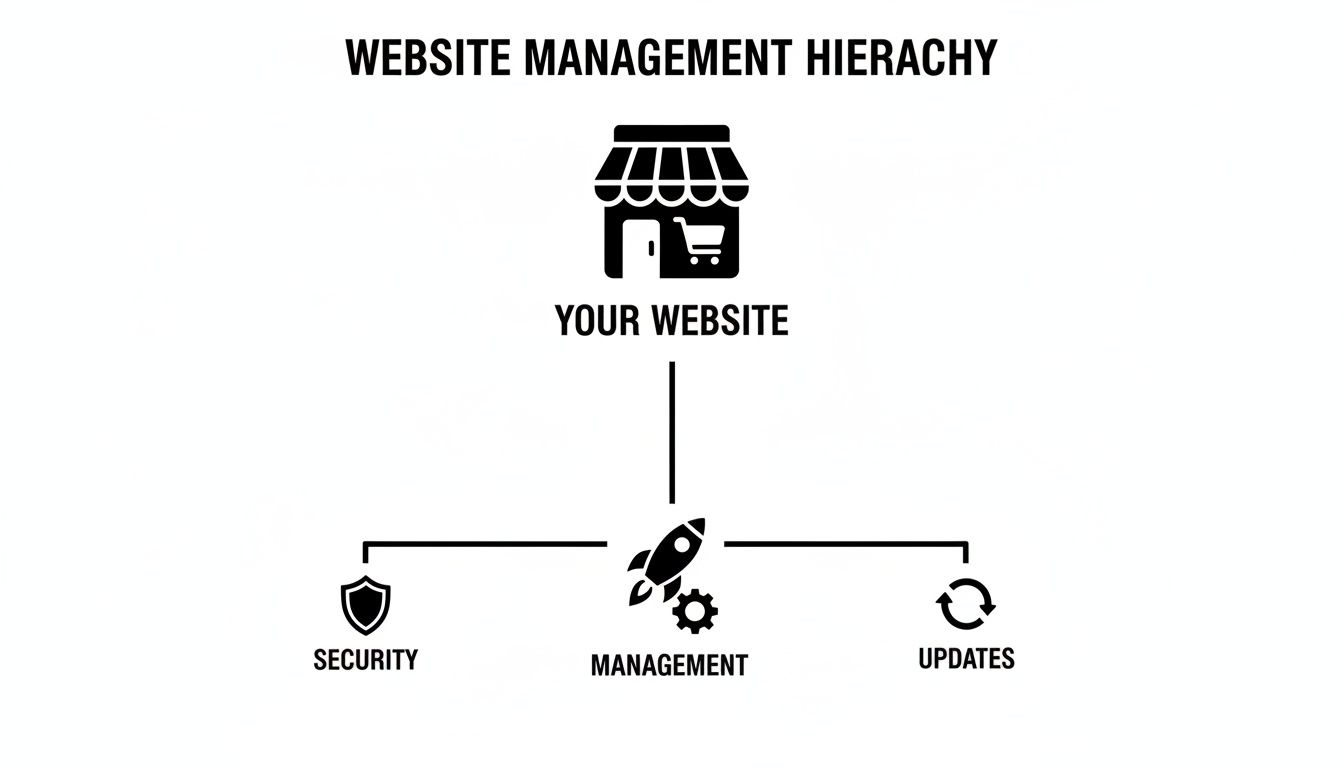
It’s this constant interplay between security, updates, and overall performance that keeps your site strong and reliable. Let's break down exactly what that means.
1. Proactive Updates: Core, Themes, and Plugins
The digital world moves fast. New features pop up constantly, but more importantly, so do new security threats. The first job of any good management plan is handling all the updates for your WordPress core software, your theme, and every single plugin you use. This is absolutely non-negotiable.
Running on outdated software is like leaving the front door of your business wide open—it's the number one way websites get hacked. A professional service doesn’t just blindly hit the "update" button, either. They test every update on a separate "staging" copy of your site first, making sure nothing breaks before touching your live website.
This careful approach means you get all the latest security fixes and performance boosts without the risk of a botched update taking your site offline and frustrating customers.
2. Daily Offsite Backups
If updates are your first line of defence, backups are your ultimate safety net. A cornerstone of any plan is creating daily, secure, and reliable backups of your entire website. We’re talking all your files, your database, your images—everything. It’s your insurance policy for when things go wrong.
A backup isn't just a file; it's a complete, restorable snapshot of your business at a specific moment in time. Without it, a catastrophic event like a server failure or a malicious attack could permanently wipe out years of hard work.
A truly robust backup strategy involves a few key things:
- Daily Frequency: Your site changes every day with new orders, blog posts, or customer comments. Daily backups mean you lose the absolute minimum amount of data if you need to restore.
- Offsite Storage: Storing backups on the same server as your website is a huge risk. We store them on a completely separate, secure cloud platform (like Amazon S3), so even if your whole server goes down, your data is safe.
- Encryption: Your business data is sensitive. Encryption makes sure your backups are unreadable to anyone who shouldn't have access.
With this in place, you can rest easy knowing that a clean, complete version of your site is always ready to be restored in a flash, keeping any business disruption to a minimum.
3. Robust Security and Malware Scanning
The third piece of the puzzle is a multi-layered security system designed to actively hunt down and block threats. While updates patch known holes, a dedicated security setup acts like a 24/7 digital security guard, actively fending off attacks and scanning for anything suspicious.
This is especially vital here in Australia. With 469,707 live WordPress sites, it's a massive target for automated attacks. And considering 54% of Australian small businesses use WordPress and 30,000 websites are hacked globally every day, professional security isn't just a nice-to-have; it's a cost of doing business online.
A comprehensive security service will always include:
- Web Application Firewall (WAF): This is a digital shield that filters out malicious traffic and known attack patterns before they can even reach your website.
- Regular Malware Scanning: Deep, automated scans run constantly, looking for any suspicious code or files that might have slipped through. If anything is found, the team is alerted immediately.
- Brute Force Protection: This feature automatically blocks hackers who try to guess their way into your admin login page. For more tips on locking down your site, check out our guide on [https://www.webby.net.au/guides/the-wordpress-best-practices-checklist/].
4. Ongoing Performance Optimisation
Finally, we have speed. A slow website is a silent business killer. It sends potential customers packing and tells Google not to rank you as highly. Ongoing performance optimisation is all about making sure your site loads lightning-fast for every single visitor.
This isn’t a one-time job. Great performance requires constant monitoring and tweaking. For example, diving deep into the code and improving WordPress queries can make a huge difference in how quickly your pages load.
A dedicated team will constantly analyse and improve everything that affects your site’s speed—from compressing images and streamlining code to optimising server response times.
Core WordPress Management Services and Their Benefits
To pull it all together, here’s a quick look at how each of these core services translates into a direct benefit for your business.
| Service Component | What It Involves | Why It's Critical for Your Business |
|---|---|---|
| Updates & Patching | Staged testing and deployment of WordPress core, theme, and plugin updates. | Prevents security breaches from known vulnerabilities and ensures software compatibility. |
| Daily Offsite Backups | Automated, encrypted backups of all files and databases stored on a separate cloud server. | Provides a rapid recovery point, minimising downtime and data loss after an incident. |
| Security Monitoring | A Web Application Firewall (WAF), regular malware scans, and brute-force protection. | Actively blocks attacks, protects customer data, and maintains your business's reputation. |
| Performance Tuning | Image compression, code minification, database optimisation, and server-level caching. | Improves user experience, boosts SEO rankings, and increases conversion rates. |
By building your digital presence on these four pillars, you end up with a website that’s not just working, but is also secure, resilient, and perfectly positioned for growth.
From Maintenance to Momentum: Growth-Focused Support

Sure, keeping your website secure and online is non-negotiable. That's the baseline. But the best WordPress website management services don't just play defence; they go on the offense. They actively look for ways to turn your website from a simple digital brochure into a powerful engine for leads and sales.
It’s a strategic shift from preventing problems to creating opportunities. This is where your management partner stops being just a technical support line and starts becoming a key player in your business growth.
Turning Data into Decisions
You can't grow what you don't measure. The first step towards real growth is to stop guessing and start understanding exactly how people use your site. A proactive management partner will set up the right analytics tools to give you that clarity.
This usually involves a few key things:
- Google Analytics 4 (GA4) Setup: Getting GA4 configured correctly to track the entire user journey, what they click, and how they engage. This gives you a much deeper insight into visitor behaviour.
- Google Tag Manager (GTM) Implementation: Using GTM to add tracking codes and marketing tags without having to mess with your website's code. It's faster, cleaner, and more accurate.
- Precise Conversion Tracking: Defining and tracking the actions that actually matter—form submissions, phone calls, online purchases—so you can connect website activity directly to your revenue.
Once this data foundation is in place, you can finally make decisions backed by real numbers, optimising your marketing spend and proving your return on investment.
Enhancing Visibility and Conversions
Okay, so you understand your audience. Now what? The next step is to get more of the right people to your site and turn them into customers. A growth-focused service bridges the gap between technical management and marketing strategy to improve your online presence.
This is especially critical here in Australia. With WordPress having a 54% adoption rate among Aussie small businesses, the digital marketplace is packed. To cut through the noise, you need a website that's not just running, but truly performing.
Growth is not accidental. It is the result of forces working together. In website management, this means aligning technical health with strategic marketing goals to create a powerful, unified push for your business.
Smart integrations are a big part of this. For example, knowing the ins and outs of a Chat Bot WordPress Integration can dramatically improve how you capture leads and talk to your customers right on your site.
Proactive SEO and Site Health Monitoring
A technically solid website is the bedrock of any good SEO strategy. Think of your management partner as your technical SEO specialist, making sure your site is perfectly set up to be loved by search engines.
Here’s what that looks like in practice:
- On-Page SEO Audits: Regularly combing through your site's structure, content, and meta tags to find and fix anything holding back your rankings.
- Google Search Console Monitoring: Keeping a close watch on how Google sees your site, jumping on indexing errors, mobile-friendliness issues, or security warnings the moment they pop up.
- Conversion Rate Optimisation (CRO): Running experiments like A/B tests on important pages to figure out which headlines, button colours, or layouts get you more leads and sales.
By combining these proactive tactics, a management service helps you climb the search rankings and convert more of the traffic that arrives. We blend this technical expertise with marketing know-how in our own website optimisation services. The end goal is to make sure your website doesn't just sit there—it actively contributes to your bottom line.
How to Choose the Right Management Partner
Picking someone to look after your website is one of the most critical decisions you'll make for your online presence. This isn't just about hiring a coder for a one-off job. You're entrusting a core business asset to a team that needs to act as its guardian, its mechanic, and sometimes its emergency response unit.
Get this choice right, and you get peace of mind, a stable platform, and a solid foundation for growth. Get it wrong, and you're looking at potential security nightmares, costly downtime, and a whole lot of missed opportunities. Let’s walk through a clear framework for finding a WordPress management partner you can genuinely trust.
Evaluate Their Technical Expertise and Experience
First things first: you need to look under the bonnet. A slick sales pitch is one thing, but proven technical skill and a history of keeping clients happy are what really count.
Don't settle for a generalist "web developer." Look for a team that lives and breathes the WordPress ecosystem. The platform has its own quirks and complexities, and you want someone who knows it inside and out—not someone who has to Google the basics. Years of dedicated WordPress experience is a pretty good sign they’ve seen it all and know how to handle the unexpected.
Here’s what to dig into:
- Case Studies and Portfolio: Ask to see clear examples of websites they manage. Are any of them similar to yours in size, industry, or complexity? This shows they can handle your specific needs.
- Client Testimonials: Real feedback is gold. Look for reviews that talk about reliability, quick communication, and genuine problem-solving skills.
- Team Knowledge: In your initial conversations, do they sound like they truly understand WordPress security, performance tuning, and the plugin ecosystem? You can usually spot a real expert from a pretender pretty quickly.
Scrutinise Communication and Support Protocols
Even the most brilliant technician is no good to you if they’re impossible to reach in a crisis. Solid, reliable communication is the absolute bedrock of a good management partnership. You need to know exactly how they work before you need them.
A great management partner doesn’t just fix things when they break—they communicate proactively. They keep you in the loop about your site's health and the work they're doing behind the scenes. It's this transparency that builds trust and prevents nasty surprises.
Before you sign anything, get crystal clear on their support process. If your site goes down, you don't want to be scrambling to figure out who to call. You can see how we handle this with our own dedicated WordPress help and support to get an idea of what a professional process looks like.
Ask these direct questions:
- What are your standard support hours?
- How do I actually submit a support request—is it via email, a ticketing system, or a phone call?
- What’s your guaranteed response time for an urgent issue versus a simple question?
Understand the Service Level Agreement and Pricing
Any professional provider worth their salt will lay out their commitments in a Service Level Agreement (SLA). Think of this as your guarantee. It’s a formal document that outlines specific, measurable promises about things like uptime, response times, and exactly what’s included in their service. If a provider is hesitant to offer a clear SLA, walk away.
Pricing for WordPress website management services can also vary quite a bit. It’s vital you understand the different models so you can choose a structure that makes sense for your business and your budget.
When you're looking at different providers, it's helpful to understand the common ways they structure their services. This table breaks down the main types so you can see what might be the best fit for your business.
Comparing WordPress Management Provider Models
An overview of different provider types to help you choose the best fit for your business needs.
| Provider Type | Best For | Pros | Cons |
|---|---|---|---|
| Freelancer | Businesses with small budgets and simple websites. | Lower cost, direct communication. | Limited availability, single point of failure, may lack broad expertise. |
| Small Agency | SMBs needing a balance of personalised service and technical depth. | Dedicated team, broader skillset, more reliable than a freelancer. | Can be more expensive than a freelancer, resources might be stretched thin. |
| Large Agency | Enterprises or complex sites requiring extensive resources and 24/7 support. | Deep expertise, large team, comprehensive SLAs, 24/7 coverage. | Higher cost, less personal relationship, can be slow to adapt. |
| Hosting Company | Businesses looking for a basic, all-in-one solution bundled with hosting. | Convenient, often low cost. | Support is often generic, limited to server issues, not deep WordPress expertise. |
Ultimately, the best model depends on your risk tolerance, budget, and the complexity of your site.
Here’s a quick look at the most common payment structures you'll encounter:
- Monthly Retainer: This is the go-to model for comprehensive, proactive care. You pay a fixed fee each month for a clearly defined set of services—updates, backups, security scans, and usually a set amount of support time. It’s perfect for businesses that value predictable costs and want to prevent problems before they start.
- Ad-Hoc (Pay-As-You-Go): With this approach, you only pay for help when you need it, typically at an hourly rate. It can feel cheaper at first glance, but costs can skyrocket during an emergency. This is really only suitable for businesses with very simple sites and a high tolerance for risk.
- Tiered Packages: Many agencies offer a few different plans (e.g., Basic, Pro, Business). Each tier adds more services or faster support. This lets you pick a plan that matches your site’s needs and your budget, with a clear path to scale up later on.
By taking the time to carefully assess a provider’s experience, communication style, and the fine print in their agreements, you can find a partner who will not only protect your website but actively help it grow.
The Advantage of a Dedicated Management Team

When you invest in WordPress website management services, you’re not just outsourcing a few technical chores. You’re bringing a dedicated, specialist team into your corner — a real partner in your digital success. This is where abstract ideas like security and maintenance turn into tangible business advantages that let you sleep at night and give you a solid platform for growth.
Think of it this way: you could own a commercial property and try to handle the wiring, plumbing, and security yourself. Or, you could hire a professional building manager who brings in the right experts to keep everything running smoothly. That frees you up to focus on the actual business happening inside. A dedicated WordPress team is that professional manager for your most valuable digital asset.
The Power of Proactive Partnership
A proper management team is always on the front foot. They don’t sit around waiting for you to notice a problem. They’re constantly monitoring, tweaking, and securing your website behind the scenes. This constant vigilance is what separates basic tech support from a genuine management partnership.
This proactive approach pays off in real, measurable ways:
- Minimised Downtime: Proactive updates and constant security monitoring stop the vast majority of problems before they ever take your site offline. This means your digital shopfront is always open for business.
- Enhanced Customer Trust: A fast, secure website builds confidence. When customers see your site runs without a hitch and know their data is safe, they trust your brand more. It's that simple.
- Strategic Scalability: As your business gets bigger, your website needs to keep up. A dedicated team makes sure your site’s technical foundation is strong enough to handle more traffic and new features without cracking under the pressure.
With an expert team handling the technical side of things, you’re no longer held back by what you know about code. You can chase ambitious business goals, confident that your website can back you up every step of the way.
From Technical Support to Strategic Guidance
The real magic happens when your management team moves beyond just keeping the lights on and starts offering strategic advice. Because they know your website’s performance and health inside and out, they are in the perfect position to spot opportunities for improvement. A specialist team doesn't just provide fixes; they give you a roadmap for digital growth.
A dedicated management partner doesn't just ask, "Is the site working?" They ask, "How can we make this site work better for the business?" This shift in perspective is what turns website management from a cost into a powerful investment.
This strategic input might be a recommendation to tune up a landing page that isn’t converting well, or advice on adding a new feature to get users more engaged. It’s this blend of technical skill and business-focused thinking that truly makes a dedicated team worth its weight in gold.
For Australian small and medium-sized businesses, partnering with a local specialist team like Webby gives you an even bigger leg up. We get the specific challenges and opportunities in the Australian market. This means the guidance you receive is not only technically sound but also perfectly aligned with your local business goals. Investing in a dedicated team is one of the smartest moves you can make to protect and grow your online presence.
Got Questions About WordPress Management?
Deciding to hand over the keys to your website is a big deal. It’s completely normal to have questions about how it all works, what you can expect, and whether it’s genuinely the right move for your business. Let's clear up some of the most common queries we hear from business owners just like you.
This isn't just about the technical nitty-gritty; it’s about understanding the real-world value and feeling confident you're making a smart choice for your company's online presence.
Can't I Just Manage My WordPress Site Myself?
You absolutely can, but it’s a bit like deciding to do your own business accounting. While it’s possible, doing it properly requires a serious investment of time, a commitment to constant learning, and a bunch of specialised tools. When you go the DIY route, you’re the one responsible for everything – from monitoring daily security threats to painstakingly testing every plugin update to make sure it doesn't break your site.
For a busy business owner, every hour spent wrestling with a technical glitch is an hour you’re not spending on sales, marketing, or actually talking to your customers.
Professional services bring a depth of experience that’s nearly impossible for one person to replicate. We use advanced tools and have seen thousands of different issues, allowing us to fix problems in minutes that might take you hours—or even days—to solve. Ultimately, the real return on investment comes from reliability, security, and getting your own valuable time back.
How Much Should I Expect to Pay?
The cost of WordPress website management services in Australia really depends on how complex your site is and the level of support you need. Think of it as a spectrum of investment.
- Basic Maintenance Plans: These usually start from around $100 to $200 per month. They cover the absolute must-haves: core WordPress updates, plugin patches, daily backups, and security scans. This is the foundational layer of protection every serious business website needs.
- Comprehensive Plans: For more involved sites, particularly e-commerce stores, you can expect to invest anywhere from $300 to over $1,000 monthly. These plans often include performance optimisation, dedicated developer time for small tweaks, and even strategic help like SEO monitoring or conversion rate optimisation.
It's crucial to look past the price and focus on the value. A cheaper plan might feel like a win upfront, but it could end up costing you a fortune in lost sales if it doesn't include emergency support when your site inevitably goes down on a Friday afternoon.
What Is the Onboarding Process Like?
A professional onboarding process should feel smooth and reassuring, never confusing. The entire point is to get your website under expert care with as little disruption to your day as possible.
Generally, it looks something like this:
- Initial Consultation: We'll start with a chat to get to know your business, understand your website's role, and hear about any specific goals or frustrations you have.
- Secure Access & Audit: We’ll securely get the credentials needed to access your site. From there, we run a comprehensive audit to spot any existing vulnerabilities, performance drains, or outdated software.
- Tool Integration & Initial Cleanup: Next, we install our management and security tools, set up automated offsite backups, and perform an initial round of updates and optimisations to get things in order.
- Confirmation and Reporting: A good partner keeps you in the loop. We'll send you a summary of the initial work, confirming that your site is now officially under our protection.
Clear communication is everything. We want you to have complete visibility and peace of mind right from the start.
What Happens if My Site Gets Hacked?
This is one of the most important questions you can ask. While proactive security makes a huge difference, no website is ever 100% immune to a determined attack. The true value of a professional service really shines when a crisis hits.
Any reputable management provider will have a clear, well-rehearsed disaster recovery plan. If a breach happens, their team will jump into action immediately. They'll isolate the site to stop further damage, meticulously track down and remove all malicious code, and then restore your website from the most recent clean backup.
Once your site is back online, they’ll do a forensic analysis to figure out how the breach happened and then put extra security measures in place to prevent it from happening again. This rapid, expert response is a core benefit of a management plan, designed to minimise downtime and protect the reputation you’ve worked so hard to build.
Ready to put your website in the hands of a dedicated Australian team? Webby Website Optimisation offers the proactive support, security, and strategic guidance you need to grow with confidence. Get in touch with us today to discuss a management plan that fits your business.